LINE 公式アカウントへのメッセージをSalesIQ から確認・返信できるようになりました
本投稿は、本社のZoho SalesIQ コミュニティに投稿された以下の記事を翻訳したものです。
Now connect and engage with your LINE chat users right from SalesIQ!
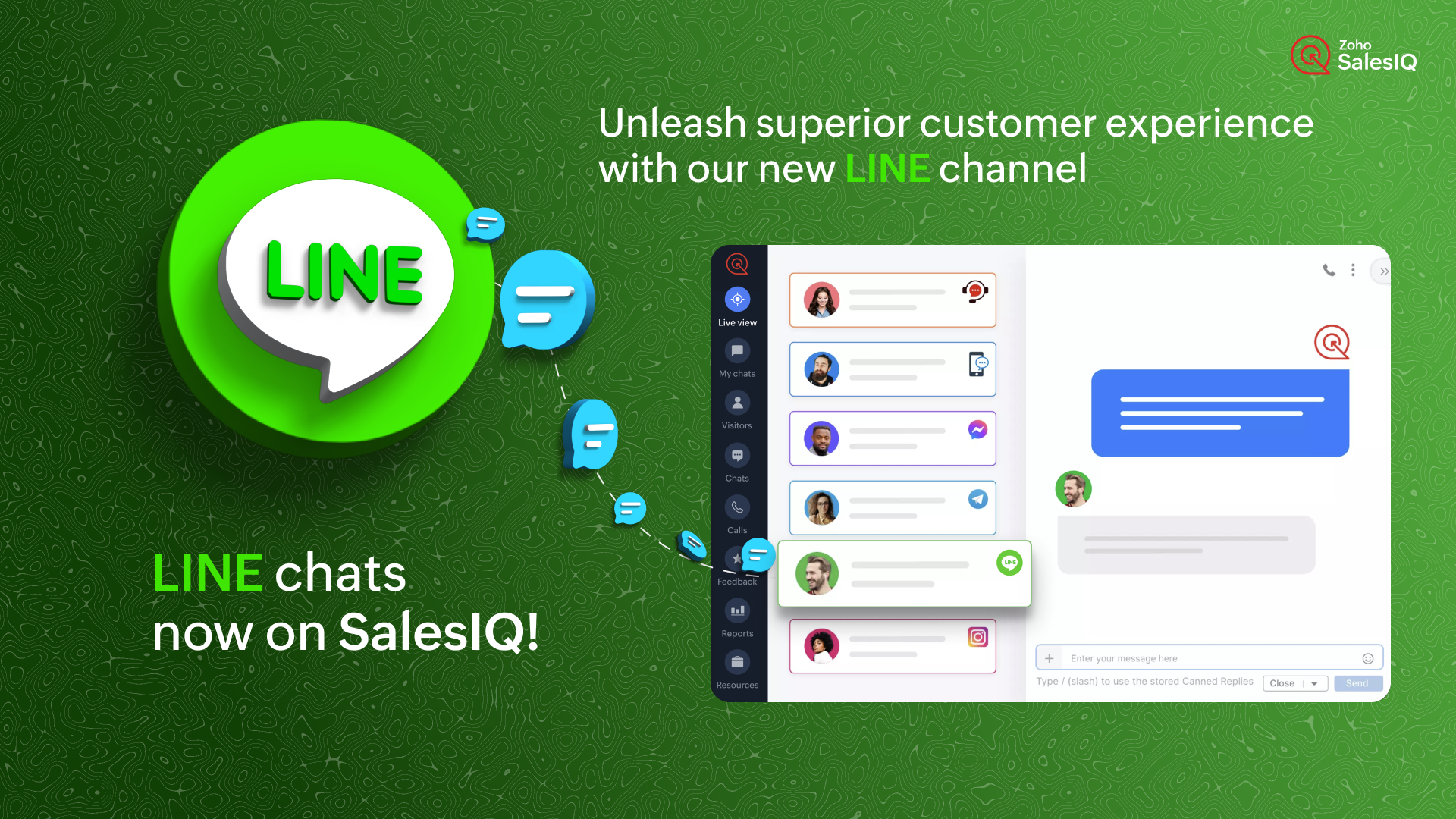
SalesIQ のIMチャンネルファミリーに、新しい仲間が加わりました。LINE とSalesIQ の連携を紹介します。このチャンネルを利用すれば、SalesIQ の管理画面から、LINE ユーザーと便利につながり、交流することができます。
LINE は世界で最も人気のあるインスタントメッセージングプラットフォームの1つであるため、この連携によって新たな可能性が広がり、さまざまな地域の顧客が好みのメッセージングアプリで即座に貴社のビジネスにアクセスできるようになります。
どのように機能するのでしょう?
SalesIQ のチャンネルにLINE を設定すると、LINE 公式アカウントで受信したすべてのチャットを、SalesIQ の管理画面に直接取り込むことができます。これにより、SalesIQ から簡単にメッセージを送受信することができます。
ビジネスでの利用例
ソーシャルメディアにビジネスプロフィールをアップしている場合、LINE や他のソーシャルメディアアプリからのチャットを担当する特定の担当者がいる可能性があります。
インスタントメッセージングアプリからすべてのチャットに対応し、合理的なカスタマーサポートを提供することは、控えめに言っても面倒なことです。それはなぜでしょうか?
- 顧客に最高のサービスを提供するために設計された追加サポート機能はありません。
- また、このような場合、かなりの確率でチャットが見逃されるおそれがあります。
インスタントメッセージングプラットフォームは個人的な使用には適していますが、ビジネス目的、特にカスタマーサポートに活用するには限界があります。顧客のニーズに真に応え、卓越したエンゲージメントとサポートを提供するには、これらのタスクのために特別に設計された堅牢なプラットフォームが不可欠です。
SalesIQ のような強力なツールにLINE のチャットを組み込むことで、既存のオペレーターが使い慣れた、卓越したカスタマーアシスタンスを提供するために必要なすべてのツールを装備することができます。このシームレスな組み合わせは、通常のサポートにとどまらず、カスタマーサービスをまったく新しいレベルに引き上げます。
SalesIQ のLINE チャネルを活用したカスタマージャーニー
ジャックはあなたのビジネスにコンタクトしようとしており、あなたのビジネスのLINE 公式アカウントにメッセージを送信しています。SalesIQ のオペレーターであるあなたには、SalesIQ のダッシュボード上ですぐにチャットの招待が届きます。
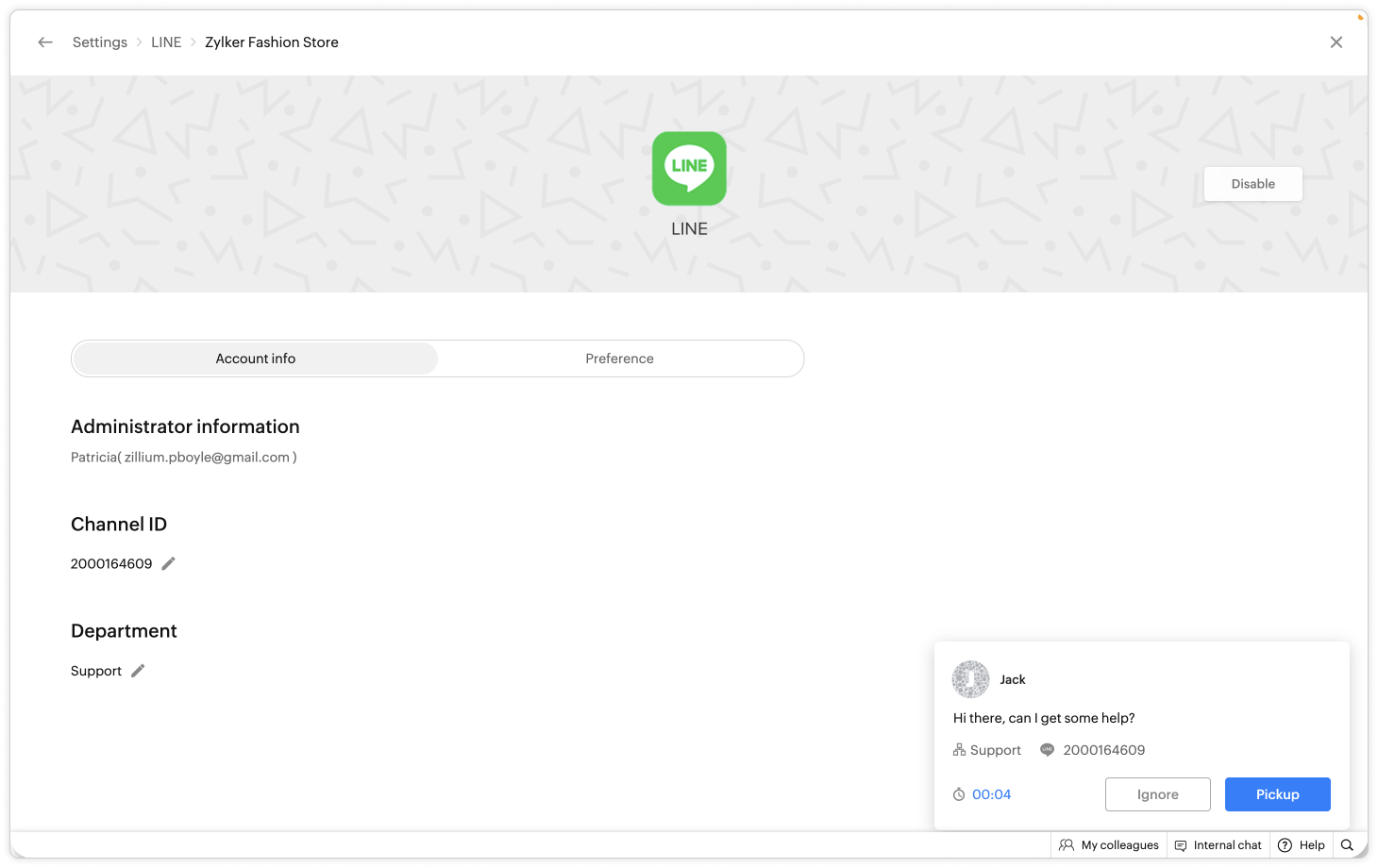
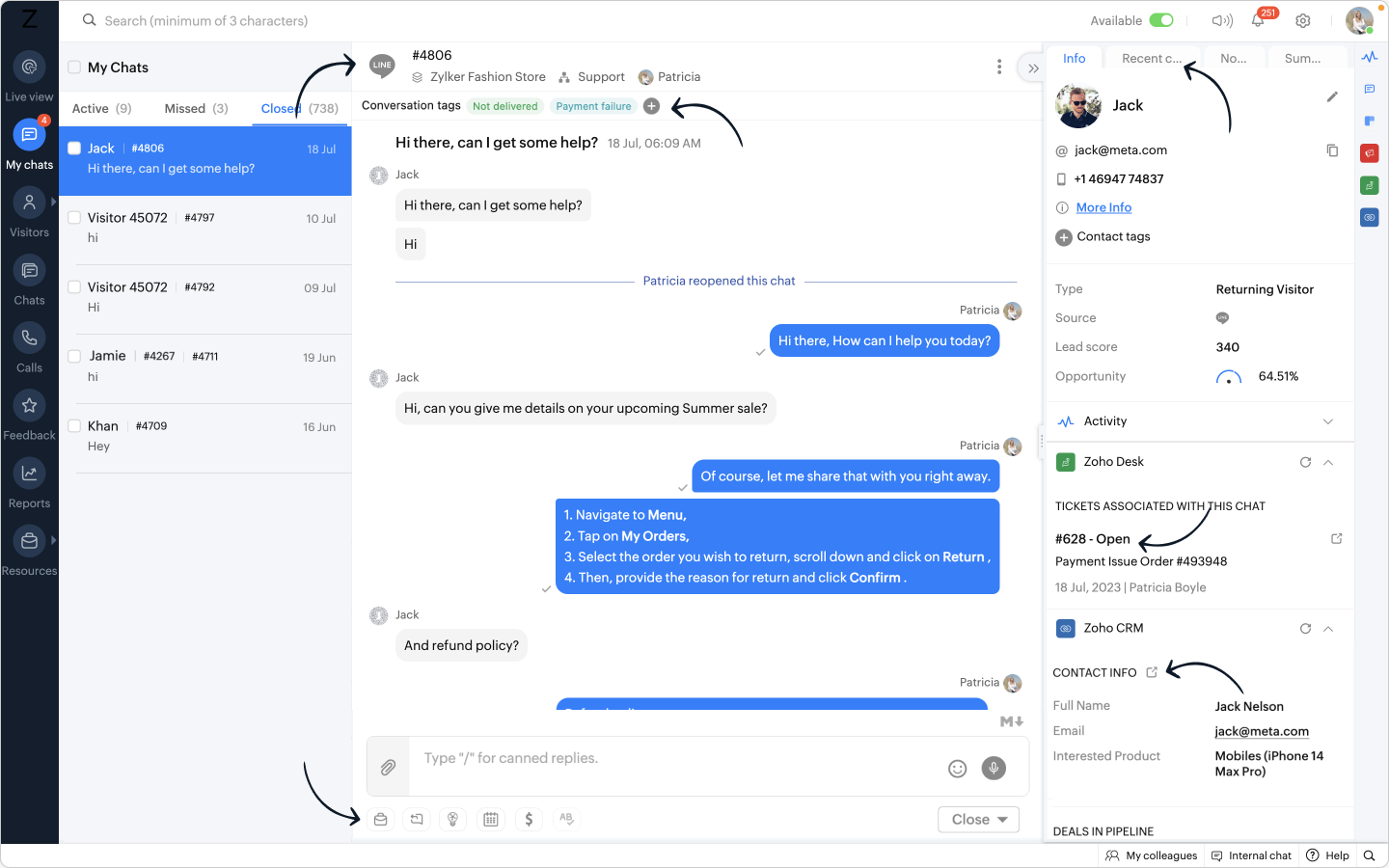
- あなたはジャックにお気に入りの定型文を使ってあいさつし、会話した後、ジャックが返金に関して問題を抱えていることを知りました。
- あなたはすぐに、自社の返金ポリシーに関するFAQ をジャックに伝えました。
- さらに、別のウィンドウに移動することなく、SalesIQ オペレータチャットウィンドウから Zoho Desk ウィジェットを利用し、ヘルプデスクソフトウェア上に即座にチケットを作成することができます。
- また、関連するタグを会話に追加することで、将来簡単にフィルタリングできるように効果的に分類できます。
おまけ:
- LINE からあなたのビジネスに新しい訪問者が近づいた場合、彼らの名前は自動的にオペレータのチャットウィンドウに入力され、簡単にあなたの会話をパーソナライズすることができます。
- 相手の連絡先情報を取得し、Zoho CRM ウィジェットを使用して CRM 上ですぐにリードを作成し、SalesIQ のオペレータチャットウィンドウから CRM に相手の詳細をプッシュすることができます。
このような顧客が、LINE から数日後に再びコンタクトしてきた場合、
- CRM に格納された顧客の詳細情報は、Zoho CRM ウィジェットで利用できるようになります。
- デスクチケットはZoho Desk ウィジェットで利用できるようになります。
- 過去の会話は「最近のチャット」に保存されます。
ここに可能性を感じませんか?
- LINE アカウントとSalesIQ を連携させることで、SalesIQ のダッシュボードにLINE のトークが表示されます。
- SalesIQ のダッシュボードには重要な訪問者/顧客情報がすべて保存され、後で参照することができます。
- SalesIQ のオペレータチャットウィンドウの強力な機能を利用し、生産性と効率を最大化することができます。

追加されたメリット:
リーチの拡大:LINE との連携により、膨大なユーザーベースを活用し、LINE を好みのメッセージングプラットフォームとして使用する顧客とつながることができます。この連携により、より多くのユーザーにリーチし、リアルタイムでエンゲージすることができます。
SalesIQ の機能の使用:ウィジェット、返信定型文、FAQ、OpenAI 連携などの機能をオペレーターが活用することで、健全なサポートとエンゲージメントを実現し、より有意義で文脈に即した会話が可能になります。
効率的なサポート:特定のオペレーターや専門部署をLINE チャネルのチャット管理のみに割り当てる柔軟性があり、お客さま独自のニーズに応じて効率性を最適化できます。
簡単なセットアップ:LINE との連携設定はとても簡単で、いくつかのステップを踏むだけでSalesIQ 内でLINE 公式アカウントへのメッセージを受信できるようになります。
注:Zobotは他のIMプラットフォームと同様、LINE チャンネルに近日登場する予定です。お客さまのカスタマーエクスペリエンスを向上させるシームレスな連携にご期待ください。待ち時間はそう長くありませんし、その価値は十分にあります!
LINE チャンネル設定手順
SalesIQ のLINE チャンネルでは、簡単なステップでLINE 公式アカウントとSalesIQ を連携させ、シームレスにコンタクトとつながることができます。LINE 公式アカウントの管理画面からチャンネルID とチャンネルシークレットを取得し、SalesIQ のLINE チャンネルページに貼り付けるだけです。
連携の手順については、以下のビデオをご覧ください。
SalesIQ は、Whatsapp、Facebookメッセンジャー、Instagram、Telegram など他のIMプラットフォームとの連携も行っており、幅広く利用されています。
Topic Participants
Junya Nakano
VEMULA MANEESH
Recent Topics
Feature Requests - Contact Coloured Picklist Visibility & Field Visibility During Ticket Creation
Hi Desk Team, I have 2 feature requests for you. Since Coloured Picklists are now available in Desk, It would be great if the colours were visible on the Related Details (Contact Information) when creating a ticket. In the screenshot below, I have 2 fieldsHow to integrate XML with Zoho CRM
Hi, I have an eCom service provider that gives me a dynamic XML that contains order information, clients, shipments... The XML link is the only thing I have. No Oath or key, No API get... I want to integrate it into Zoho CRM. I am not a developer norFeature Request - Ability to Customise Contact Info Card on Ticket Details View
Hi Desk Team, I've added a "Contact Priority" and "Account Prioirty" field and it would be very useful to agents if they could see that information in the Contact Info card on the Ticket Details view. It would be great if we could choose some fields toTax in Quote
Each row item in a quote has a tax value. At the total numbers at the bottom, there is also a Tax entry. If you select tax in both of the (line item, and the total), the tax doubles. My assumption is that the Tax total should be totalling the tax fromZoho Flow integration with Facebook Messenger and Whatsapp
Hi there, any plans of adding integrations with Facebook Messenger and Whatsapp into Zoho Flow? Seems that more and more business are delivering automated updates such as "your order is received", "your order has been shipped" and so on via these two platforms. Not sure if Whatsapp has the API access needed i am pretty sure that Facebook Messenger has... Kind regards Bo ThygesenMulti-currency and Products
One of the main reasons I have gone down the Zoho route is because I need multi-currency support. However, I find that products can only be priced in the home currency, We sell to the US and UK. However, we maintain different price lists for each.Campaigns unsubscribe/manage preferences links
Hi, Where can I edit the unscubscribe and manage preferences link in the footer of the email. I would like it so that when you click 'manage preferences' an form opens up that allows the person to choose what type of emails they do and don't wish toemail address somehow still not verified (?!)
L.S. After creating a new email template in CRM I was about to send a group email to my clients, then Zoho CRM announced that they would change the sender address to some kind of Zoho-e-ddress because my email address "has not been verified". Not onlyMarketing Tip #17: Add credibility to your online store with Review Widgets
One of the fastest ways to build trust in an online store is to show real customer feedback right where people are deciding to buy. Third-party widgets let you embed things like Google Reviews, Instagram feeds, or even a WhatsApp chat button. These addadding several team members to an Opportunity
How can we add several team members to one opportunity for collaboration? I have researched and only found something called Deal Team which I cannot find in my CRM to configure.PDF Annotation is here - Mark Up PDFs Your Way!
Reviewing PDFs just got a whole lot easier. You can now annotate PDFs directly in Zoho Notebook. Highlight important sections, add text, insert images, apply watermarks, and mark up documents in detail without leaving your notes. No app switching. NoBulk update Profile Permissions
Dears, What should we do if we add new forms or reports and need to update more than 20 permissions? Updating them one by one feels pretty harsh, doesn’t it?Filter in fields from Jira extension
We have installed the Jira extension so we can maken Jira issues from Zoho desk. In Zoho desk I can also see the Jira issue status for example but I can not filter on this field. I would like to setup an filter showing me the closed Jira issues. How cantext length in list report mobile/tablet
Is there a way to make the full text of a text field appear in the list report on mobile and tablet? With custom layouts, the text is always truncated after a certain number of characters.Zoho Creator customer portal limitation | Zoho One
I'm asking you all for any feedback as to the logic or reasoning behind drastically limiting portal users when Zoho already meters based on number of records. I'm a single-seat, Zoho One Enterprise license holder. If my portal users are going to add records, wouldn't that increase revenue for Zoho as that is how Creator is monetized? Why limit my customer portal to only THREE external users when more users would equate to more records being entered into the database?!? (See help ticket reply below.)Link Contacts to Billed Accounts
Hello, I want to do a survey on all my customers of 2025. For that I want to select all contacts linked to accounts who where billed in 2025. How to I create this link to I can then use Zoho Survey with this database of contacts?Export all of our manuals from Zoho Learn in one go
Hi, I know there's a way to export manuals in Zoho Learn, but I want to export everything in one go so it won't take so long. I can't see a way to do this, can I get some assistance or is this a feature in the pipeline? Thanks, HannahHistorical Sales Info - Blend with Finance Invoice Line Items, Access in CRM and Desk
My company has been using Zoho One since 2021, with sales data going back through 2020. However, we have been in business much longer, and we have historical sales information that we want to have at our fingertips when talking with customers (usuallyPre-Zoho Sales Info - Best Way to Add to Desk / CRM
My company has been using Zoho One since 2021, with sales data going back through 2020. However, we have been in business much longer, and we have historical sales information that we want to have at our fingertips when talking with customers (usuallyShift-Centric View for Assigning and Managing Shifts in Zoho People
Hello Zoho People Product Team, Greetings and hope you are doing well. This feature request is related to Zoho People - please don't move it to zoho one! We would like to submit a feature request regarding the shift assignment and management view in ZohoCRM function REST API response format
Is there a way to control the JSON response returned by the CRM function REST API? If I call a function using either OAuth or an API key it returns a 200 OK response with a string in the format shown below. I am using a particular feature of an externalUsing MPN across multiple SKUs and inventory tracking
I have several different SKU's that share a common MPN and would like to track inventory by MPN. SKU1 has MPN1 assigned SKU2 has MPN1 assigned Here is an example If I start with 5 of MPN 1 in stock I want each SKU1 and SKU2 to show as 5 in stock, If IUnable to Access Application:
Whenever I try to access my application from the desktop, say I am editing it and want to test something in the desktop environment I get: An error has occurred. An internal error has occurred. Please check the URL , or try refreshing the page I can editCannot see Application from Lookup field
Hi all, I am trying to access data for an application on our account via a lookup field; however, the application doesn't appear in the dropdown at all. Can anyone shed any light on this, please? I have asked Zoho support; however, they're just as confused,Cannot see correct DNS config for mail after moving domain to another provider
I have moved my domain from one provider to another and after that zoho mail stopped working (expected). Problem is, zoho mail admin panel still shows (10 hours after move) that all records are correct while I haven't changed anything in my domain DNSZoho CRM Meetings Module Issues
We have a use-case that is very common in today's world, but won't work in Zoho CRM. We have an SDR (Sales Development Rep) who makes many calls per day to Leads and Contacts, and schedules meetings for our primary Sales Reps. He does this by loggingZoho Books integration sync from Zoho CRM does not work
Hi Zoho Community & Zoho Support We just tried to get a sync some products into Zoho Books from CRM using the native sync and we're getting an error: "It looks like some mandatory fields you're trying to map are empty. Please provide valid field namesP & L Sub-categorized accounts
How can I show sub-categorized Income and Expense accounts on the P & L report?Report showing Bill Details with Project and Sales Invoice Number
Hi There, I am hoping that someone can help, I am looking for report that can show the bill and expense details along with project its as assigned to and the invoice number that the sales has been raised in. The goal is I can filter a customer/projectAdvanced Payment for Inventory Items with serial numbers
Hello, We sell equipment that we track the unique serial numbers on using Sales Orders. We can charge the customers an advanced payment, then the balance on delivery. We cannot figure out a way to do this in Books/Inventory: - Cannot part invoice a SOIs it possible to restrict ZCRM user to see only custom views created by administrator
I have segmented data in my CRM and I want to allow different users to be able to see only parts of it based on some criteria. I've tried to create and share a custom view, but then there is always an option for user to see all open lead for example.Issues Logging into ZOHO
Hello, one of my coworkers is having issues logging into ZOHO, she has requested a code when entering and the email is correct but she has not received the code. can you help us with this?Google Fonts Integration in Pagesense Popup Editor
Hello Zoho Pagesense Team, We hope you're doing well. We’d like to submit a feature request to enhance Zoho Pagesense’s popup editor with Google Fonts support. Current Limitation: Currently, Pagesense offers a limited set of default fonts. Google FontsAdd Popup Rejection Metrics to Reports
Hello Zoho PageSense Team, We would like to request improved reporting for popup interactions. Current Limitation: PageSense currently provides conversion data, but there is no clear visibility into: Popup rejections Popup closes (✕ button clicks) DismissalsAbility to Reset / Reinitialize Popup Cookies
Hello Zoho PageSense Team, We would like to request the ability to manually reset popup cookies. Current Limitation: At the moment, it is not possible to initiate a new popup cookie from the our side. Visitors who rejected or closed a popup will not seeControl Popup Cookie Expiration Duration
Hello Zoho PageSense Team, We would like to request an enhancement related to popup cookie management. Current Limitation: Currently, PageSense popup cookies remain active for 365 days, and this duration cannot be modified by us. If a visitor closes orClone / Export Popup Design Across PageSense Projects
Hello Zoho PageSense Team, We hope you’re doing well. We would like to request an enhancement that allows popup designs to be reused across different PageSense projects. Problem Statement: Currently, Zoho PageSense allows popups to be duplicated onlyAre there settings for hyperlinks?
Clicking a hyperlinked cell in Sheet creates this little pop-up with the actual hyperlink inside. Is it possible to have a 1-click link where if you click the cell it opens the link directly with no pop-up?Automatically include all ticket attachments in the ticket resolution email
Hello Zoho Community, We are implementing Zoho Desk in a real customer-facing production environment and have run into a limitation that is becoming a blocking requirement for our clients. The problem When a ticket is closed or resolved, Zoho Desk sendsFinding text within a ticket: Expand All or Search this Ticket
The auto-collapse feature within a ticket is nice for screen scrolling, however it makes it difficult to find text within the ticket if the email is collapsed. In fact you cannot find text if it is collapsed. I would like to propose a feature that allowsNext Page