2025 in Review: Powering Field Services Forward—One Feature at a Time

2025 in Review: Powering Field Services Forward—One Feature at a Time


As 2025 draws to a close, it’s time to pause and reflect on a year of meaningful progress at Zoho FSM. This year was all about listening closely to our customers and partners, building with purpose, and continuously improving the way field service teams operate. From powerful new capabilities to thoughtful enhancements, we stayed focused on delivering greater flexibility, smarter intelligence, and deeper integrations—without ever losing sight of simplicity.

Here’s a look at how Zoho FSM evolved in 2025.

Core Field Service Operations & Execution

Subforms in Job Sheets

Capture repeatable data—such as inspections, measurements, or consumables—in structured subforms without cluttering the main job sheet. Learn more.


Multi-Asset Support in Transactions

Associate multiple assets with Estimates, Work Orders, and Service Appointments, and link assets directly to service line items for precise asset-level tracking. Learn more.


Dual Customer Mode

Serve one customer and bill another by using separate service and billing contacts or companies—ideal for property management, corporate campuses, hospitals or schools, etc. Learn more.


All Day Schedule Type

Plan flexible jobs without fixed start and end times by simply selecting a date and expected duration—perfect for inspections, maintenance, or long-running tasks. Learn more.


New Transaction Settings

Smarter Scheduling & Resource Optimization  

Streamlined Scheduling via Agent Confirmation

Field agents can now accept or reject assigned appointments, ensuring better workload balance and more reliable scheduling outcomes. Learn more.


Agent Utilization in the Dispatch Console

View real-time agent utilization across Gantt, Grid, and Calendar views, categorized from underutilized to overbooked, helping dispatchers optimize workloads and resource allocation. Learn more.


Smart Territory Assignment

Territories are automatically assigned to Requests, Estimates, and Work Orders based on service and billing addresses, reducing manual effort and improving assignment accuracy. Learn more.


Integrations & Extensibility  

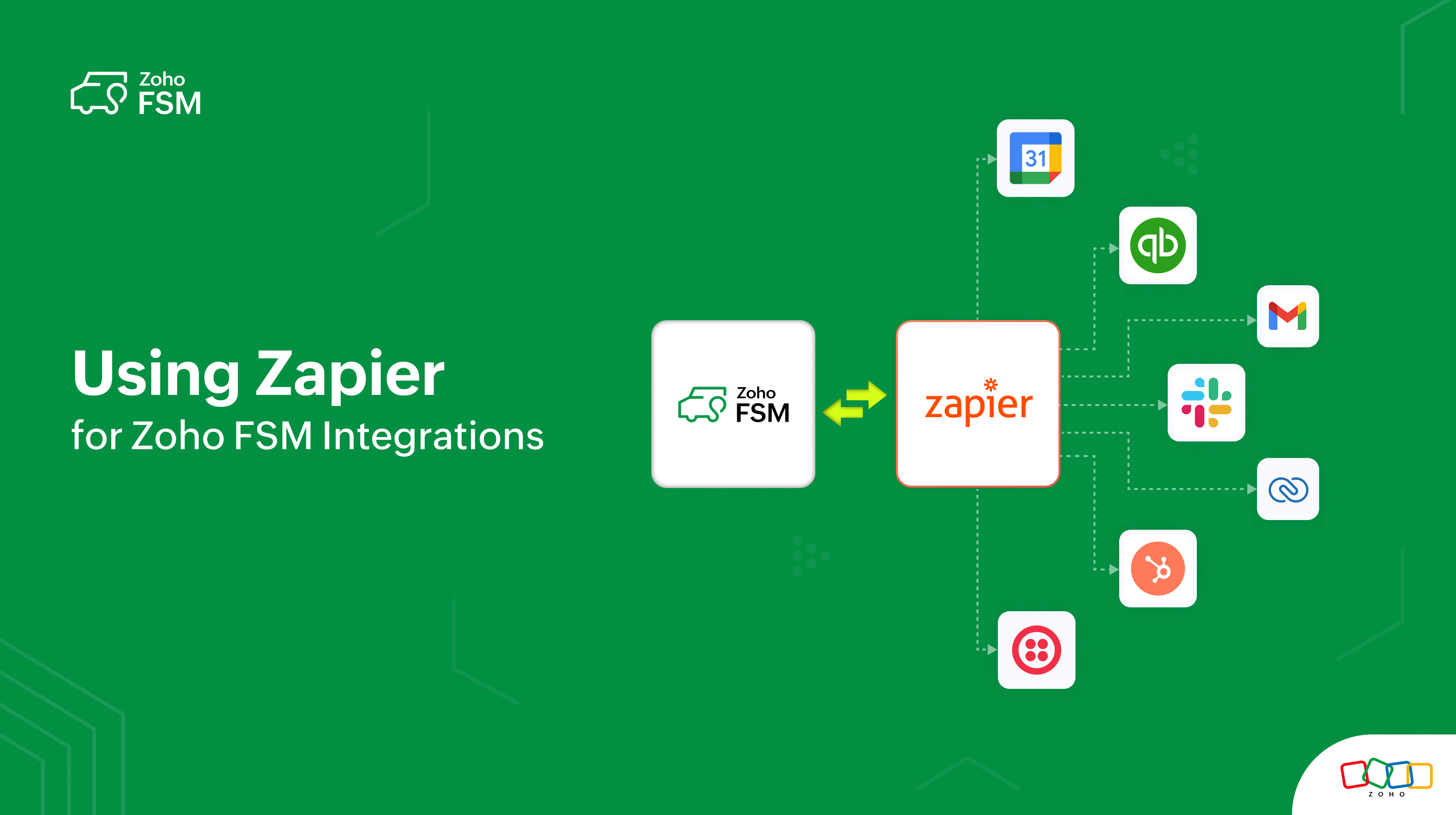
Use Zapier to Seamlessly Create Zoho FSM Integrations

Zoho FSM is now available on Zapier, allowing you to connect it with thousands of other apps. Zapier helps you create seamless integrations and automate workflows across systems—no coding required. Learn more.
Zoho FSM is included in Zoho Flow

Connect Zoho FSM with 950+ apps using Zoho Flow to automate workflows across sales, finance, support, and operations—without writing code. Learn more.


Zoho Analytics (Beta)

Bring powerful reporting and business intelligence to your field service operations using Zoho FSM’s integration with Zoho Analytics. Learn more.


Consolidated Sync Logs

Gain visibility into data synchronization between Zoho FSM-Zoho Books/Invoice, and Zoho FSM-Zoho CRM with unified, easy-to-track sync logs.


Workflow Automation Using Notes

Trigger workflows based on notes added to records, enabling faster escalations, automated updates, and improved collaboration. Learn more.


Quoting, Billing & Financial Management  

Zoho FSM for Zoho Books Extension

Initiate and manage field service workflows directly from Zoho Books, seamlessly connecting service operations with finance. Learn more.


Avalara Integration

Leverage the features of Avalara in your Zoho FSM organization if the associated Zoho Books organization is integrated with Avalara. Automate sales tax calculations, ensuring accuracy based on location, product type, and current tax laws. Learn more.


Optional Line Items in Estimates

Offer add-on or premium services as optional items, allowing customers to opt in while enabling clearer quotes and better upsell opportunities. Learn more.


Configurable Fiscal Year

Organizations can now define their fiscal year to align reporting, compliance, and analytics with local regulations or internal policies. Learn more.


Customer Communication & Engagement  

Built-in Telephony for Zoho FSM

Make and receive calls directly within Zoho FSM using Zoho Voice, the built-in phone system, or marketplace providers—while keeping all interactions logged. Learn more.


WhatsApp Sandbox & Enhancements

Test WhatsApp messaging safely with the WhatsApp Sandbox, then scale confidently using enhanced features like document sharing, rich media, conversation filters, sidebars, and record creation directly from chats. Learn more.


Attendance Management  

Revamped Attendance Experience

The Attendance module was redesigned with intuitive Day, Week, and Month views, making it easier to track check-ins, working hours, and team availability. Learn more.


Organization Management  

Multi-Organization Support

Users can now manage multiple Zoho FSM organizations from a single account while keeping data, workflows, and configurations completely isolated—ideal for multi-brand or multi-region businesses. Learn more.

Global Expansion & Regional Readiness  

Expanded Tax Editions

Zoho FSM strengthened global compliance with native tax support for KenyaSpainMexicoGermany, and South Africa, enabling accurate, region-specific tax calculations across service transactions and seamless integration with accounting systems.

Wider Language Support

To support a growing global user base, Zoho FSM added support for the following languages making the platform more accessible for distributed teams worldwide:
  1. Arabic - Saudi Arabia (العربية - المملكة العربية السعودية)
  2. Bulgarian (български)
  3. Chinese - China (中文 - 中国)
  4. Chinese - Taiwan (中文 - 台灣)
  5. Croatian (hrvatski)
  6. Czech - Czechia (čeština - Česko)
  7. Danish - Denmark (dansk - Danmark)
  8. Greek - Greece (Ελληνικά - Ελλάδα)
  9. Hebrew (עברית)
  10. Hindi - India (हिन्दी - भारत)
  11. Hungarian (magyar)
  12. Indonesia - Indonesia (Indonesian - Indonesia)
  13. Korean - South Korea (한국어 - 대한민국)
  14. Polish (polski)
  15. Portuguese (português)
  16. Swedish - Sweden (svenska - Sverige)
  17. Thai (ไทย)
  18. Vietnamese - Vietnam (Tiếng Việt - Việt Nam) 

Enhanced API Support

2025 delivered significant API expansions to support deeper customization and automation:
  1. Update Territory Assigned to Record API
  2. APIs for Request Transitions  
  3. Service Reports APIs
  4. Job Sheets APIs
  5. Get Available Time Slots API  
  6. Equipment APIs  
  7. Time Sheet APIs  
  8. API to Fetch Available Service Resources  
These enhancements empower developers and partners to build robust, tailored solutions on top of Zoho FSM.

Mobile Enhancements  

iOS and Android Improvements

Continuous updates improved performance, usability, and feature parity for field teams on the go.

Zoho FSM on the Road: A Year of Meaningful Conversations  

2025 was also a year of connecting face-to-face with service businesses, partners, and the Zoho community across regions. From industry expos to customer meetups, Zoho FSM was proud to be part of conversations shaping the future of field service. Here are the highlights.

We were recently at Clean India Show 2025 in Mumbai, where we engaged with cleaning service businesses and demonstrated how Zoho FSM brings clarity, speed, and scalability to their daily operations. The enthusiasm, questions, and real-world discussions made it a truly rewarding experience.


We showcased Zoho FSM at Zoholics across Indonesia, Vietnam, and Thailand, where meeting customers and partners in person was nothing short of energizing. Our product expert led insightful sessions on Zoho FSM’s capabilities and roadmap, sparking curiosity and meaningful dialogue around what’s next.


At the Global Partner Summit 2025 in Chennai, we had an incredible opportunity to present Zoho FSM to our global partner ecosystem. From reflecting on our growth over the past year to unveiling new features and sharing our forward-looking roadmap, the sessions were engaging, interactive, and met with an enthusiastic response.


As we step into the new year, these conversations continue to inspire us. We’re more committed than ever to building smarter, more connected field service solutions—and empowering service businesses to deliver exceptional customer experiences, everywhere.

Looking Ahead to 2026  

That’s a wrap on 2025! It’s been an exciting year of progress, learning, and collaboration—and we’re just getting started. We have a lot planned for 2026, and we can’t wait to share what’s coming next as we continue to build smarter, more powerful field service experiences for you.

Thank you for being part of the Zoho FSM journey and for your continued trust and feedback—it’s what drives everything we do. Here’s to a meaningful, rewarding year ahead. Wishing you all the season’s greetings, and we’ll be back soon with more updates.


    • Recent Topics

    • New Custom View -Sorting the Custom fields

      While creating a New Custom View in invoice , Customers, Bills ,expense etc , the sorting of custom fields are not available , a query function "order by / sort by  " may also be included in  Define new criteria module  which will be more beneficial to
    • Make CAMPAIGNS email look as simple as possible

      Hi there I'm trying to make my Campaigns email look as much like a normal email as possible. I'm a bit stuck with the "justification" of the email email block. Can I LEFT JUSTIFY the "whole email" to make it look "normal"? (Please see screenshot attached)
    • [Webinar] Top 10 Most Used Zoho Analytics Features in 2025

      Zoho Analytics has evolved significantly over the past year. Discover the most widely adopted features in Zoho Analytics in 2025, based on real customer usage patterns, best practices, and high-impact use cases. Learn how leading teams are turning data
    • Sorry! we encountered some problems while sending your campaign. It will be sent automatically once we are ready. We apologize for the delay caused.

      Hello. Lately we are having problems with some campaigns, which show us this error message. Sorry! we encountered some problems while sending your campaign. It will be sent automatically once we are ready. We apologize for the delay caused. We can't find
    • Can I remove or divert certain contacts from an active Campaigns workflow?

      I have created a workflow in Zoho Campaigns, which sends different emails, once contacts have been added to a mailing list. To choose which email to send to the contacts, there are conditions, which divert contacts based on their company type and their company size. There was a subsection of this workflow, where company size wasn't selected correctly, and some contacts have been sent down the wrong path and received the wrong email. The workflow contains a reminder loop and a further series of emails.
    • Customizing Helpcenter texts

      I’m customizing the Zoho Desk Help Center and I’d like to change the wording of the standard widgets – for example, the text in the “Submit Ticket” banner that appears in the footer, or other built-in widget labels and messages. So far, I haven’t found
    • File Upload field automatically replaces spaces with underscores – support experience

      Hi everyone, I want to share my recent experience regarding the File Upload field behavior in Zoho Creator and my interaction with the Zoho support team. When a user uploads a file, the system automatically renames the document by replacing spaces in
    • How to map fields from Zoho Recruit to Zoho People

      I've got these fields from my Job Offer that I'm trying to map to the Work information fields in Zoho People, but they arent showing up. For example, how do I get the department name field (in the job post) to map to the work information field in Zoho
    • UTM in zoho campaigns

      Helloo everybody!!! Someone know how IF ZOHO CAMPAIGNS has UTM for tracking the url of any campaigns. thank u
    • Full Context of Zoho CRM Records for Zia in Zoho Desk for efficient AI Usage

      Hello everyone, I have a question regarding the use of Zia in Zoho Desk in combination with CRM data. Is it possible to automatically feed the complete context of a CRM record into Zia, so that it can generate automated and highly accurate responses for
    • Knowledge base printing

      I saw a posting about printing the knowledge base as I was looking for the answer, but we would like the ability to print out the entire knowledge base with a click, keeping the same organization format.   Bonus would include an index of keywords and
    • Search not working!

      I have items in my notebook tagged but when I search for a tag nothing comes up! Any fix for this?
    • Zoho Books | Product updates | January 2026

      Hello users, We’ve rolled out new features and enhancements in Zoho Books. From e-filing Form 1099 directly with the IRS to corporation tax support, explore the updates designed to enhance your bookkeeping experience. E-File Form 1099 Directly With the
    • Updates for Zoho Campaigns: Merge tag, footer, and autoresponder migration

      Hello everyone, We'd like to inform you of some upcoming changes with regard to Zoho Campaigns. We understand that change can be difficult, but we're dedicated to ensuring a smooth transition while keeping you all informed and engaged throughout the process.
    • File Upload field not showing in workflow

      Hi, I have added a field on Zoho CRM. I want to use it in a workflow where that particular field is updated based on another field, however it is not showing up in the field list to select it in the workflow. Why is this please?
    • Drag 'n' Drop Fields to a Sub-Form and "Move Field To" Option

      Hi, I would like to be able to move fields from the Main Page to a Sub-Form or from a Sub-Form to either the Main Page or another Sub-Form. Today if you change the design you have to delete and recreate every field, not just move them. Would be nice to
    • How do i integrate google analytics to Zoho Campaigns?

      Looking to track Zoho Traffic from email Current topic is outdated
    • How do teams manage meeting follow-ups across Zoho tools?

      We’re using Zoho tools for collaboration and tracking, but managing meeting notes, action items, and follow-ups across teams is still challenging. Curious how others are handling this within Zoho workflows. Are there best practices or integrations that
    • Adding a Deal to and Existing Contact

      I want to easily add a Deal to an existing Contact. If I click on New Deal on the Contact page this currently this is what happens: All of the mandatory field (and other field) information exists within the Contact. Is there a simple way for it to automatically
    • Zoho Sprint Backlog View, filter by item status

      Hello, In Zoho Sprints, it would be great to be able filter out specific items in the Backlog based on their status. We would like to track items that were Removed from our backlog without seeing them constantly in the Backlog view, as this view should
    • Customize Colors used on graphs and charts according to users desire.

      It would be great if we could customize the graph's colors as we see fit. I hate that yellow is always the default color!
    • Let us view and export the full price books data from CRM

      I quote out of CRM, some of my clients have specialised pricing for specific products - therefore we use Price Books to manage these special prices. I can only see the breakdown of the products listed in the price book and the specialised pricing for
    • Mejoras urgentes para ZOHO MEETING

      Tengo unos meses usando Zoho Meeting. En general, es buena, pero hay cosas vitales que no logra cumplir con mínima calidad. 1) Calidad de audio y video: urge mejoras. Audio con retraso, imagen borrosa, mal recorte de silueta con fondos virtuales. Además,
    • Multiple header in the quote table???

      Hello, Is it possible in Zoho CRM to add multiple headers or sections within the Quote product table, so that when the quote is printed it shows separate sections (for example “Products” and “Services”)? To clarify, I’m asking because: This does not appear
    • Saving sent email campaign as PDF

      I'm looking to add all campaigns sent to an archive folder in sharepoint. Is there anyway to accomplish this in Zoho Flow ? I'm falling at the first hurdle ... can I automatically save a sent campaign as a PDF to a folder location ?
    • Exporting All Custom Functions in ZohoCRM

      Hello, All I've been looking for a way to keep about 30 functions that I have written in Zoho CRM updated in my own repository to use elsewhere in other instances. A github integration would be great, but a way to export all custom functions or any way
    • How can Data Enrichment be automatically triggered when a new Lead is created in Zoho CRM?

      Hi, I have a pipeline where a Lead is created automatically through the Zoho API and I've been trying to look for a way to automatically apply Data Enrichment on this created lead. 1) I did not find any way to do this through the Zoho API; it seems like
    • Conditional Layouts On Multi Select Field

      How we can use Conditional Layouts On Multi Select Field field? Please help.
    • Appreciation to Qntrl Support Team

      We are writing this topic to appreciate the outstanding level of support from Qntrl Team. We have been using Qntrl since 2022 after shifting from another similar platform. Since we joined Qntrl, the team has shown a high level of professionalism, support,
    • How can I hide "My Requests" and "Marketplace" icon from the side menu

      Hello everybody, We recently started using the new Zoho CRM for Everyone. How can I hide "My Requests" and "Marketplace" from the side menu? We don't use these features at the moment, and I couldn't find a way to disable or remove them. Best regards,
    • Whatsapp Integration on Zoho Campaign

      Team: Can the messages from Zoho Campaign delivered through Whatsapp... now customers no longer are active on email, but the entire campaign module is email based.... when will it be available on whatsapp.... are there any thirdparty providers who can
    • Quotes Approval

      Hey all, Could you please help in the following: When creating quotes, how to configure it in a way, that its approval would work according to the quoted items description, not according to quote information. In my case, the quote should be sent to approval
    • Mandatory Field - but only at conversion

      Hello! We use Zoho CRM and there are times where the "Lead Created Date & Time" field isn't populated into a "Contractor" (Account is the default phrase i believe). Most of my lead tracking is based on reading the Lead Created field above, so it's important
    • Different Task Layouts for Subtasks

      I was wondering how it would be possible for a subtask to have a different task layout to the parent task.
    • Enable Free External Collaboration on Notecards in Zoho Notebook

      Hi Zoho Notebook Team, I would like to suggest a feature enhancement regarding external collaboration in Zoho Notebook. Currently, we can share notes with external users, and they are able to view the content without any issue. However, when these external
    • Using data fields in Zoho Show presentations to extract key numbers from Zia insights based on a report created

      Is it possible to use data fields in Zoho Show presentations along with Zoho Analytics to extract key numbers from Zia insights based on a report created? For example, using this text below: (note that the numbers in bold would be from Zia Insights) Revenue
    • Free webinar: AI-powered agreement management with Zoho Sign

      Hi there! Does preparing an agreement feel like more work than actually signing it? You're definitely not alone. Between drafting the document, managing revisions, securing internal approvals, and rereading clauses to make sure everything still reflects
    • WhatsApp Channels in Zoho Campaigns

      Now that Meta has opened WhatsApp Channels globally, will you add it to Zoho Campaigns? It's another top channel for marketing communications as email and SMS. Thanks.
    • CRM For Everyone - Bring Back Settings Tile View

      I've been using CRM for Everyone since it was in early access and I just can't stand the single list settings menu down the left-hand side. It takes so much longer to find the setting I need. Please give users the option to make the old sytle tile view
    • Lets have Dynamics 365 integration with Zohobooks

      Lets have Dynamics 365 integration with Zohobooks
    • Next Page