Attendance Regularization - Settings
What is Attendance Regularization?
Attendance regularization is the process of correcting attendance entries when records are missing, incomplete, or incorrect.
Employees can raise regularization requests for situations such as:
- Forgot to check in
- Forgot to check out
- Incorrect attendance punch
- Biometric or device failure
- Attendance errors
- Missed ID card swipe
- Remote work attendance mismatch
Once submitted, the request can be reviewed and approved based on your organization’s approval workflow and attendance policies.
Watch our help video on attendance regularization
Enable Attendance Regularization
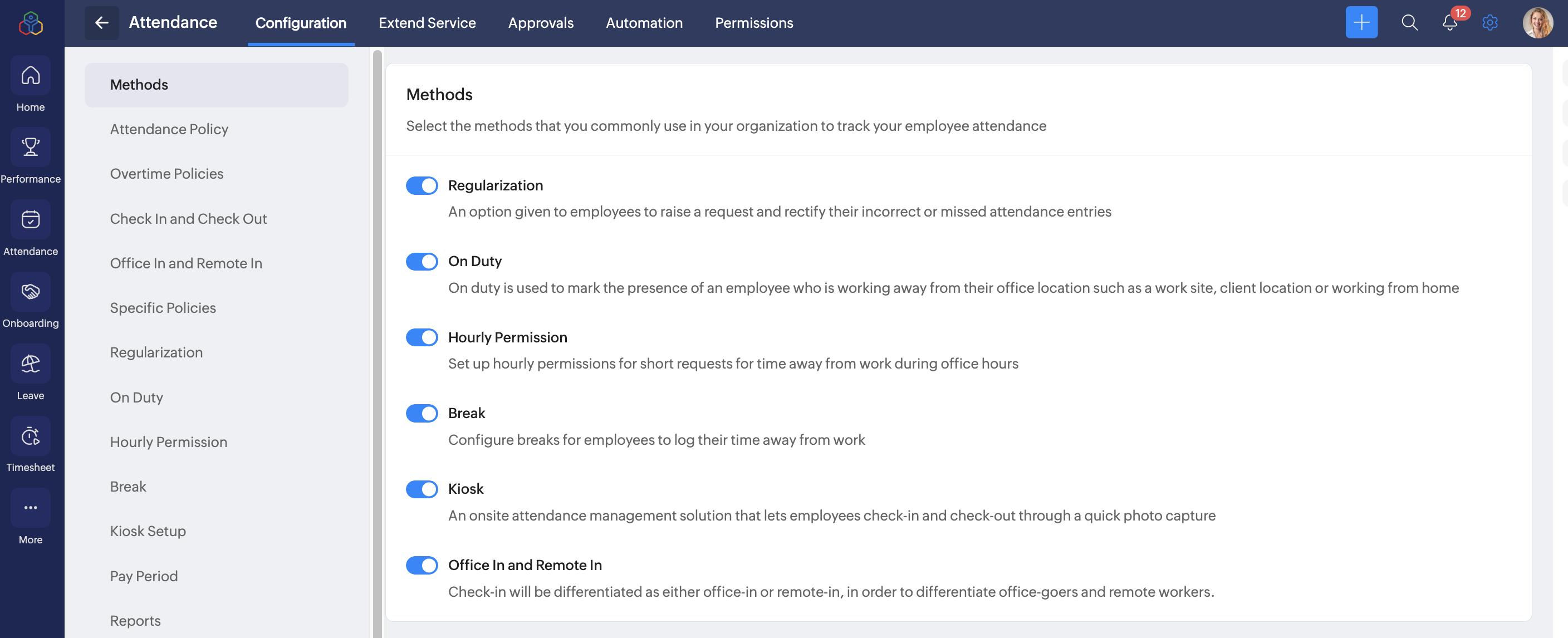
To enable attandance regularization, navigate to Settings > Attendance > Configuration > Methods. Enable Regularization.
Configuring Attendance Regularization
Set up regularization settings based on your organizational preference.
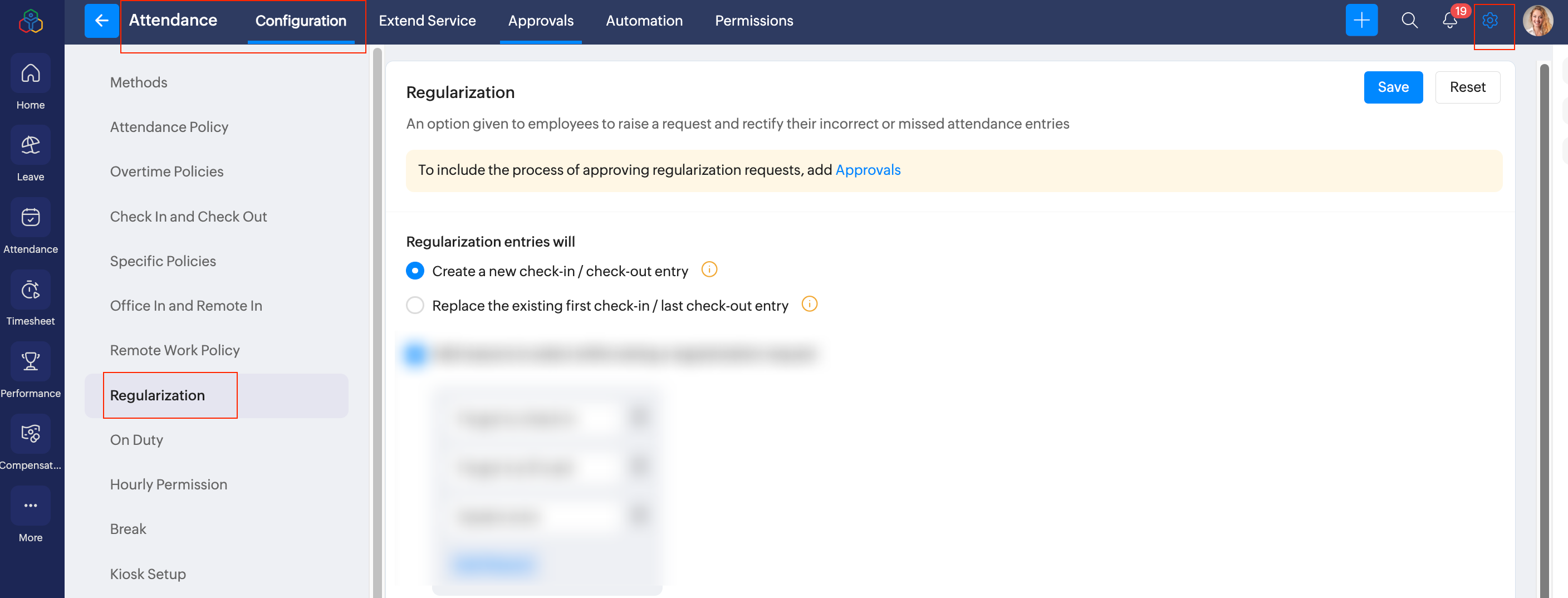
To configure attendance regularization settings, navigate to Settings > Attendance > Configuration > Regularization.
Configure approvals
To include the process of approving employees regularization requests, configure approvals, refer to Approvals - Overview & Use Cases.

You can setup an approval process for regularization requests from the Approvals tab.
With approvals enabled
- Requests are routed to managers or approvers for review.
- Attendance records are updated only after approval.
Without approvals
Requests may be directly processed based on organizational settings.
Regularization entries
This section determines how attendance entries are updated:
- Create a new check-in / check-out entry: Select this option to add a new attendance entry without modifying existing entries.
The system will calculate the total hours by including the existing hours already recorded and the difference between the selected 'From' and 'To' times. - Replace the existing first check-in / last check-out entry: Select this option to replace existing attendance entries.
The system will calculate the total hours only based on the selected 'From' and 'To' times, excluding any previous hours recorded. - Add reasons to select while raising a regularization request: Enable this option to require employees to choose a predefined reason while submitting regularization requests.
- Make reason mandatory for regularization request: Enable this option to ensure employees provide a reason when submitting a regularization request.
- Visibility and mandatory settings: Enable this option to require employees to provide a description and upload proof when submitting a regularization request.
Restrictions
Restrict Requests Within a Specific Number of Days: This setting limits the number of days employees have to submit a correction request.
Example: If configured as 7 days, employees can regularize attendance only within 7 days from the attendance date.
Benefits
- Prevents outdated corrections
- Ensures timely attendance validation
- Simplifies payroll processing
Limit Regularization Requests Per Time Period: This setting restricts how many attendance days can be regularized within a selected time period.
Example: If configured as 1 day per week, employees can submit regularization requests for only one day each week.
Benefits
- Reduces misuse
- Encourages attendance discipline
- Limits excessive attendance correction
Allow Regularization Requests for Future Dates and Times: Enable this option to allow employees to submit attendance regularization requests for future times on the current day and for future dates.
When this setting is enabled:
- Employees can request regularization for a future time on the current date.
- Employees can also submit regularization requests for future dates
Allow Regularization Requests Only on Approved Remote Work Days: Enable this option to restrict regularization requests to approved remote work days only.
Employees can submit regularization requests only when:
- Remote work is approved
- The selected date is marked as a remote work day
Click Save to apply and store the configured regularization settings.