Appraisal Review Settings
Appraisal Review Configuration
Configure how appraisal reviews are structured, evaluated, and processed across your organization.
To configure appraisal review related settings, navigate to Settings > Performance > Configuration > Appraisal Review tab
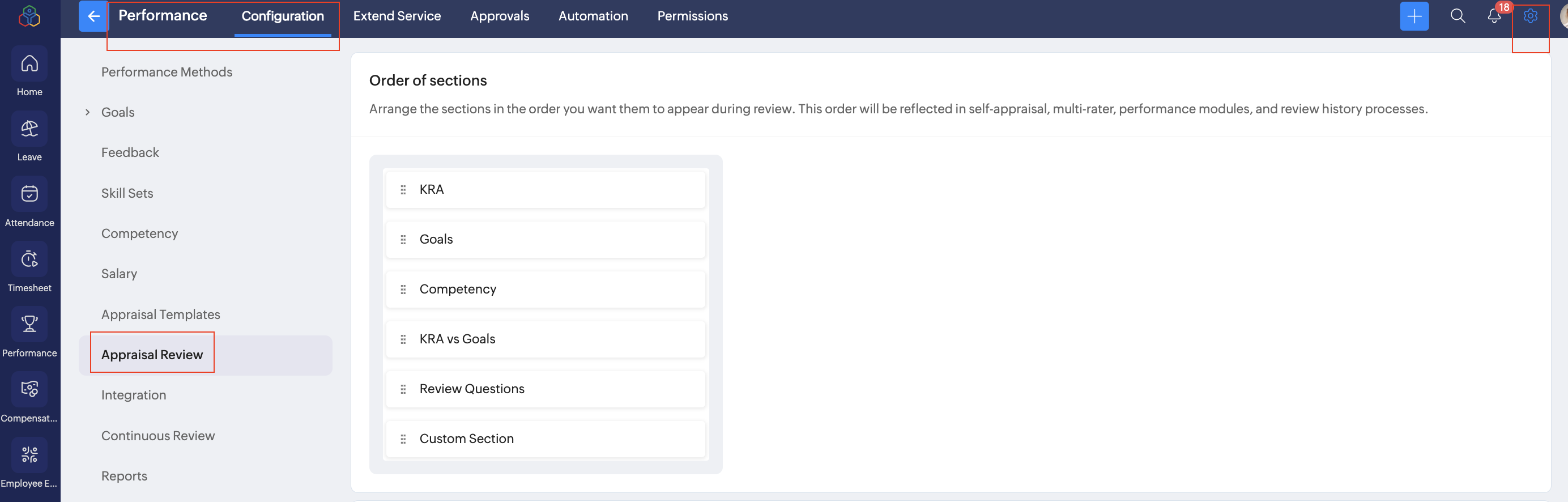
Order of Sections
Arrange the appraisal sections in the desired order for the review process. This sequence will be reflected across self-appraisal, multi-rater reviews, manager reviews, and review history pages in the Performance module.
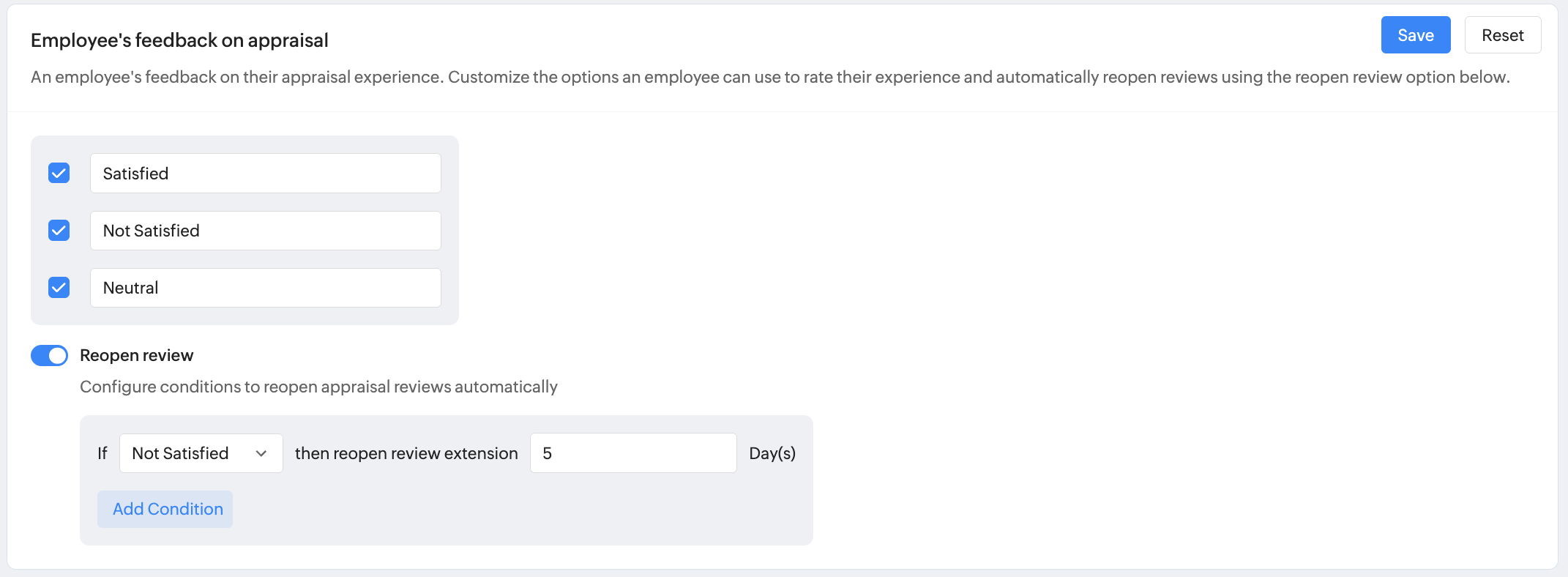
Employee Feedback on Appraisal
Customize the feedback options employees can use to rate their appraisal experience, and configure rules to automatically reopen reviews based on their feedback.
Salary Hike
Define how salary revisions are handled during the salary hike process.

- Percentage – Salary increases are applied as a percentage of the current salary.
For instance, if an employee earns ₹50,000 and receives a 10% hike, the new salary will be ₹55,000. - Amount – Salary increases are applied as a fixed amount.
For instance, if an employee earns ₹50,000 and receives a ₹5,000 hike, the new salary will be ₹55,000.
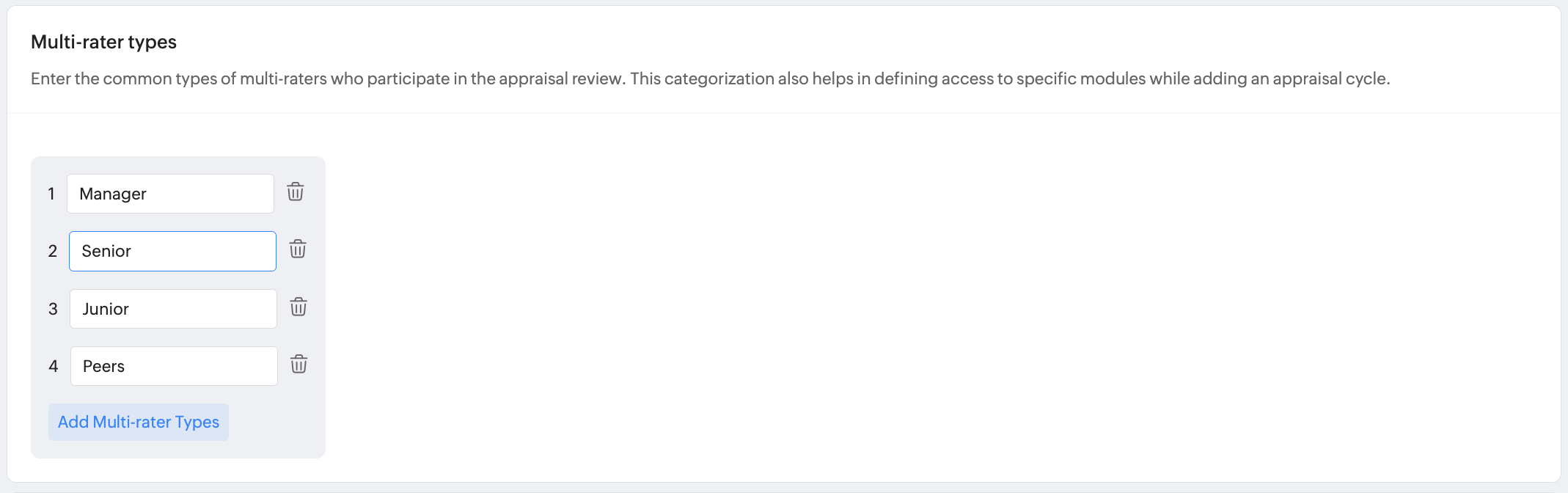
Multi-rater types
Enter the different types of multi-raters that employees can select while choosing reviewers for their appraisal. These categories help classify raters (such as Manager, Senior, Junior, or Peers) and ensure the right set of reviewers is selected during the multi-rater feedback process.
You can add, edit, or remove rater types based on your organization’s needs.
You can add, edit, or remove rater types based on your organization’s needs.
Normalization
Enable the reason field and make it mandatory, if required, for the normalization process. To learn more about normalization, Click here.
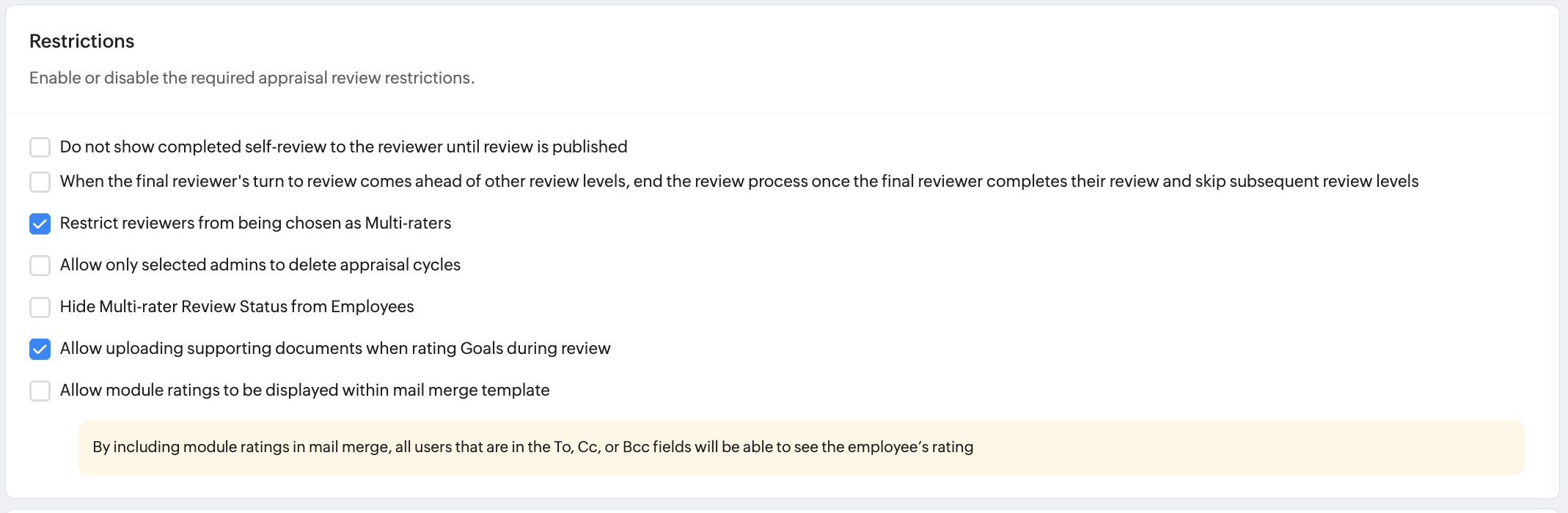
Appraisal Restrictions
Enable the required appraisal restrictions as per your organizationl preferences
Review Flow Control
Do not show completed self-review to reviewer until review is published
Skip subsequent review levels if final reviewer completes review
Multi-Rater Controls
Restrict manager reviewers from being chosen as multi-raters
Administrative Controls
Allow only selected admins to delete appraisal cycles
Visibility Controls
Hide multi-rater review status from employees
Document Upload Support for Goal Reviews
Allow uploading supporting documents when rating goals in self and manager reviews.
Email Visibility
Allow module ratings to be displayed within mail merge templates: If enabled, adding module ratings to the mail merge template allows all recipients in the To, Cc, and Bcc fields to view employee ratings.
Continuous review based appraisal cycle
Enable appraisal cycles based on continuous performance reviews. Learn more.
Watch our help video on appraisal review settings in performance service: