Compensation Service for Employees
What is the "Compensation" user service?
The "Compensation" user service refers to the Compensation tab accessible through the left bar in Zoho People. It is primarily for viewing your own compensation data (salary) information and for downloading salary revision letters.
How to navigate to the compensation user service?
Simply click on the Compensation icon in the left bar of Zoho People.
What can you do here?
View your compensation data
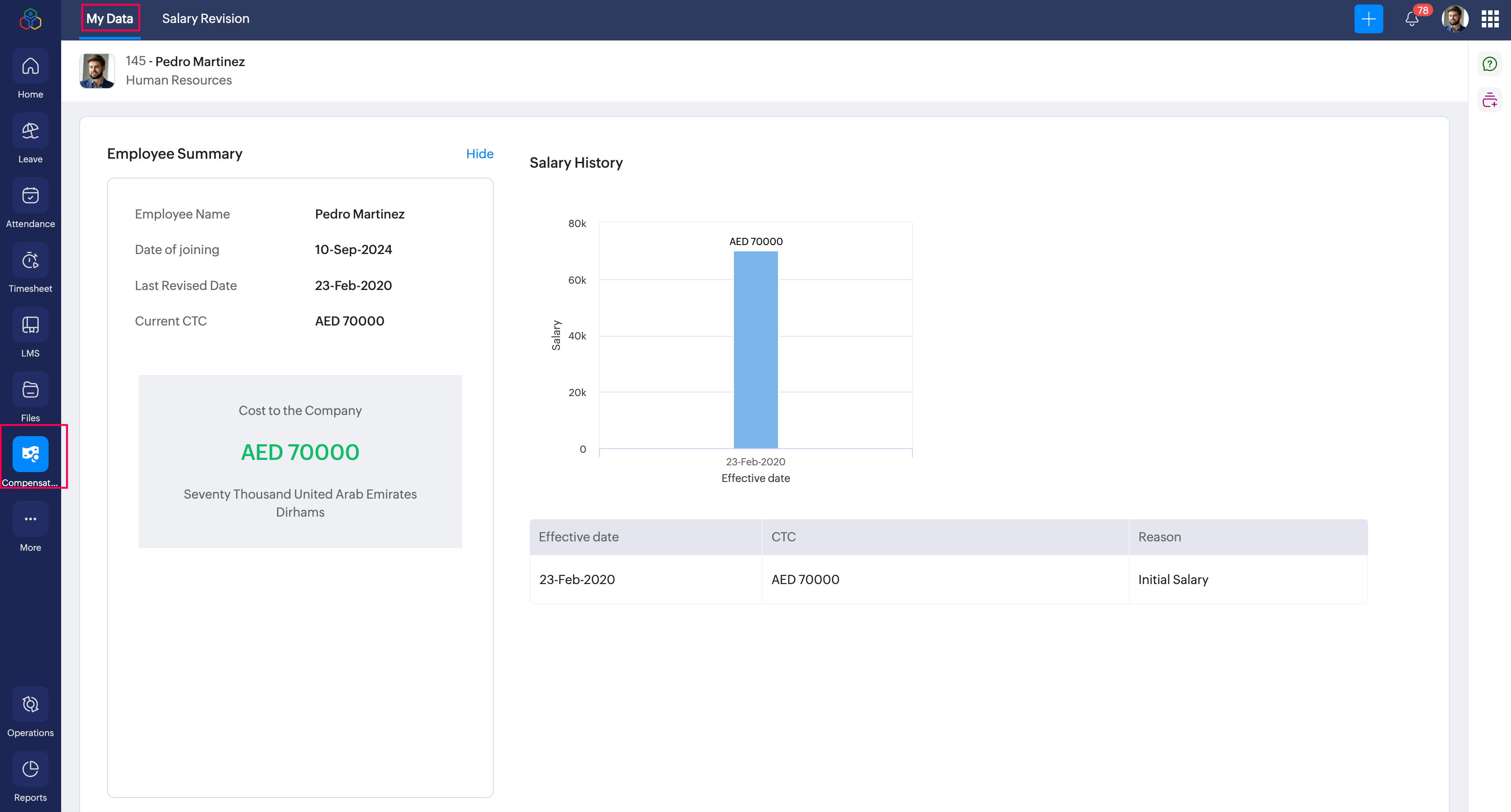
Navigate to Compensation > My Data tab.
This page includes information such as your salary, salary breakup, salary history, and salary revision information (if applicable).
Download revision letters
Navigate to Compensation > My Data tab. Click on the View Salary Revision Letter button. A Salary Revision tab will also be available which will contain access to details on total, pending, processed, rejected / cancelled revisions (based on permissions configured by your organization).
The option to download revision letters will only be available if your organization has published a revision letter following a salary revision.