Troubleshooting Common Email Integration Errors in Zoho CRM
1. Invalid Credentials (Failure)
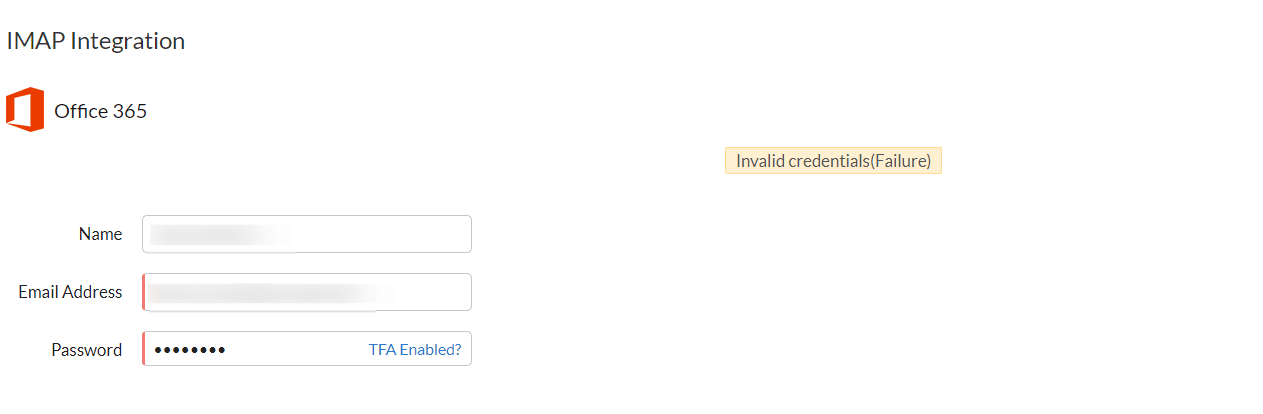
Troubleshooting Steps:
Verify if Two-Factor Authentication (TFA) is enabled for the mailbox.
If yes, use the application-specific password instead of the regular password in the IMAP integration page.
If the issue persists even with the correct app password, try configuring the same mailbox using another email client (e.g., Thunderbird or Outlook) via IMAP.
If configuration fails across all clients, contact Office 365 support to investigate the IMAP issue.
If the problem continues, please contact partner-support@zohocorp.com & all Europe and UK Partners, please contact partner-support@eu.zohocorp.com with:
Zoho CRM email address and the Organisation ID:
Screenshot from another mail client (e.g., Outlook) showing successful IMAP configuration
2. Cannot Send Email

Troubleshooting Steps:
Confirm that the recipient email address is valid.
If the address is blocked, try unblocking it and reattempt sending.
If unresolved, please contact partner-support@zohocorp.com & all Europe and UK Partners, please contact partner-support@eu.zohocorp.com with:
Zoho CRM email address and Organisation ID:
Record URL and associated email address
Screenshot of the IMAP configuration from:
Setup → Channels → Email
3. Authentication Unsuccessful
Troubleshooting Steps:
Re-enter the credentials in the integration setup.
If TFA is enabled, use the application-specific password.
Learn more:
If the problem continues, please contact partner-support@zohocorp.com & all Europe and UK Partners, please contact partner-support@eu.zohocorp.com with:
Zoho CRM email address and Organisation ID:
Screenshot of integration configuration
Comments from your email service provider, if available
4. Email Sent via Zoho CRM Server (Not SMTP)
This is an informational message indicating that emails sent from your organisation’s email address will be routed through Zoho CRM's mail server, not your configured SMTP server (from Setup → Channels → Email).
This behaviour applies to:
Mass emails
Automated emails
Workflow-triggered emails
Organisation emails
Workaround:
You can configure your domain via the Email Relay feature in CRM so that such emails are sent from your company’s server.
5. Recipient Has Exceeded Message Rate Limit
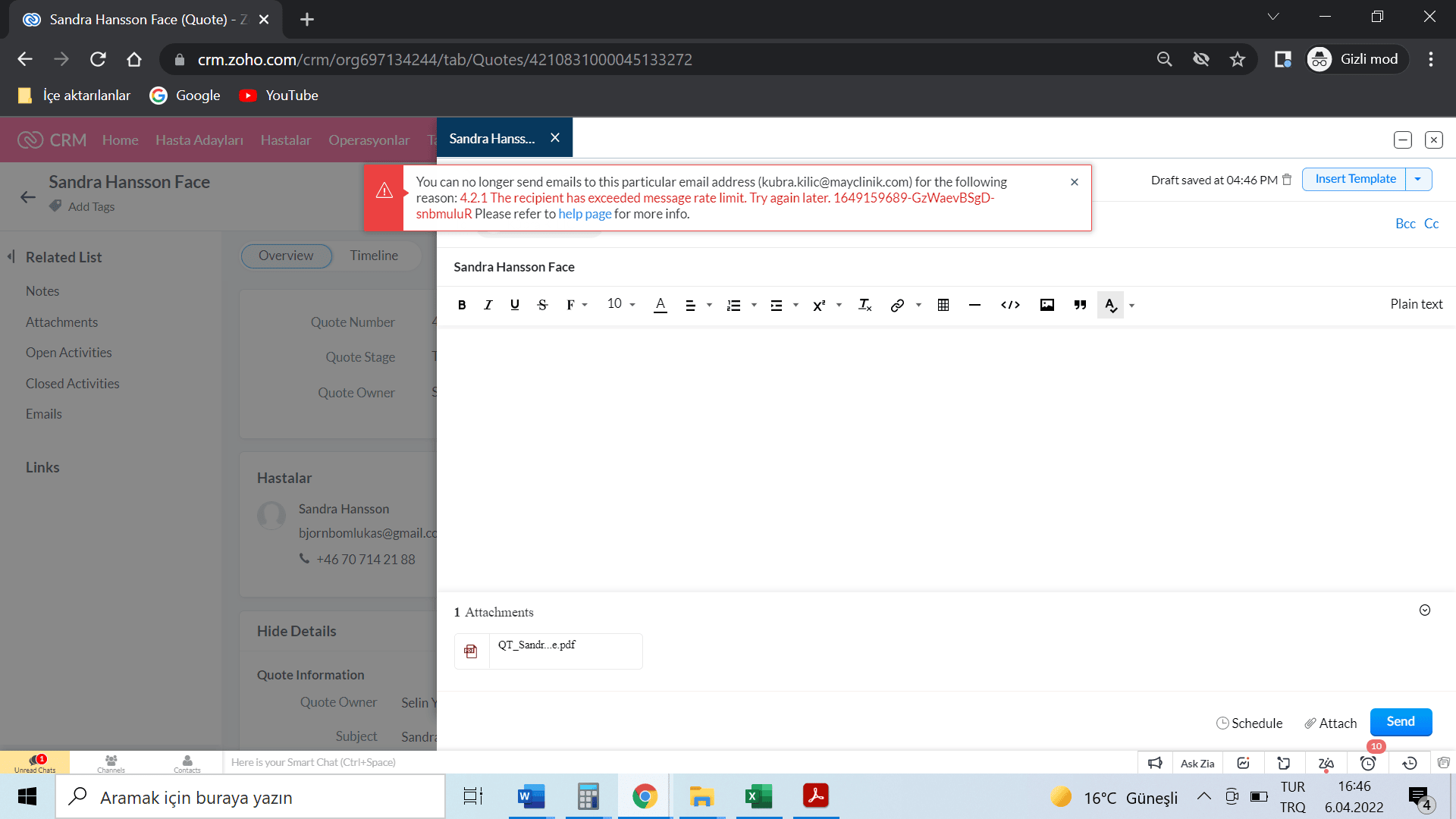
Troubleshooting Steps:
Verify if the recipient email address is valid
If the address is blocked due to high email volume, unblock it and retry
If the problem continues, please contact partner-support@zohocorp.com & all Europe and UK Partners, please contact partner-support@eu.zohocorp.com with:
Zoho CRM email address and Organisation ID
Email address of the affected recipient
6. {0} Mail Is Unavailable
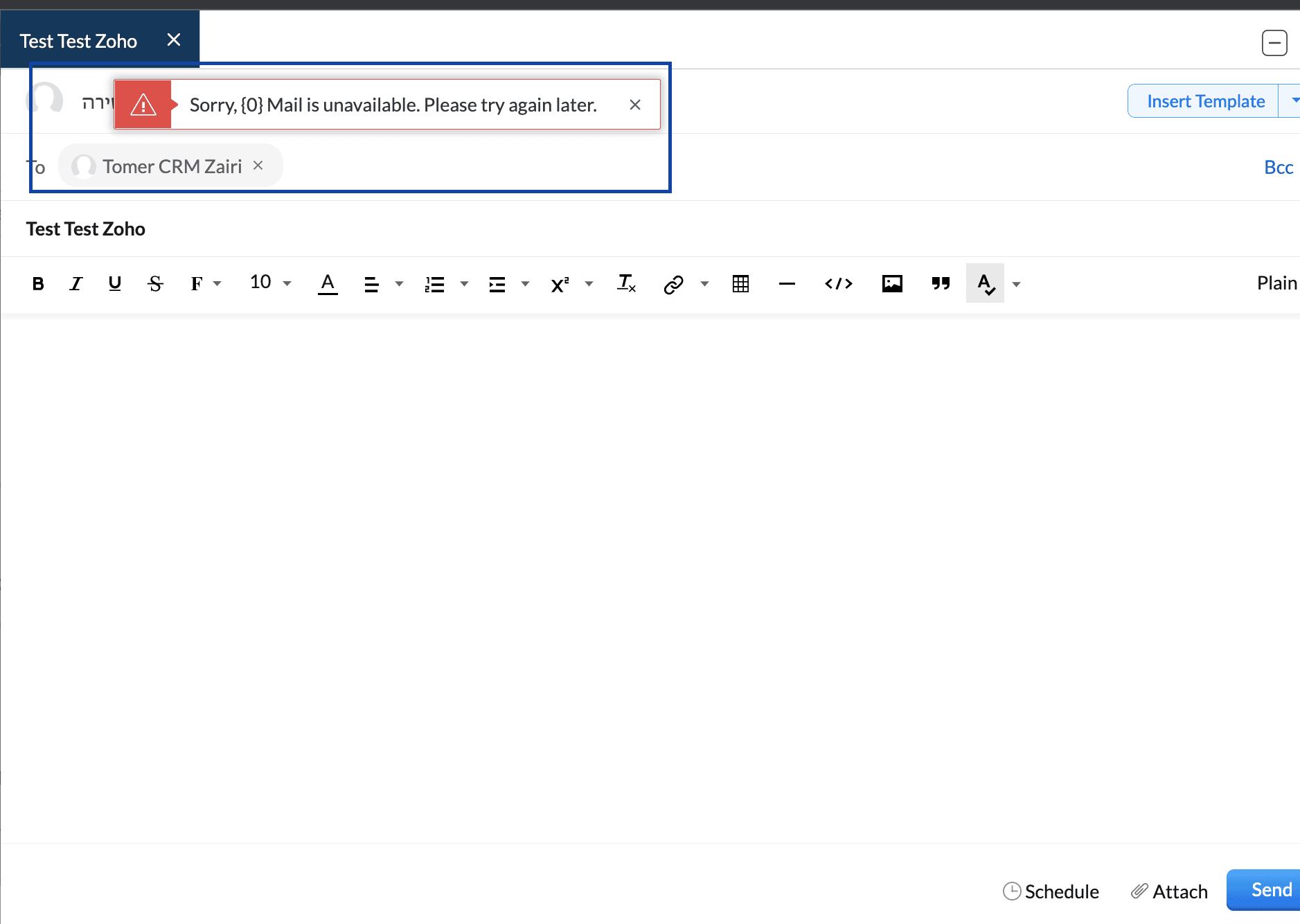
Troubleshooting Steps:
Update the application-specific password
Deactivate the existing integration and reconfigure the email setup
If the problem continues, please contact partner-support@zohocorp.com & all Europe and UK Partners, please contact partner-support@eu.zohocorp.com with:
Record ID and full record URL where the error appears
Screenshot of current IMAP configuration
Clarify whether the issue occurs on one or all records
7. Duplicate Values Are Not Allowed
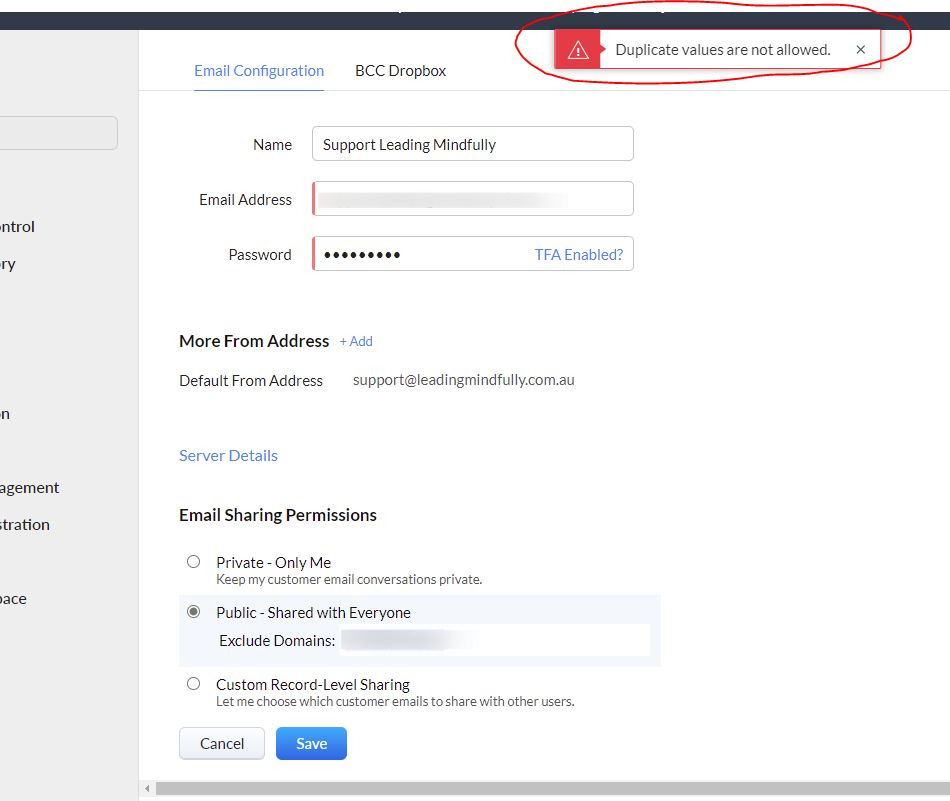
Troubleshooting Steps:
Go to
Setup → Channels → EmailSet Email Sharing Permissions to “Public - Shared with Everyone”
Do not enter any domain in the Exclude Domain field
Click Save – the domain will auto-populate if needed
If the problem continues, please contact partner-support@zohocorp.com & all Europe and UK Partners, please contact partner-support@eu.zohocorp.com with:
Zoho CRM account email address
Email address you want to configure
Full IMAP configuration screenshot
8. MailPolicy Violation Error

Troubleshooting Steps:
Check if the recipient email was blocked
Re-enable it and attempt resending
Perform domain-level email authentication
Refer to: Zoho CRM Email Authentication Guide
If the problem continues, please contact partner-support@zohocorp.com & all Europe and UK Partners, please contact partner-support@eu.zohocorp.com with:
Zoho CRM email address
Screenshot of the Email Integration page
Email address that triggered the error
We hope this guide helps you resolve common email integration and deliverability issues in Zoho CRM. If the issue persists after following the steps above: