Employee Onboarding Reports
The Employee Onboarding Reports section allows you to view the onboarding status of the employees for whom the Employee Onboarding is initiated.

To trigger employee onboarding, refer to Trigger Employee Onboarding.
To view the Employee Onboarding reports:
Navigate to Operations > Onboarding > Track Onboarding > Employee Onboarding Reports, and select any of the required tab.
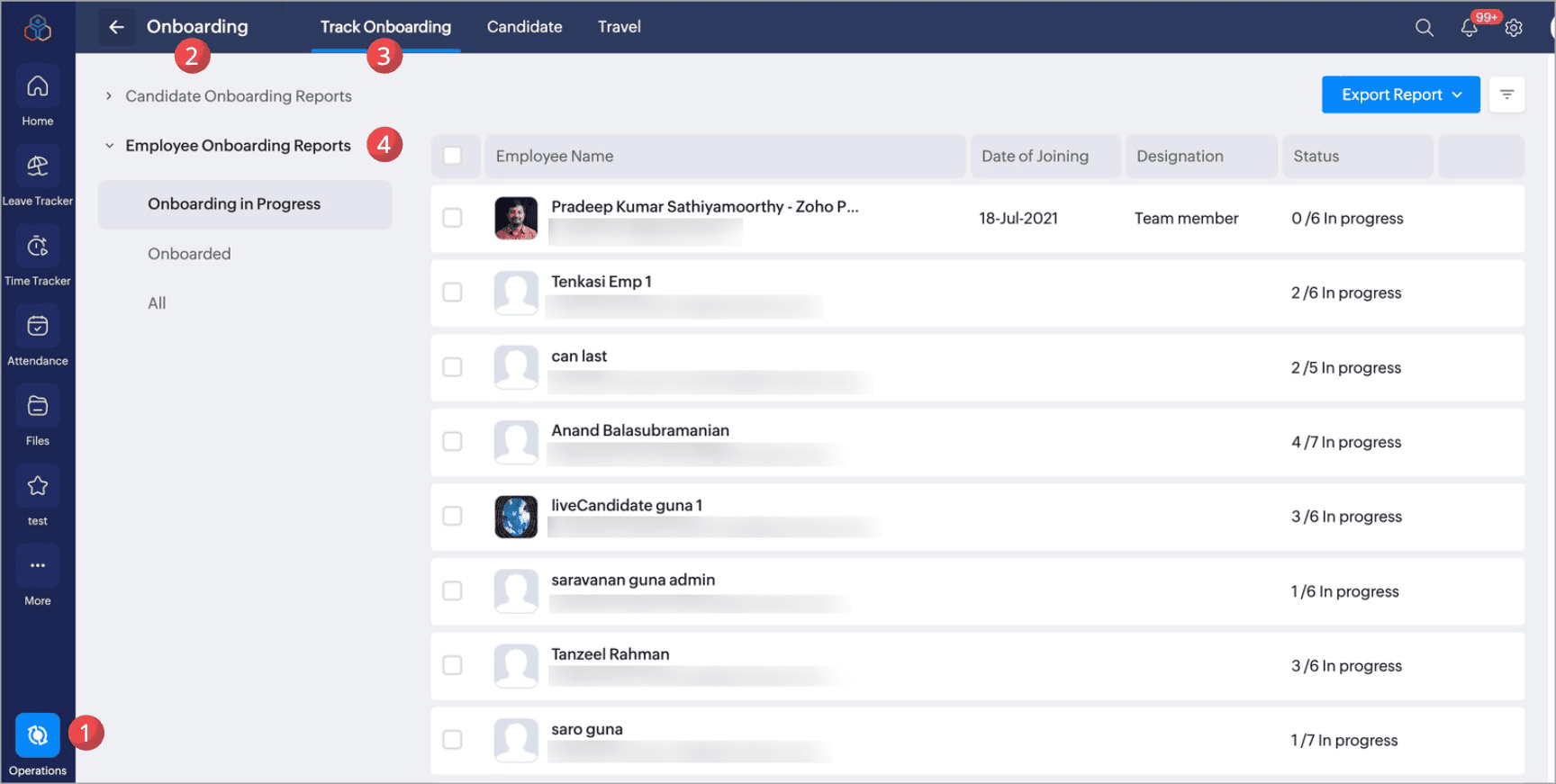
Employee Onboarding Tabs
- Onboarding in Progress: Lists employees whose employee onboarding process is currently in progress.
- Onboarded: Lists employees who have completed their employee onboarding process.
- All: Lists all employees, including those in progress and those who have completed the employee onboarding process.
Employee Onboarding Status
- Triggered: Employees for whom the employee onboarding process has been initiated.
- Onboarding in Progress: Employee whose onboarding process has been initiated and they are yet to complete their onboarding process.
- Completed: Employee who have completed their employee onboarding process
View Onboarding Status
To view the detailed employee onboarding status of specific employee:
- Navigate to Operations > Onboarding > Track Onboarding > Employee Onboarding reports, and select any of the tabs.
- Click on the Onboarding Status.
Re-trigger Employee Onboarding
If you make changes to the employee onboarding flow, you can re-trigger employee onboarding for employees whose onboarding has already been initiated. This ensures that the latest updates made by administrators are applied to their onboarding process.
To re-trigger employee onboarding flow:
- Navigate to Operations > Onboarding > Track Onboarding > Employee Onboarding Reports
- At the extreme right of the record hover and click on the ellipsis icon.
- Click Re-trigger Onboarding.
The employee onboarding will be re-triggered to the selected employee.
Mark as Completed
If administrators are satisfied with the employee onboarding completion status, they can mark the onboarding as completed for the employee.
- Navigate to Operations > Onboarding > Track Onboarding > Employee Onboarding reports, and select any of the tabs.
- Select the record and click Mark as Completed.
Export Reports
To export the Employee Onboarding reports:
- Navigate to Operations > Onboarding > Track Onboarding > Employee Onboarding reports, and select the required tab.
- Click Export Report and choose the format.