Tips for using Zoho Forms to boost your sales this holiday season
With the holiday season quickly approaching, it's time to start using your forms to drive conversions. For many small business owners, this is the most crucial time of year. Customers always look forward to this time of year with great anticipation and are eager to begin shopping, while looking for great deals and special offers.
Firstly let's list out the 3 important dates coming up to connect with your customers:
-
Christmas – December 25, 2022
-
Kwanzaa – December 26, 2022
-
New Year’s Eve – December 31, 2022
Know your customers
While there are numerous channels to market your products, it is critical to focus your marketing efforts where you believe potential customers will seek you out. Assessing the efficiency of your past holiday strategies can help you understand your target audience's behavior. To generate leads, share your order forms directly on your social media channels.
Aside from conversions from your form embedded on website or AdWords campaigns, it's essential to comprehend your customers by knowing how they find you. This is where you can use the UTM tracking parameters to determine which of your marketing efforts is performing the best.
Geolocation tracking for mobile submissions can be helpful to learn where your visitors/customers are from.
Show customers the different ways they can connect with you, by including social media links or embedding a
contact form at the end of your website footer.
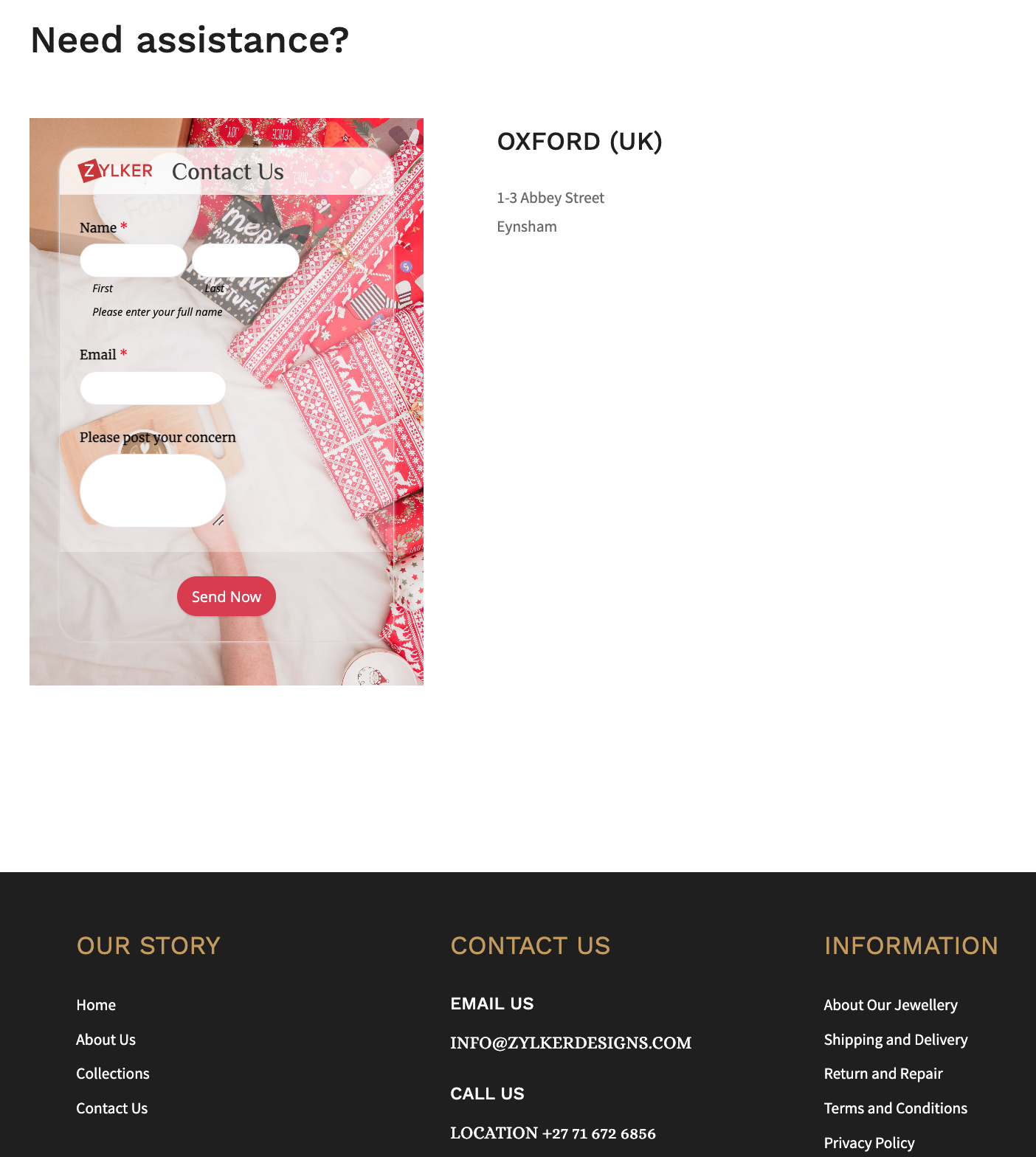
Retain your loyal customers by making a list of your returning customers and create a buyer persona for them. This can help in your marketing success by getting you to foresee what they expect from you during the holiday shopping season. You can also use this information to customize the Thank you page, and the triggered emails, allowing you to create messaging that strikes a chord with your customers.
Revamp your forms and website
Add holiday flare to your website's home page and select a form background that reflects the holiday spirit, for example, a Christmas holiday theme featuring bells.
You can take behind-the-scenes photos of your business preparing for the holiday season and use them as wallpapers for your different forms to portray your realistic efforts for the customers. Use relevant images and include your brand logo wherever possible, such as in social media posts or email notifications. Choose festive CTAs (like SHOP NOW!) for your form to grab the attention of your online customers.
To connect with each of your customers, use personalized holiday greetings while customers fill out your form with our dynamic field labels.
Offer your best deals and offers with a lightbox order form just when the website visitor is about to abandon your webpage.
Use the form description to convey the perks that the customers will benefit from purchasing your products or services this holiday season. For example, reassure customers by announcing a free delivery or return policy and a 24/7 support in the form description to win the trust of your customers.
Reach out to the global market with translated forms and sell your merchandise worldwide to earn new customers! What's more? You can trigger acknowledgement emails in the same translated language as well!
Offer multiple payment gateways to collect payments and streamline the payment process, allowing customers to choose their preferred transaction gateway.
If your store gets a lot of foot traffic, you could place the QR code of a donation form at the check out counters to collect any festive donations.
Share your story in short
Figure out what information you require, and avoid asking for information you don't need. Instead of having a long form with multiple unnecessary questions, segment the form into multiple pages, where each page focuses on different information.
Use the first page of your form to tell the story of your brand, and the reason why this holiday is special, making it easier for you to create an impact on people to connect with you, no matter where they're from.
Following up your story with simple segmented questions will help closing the deals faster. You can also avoid showing up irrelevant questions or pages and customize the form filling experience for each customer based on the choices they make on your form with conditional rules. For example, if you have more than one event planned or you have different options to offer each attendee, you can avoid making multiple forms for each of them. Collect all the information you need in one form and customize the entry process with rules.
Customers are wary of advertisements that take advantage of the holiday season. Carefully use the holiday season to show appreciation to your customers, so that your message is heard and your actions are perceived as genuine, rather than as a ploy to make some easy money from them.
Send customized party invites to the participants
Share an event registration form or a custom RSVP form for any holiday event, say a Christmas party, or a game night.
As an attendee enters their data and submits the invite form, be sure to acknowledge them instantly. You can also send a personalized auto-generated party invite as an attachment to the acknowledgement email triggered.
Use the Document merge feature to merge form responses with document templates and generate personalized merged documents on each form submission.
Host virtual celebration with contests
Hosting an Ugly Christmas Holiday Sweater contest is a beloved Christmas tradition and hosting it virtually is just so simple with Zoho Forms. Create a contest form with a tacky sweater background and fields asking for name and email. Ask your respondents to upload their picture with their sweater on using the Image Upload field. They can just take a snap with their phone's camera and instantly upload it to your mobile form.
The judge can view and analyze the images consolidated at one place in the All Entries section, which can make it simpler to select the winner. Offering your products as freebies to the winners can drive traffic to your website, regardless of the nature of your business.
Over to you!
The goal of holiday season sales is to reach a larger audience and outperform your competitors. Taking a few of these steps will get you on your way to higher conversions. As you gear up for your holiday events, remember to spread the holiday cheer along the way! We'd love to hear about what you do to make your forms more exciting and stand out for your audience in the comments.
Topic Participants
Samhita Munukutla
Sticky Posts
Easily track referrals with Zoho Forms
Referral tracking can be a powerful way for businesses to understand where their leads are coming from. With Zoho Forms, tracking the referral sources of your leads is an easy and straightforward process. Here are some tips to help you make the most of9 Ways to use Zoho Forms this Navratri
Hello form builders!Navratri is almost here! It is a time for celebration and culture in the Indian community, and organizing such a grand event can be overwhelming. But with the right tools, you can streamline the process and focus on creating unforgettableThe secret to collecting data from valid users
Collecting accurate data is crucial for making informed decisions. Zoho Forms offers two efficient ways to validate user data and ensure that you collect entries exclusively from valid users. Double Opt-in: Double Opt-in is a privacy feature that ensuresStorage space in Zoho Forms: The ultimate guide to efficiently managing your data
Are you using Zoho Forms for data collection? As with any data-intensive application, understanding how storage space is calculated is essential. That's why we've created this guide— to show you everything you need to know about managing storage spaceLinking primary form submissions to a second form submission
Let's imagine you have a form that you use to request a minimal amount of data from your users. To collect additional information, you redirect them to another form either automatically or based on a condition. During the course of redirection, you can
Recent Topics
Cliq on your mobile phone
Some of the employees in my company get their cliq on their mobile phones but it will not let them answer the call. The employee has to go to their laptop to access it.Bulk Delete Messages in Cliq
Isn't it possible to bulk delete messages in Cliq? I have them delivered to me as notifications from another service but most of them need to be deleted as not of value. I get dozens of them per day, and deleting them is already difficult is the "Delete"stock movement report by each transaction for each item
Dear Sir we are using zoho inventory for foodstuff and we lack the transaction report which clearly shows movement of an item from Opening balance of the month to Goods received in, Supplier return out, Invoice out, Sales return In, Transfer out and TransferSelect the task view on the board in the Zoho Connect iPhone app
Hello. How do I select the task view on the board in the Zoho Connect iPhone app? The Android app has this functionality.Unable to change Company Logo
Hi Guys, I have an issue where I've uploaded a Company image in Gif format and the logo has now got a black background whereas the logo is supposed to be black not the background. I didn't think it would be an issue so I created a PNG version to uploadMetadata API Access to Functions
I think it would be incredibly helpful to have api access to every function's code. Our team primarily uses deluge functions to update fields across modules according to business logic. I would like to create a visual dependancy model for our CRM, butHistorical Sales Info - Blend with Finance Invoice Line Items, Access in CRM and Desk
My company has been using Zoho One since 2021, with sales data going back through 2020. However, we have been in business much longer, and we have historical sales information that we want to have at our fingertips when talking with customers (usuallyIntroducing Record Category in CRM: Group options to see record status at a glance.
Release update: Currently available for CN, JP, and AU DCs (all paid editions). It will be made available to other DCs by mid-March. Hello everyone, We are pleased to introduce Record Category in Zoho CRM - a new capability where the user can get an overviewChange Last Name to not required in Leads
I would like to upload 500 target companies as leads but I don't yet have contact people for them. Can you enable the option for me to turn this requirement off to need a Second Name? Moderation update (10-Jun-23): As we explore potential solutions forZoho recruit's blueprint configuration is not functioning as mapped
Current Status: Zoho Blueprint is not functioning as configured. Issue: We are moving a Candidate status in Zoho Recruit "for active file" but we encountered: "Status cannot be changed for records involved in Blueprint." This happens to various clientZoho CRM Layouts
I have customised all our modules, Leads, Contacts and deals, and within them, I have created lots of different layouts depending on the type of Lead or contact, for example. Since the new Zoho UI came out, they have all disappeared. I have gone intoService disruption in Zoho Cliq (EU Region) – February 9, 2026
Hello everyone, We’d like to inform you about a brief service disruption that affected Zoho Cliq users in the EU region earlier today. The issue has been resolved, and all services are now operating normally. Summary On February 9, 2026, Zoho Cliq experiencedSpotlight series #26 - Build slides with visual clarity using Diagram
Hello all! The feature in the spotlight this month is Diagram. Let's say you are a part of a project kickoff meeting and your teammate starts explaining the project life cycle like this: "First we ideate, then we create an initial prototype and shareClient scripts for Zoho Books ?
Good day everyone, I am looking for a way to be able to interact with the Quotes and Invoices as they are being created. Think of it like Zoho client script in Zoho CRM. But for the life of me I dont see a way to do this. The issue with having functionUplifted homepage experience
Hello everyone, Creating your homepage is now much easier, more visual, and more impactful. Until now, your homepage allowed you to display custom views, widgets, analytic components, and Kiosk. With the following improvements, the homepage is now a smarter,Unable to produce monthly P&L reports for previous years
My company just migrated to Books this year. We have 5+ years financial data and need to generate a monthly P&L for 2019 and a monthly P&L YTD for 2020. The latter is easy, but I'm VERY surprised to learn that default reports in Zoho Books cannot createSort by age
It would be very helpful if there was a way to sort by age in the Age column. Please add this function if possible. Thanks!Task Order
Hello! I've recently switched to Zoho Projects and a long time user of MS Project, Asana and LiquidPlanner (which has recently been purchased) and I'm running into a frustration I'm hoping someone can assist with. It has to do with how tasks are orderedCrossbeam
Does anyone use Crossbeam with their Zoho CRM? I'm looking for a way to import Crossbeam partner leads into Zoho CRM. If so: - What's your experience been like? - Are you able to automatically import Crossbeam leads > Zoho CRM? How? - What doesn't workAccess forms within a form
I have multiple forms that I would like to create access to for users within one form. Example: I have forms A, B, C, D. I would like to create a form with the links to forms A, B, C, & D. That way we can send one link and then the user can select theWorkDrive issues with Windows Explorer Not Responding
We are using WorkDrive to collaborate on editing video content. We have a lot of files and quite a few are a few gigs. Recently anytime I try and work with the files Explorer freezes for a couple minutes whether it's dragging the files into Premiere orMultiple Cover Letters
We are using the staffing firm edition of Recruit and we have noticed that candidates cannot add more than one cover letter. This is a problem as they might be applying for multiple jobs on our career site and when we submit their application to a client,Issues with Actions By Zoho Flow
Hi, I have a workflow that fires when a deal reaches a stage. This then sends out a contract for the client to sign. I have connected this up through Actions by Zoho Flow. Unfortunately this fails to send out. I have tracked it down to the date fields.Fill Mail Merge document up with subform fields of an Inventory module record being in the Related List
Hi, I try to insert subform fields from an inventory module record being on the Related List of another inventory module record into a Mail Merge template without success. For example: we use ratecards in licensing and this ratecard items are availableEnhancements for Currencies in Zoho CRM: Automatic exchange rate updates, options to update record exchange rates, and more
The multi-currency feature helps you track currencies region-wise. This can apply to Sales, CTC, or any other currency-related data. You can record amounts in a customer’s local currency, while the CRM automatically converts them to your home currencyBetter use of contacts
Zoho inventory has the ability to add multiple contacts to customers. However Zoho inventory doesn't currently provide a way to link a contact to objects like sales orders. This means that while you can tell what company has placed a sales order you can'tHow can we add products using a Wizard?
We want to create a Wizard to add products. Why is there no possibility to use the products module when creating a wizard?Orphan email alias blocking user creation – backend cleanup required
Hello Zoho Mail Support, I´m unable to assign or create the address xx@iezzimatica.ar in my organization. Current situation: Alias cannot be assigned to any user (system says it is already in use) New user with this address cannot be created Address doesDirect Access and Better Search for Zoho Quartz Recordings
Hi Zoho Team, We would like to request a few enhancements to improve how Zoho Quartz recordings are accessed and managed after being submitted to Zoho Support. Current Limitation: After submitting a Quartz recording, the related Zoho Support ticket displaysEnsure Consistent Service Delivery with Comprehensive Job Sheets
We are elated to announce that one of the most requested features is now live: Job Sheets. They are customizable, reusable forms that serve as a checklist for the services that technicians need to carry out and as a tool for data collection. While onSomething wrong with client script??
Someone have the same feeling? Client script behavior become very strange..API 500 Error
Hello amazing ZOHO Projects Community, I get this message. How can we solve this? { "error": { "status_code": "500", "method": "GET", "instance": "/api/v3/portal/2010147XXXX/projects/2679160000003XXXX/timesheet", "title": "INTERNAL_SERVER_ERROR", "error_type":Polish signer experience to compete with docusign
I would like to suggest that someone spend the little bit of time to polish the signer experience, and the email templates to more of a modern professional feel. They are currently very early 2000s and with some simple changes could vastly improve thehow to change the page signers see after signing a document in zoho sign
Hello, How can I please change the page a signer sees after signing a document in Zoho Sign? I cannot seem to find it. As it is now, it shows a default landing page "return to Zoho Sign Home". Thanks!Digest Janvier - Un résumé de ce qui s'est passé le mois dernier sur Community
Bonjour chers utilisateurs, Le premier mois de l’année est déjà derrière nous ! Découvrons ensemble comment s'est passé janvier pour Zoho Community France. Nous avons démarré le mois avec une nouvelle intégration entre Zoho Desk et Zoho Contracts. CettePower up your Kiosk Studio with Real-Time Data Capture, Client Scripts & More!
Hello Everyone, We’re thrilled to announce a powerful set of enhancements to Kiosk Studio in Zoho CRM. These new updates give you more flexibility, faster record handling, and real-time data capture, making your Kiosk flows smarter and more efficientCan we fetch Deal owner and Deal owner email with COQL?
While fetching deal deatils with coql api and while fetching deal owner name and email it is just giving owner id not ginving name and email https://www.zohoapis.in/crm/v2/coqlZoho Social - Cliq Integration / Bot
Dear community / zoho, I am looking for a way to create a bot within Zoho Cliq to update my colleagues about our Zoho Social activities. For example, if a new post is published, it would be great if this post automatically would be shared in our socialComment to DM Automation
Comment to DM automation feature in Zoho Marketing Automation, similar to what tools like ManyChat offer. Use case: When a user comments on a social media post (Instagram / Facebook), the system should automatically: Send a private DM to the user CaptureSend / Send & Close keyboard shortcuts
Hello! My team is so close to using Zoho Desk with just the keyboard. Keyboard shortcuts really help us to be more efficient -- saving a second or two over thousands of tickets adds up quickly. It seems like the keyboard shortcuts in Desk are only forNext Page