Tips for using Zoho Forms to boost your sales this holiday season
With the holiday season quickly approaching, it's time to start using your forms to drive conversions. For many small business owners, this is the most crucial time of year. Customers always look forward to this time of year with great anticipation and are eager to begin shopping, while looking for great deals and special offers.
Firstly let's list out the 3 important dates coming up to connect with your customers:
-
Christmas – December 25, 2022
-
Kwanzaa – December 26, 2022
-
New Year’s Eve – December 31, 2022
Know your customers
While there are numerous channels to market your products, it is critical to focus your marketing efforts where you believe potential customers will seek you out. Assessing the efficiency of your past holiday strategies can help you understand your target audience's behavior. To generate leads, share your order forms directly on your social media channels.
Aside from conversions from your form embedded on website or AdWords campaigns, it's essential to comprehend your customers by knowing how they find you. This is where you can use the UTM tracking parameters to determine which of your marketing efforts is performing the best.
Geolocation tracking for mobile submissions can be helpful to learn where your visitors/customers are from.
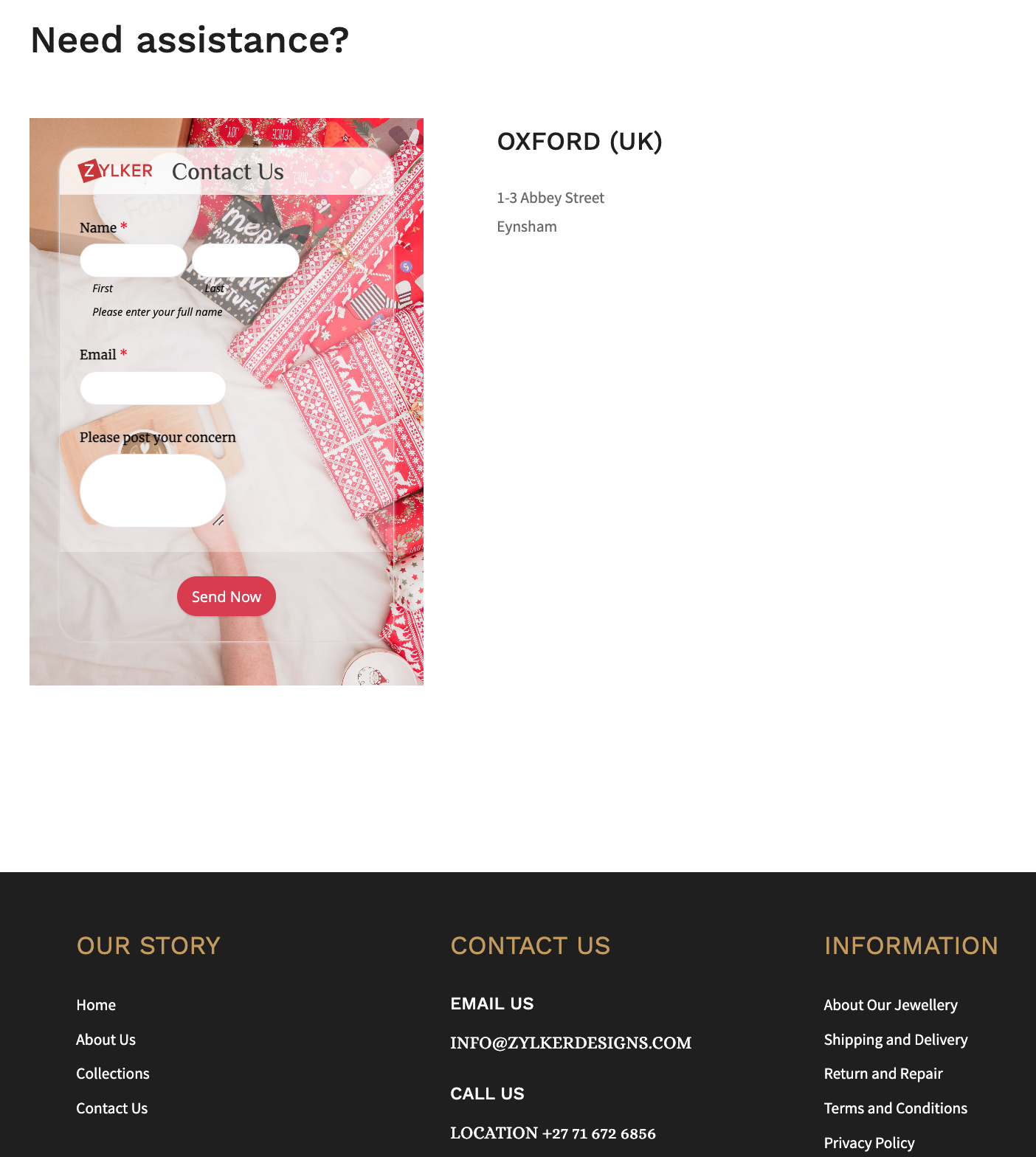
Show customers the different ways they can connect with you, by including social media links or embedding a
contact form at the end of your website footer.
Retain your loyal customers by making a list of your returning customers and create a buyer persona for them. This can help in your marketing success by getting you to foresee what they expect from you during the holiday shopping season. You can also use this information to customize the Thank you page, and the triggered emails, allowing you to create messaging that strikes a chord with your customers.
Revamp your forms and website
Add holiday flare to your website's home page and select a form background that reflects the holiday spirit, for example, a Christmas holiday theme featuring bells.
You can take behind-the-scenes photos of your business preparing for the holiday season and use them as wallpapers for your different forms to portray your realistic efforts for the customers. Use relevant images and include your brand logo wherever possible, such as in social media posts or email notifications. Choose festive CTAs (like SHOP NOW!) for your form to grab the attention of your online customers.
To connect with each of your customers, use personalized holiday greetings while customers fill out your form with our dynamic field labels.
Offer your best deals and offers with a lightbox order form just when the website visitor is about to abandon your webpage.
Use the form description to convey the perks that the customers will benefit from purchasing your products or services this holiday season. For example, reassure customers by announcing a free delivery or return policy and a 24/7 support in the form description to win the trust of your customers.
Reach out to the global market with translated forms and sell your merchandise worldwide to earn new customers! What's more? You can trigger acknowledgement emails in the same translated language as well!
Offer multiple payment gateways to collect payments and streamline the payment process, allowing customers to choose their preferred transaction gateway.
If your store gets a lot of foot traffic, you could place the QR code of a donation form at the check out counters to collect any festive donations.
Share your story in short
Figure out what information you require, and avoid asking for information you don't need. Instead of having a long form with multiple unnecessary questions, segment the form into multiple pages, where each page focuses on different information.
Use the first page of your form to tell the story of your brand, and the reason why this holiday is special, making it easier for you to create an impact on people to connect with you, no matter where they're from.
Following up your story with simple segmented questions will help closing the deals faster. You can also avoid showing up irrelevant questions or pages and customize the form filling experience for each customer based on the choices they make on your form with conditional rules. For example, if you have more than one event planned or you have different options to offer each attendee, you can avoid making multiple forms for each of them. Collect all the information you need in one form and customize the entry process with rules.
Customers are wary of advertisements that take advantage of the holiday season. Carefully use the holiday season to show appreciation to your customers, so that your message is heard and your actions are perceived as genuine, rather than as a ploy to make some easy money from them.
Send customized party invites to the participants
Share an event registration form or a custom RSVP form for any holiday event, say a Christmas party, or a game night.
As an attendee enters their data and submits the invite form, be sure to acknowledge them instantly. You can also send a personalized auto-generated party invite as an attachment to the acknowledgement email triggered.
Use the Document merge feature to merge form responses with document templates and generate personalized merged documents on each form submission.
Host virtual celebration with contests
Hosting an Ugly Christmas Holiday Sweater contest is a beloved Christmas tradition and hosting it virtually is just so simple with Zoho Forms. Create a contest form with a tacky sweater background and fields asking for name and email. Ask your respondents to upload their picture with their sweater on using the Image Upload field. They can just take a snap with their phone's camera and instantly upload it to your mobile form.
The judge can view and analyze the images consolidated at one place in the All Entries section, which can make it simpler to select the winner. Offering your products as freebies to the winners can drive traffic to your website, regardless of the nature of your business.
Over to you!
The goal of holiday season sales is to reach a larger audience and outperform your competitors. Taking a few of these steps will get you on your way to higher conversions. As you gear up for your holiday events, remember to spread the holiday cheer along the way! We'd love to hear about what you do to make your forms more exciting and stand out for your audience in the comments.
Topic Participants
Samhita Munukutla
Sticky Posts
Easily track referrals with Zoho Forms
Referral tracking can be a powerful way for businesses to understand where their leads are coming from. With Zoho Forms, tracking the referral sources of your leads is an easy and straightforward process. Here are some tips to help you make the most of9 Ways to use Zoho Forms this Navratri
Hello form builders!Navratri is almost here! It is a time for celebration and culture in the Indian community, and organizing such a grand event can be overwhelming. But with the right tools, you can streamline the process and focus on creating unforgettableThe secret to collecting data from valid users
Collecting accurate data is crucial for making informed decisions. Zoho Forms offers two efficient ways to validate user data and ensure that you collect entries exclusively from valid users. Double Opt-in: Double Opt-in is a privacy feature that ensuresStorage space in Zoho Forms: The ultimate guide to efficiently managing your data
Are you using Zoho Forms for data collection? As with any data-intensive application, understanding how storage space is calculated is essential. That's why we've created this guide— to show you everything you need to know about managing storage spaceLinking primary form submissions to a second form submission
Let's imagine you have a form that you use to request a minimal amount of data from your users. To collect additional information, you redirect them to another form either automatically or based on a condition. During the course of redirection, you can
Recent Topics
Reusable Custom Functions Across Department Workflows
Dear Zoho Desk Team, We appreciate the powerful workflow automation capabilities in Zoho Desk, particularly the ability to create and use custom functions within workflows. However, we have encountered a limitation that impacts efficiency and maintainability.Don't Allow Customer to Edit Values After Submitting Ticket
After a customer submits a ticket through the customer portal, they can go into the ticket and see some of the values from the questions they answered in the sidebar. Currently, a customer can edit these values even after they submitted them. This makes no sense. We ask very specific questions that we don't want customers to later change! Please disable the ability for customers to edit the values to their submission questions in the portal. Screenshot attached.Analytics <-> Invoice Connection DELETED by Zoho
Hi All, I am reaching out today because of a big issue we have at the moment with Zoho Analytics and Zoho Invoice. Our organization relies on Zoho Analytics for most of our reporting (operationnal teams). A few days ago we observed a sync issue with thetext length in list report mobile/tablet
Is there a way to make the full text of a text field appear in the list report on mobile and tablet? With custom layouts, the text is always truncated after a certain number of characters.Automation #4 - Auto Delete Tickets based on Rules
This is a monthly series in which we pick some common use cases that have been either discussed or most asked about in our community and explain how they can be achieved using one of the automation capabilities in Zoho Desk. Unwanted tickets spammingZoho Community Digest — Enero 2026
¡Hola, comunidad! 🌟 Aquí os traemos las novedades más interesantes de Zoho durante este mes de enero, incluyendo actualizaciones de productos, integraciones y un recordatorio sobre los workshops certificados que vuelven a España. 🎓 Eventos y ComunidadAutomation #3 - Auto-sync email attachments to tickets
This is a monthly series where we pick some common use cases that have been either discussed or most asked about in our community and explain how they can be achieved using one of the automation capabilities in Zoho Desk. Most of our customers use emailAutomation #11 - Auto Update Custom Fields with Values from Emails
This is a monthly series designed to help you get the best out of Desk. We take our cue from what's being discussed or asked about the most in our community. Then we find the right use cases that specifically highlight solutions, ideas and tips to optimizeAutomation #13 - Auto assign tickets based on agent shift time
This is a monthly series designed to help you get the best out of Desk. We take our cue from what's being discussed or asked about the most in our community. Then we find the right use cases that specifically highlight solutions, ideas and tips to optimizeAutomation #14: Capture Jira Issue Key/ID in a Ticket Custom Field
Hello Everyone! This month's edition brings you a custom function to consolidate your records associated with Jira integration. Jira integration enables support engineers and R&D units to collaborate seamlessly on feature development, product improvement,Automation #16: Automate Ticket Reopening on Scheduled Timestamp
Hello Everyone! This edition uncovers the option to schedule reopening a ticket automatically. Zylker Finance tracks insurance policyholder activities through Zoho Desk. For policyholders who pay monthly premiums, tickets are closed upon payment completion.Automation#19:Auto-Close Tickets Upon Task Completion
Hello Everyone! We’re excited to bring you another custom function this week. In this edition, we’ll show you how to automatically close tickets when all associated tasks are marked as completed. Let’s see how ZylkaPure, a leading water filter company,Automation #15: Automatically Adding Static Secondary Contacts
Rockel is a top-tier client of Zylker traders. Marcus handles communications with Rockel and would like to add Terence, the CTO of Zylker traders to the email conversations. In this case, the emails coming from user address rockel.com should have TerenceImproved UX design for Projects CRM integration
The current integration embeds the entier projects inteface into the CRM this is confusing and allows users to get lost. For example as a user i navigate to an account and go down to the related projects list and want to get information about a specificLink Purchase Order to Deal
Zoho Books directly syncs with contacts, vendors and products in Zoho CRM including field mapping. Is there any way to associate vendor purchase orders with deals, so that we can calculate our profit margin for each deal with connected sales invoicesTransformer vos stocks en décisions intelligentes avec Zoho Inventory et Zoho Analytics
Zoho Inventory permet de suivre facilement les niveaux de stock et d’anticiper les restockages. Pour de nombreuses entreprises, cela suffit à gérer les opérations au quotidien. Mais à mesure que l’activité se développe, cette clarté peut commencer à montrerZoho Commerce - Poor Features Set for Blogging
Hi Zoho Commerce team, I'm sure you will have noticed that I have been asking many questions about the Blogs feature in Commerce. I thought that it would be useful if I share my feedback in a constructive way, to highlight the areas which I feel needSecurity Enhancements | Migrate to the Updated Policies
Hello everyone, Zoho Directory's security policies have been updated and reorganized into three new policies with features that enhance the overall organization security. These policies provide a stronger and more secure sign-in methods and improve theBring Zoho Shifts Capabilities into Zoho People Shift Module
Hello Zoho People Product Team, After a deep review of the Zoho People Shift module and a direct comparison with Zoho Shifts, we would like to raise a feature request and serious concern regarding the current state of shift management in Zoho People.Facturation électronique 2026 - obligation dès le 1er septembre 2026
Bonjour, Je me permets de réagir à divers posts publiés ici et là concernant le projet de E-Invoicing, dans le cadre de la facturation électronique prévue très prochainement. Dans le cadre du passage à la facturation électronique pour les entreprises,Quick Create needs Client Script support
As per the title. We need client scripts to apply at a Quick Create level. We enforce logic on the form to ensure data quality, automate field values, etc. However, all this is lost when a user attempts a "Quick Create". It is disappointing because, fromHow to block a WhatsApp user for sending spam
Is there a way to block those whatsapp users that just come to play and annoy our service, they also spam us. We have a waba service with sales iqInquiry regarding auto-save behavior for Zoho Sign Embedded Sending
Dear Zoho Support Team, I am currently integrating Zoho Sign's Embedded Sending functionality using iframes on my website. I would like to know if there is a way to ensure that the document state (including any added fields) is automatically saved asIntroducing Connected Records to bring business context to every aspect of your work in Zoho CRM for Everyone
Hello Everyone, We are excited to unveil phase one of a powerful enhancement to CRM for Everyone - Connected Records, available only in CRM's Nextgen UI. With CRM for Everyone, businesses can onboard all customer-facing teams onto the CRM platform toAutomation#17: Auto-Create Tasks in Zoho Projects Upon Ticket Creation in Zoho Desk
Hello Everyone, This edition delivers the solution to automatically create a task in Zoho Projects when a ticket is created in Zoho Desk. Zylker Resorts uses Zoho Desk for bookings and handling guest requests. Zylker resorts outsources cab bookings toAutomation#20 : Auto-Add Ticket Tags based on Keywords
Hello Everyone! Welcome to unveiling custom functions on our Community series. This week's post lets you add tags to your tickets automatically based on the keywords in the ticket subject and the ticket thread. Discover how this custom function helpsAutomation#21: Track Ticket Transfers Across Departments
Hello Everyone! With Halloween just around the corner, we'd like to let you know the Zoho Desk team is always there to sweep away your customer service troubles! This week, we’re excited to introduce a custom function that tracks tickets moved betweenEmail Integration - Zoho CRM - OAuth and IMAP
Hello, We are attempting to integrate our Microsoft 365 email with Zoho CRM. We are using the documentation at Email Configuration for IMAP and POP3 (zoho.com) We use Microsoft 365 and per their recommendations (and requirements) for secure email we haveHomepage not assignable to group
MS Teams for daily call operations
Hello all, Our most anticipated and crucial update is finally here! Organizations using Microsoft Teams phone system can now integrate it effectively with Zoho CRM for tasks like dialling numbers and logging calls. We are enhancing our MS Teams functionalityAutomation#22 Track Ticket Duration at Specific Status
Hello Everyone! Welcome back to the Community Learning Series! Today, we explore how Zylker Techfix, a gadget servicing firm, boosted productivity by tracking the time spent at a particular ticket status in Zoho Desk. Zylker Techfix customized Zoho Desk’sAutomation#23: Automate Guided Conversations in Zoho Desk with Business Hours
Hello Everyone, This week's edition introduces a custom function designed to automate Guided Conversations in Zoho Desk, based on your business hours. With this feature, you can align the bot's behavior with your business schedule, ensuring a smooth andAddress changes in quote form
When entering a quote, the first piece of information required is the Account, which properly populates the billing and shipping address fields. Then I use the lookup function to select a contact, and when I do, the billing and shipping addresses areAutomation#24: Auto-Update custom field from Accounts to Tickets
Hello Everyone! Welcome back to the Community Learning Series! This episode dives into how Zylker Techfix streamlines account-related ticket references. Previously, employees had to manually check account details to retrieve specific customer information,Kaizen #227 : Client Script Support for List Page (Canvas)
Hello everyone! Welcome to another week of Kaizen. In today's post lets see how Client Script can be used in Canvas List Page to mask sensitive information from specific roles and add colors to Canvas List Page records based on custom criteria.This useImplement Date-Time-Based Triggers in Zoho Desk
Dear Zoho Desk Support Team, We are writing to request a new feature that would allow for the creation of workflows triggered by specific date-time conditions. Currently, Zoho Desk does not provide native support for date-time-based triggers, limitingAutomation#25: Move Tickets to Unassigned When the Owner Is Offline
Hello Everyone, Welcome to this week's Community Series! 'Tis the holiday season—a time when work often takes a brief pause. The holiday spirit is in full swing at Zylker Techfix too, with employees taking some well-deserved time off. During this period,Automation#27: Retain Ticket Owner on Moved Tickets
Hello Everyone! This week, we present to you a custom function that retains the ticket owner when a ticket is moved from one department to another. Here’s more to help you understand the custom function: At Zylker Techfix, Alex, the Support Engineer managesAutomation#28 Notify Agents on Article Expiry
Hello Everyone! This week, we’re bringing you a feature that notifies your team when articles in the Knowledge Base are set to expire to keep your content relevant and helpful for customers. The Zoho Desk's Knowledge Base is an asset for customers toAutomation#29 Retain ticket status on moved tickets
Hello Everyone, Hear out Zylker Techfix’s Success Story on Smoother Ticket Transitions! Zylker Techfix, a gadget servicing firm committed to quick repairs and timely deliveries, faced a challenge when ticket statuses changed automatically while movingNext Page