Bienvenue à Zoho FSM : l'optimisation des opérations locales qui offre une expérience de service impeccable

Nous sommes ravis de vous présenter Zoho FSM, la plateforme de gestion des services terrain de bout en bout.
Les solutions de gestion des services locaux s'adressent aux organisations qui effectuent des activités d'installation, de réparation et de maintenance chez le client. Ces derniers doivent gérer efficacement les ressources et l'expérience client pour offrir la meilleure satisfaction client possible. Cela nécessite une conception assidue, une supervision constante et des opérations efficaces.
Une journée typique dans le domaine des interventions commence par une demande d'un client. Ils reçoivent de nombreuses demandes dont le degré de priorité varie. Il incombe aux agents d'établir des programmes qui tiennent compte du temps préféré des clients et des engagements en cours des agents. Afin d'exécuter leur travail efficacement, ils doivent disposer de toutes les informations nécessaires, telles que le lieu, le type de service, les pièces, les outils et l'équipement nécessaire. Les gestionnaires doivent également être au courant du travail effectué et, enfin, un système de facturation et de paiement adéquat leur permet d'achever le service.
De nombreux prestataires de services s'efforcent de gérer efficacement la productivité de leurs agents. Les outils existants répondent rarement à leurs besoins, ce qui les oblige à utiliser plusieurs logiciels ce qui n'est pas optimale. Il est donc indispensable de disposer d'une solution FSM robuste.
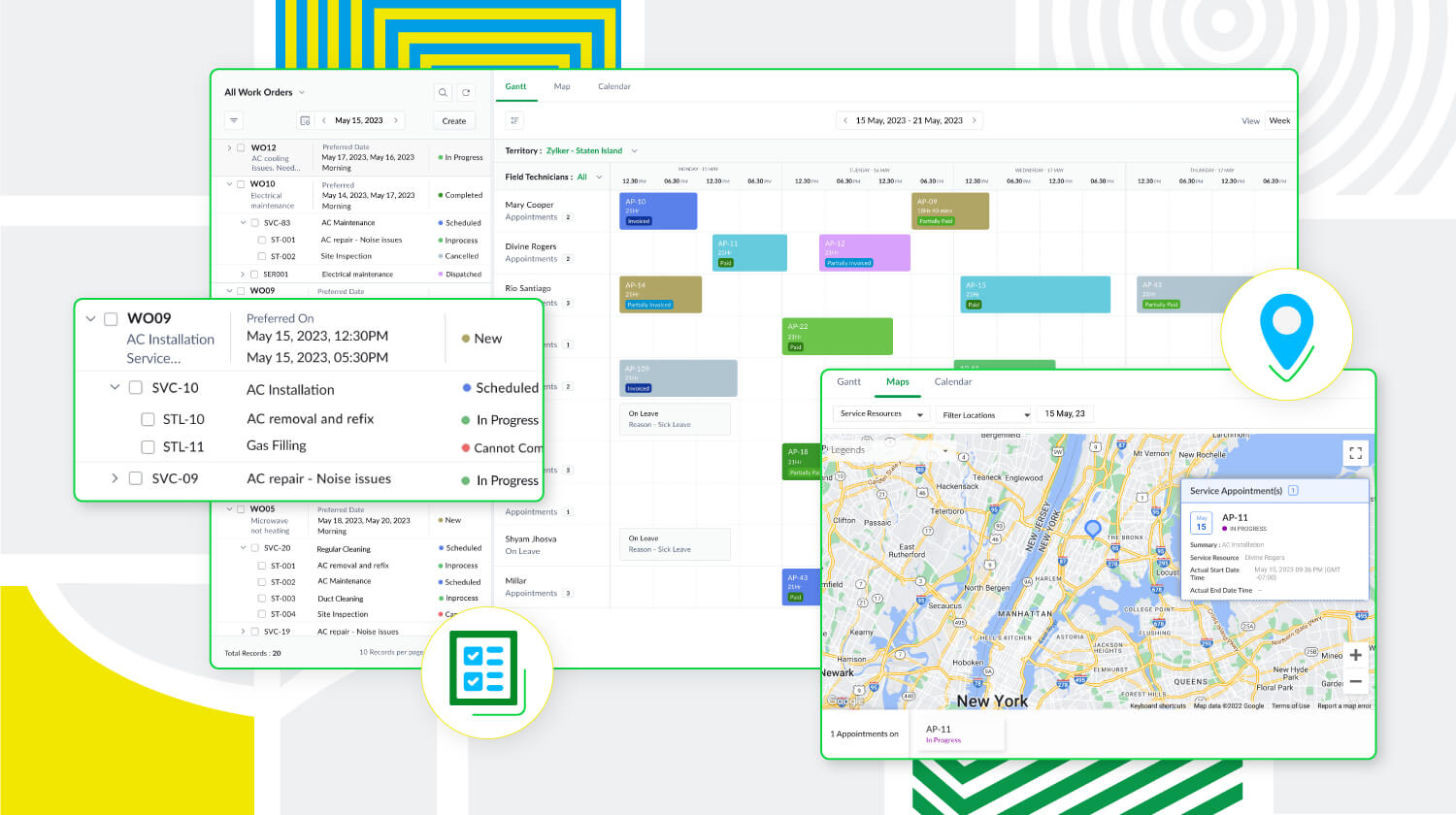
Zoho FSM est une puissante plateforme de gestion des services locaux dotée d'une gamme de fonctions visant à améliorer les différents éléments de votre travail. Elle prend en charge la gestion des bons de travail, des clients, la planification, la gestion de la main-d'œuvre, la facturation, les paiements et la gestion des stocks. De plus, Zoho FSM est conçue pour s'adapter à diverses industries grâce à des éléments de personnalisation et à des capacités d'intégration.
Principaux atouts de Zoho FSM
Gestion de l'ensemble des opérations au sein d'une seule plateforme
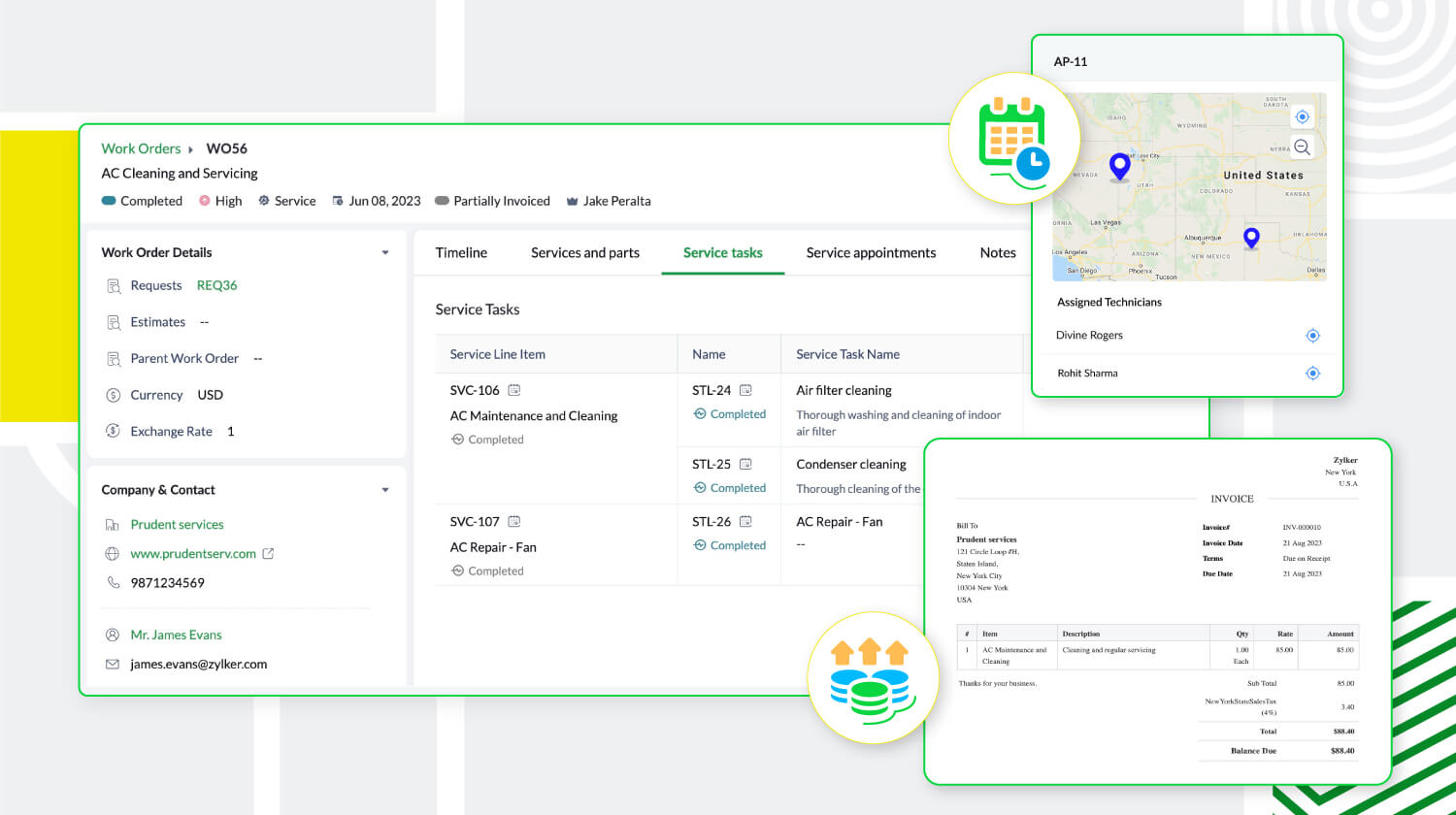
De la demande de service initiale à la facturation, sans oublier la création de bons de travail et la répartition des ressources, Zoho FSM simplifie ces processus afin d'optimiser les opérations. Il est possible de créer des devis et de les envoyer par la poste au client pour approbation. Au cours de la planification, suivez la présence des agents locaux et triez-les en fonction de leurs compétences afin d'envoyer la bonne personne pour le travail à accomplir. Avec Zoho FSM, vous pouvez également diviser les services complexes en tâches plus petites pour faciliter la planification. En ce qui concerne la facturation, elle se fait en quelques clics. Zoho FSM prend également en charge plusieurs devises, des passerelles de paiement en ligne, et plus encore.
Une communication et collaboration efficace
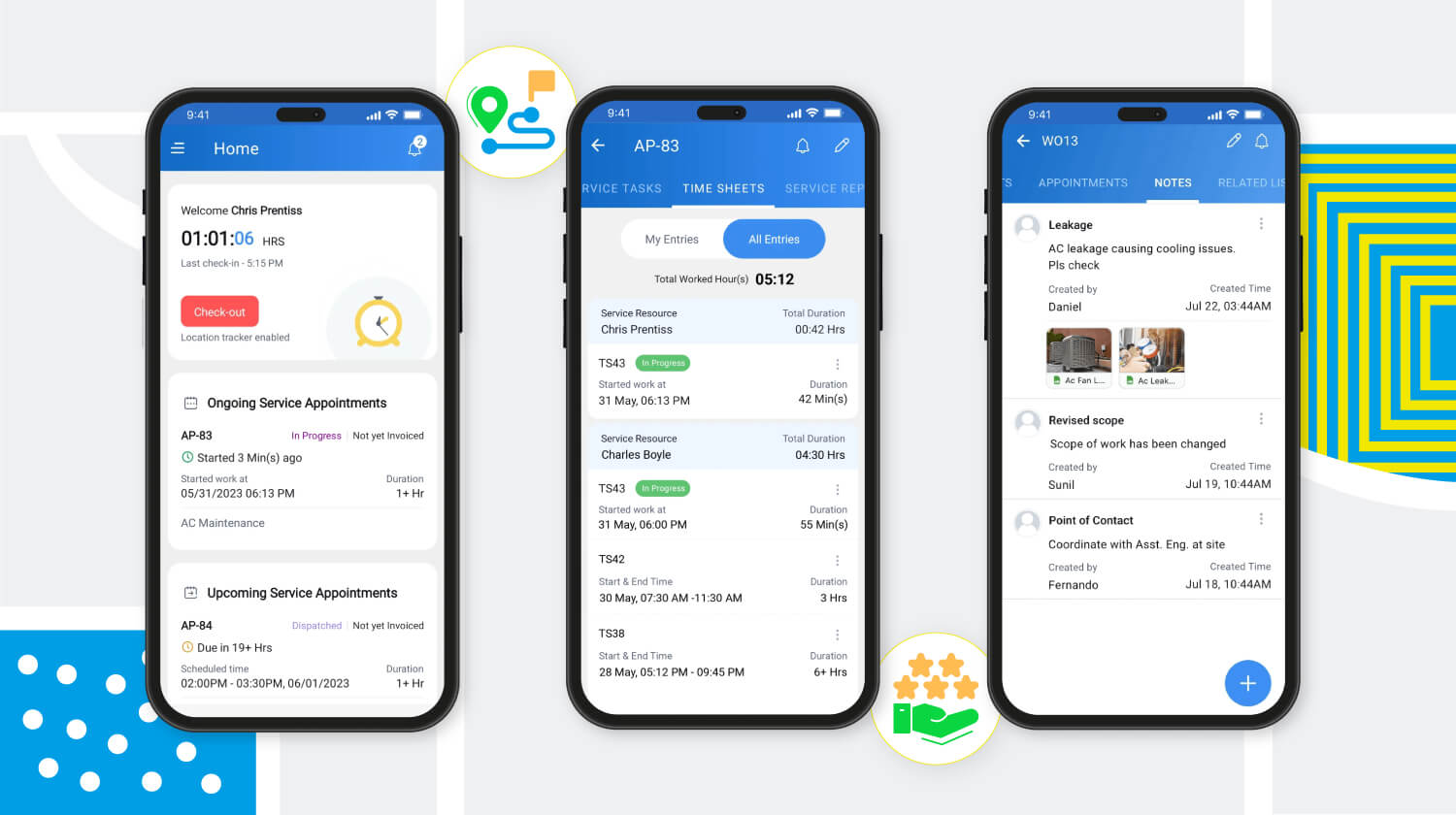
Les canaux sécurisés de communication et de collaboration avec les agents en déplacement sont essentiels pour toute entreprise de services extérieurs. Zoho FSM y répond avec son application mobile qui permet aux agents de tenir l'équipe au courant de leur emplacement, de leur journal de bord, de leurs feuilles de temps et de leurs pauses, même lorsqu'ils sont en déplacement. L'application fournit également aux agents toute l'information sur le client et le service demandé. Elle leur permet également d'ajouter des notes et des photos du lieu d'intervention. Pour une communication efficace avec le client, des mises à jour automatiques s'affichent à chaque étape du processus de service. Une fois le travail terminé, les agents peuvent envoyer des rapports de service et recevoir les commentaires des clients via l'application mobile.
Meilleure productivité grâce à une meilleure gestion de la main-d'œuvre
Zoho FSM offre une solution multi-utilisateurs qui facilite la gestion d'équipes larges et diversifiées. Des profils uniques avec différents niveaux d'accès créent une plateforme sécurisée permettant à l'équipe de travailler à son plein potentiel. Les profils d'utilisateurs par défaut sont des "Agents de centre d'appel", "Dispatchers", "Agents locaux", "Agents locaux restreints" et "Administrateurs". Zoho FSM permet également de créer des profils personnalisés avec des niveaux d'accès modifiés pour s'adapter à la structure organisationnelle.
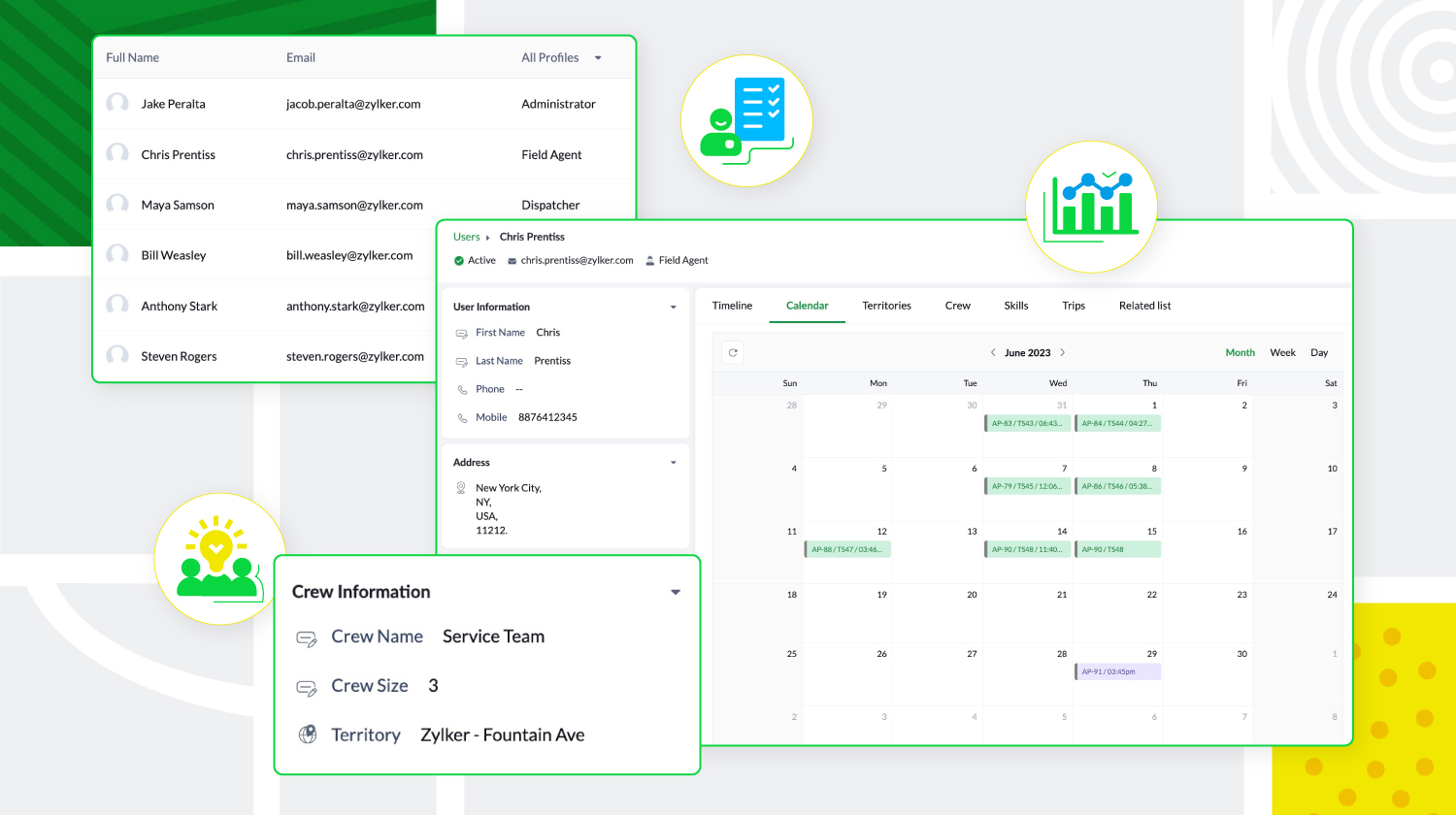
De plus, les agents locaux peuvent être triés en fonction de leur expertise et de leur présence géographique, et regroupés pour former des équipes. Zoho FSM donne aussi un aperçu des tâches quotidiennes des utilisateurs, de leurs déplacements et de leurs congés, ce qui permet aux agents de créer des calendriers sans conflit.
Personnalisation et optimisation de Zoho FSM
Zoho FSM comporte des composantes de personnalisation qui permettent de personnaliser l'expérience et d'ajouter des éléments fonctionnels. Il supporte l'automatisation, avec des règles de workflow qui déclenchent des actions. Il permet d'automatiser les notifications e-mail, les mises à jour de champs, développer des fonctions personnalisées, afin de communiquer et de collaborer avec des applications tierces.
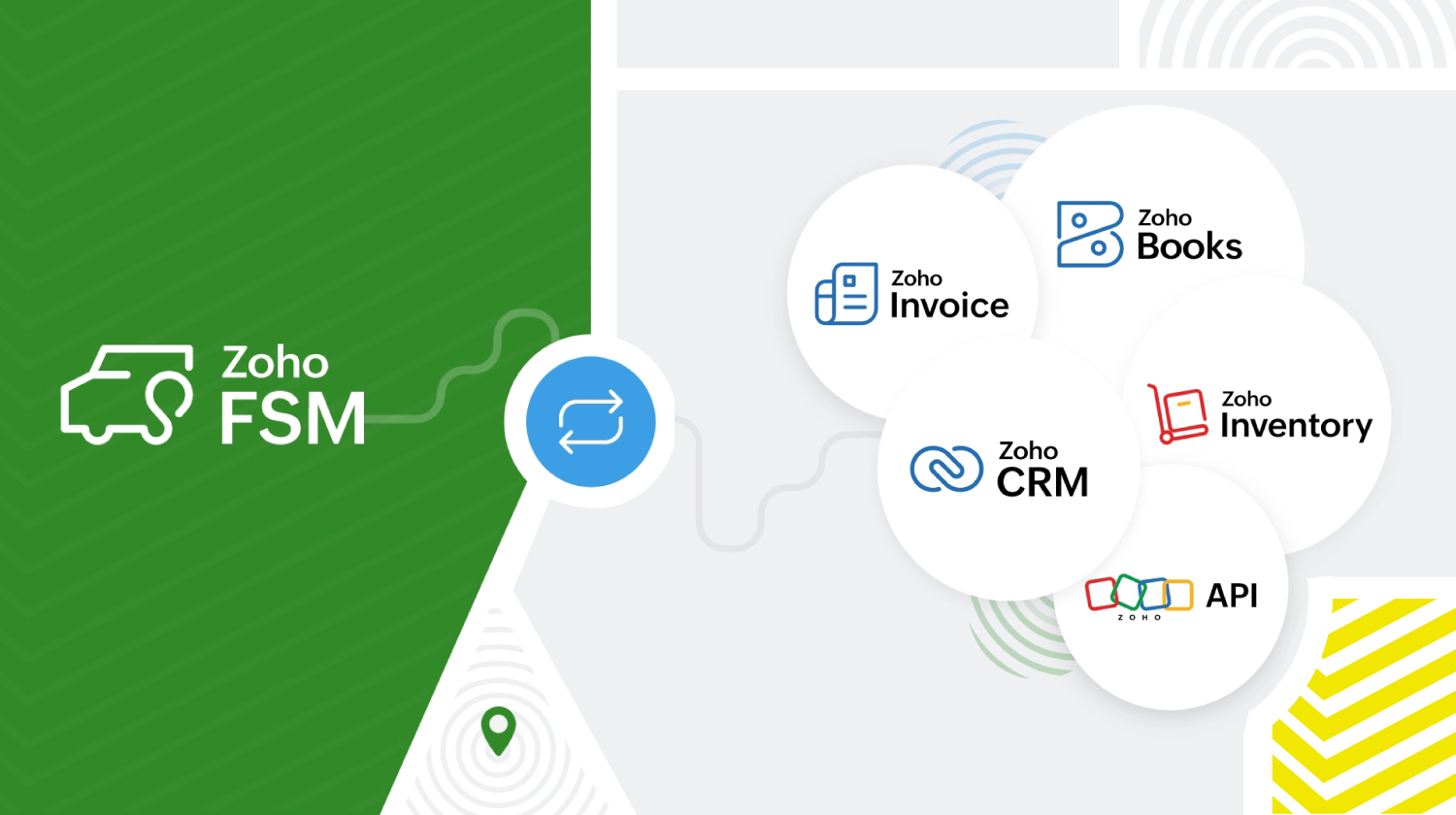
Zoho FSM s'intègre à d'autres applications Zoho et tierces pour que l'organisation fonctionne de manière optimale. Zoho FSM associé à Zoho Invoice s'occupe de la facturation. L'extension Zoho FSM pour Zoho CRM permet de fusionner les ventes et le service local. Il est possible de consulter les enregistrements FSM de façon contextuelle dans Zoho CRM et de créer de nouvelles demandes, de nouveaux bons de travail et de nouveaux actifs à partir de divers modules CRM.
L'intégration de Zoho Inventory permet d'identifier et de suivre les stocks dans plusieurs entrepôts, ce qui garantit que les agents disposent toujours des bonnes pièces pour le travail à effectuer. De plus, les API REST fournies par Zoho FSM facilitent l'intégration avec des applications tierces.
Zoho FSM propose une tarification flexible basée sur le nombre de consultations que vous créez chaque mois.
Essayez Zoho FSM dès aujourd'hui.
Pour plus d'informations, consultez https://www.zoho.com/fsm/
L'équipe Zoho France
Access your files securely from anywhere
New to Zoho Recruit?

Zoho Developer Community
New to Zoho LandingPage?
Zoho LandingPage Resources
New to Zoho Survey?
New to Zoho CRM Plus?
Deliver unforgettable customer experiences
New to Zoho CRM Plus?
Deliver unforgettable customer experiences
New to Zoho Marketing Plus?
Everything you need to run your marketing
New to Zoho Marketing Plus?
Everything you need to run your marketing
New to Bigin?





Topic Participants
Kinjal Lodaya
Info Uni Net
Anthony PETOT
Florence Barbier
Josee Boulanger
Sticky Posts
Les Zoholics sont de retour !
Bonjour à tous, Nous avons (encore une fois) une bonne nouvelle à vous partager : nous allons enfin pouvoir nous rencontrer ! Et pas dans n'importe quel contexte, mais lors de notre conférence annuelle : les Zoholics ! Mais que sont les Zoholics me direz-vousNovembre : un résumé de ce qui s'est passé le mois dernier sur Community
Bonjour à tous, L'année 2021 arrive presque à sa fin, mais nous continuons à avoir de nombreuses actualités à vous partager. En voici un résumé ! Nous avons eu notre première session "Ask The Experts" sur notre nouvelle version Zoho One 2021 et vousAoût : Un résumé de ce qui s'est passé le mois dernier sur Community
Bonjour à tous, Et bonne rentrée ! Comme chaque mois voici un résumé de ce qui s'est passé sur Community et dans l'actualité de Zoho en général. La grande nouvelle de mois d'Août est l'arrivée de la fonction Canvas : le premier studio de conception pourJuillet : Un résumé de ce qui s'est passé le mois dernier sur Community
Bonjour à tous, Le premier mois de l'été se termine, et si certain profitent d'un repos bien mérité, sur Community on continue à en apprendre toujours plus sur nos produits Zoho. Notre série sur Zoho CRM se réinvente avec la découverte de notre fonctionCommunity Digest - Résumé de mai 2021
Bonjour à tous, Que s'est il passé en Mai sur notre page Community France ? En plus de nos articles Trucs et Astuces, vous avez été nombreux a réagir, nous poser des questions ou encore publier vos propres conseils ! Vos les différents sujets abordés
New to Zoho TeamInbox?
Zoho TeamInbox Resources
Zoho CRM Plus Resources
Zoho Books Resources
Zoho Subscriptions Resources
Zoho Projects Resources
Zoho Sprints Resources
Qntrl Resources
Zoho Creator Resources
Zoho CRM Resources
Design. Discuss. Deliver.
Zoho Show Resources

Get Started. Write Away!
Writer is a powerful online word processor, designed for collaborative work.
Zoho CRM コンテンツ
-
オンラインヘルプ
-
Webセミナー
-
機能活用動画
-
よくある質問
-
Ebook
-
-
Zoho Campaigns
- Zoho サービスのWebセミナー
その他のサービス コンテンツ
Nederlandse Hulpbronnen

ご検討中の方
Recent Topics
Age Calculation
I've attempted to calculate the age of someone based on their birthday input by using the formula field. It works but I don't want all those decimals on there. I then tried to use "set variable" after birthday input but I get a field type mismatch, long vs. floating. Any ideas would be wonderful.Search on Custom Field
We're working on an integration with the Zoho FSM API and are trying to retrieve companies based on a custom field we added to the Companies module. However, we can't find a way to filter or query records using custom fields through the API. We have aSendmail function / custom action?
I've setup a function hoping to email various business departments the details of a record once all work in that record is complete so gone about setting up a custom action in such way that each record line on the report has a button to click. Question is how do I actually include data from that record in the email that is sent when the button is clicked? I had thought that since this were being sent per record the email would include the data which had been enteredAPI to post drafts for social media
I we want to post draft posts to our zoho social account and then approve and schedule them within Zoho social. is this possible with for example: https://apis.zoho.com/social/v2/post TIA JonWhat impactful sales coaching techniques have you used to boost your team's performance?
I'm curious about the real-world impact of sales coaching on team performance. What specific techniques or strategies have you found most effective in driving consistent improvement and growth in your sales team? Any success stories or lessons learnedPossible to bold or indent text in the description field?
As part of one item, I often have a detailed description that would be much easier to read if there was the ability to have a bulleted list or bold text and the like. Is this possible? My last invoicing software allowed markup in the field so, for example, an asterisk meant a bullet. I haven't been able to find any documentation related to this. Any information would be appreciated. Thank you.Formatting of Balance Sheet and Profit & Loss Reports
The default format of the Balance Sheet and P&L Reports are based on the Account Types and then the individual accounts within the Chart of Accounts. These are then ordered alphabetically under these sub-headings and one is unable to re-order these orUK MTD reports concerning turnover and cerash accounting
Hi I am a sole trader, and I have just started with Zoho Books in order to comply with the new HMRC requirements. I use 'cash basis' - which I understand to mean that income is when the cash comes in (not the invoice date) and expenses are when they areRetainer Invoice.
Why ZOHO not have facilities to deduct partially advance payment from an invoice.Share saved filters between others
Hi, I am in charge to setup all zoho system in our company. I am preparing saved filters for everybody, but the only one can see its me. How can others see it? ThanksNo practical examples of how survey data is analyzed
There are no examples of analysis with analytics of zoho survey data. Only survey meta data is analyzed, such as number of completes, not actual analysis of responses, such as the % in each gender, cross-tabulations of survey responses. One strange characteristicZoho Creator as LMS and Membership Solution
My client is interested in using Zoho One apps to deploy their membership academy offer. Zoho Creator was an option that came up in my research: Here are the components of the program/offer: 1. Membership portal - individual login credentials for eachAdding Chargebee as a Data Connector
Is it possible to get Chargebee added as a Zoho Analytics data connector?Dropbox to Workdrive
Namaste, Trust you all are doing well. Wanted to check how this can be done with Zoho flow. I typically receive dropbox links from my clients. Is there a way where I can provide the link to Zoho flow and it downloads the files from dropbox link to a workDeals by Stages Funnel not showing in correct order
Using the Stage-Probability Mapping for the Deals module we have created a steps our deals will pass through, RFQ, Closed/Lost, Declined/No-Go, Pricing, Submitted, Negotiations, Won. However when I view the Deal By Stages Funnel it does not show in theConfirmation prompt before a custom button action is triggered
Have you ever created a custom button and just hoped that you/your users are prompted first to confirm the action? Well, Zoho knows this concept. For example, in blueprint, whenever we want to advance to the next state by clicking the transition, it isHow to create auto populate field based on custom module in Zoho CRM?
Hello, i'm still new to Zoho CRM and work as administrator in my company. Currently, I'm configuring layout for Quotes Module. So, the idea is, I've created a read-only field in Quotes called "Spec". I want this field automatically filled with SpecificationOffice 365 and CRM mail integration: permission required
Has anyone run into this weird problem? My email server is Office 365. When I try to configure Zoho CRM to use this server, a Microsoft popup window opens requesting user and password. After entering that, I get a message in the Microsoft window sayingDeluge - Can't get phone number SalesIQ
Hey folks, I’m building a custom plug for SalesIQ that’s supposed to register leads into Zoho CRM. The SalesIQ chat is being implemented on WhatsApp, and in my plug I’m using this line: mobile_clean = session.get("phone").get("value"); From what I understand,Zoho Desk - Community
As a regular user of Zoho Cares Community I would really love to see the publish date of articles. For example, when I look at Announcements, it would be very beneficial to see which ones were posted recently, over those which have just and a recent comment.access to quartz for my customers
Hi how can I have access to the application quartz you use for us to send you screen rocording, this feature would be immensely useful for our customers support https://quartz.zoho.com/Issue with Inline Images in Email Reply via Zoho Desk API
Hi, I am attempting to send inline images in an email reply using the Zoho Desk API, but the images are not being displayed inline for the recipient. I have followed this documentation: https://desk.zoho.com/DeskAPIDocument#Uploads https://desk.zoho.com/DeskAPIDocument#Threads#Threads_SendEmailReplyHow to search a value stored in a subform?
Hello, We store serial numbers in subforms but now we would like to be able to search the values to be able to easily find the record with the serial number. I saw that it's not possible to search such values through global search but is it possible to do it an other way? Thank you,Field Dependency Not Working on Detail Page in Zoho Desk
Hi Support Team, I’ve created field dependencies between two fields in Zoho Desk, and they are working correctly on the Create and Edit layouts. However, on the Detail page, the fields are not displaying according to the dependencies I’ve set — they appearHow do the keyword critera work?
Hi, I'm working on automated assignment of tickets based on keywords. How does this feature work? Where does this criteria look for keywords - email address, subject, email body? Can you please clarify this as I want to avoid overlapping with criteriaError: Unsupported content type: text/html;charset=UTF-8 after tryeing to get the token for n8n automation
I am working on ZOHO Desk automation and need to get the ZOHO auth token for n8n I have created the app in ZOHO Desk API, got client id and client secret. Added all data required to get a token in n8n. After I sign in with my ZOHO credentials in ZOHOImproving Collaboration Features in Zoho Portal
Hello Zoho Community, I’ve recently started exploring Zoho services and I’m really impressed with the wide range of features. However, I feel there is still room for improvement in the collaboration area. For example, it would be really helpful if weAutomated Shopify Emails Not Being Delivered
I have an ecommerce store with Shopify. I recently set up my email to be served through Zoho. Since doing this, customers are not receiving some of our automated emails from Shopify itself. Our initial email that confirms their purchase goes through but our Shipping Notification that is automatically sent out upon fulfillment is not going through. Sometimes we get a notice that it's been classified as spam, sometimes nothing. I can send/receive email via Outlook on my desktop and I can send/receiveSend a campaign to one recipient.
Very often I speak to a customer and they say they didn't see my email (maybe it went in Junk, maybe they deleted it). Anyway, I just want to go into the Campaign and send it to one person. You already have a feature very close to this - when sending a Test. While developing a campaign, I can send tests to anyone. Why can't we have this AFTER the campaign has been sent? I know, there's a caveat, and that's in the use of merge tags. Most of the time I only use FNAME, but maybe you could check ifTry FSM again for our business
We already have our customers individual equipment in CRM with serial numbers, install dates, warranty length and importantly next service which is generally 2 years. a month before the service date is due we get get a report and send out service reminders.Get Cliq Meetings in my O365 calendar
Hi, we are currently evaluating to replace the Teams Messaging and Meetings with Cliq. We currently still have all our email and calendars in O365. What i want to achieve is, to create a (ZOHO) meeting from Cliq and have this meeting added to my Outlook/O365Issue with Zoho Help Portal – Tickets Missing or Not Answered
Hi, How are you? I think there may be an issue with the Zoho Help Portal. I opened a few tickets directly in the help portal a some time ago but never received any response I also opened ticket 148356451 by email. I did receive a reply to it, but theDUNS & Bradstreet and Credit risk monitoring integration with Zoho books
Small businesses not being paid by bigger clients and clients of all sizes is a huge problem. It will be nice if Zoho develops integration with DUNS & Bradstreet(D&B) and Credit risk monitoring integration with Zoho books. That have small businesses canZoho Forms - Form Rules based on attachment fields
Many businesses use forms to collect documents and images from customers. In many cases, you may want to trigger a notification or other automation based on whether or not an attachment was added. I've noticed that attachment fields do not appear in RulesCan't open draft email for editing
Last night I started composing an email and I let it save in drafts. This morning I want to continue working on the email. It is in my Drafts folder but it will not open. The only option there is to delete it. This is not the first time it has happened. On previous occasions I have just deleted the draft and started afresh, but I really want this one back. Windows 10 with Pale Moon 28.10.0 browser.Open filtered deals from campaign
Do you think a feature like this would be feasible? Say you are seeing campaign "XYZ" in CRM. The campaign has a related list of deals. If you want to see the related deals in a deal view, you should navigate to the Deals module, open the campaign filter,Change scheduling emails time
When sending an individual email there is a great feature to schedule them to send later. I could only use the one time that is suggested. Is there a way to select another time? Regards, GlennZoho CRM: how can I control which contacts to sync with Outlook?
I was just playing around syncing contacts from Zoho to MS Outlook (MS365 account.) The problem is our firm has hundreds of thousands of contacts and I don't want to bury my contacts list in outlook. Any help with this is greatly appreciated.How to overcome limitations in meetings
As a company, one of our deliverables is a meeting between two other companies, where we act as facilitators. So, if we recorded this meeting in Zoho CRM, it should be connected to 2 accounts, 2 contacts, and 1 campaign (a campaign, in our use, is theAdd a 'Log a Call' link to three dot icon in Canvas
Hi, There's a three dot element when creating a canvas called 'More'. I would like to modify this to add a link that says 'Log a Call' in order to quickly record the details of a cellphone call. I'd also like this to be a simple 'contact' selection andNext Page