Bienvenue à Zoho FSM : l'optimisation des opérations locales qui offre une expérience de service impeccable

Nous sommes ravis de vous présenter Zoho FSM, la plateforme de gestion des services terrain de bout en bout.
Les solutions de gestion des services locaux s'adressent aux organisations qui effectuent des activités d'installation, de réparation et de maintenance chez le client. Ces derniers doivent gérer efficacement les ressources et l'expérience client pour offrir la meilleure satisfaction client possible. Cela nécessite une conception assidue, une supervision constante et des opérations efficaces.
Une journée typique dans le domaine des interventions commence par une demande d'un client. Ils reçoivent de nombreuses demandes dont le degré de priorité varie. Il incombe aux agents d'établir des programmes qui tiennent compte du temps préféré des clients et des engagements en cours des agents. Afin d'exécuter leur travail efficacement, ils doivent disposer de toutes les informations nécessaires, telles que le lieu, le type de service, les pièces, les outils et l'équipement nécessaire. Les gestionnaires doivent également être au courant du travail effectué et, enfin, un système de facturation et de paiement adéquat leur permet d'achever le service.
De nombreux prestataires de services s'efforcent de gérer efficacement la productivité de leurs agents. Les outils existants répondent rarement à leurs besoins, ce qui les oblige à utiliser plusieurs logiciels ce qui n'est pas optimale. Il est donc indispensable de disposer d'une solution FSM robuste.
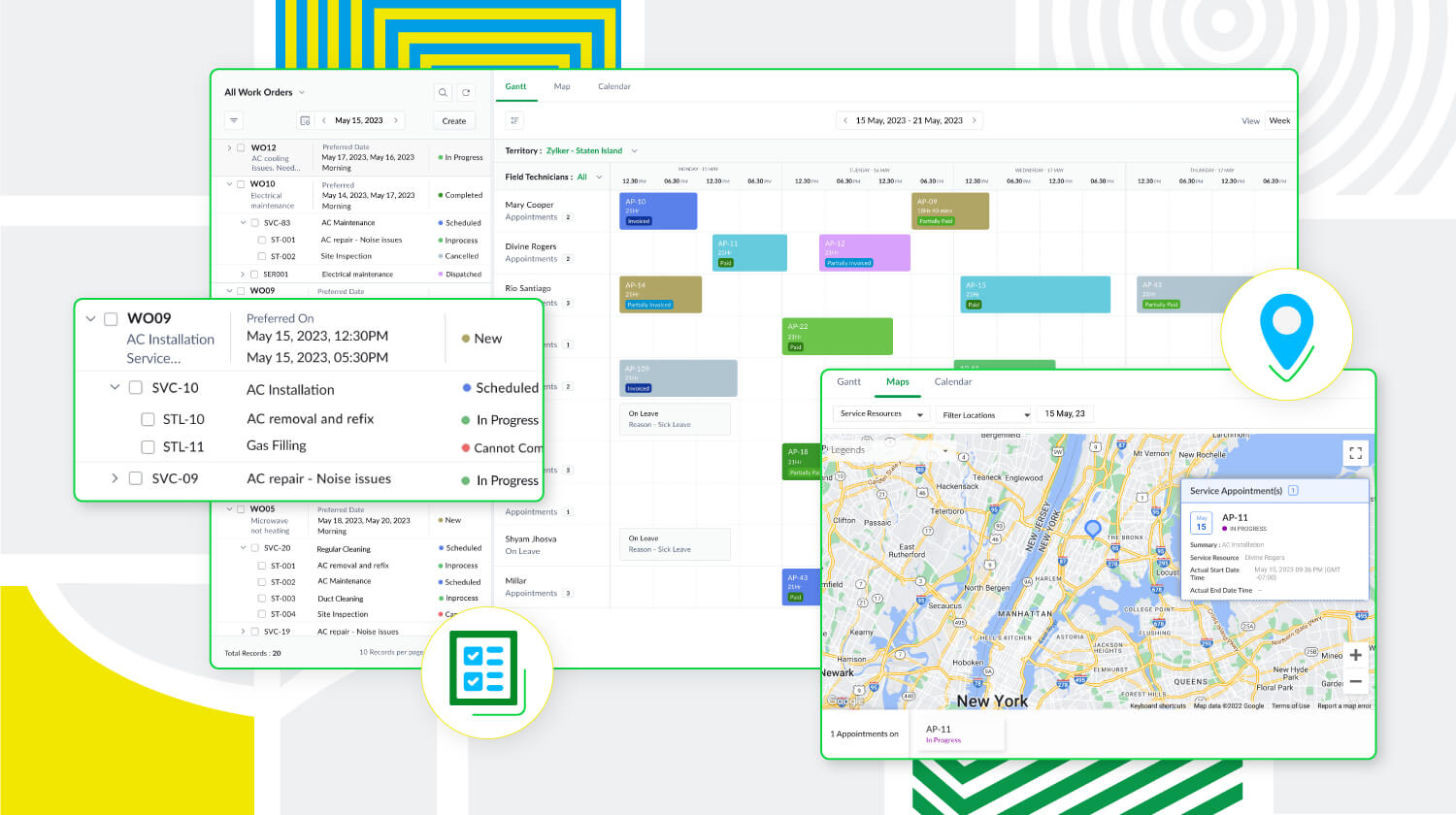
Zoho FSM est une puissante plateforme de gestion des services locaux dotée d'une gamme de fonctions visant à améliorer les différents éléments de votre travail. Elle prend en charge la gestion des bons de travail, des clients, la planification, la gestion de la main-d'œuvre, la facturation, les paiements et la gestion des stocks. De plus, Zoho FSM est conçue pour s'adapter à diverses industries grâce à des éléments de personnalisation et à des capacités d'intégration.
Principaux atouts de Zoho FSM
Gestion de l'ensemble des opérations au sein d'une seule plateforme
De la demande de service initiale à la facturation, sans oublier la création de bons de travail et la répartition des ressources, Zoho FSM simplifie ces processus afin d'optimiser les opérations. Il est possible de créer des devis et de les envoyer par la poste au client pour approbation. Au cours de la planification, suivez la présence des agents locaux et triez-les en fonction de leurs compétences afin d'envoyer la bonne personne pour le travail à accomplir. Avec Zoho FSM, vous pouvez également diviser les services complexes en tâches plus petites pour faciliter la planification. En ce qui concerne la facturation, elle se fait en quelques clics. Zoho FSM prend également en charge plusieurs devises, des passerelles de paiement en ligne, et plus encore.
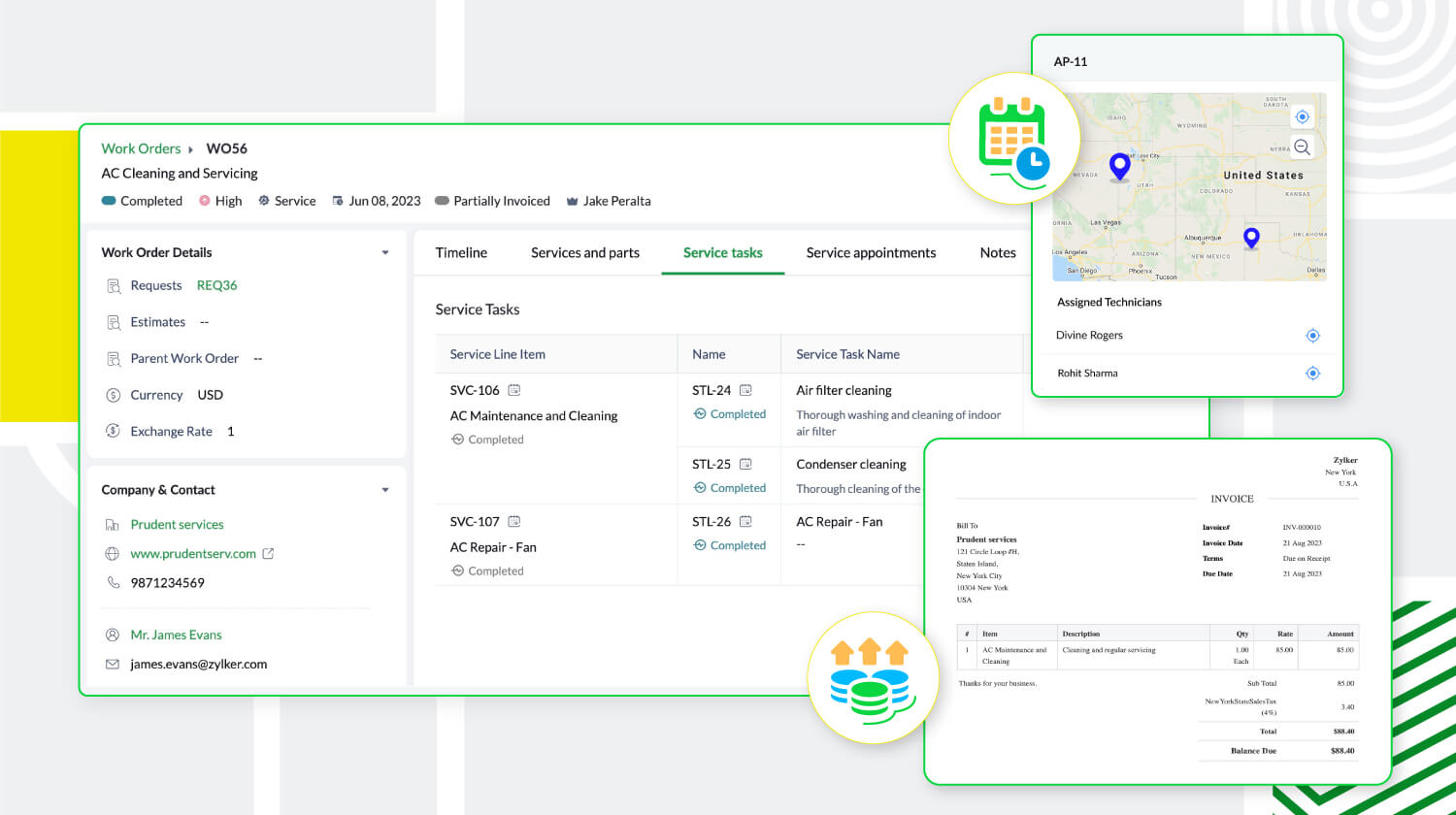
Une communication et collaboration efficace
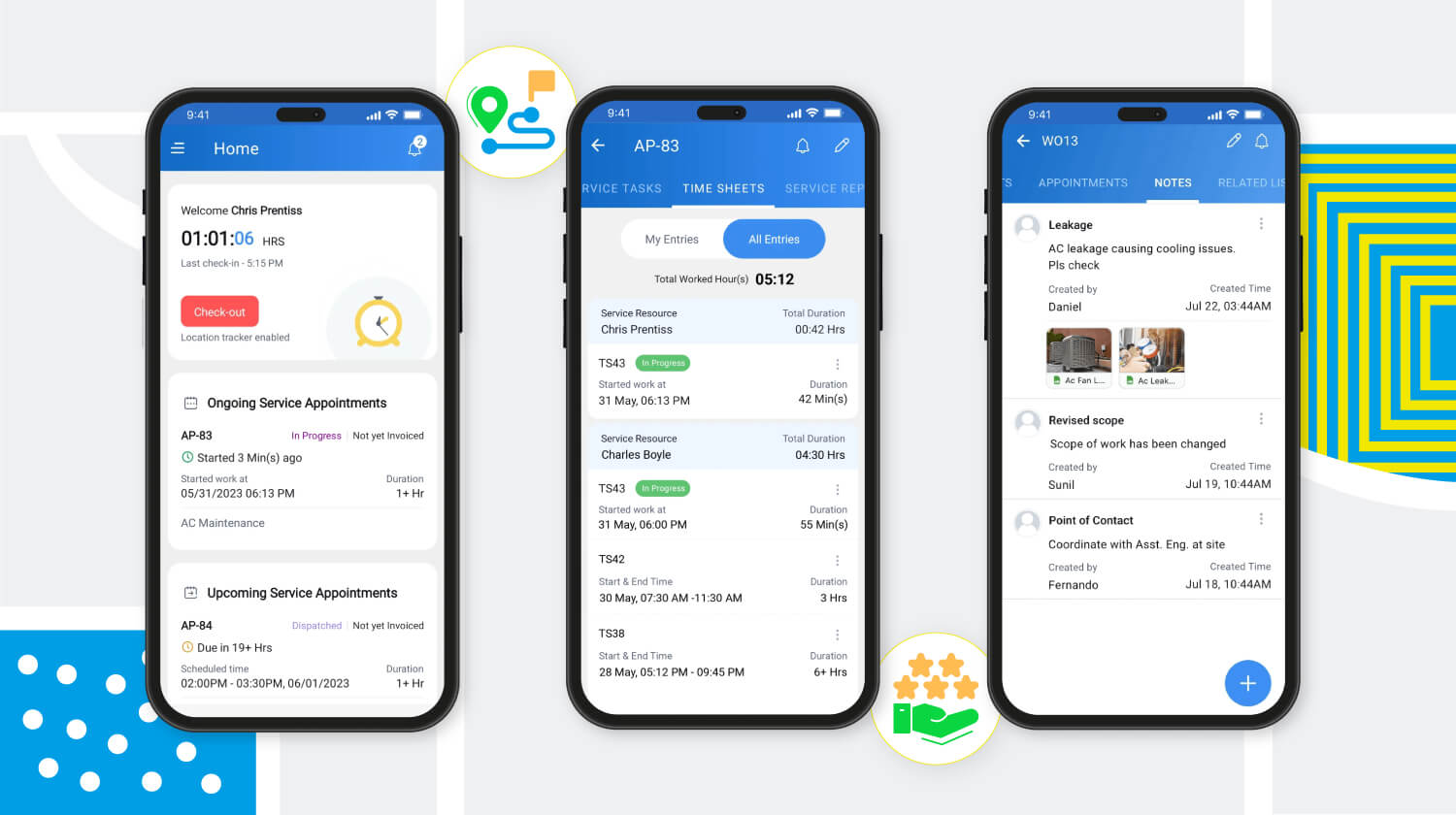
Les canaux sécurisés de communication et de collaboration avec les agents en déplacement sont essentiels pour toute entreprise de services extérieurs. Zoho FSM y répond avec son application mobile qui permet aux agents de tenir l'équipe au courant de leur emplacement, de leur journal de bord, de leurs feuilles de temps et de leurs pauses, même lorsqu'ils sont en déplacement. L'application fournit également aux agents toute l'information sur le client et le service demandé. Elle leur permet également d'ajouter des notes et des photos du lieu d'intervention. Pour une communication efficace avec le client, des mises à jour automatiques s'affichent à chaque étape du processus de service. Une fois le travail terminé, les agents peuvent envoyer des rapports de service et recevoir les commentaires des clients via l'application mobile.
Meilleure productivité grâce à une meilleure gestion de la main-d'œuvre
Zoho FSM offre une solution multi-utilisateurs qui facilite la gestion d'équipes larges et diversifiées. Des profils uniques avec différents niveaux d'accès créent une plateforme sécurisée permettant à l'équipe de travailler à son plein potentiel. Les profils d'utilisateurs par défaut sont des "Agents de centre d'appel", "Dispatchers", "Agents locaux", "Agents locaux restreints" et "Administrateurs". Zoho FSM permet également de créer des profils personnalisés avec des niveaux d'accès modifiés pour s'adapter à la structure organisationnelle.
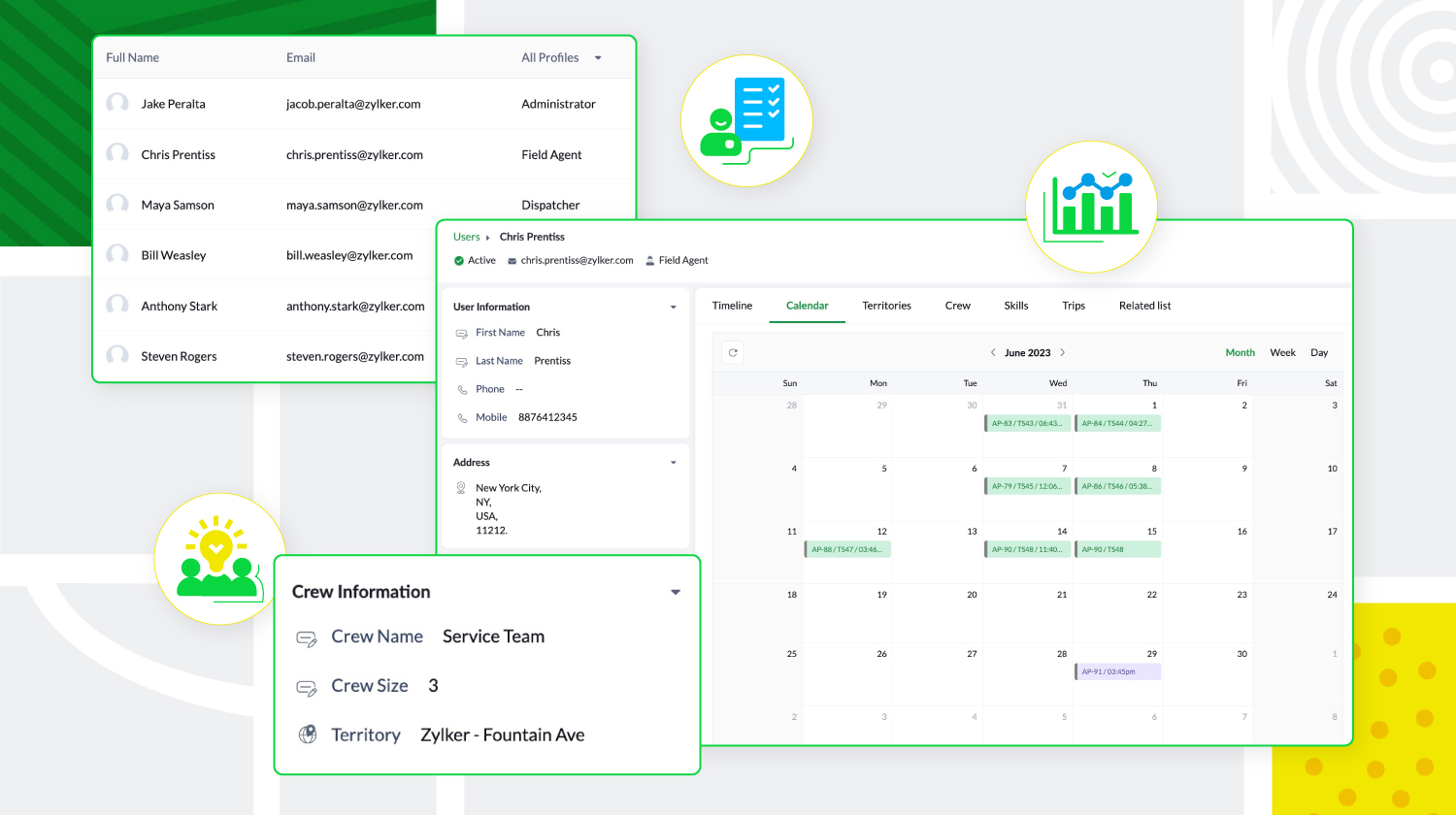
De plus, les agents locaux peuvent être triés en fonction de leur expertise et de leur présence géographique, et regroupés pour former des équipes. Zoho FSM donne aussi un aperçu des tâches quotidiennes des utilisateurs, de leurs déplacements et de leurs congés, ce qui permet aux agents de créer des calendriers sans conflit.
Personnalisation et optimisation de Zoho FSM
Zoho FSM comporte des composantes de personnalisation qui permettent de personnaliser l'expérience et d'ajouter des éléments fonctionnels. Il supporte l'automatisation, avec des règles de workflow qui déclenchent des actions. Il permet d'automatiser les notifications e-mail, les mises à jour de champs, développer des fonctions personnalisées, afin de communiquer et de collaborer avec des applications tierces.
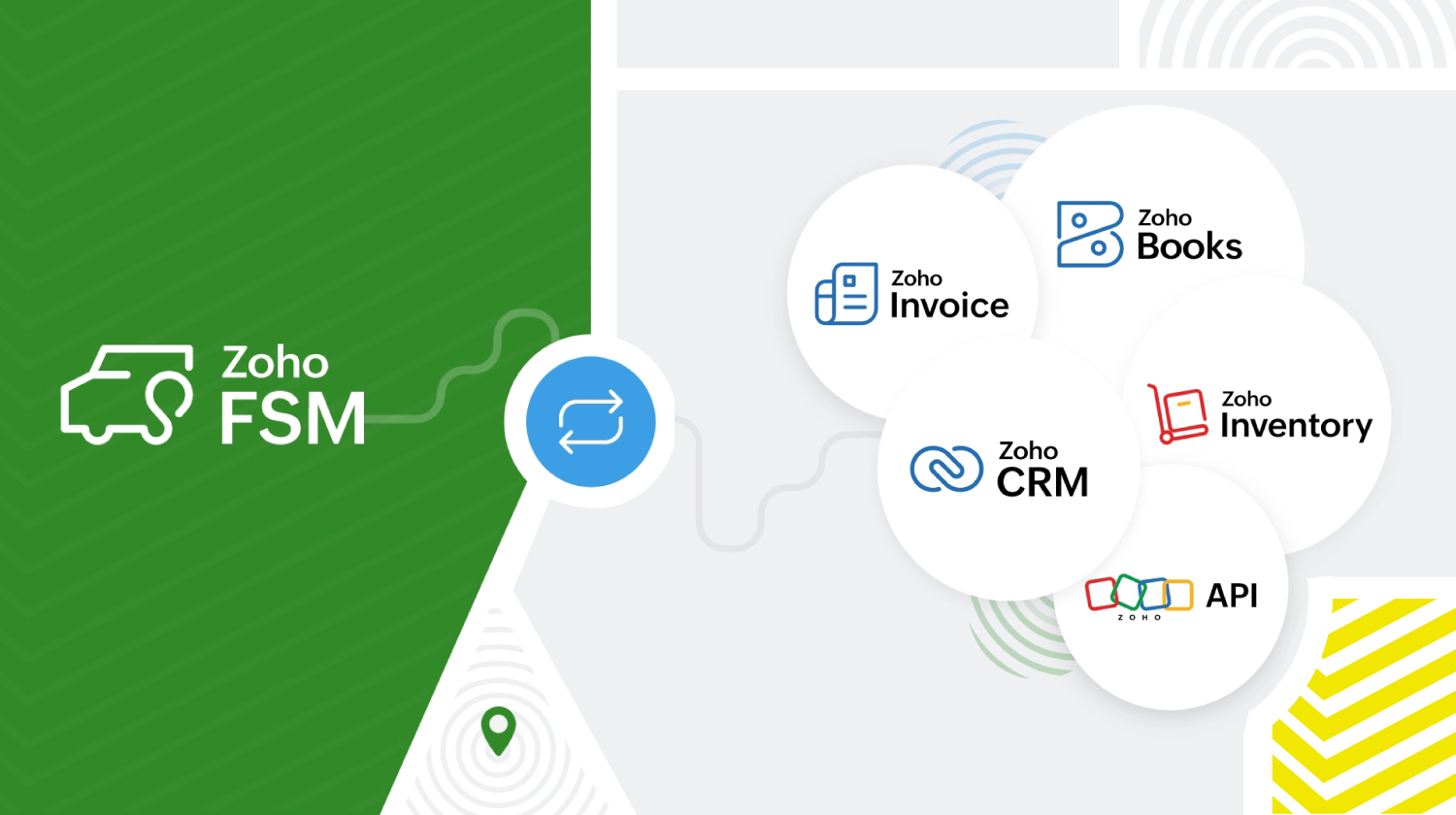
Zoho FSM s'intègre à d'autres applications Zoho et tierces pour que l'organisation fonctionne de manière optimale. Zoho FSM associé à Zoho Invoice s'occupe de la facturation. L'extension Zoho FSM pour Zoho CRM permet de fusionner les ventes et le service local. Il est possible de consulter les enregistrements FSM de façon contextuelle dans Zoho CRM et de créer de nouvelles demandes, de nouveaux bons de travail et de nouveaux actifs à partir de divers modules CRM.
L'intégration de Zoho Inventory permet d'identifier et de suivre les stocks dans plusieurs entrepôts, ce qui garantit que les agents disposent toujours des bonnes pièces pour le travail à effectuer. De plus, les API REST fournies par Zoho FSM facilitent l'intégration avec des applications tierces.
Zoho FSM propose une tarification flexible basée sur le nombre de consultations que vous créez chaque mois.
Essayez Zoho FSM dès aujourd'hui.
Pour plus d'informations, consultez https://www.zoho.com/fsm/
L'équipe Zoho France
Access your files securely from anywhere
New to Zoho Recruit?

Zoho Developer Community
New to Zoho LandingPage?
Zoho LandingPage Resources
New to Zoho Survey?
New to Zoho CRM Plus?
Deliver unforgettable customer experiences
New to Zoho CRM Plus?
Deliver unforgettable customer experiences
New to Zoho Marketing Plus?
Everything you need to run your marketing
New to Zoho Marketing Plus?
Everything you need to run your marketing
New to Bigin?





Topic Participants
Kinjal Lodaya
Info Uni Net
Anthony PETOT
Florence Barbier
Josee Boulanger
Sticky Posts
Les Zoholics sont de retour !
Bonjour à tous, Nous avons (encore une fois) une bonne nouvelle à vous partager : nous allons enfin pouvoir nous rencontrer ! Et pas dans n'importe quel contexte, mais lors de notre conférence annuelle : les Zoholics ! Mais que sont les Zoholics me direz-vousNovembre : un résumé de ce qui s'est passé le mois dernier sur Community
Bonjour à tous, L'année 2021 arrive presque à sa fin, mais nous continuons à avoir de nombreuses actualités à vous partager. En voici un résumé ! Nous avons eu notre première session "Ask The Experts" sur notre nouvelle version Zoho One 2021 et vousAoût : Un résumé de ce qui s'est passé le mois dernier sur Community
Bonjour à tous, Et bonne rentrée ! Comme chaque mois voici un résumé de ce qui s'est passé sur Community et dans l'actualité de Zoho en général. La grande nouvelle de mois d'Août est l'arrivée de la fonction Canvas : le premier studio de conception pourJuillet : Un résumé de ce qui s'est passé le mois dernier sur Community
Bonjour à tous, Le premier mois de l'été se termine, et si certain profitent d'un repos bien mérité, sur Community on continue à en apprendre toujours plus sur nos produits Zoho. Notre série sur Zoho CRM se réinvente avec la découverte de notre fonctionCommunity Digest - Résumé de mai 2021
Bonjour à tous, Que s'est il passé en Mai sur notre page Community France ? En plus de nos articles Trucs et Astuces, vous avez été nombreux a réagir, nous poser des questions ou encore publier vos propres conseils ! Vos les différents sujets abordés
New to Zoho TeamInbox?
Zoho TeamInbox Resources
Zoho CRM Plus Resources
Zoho Books Resources
Zoho Subscriptions Resources
Zoho Projects Resources
Zoho Sprints Resources
Qntrl Resources
Zoho Creator Resources
Zoho CRM Resources
Design. Discuss. Deliver.
Zoho Show Resources

Get Started. Write Away!
Writer is a powerful online word processor, designed for collaborative work.
Zoho CRM コンテンツ
-
オンラインヘルプ
-
Webセミナー
-
機能活用動画
-
よくある質問
-
Ebook
-
-
Zoho Campaigns
- Zoho サービスのWebセミナー
その他のサービス コンテンツ
Nederlandse Hulpbronnen

ご検討中の方
Recent Topics
DNS set up
I want to create an email with my company domain. When I tried to add new record with cloudflare it didn't work. The DNS record can't be manually added. I followed the instruction but still can't add it. Could you help?Pocket from Mozilla is closing shop. Don’t lose your favorites . Move them to Zoho Mail Bookmarks now! 📥🔖
The end of Pocket shouldn't mean the end of your important links and content. Easily import them into Zoho Mail's Bookmarks and continue right where you left off. You can bring over your entire Saves, Collections, and tags just the way they are. BookmarksGeneral suggestions
Hello, I've picked this forum as it is at the top of the list! :) First suggestion: A general forum for issues and comments that are not specific to a particular Zoho application. Second suggestion: Put a link on the home page to "Zoho Identity Access Manager" The first suggestion came about because I didn't know where to post the second! ;) Regards MarkCan't upload attachments.
I can't upload attachment in Zoho Mail.Need Guidance on SPF Flattening for Zoho Mail Configuration
Hi everyone, I'm hoping to get some advice on optimizing my SPF record for a Zoho Mail setup. I use Zoho Mail along with several other Zoho services, and as a result, my current SPF record has grown to include multiple include mechanisms. My CloudflareHow use
Good morning sir I tried Zoho MailZoho Mail Desktop App Not Loading + Can’t Manage Multiple Accounts
Hi everyone, I’ve been having ongoing issues with the Zoho Mail desktop app for the past few weeks. The app starts to load but gives up midway and never actually opens — there’s no error message, it just stops loading. The main reason I use the desktopError when sending emails from Zoho
Hello, When trying to send an email from Zoho CRM I keep getting the below error: javax.mail.AuthenticationFailedException: 535 5.7.139 Authentication unsuccessful, the user credentials were incorrect. Any support on this will be much appreciated. Thanks,Not all emails from outlook365 migrated to my new zoho account
I recently setup a new email address hosted by zoho. I migrated all my folders and email from my Outlook365 account to my new zoho account, but not all my emails migrated. Looks like only the past 12 months, or so, made the move. How do I get the restMax numbr of IMAP Accounts in Zoho Mail?
In Zoho mail, you can manage the inboxes of other accounts using IMAP (and POP, actually) https://www.zoho.com/mail/help/external-imap-accounts.html Is there a max to the number of inboxes we can add?Formula Fields Trouble
Hi, I can't get even a simple formula field to work and must be doing something dumb. This formula: If(Len(Trim(${Quotes.Subject}))=0,1,2) Gives the error: You used the wrong type of data in an argument. Check what you entered between the parentheses of your functions to make sure you put the right kind of data in the right place. This formula: Len(Trim(${Quotes.Subject}))=0 Gives the error: Syntax Error. Check the examples for any functions you're using to see if you formatted them correctly. MakeOPTED FOR STORAGE BY DESCRIPTIVE MISGUIDANCE
We've opened a domain with three mail ids and payment has also been processed now the bill raised is for single use ID with additional storage capacity. Kindly request you to modify the purchase.How can I add a new organization on Zoho Campaign
I want to create a new organization with my Zoho Campaignwww.abc.com is working but abc.com is not
I have my domain in godaddy. I have created a website using zoho sites and now I want to publish it and I tried doing it. Mapped the domain www.abc.com, abc.com. In godaddy changed the CNAME values. A, @ was parked and updated with zoho's IP address.Split my account
Hello, I recently bought an email service for a friend. But, looks like I used my personal account to buy the plan. Please split the account so that the email service stays in a different account than my personal account.Have Mail Lite, wish to add/purchase 2nd domain and use email
Hello, I have recently created two new businesses. I have successfully used Zoho to create a domain for one business and have set up two email addresses / users on that domain. I am trying to figure out how to create a second domain, just like I did theNeed support in setting up the company email and few other setups
Need support in setting up the company email and few other setupsThis mobile number has been marked spam.
Dear zoho team, I am very happy to use zoho,because it india 🇮🇳 own app, but when we login into zoho account we facing some issue, please solve below issue ASAP. Add your mobile number As an added security measure for Accounts, you need to verify andAdd an external email to the allowed list
I need to allow an external email to raise a ticket on Manage Engine ServiceDesk Plus. The external email is a outside of our domain and is not a domain user. The email address that needs to be allowed to raise a ticket request is noreply@formsatack.com.Display name & account type change
I made a mistake and subscribed with an individual account instead of business, how can I change the account type and enter the details of the business. The other question, if I can't, then I want the display name of our email to be 'Business name' insteadRequest to change display name in Zoho mail
Hello Zoho Mail Support, I am experiencing an issue with changing the display name on my Zoho Mail account. My email address is: info@witchcraftproduction.rs . I have already updated the display name in Settings > Mail Accounts, where it now shows asOutbound IP address SPAM problem.
Hello Zoho Support, We noticed that one of your outbound IP addresses (136.143.188.12), which delivers our domain’s mail, is currently listed on the UCEProtect blacklist. Because of this, our messages are sometimes flagged as spam by recipient servers.Answer Bot and Personalized Questions
Hi there, I have the same problem using the SalesIQ Answer Bot and the Zoho Desk Answer Bot (which really need different names, to be honest, in order to avoid confusion...) Customers that visit our website ask questions in the form of "What do you do?"Forwarding
How can I forward my Zoho account to my gmail account? NoëlAdd a Way to Duplicate Cards in the Same Canvas (Retain All Settings)
Dear Zoho SalesIQ Team, We would like to request a new feature in Zoho SalesIQ: the ability to duplicate an existing card within the same canvas while retaining all of its information and settings, including conditions, configurations, and display preferences.Zoho Mail CC and BCC not working
Zoho Mail CC and BCC not working. I have tried multiple combinations amongst my domain aliases but emails sent as CC or BCC never arrive, not even to Spam. I have checked that the DNS is set up correctly in Cloudflare and have even received a DMARC reportZoho Autoplay Issue
Currently, we run our graphics on a playlist with youtube videos interspersed in our office -- however, when we go to update the playlist (since last Thursday at around 8-9am EST) it no longer saves the autoplay function. We have tried making a new account, manually saving with cntrl+s, making a new show, etc but nothing seems to work. Even with our old program, we can't change it off of autoplay for ones that were created in the past. Another issue is that if we change a slide transition to anythingAdding hyperlinks in CRM emails time automatically
It may just be me, but when I am writing an email to a lead, I find inserting a hyperlink very time consuming. Granted, I can use templates but there are a ton of scenarios where I might want to put a link in to an website that wouldnt require me to go though the effort of creating a template. Ideally, the crm would identify that I that a string of text is a URL and insert the hyperlink automatically, just like microsoft outlook or gmail. Has anyone else had this same experience and found a wayEnhance "Applications Usage" with Date Filters, Historical Analytics & App-Level Breakdown
Hello Zoho Creator Team, We are writing to request a critical enhancement to the Applications Usage section to improve our ability to monitor, analyze, and manage our platform consumption over time. While the current view of today’s usage is helpful forExternal File Share - Allow delete
Hi Team, when I share an external link and give it edit rights the external user can add but not delete files and folders. what am i doing wrong?How to notify all members on any updates to zoho crm?
Hi, I am using the free version of zoho CRM and currently seeing this will work for our company. We are a small company and wanted to be more informed about all the changes in zoho. 1. How do I s et notifications that go to the team for any and all changesHow to change the format for phone numbers?
Mobile phone numbers are currently formatted (###) ###-####. How can I change this to a more appropriate forms for Australia being either #### ### ### or (#)### ### ###?Unattended Access on Android without Play Store
I'm testing Zoho Assist for remote config and maintenance of our IoT devices. The devices are running Android 8.1 and do NOT have Google Play Store installed, nor can it be installed. I've been able to install Zoho Assist on the devices and load the enrollmentIs it possible to embed Zoho Bookmarks in the Cliq sidebar?
Is there any way that each Zoho user can access their bookmarks (that live in https://bookmarks.zoho.eu/ which is technically a part of Zoho Mail) directly within Cliq? As a widget, or an item in the sidebar? My team does not use Mail, it uses Cliq allShow Attachments in the customer portal
Hi, is it possible to show the Attachments list in the portal for the particular module? Bests.Kaizen #142: How to Navigate to Another Page in Zoho CRM using Client Script
Hello everyone! Welcome back to another exciting Kaizen post. In this post, let us see how you can you navigate to different Pages using Client Script. In this Kaizen post, Need to Navigate to different Pages Client Script ZDKs related to navigation A.Navigate with Ease: Announcing Improvements to Your Zoho CRM for Everyone's Setup Experience
Hello Everyone, We’re thrilled to announce new enhancements to the Setup Menu in our Zoho CRM for Everyone system, designed to simplify your workday and streamline your overall experience. What's New? Addition of a Setup Homepage Faster Search in SetupZoho Projects Webhook fails with HTTP Error 0
Hello Zoho Community, I am pulling my hair out over this one. I have setup a very basic http(s) server that always responds "ok" and code 200 to incoming GET requests. It will accept any parameters, and any path. Really, all it does is say "ok," and logZOHO Campaignで表のカラムの幅を調整したい。
表を作成した際、個々のカラムの幅を調整したいのですが、方法が分かりません。 どなたかご存じの方ご教示ください。Kaizen #129 : Client Script Support for Blueprints
Hello everyone! Welcome to another week of Kaizen. Today, let us discuss about how you can use Client Script during a Blueprint transtion to meet your requirements. This Kaizen post will provide solution for the post - Need non-mandatory fields in blueprintNext Page