Answering a Survey
Once the survey owner has created the survey, respondents can answer it on the scheduled dates from any of the following locations in Zoho People.
 All surveys applicable to employee are listed under Employee Engagement > My Data > Surveys. For more information, refer to Employee Engagement- User Service.
On activities tab

The survey will be displayed in the Activities tab only on the survey start date and on the end date.
From your home page, click Activities tab, scroll through the page to find the survey, enter your feedback, and click Submit.
On feeds tab
From your home page, click Feeds tab, scroll through the page to find the survey, enter your feedback, and click Submit.
On notifications
From your home page, click the bell icon at the top right. Select the notification related to the survey from the list, enter your feedback, and click Submit.
You cannot make changes to your feedback upon submitting the survey.
On Dashboard
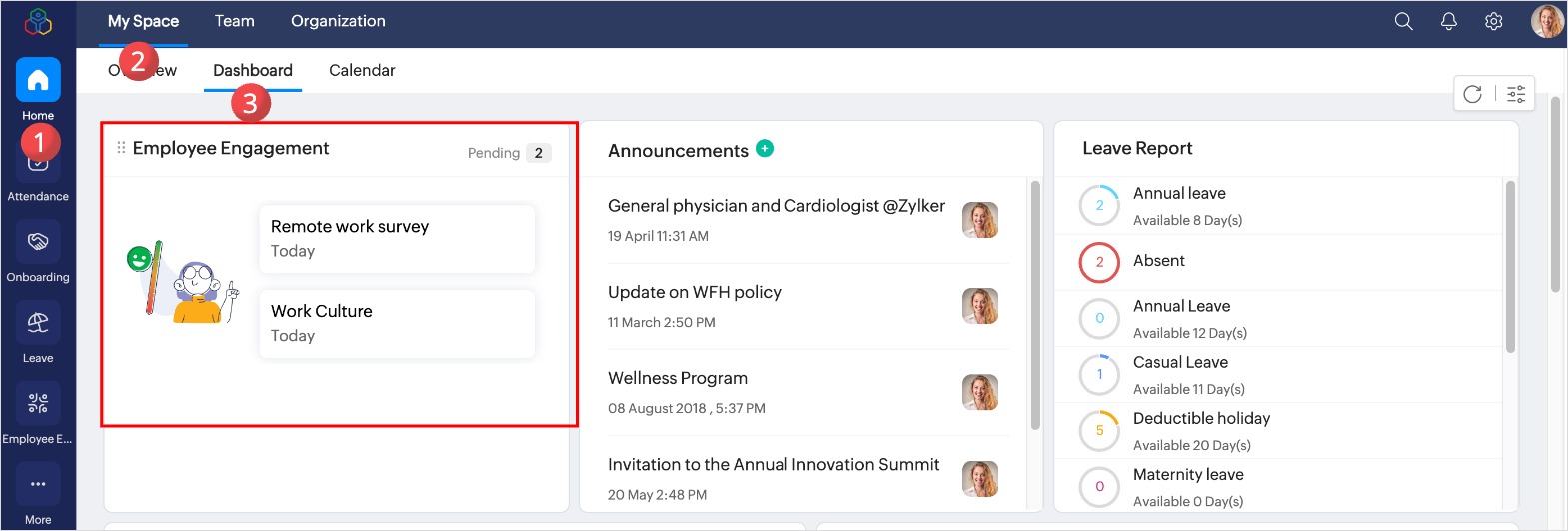
From your home page, Navigate to My Space > Dashboard, click on the survey to submit your feedback.
Department Survey
Surveys specific to the department are listed under Team > Team Space > Surveys. This tab contains all the surveys created for your department.
Mandatory Surveys
- Mandatory surveys are displayed in a pop-up card when employees log in to Zoho People.
- Employees can view and start these surveys at any time on or before the due date.
- Mandatory surveys can be skipped until the due date.
- On the due date, employees who haven’t completed the mandatory surveys will be restricted from accessing Zoho People until the surveys is completed on that particular day.
- After the survey expires (i.e., the day after the due date), employees will regain access to Zoho People.
- Expired surveys will appear under Employee Engagement > My Data > Surveys, marked with an “Expired” label. However, once a survey is marked as expired, it can no longer be taken.
Learn more: