Direct Assignment vs Round Robin: Choosing the right routing method in Zoho Desk
Direct Assignment vs Round Robin: Choosing the right routing method in Zoho Desk
 This post is part of the "Desk Automation Series," Chapter 1. Through this series, we will help you choose the right automation type in Zoho Desk by comparing commonly confused automations through real scenarios and business processes, so you can clearly see what to use, when, and why.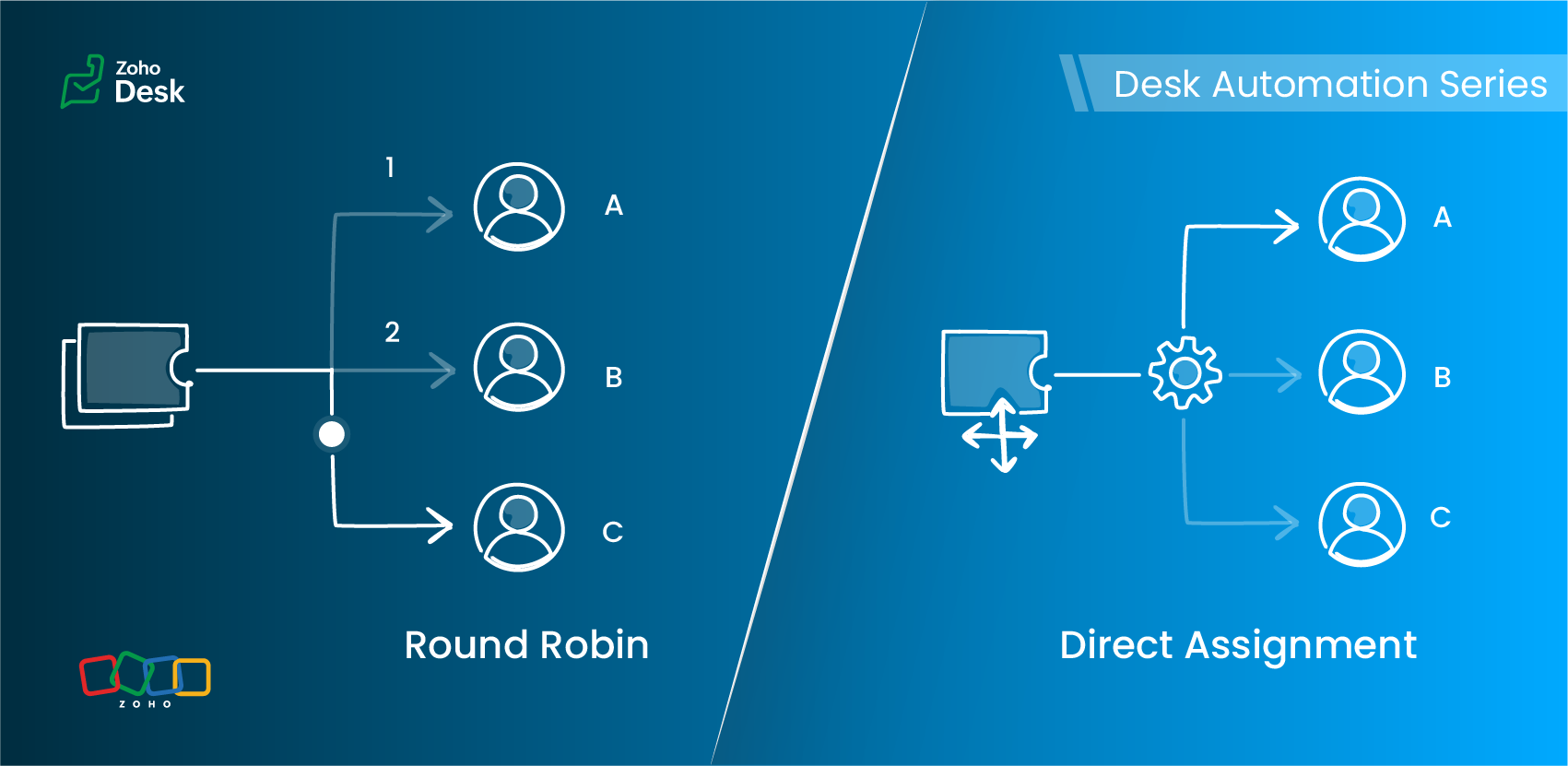
- Should this ticket always go to a specific owner?
- Or should it be automatically distributed across a team of agents in a specified pattern?
Understanding Assignment Rules
Zoho Desk offers two primary routing options under Assignment Rules:
- Direct Assignment
- Round Robin Assignment
Each serves a different need, depending on the structure of your support team and the type of tickets you handle.
Direct Assignment
When to use Direct Assignment
- A particular ticket type is always handled by the same person or team
- Ownership should remain consistent
- You want predictable, rule-based routing
- The responsibility for a category of tickets never changes
- Required to be re-assigned to a different agent
Direct Assignment keeps routing clear and ensures that the right team always receives what they are trained to handle.
Round Robin Assignment
Round Robin supports multiple distribution patterns
Round Robin type | How it works | Best for |
Load-based assignment | Tickets are routed to the agent with the least number of tickets in their queue until the configured capacity is reached. | Balancing agent queues efficiently to ensure faster response times. |
Skill-based assignment | Tickets are assigned to the agent whose skills match the most according to the criteria defined for the ticket. | Handling tickets that require specific language support, product knowledge, or domain expertise. |
Sequential-based assignment | Tickets are distributed among agents in a fixed sequence, following the alphabetical order of agent names. | Ensuring a predictable rotation and evenly distributing tickets among agents. |
Round Robin preferences
Key differences at a glance
Feature | Direct Assignment | Round Robin |
Primary purpose | Route tickets to a specific team | Distribute tickets equitably across agents |
Useful when | Responsibility for a ticket type is clearly defined | Ticket volume is high and needs balanced distribution |
Supports skill-based routing | No | Yes |
Supports capacity limits | No | Yes (Agent-level and department-level thresholds) |
Assignment frequency | Always assigned to the same agent or team | Varies based on the configured Round Robin type |
Control over assignment order | No | Yes (Sequence-based rotation) |
Handles workload balancing | No | Yes (Load-based assignment) |
Supports backlog management | No | Yes (Backlog assignment for queued tickets) |
Includes offline agents in assignment | No | Yes (Offline agents can be included in the assignment queue) |
Optimized for high ticket volume | Limited | Yes (Immediate assignment and backlog handling support continuous distribution) |
Choosing the right assignment method
Requirement | Direct Assignment | Round Robin |
A specific agent must always handle certain issues | ✓ | — |
Balanced distribution of tickets | — | ✓ |
Skill-specific routing | — | ✓ (Skill-based) |
Avoiding agent overload | — | ✓ (Load-based) |
Predictable rotation | — | ✓ (Sequential-based) |
Flexible assignment based on agent availability | — | ✓ |
A practical scenario
1. Billing and subscription changes
Use: Direct Assignment
2. Account suspension reviews
3. General how-to queries
Load-based assignment routes tickets to the least-loaded agent up to their set capacity, ensuring faster response times through efficient workload distribution.
4. High traffic during feature launches
Load-based assignment routes tickets to the agent with the fewest active tickets until the configured capacity is reached, helping distribute high volumes to prevent agent overload and support faster response times.
5. Advanced technical or API-related tickets
6. Product feedback review queue
7. Multilingual customer support
Use: Skill-based assignment
More everyday support examples
Scenario | Best-suited assignment method | Why |
Warranty claims in an electronics company | Direct Assignment | Tickets are routed to the team responsible for warranty operations. |
Appointment requests in a multi-specialty clinic | Direct Assignment for specialist bookings; Sequence-based assignment for general checkups | Specialist requests can be routed to a specific team, while general requests can be distributed among agents. |
System outage tickets in an IT helpdesk | Load-based assignment | Tickets are assigned to the agent with the fewest tickets in their queue, helping distribute workload and support faster first responses. |
Onboarding queries in a company | Sequential-based assignment | Tickets are distributed among agents in a fixed sequence, ensuring each agent receives tickets in turn. |
Marketing campaign inquiries in a SaaS company | Skill-based assignment | Tickets are assigned to agents whose skills match the required business expertise, such as Marketing. |
Best practices
- Use Direct Assignment for clear, consistent ownership.
- Apply Round Robin when distribution, fairness, or skills matter.
- Keep your criteria focused.
- Avoid using multiple Round Robin patterns for the same category.
- Review agent capacity and skills regularly.
- Test your rules with a sample set of tickets before enabling them.
Guidelines for quick selection
- Only routing is needed → Direct Assignment
- Balanced distribution is the goal → Load-based or Sequential-based assignment
- Specific skills required → Skill-based assignment
- Workload limits apply → Load-based assignment
- Predictable rotation needed → Sequential-based assignment
The verdict

Read more related articles:
Access your files securely from anywhere
All-in-one knowledge management and training platform for your employees and customers.

Zoho Developer Community





Topic Participants
Amrita U
Sticky Posts
Zoho Desk Partners with Microsoft's M365 Copilot for seamless customer service experiences
Hello Zoho Desk users, We are happy to announce that Zoho Desk has partnered with Microsoft's M365 to empower customer service teams with enhanced capabilities and seamless experiences for agents. Microsoft announced their partnership during their keynoteWhatsApp pricing changes: Pay per message starting July 1, 2025
Starting July 1, 2025, WhatsApp is shifting from conversation-based pricing to per-message billing. That means every business-initiated message you send will count. Not just the first one in a 24-hour window. Pricing updates on the WhatsApp Business PlatformLive Webinar - Work smarter with Zoho Desk and Zoho Workplace integration
Hello customers! Zoho Desk and Zoho Workplace are coming together for a webinar on 14th May, 2024. Zoho Workplace is a suite of productivity apps for email, chat, docs, calls, and more at one single place. Zoho Desk is closely integrated with a few toolsApple iOS 17 and iPadOS 17 updates for Zoho Desk users
Hello Zoho Desk users! Apple recently announced the release of iOS 17 and iPad OS 17. These latest OS updates will help you stay productive and efficient, through interactive and seamless user experiences. Zoho Desk has incorporated the updates to helpZoho Desk Cheat Sheet For The Year-End
Check out these Zoho Desk best practices to end this year on a high and have a great one ahead! #1 Set Business (Holiday) Hours - If you have limited working hours, please make sure you restrict your business hours or set them as holidays for the coming days. Let your customers know when you will, and won't, be available. #2 Update the Annual Holiday List - Check the holidays for the new year and update the holiday schedule. Usually, holidays from the current year will be carried over for the next
Zoho TeamInbox Resources
Zoho CRM Plus Resources
Zoho Books Resources
Zoho Subscriptions Resources
Zoho Projects Resources
Zoho Sprints Resources
Qntrl Resources
Zoho Creator Resources
Zoho CRM Resources
Design. Discuss. Deliver.
Zoho Show Resources

Get Started. Write Away!
Writer is a powerful online word processor, designed for collaborative work.
-
オンラインヘルプ
-
Webセミナー
-
機能活用動画
-
よくある質問
-
Ebook
-
-
Zoho Campaigns
- Zoho サービスのWebセミナー
その他のサービス コンテンツ
Nederlandse Hulpbronnen

ご検討中の方
Recent Topics
452 Mailbox delivery restricted by policy error
We have been testing Zoho desk for about a week now and have been forwarding emails in via an Exchange Online Mail flow rule without issue until yesterday. Suddenly yesterday morning we started getting the vast majority of the emails stuck in PendingSend Email reply on behalf of Agent
Hi, When using the send email reply via the API I can set the reply on behalf of the customer by using impersonatedUserId in the header of the API call. Is there a way to do this for Agents too? I need to be able to send an email reply on behalf of anSharing Tickets to a team within a department
Hi there, We have a need for one department to be able to share tickets to a specific team within a department, I'm wondering if this is possible? All the shared tickets are going into the 'Shared Tickets' view for the whole department but is there aDo not use isnull()
Does not always return booleans. Can also return null. Never use this function. Just use var==null instead.Automatic Department and Employee Sync Between Zoho One and Zoho People
Dear Zoho Support, I'm writing to propose a valuable feature request that would streamline data management and improve user experience within the Zoho ecosystem: automatic synchronization between departments and employees in Zoho One and Zoho People.Maximum limit of bank accounts
I'm currently setting up Zoho Books in order to migrate at the start of our next financial year (April) and while adding bank accounts I've tried to add a second account from the same bank and receive an error about the maximum limit of bank accounts.Unable to load a specific image
Hi I am trying to upload an svg file, which reports that there is "a problem with the file", but does not say what sort of problem. I can't find anything which says which files are supported, so it may be it does not support svg. (which would be a real shame) The file itself will open in either Firefox or Chrome without problem. For the moment I am using a png file, which does not zoom well of course. DavidWhy does the Address field show the wrong map location even with a correct Pincode?
I am noticing an issue with the Address field map in Zoho Creator. When I enter a city name that exists in multiple locations within the same state, the map sometimes points to the wrong area even if I have entered the correct Pincode. Currently, it seemsYou have reached the maximum limit of bank accounts that can be connected to Zoho Books through token.
I can no longer connect to my bank account to download transactions into Zoho Books. I egt the error message: "You have reached the maximum limit of bank accounts that can be connected to Zoho Books through token. To connect more accounts, write to usArchive Option in Conversation View
Hello, I have a suggestion\request to add an "Archive Thread" button in conversation view of Zoho Mail. The best suggestion I have is to put an "Archive Thread" button next to the "Label Entire Thread" button in conversation view. Most users don't justOutlook/Hotmail Blocking Zoho SMTP IPs (S3150)
We are currently facing a serious deliverability issue with Zoho SMTP while sending transactional OTP emails for our production application. Emails sent to Outlook / Hotmail addresses are being rejected with the following error: 550 - 5.7.1 Unfortunately,Outlook is blocking incoming mail
Outlook is blocking all emails sent from the Zoho server. ERROR CODE :550 - 5.7.1 Unfortunately, messages from [136.143.169.51] weren't sent. Please contact your Internet service provider since part of their network is on our block list (S3150). It looksZoho Social API for generating draft posts from a third-party app ?
Hello everyone, I hope you are all well. I have a question regarding Zoho Social. I am developing an application that generates social media posts, and I would like to be able to incorporate a feature that allows saving these posts as drafts in Zoho Social.Temporarily rate limited due to IP reputation.
We have suddenly started receiving the following Mail Delivery Status Notification: Diagnostic-Code: 4.7.650 The mail server [136.143.184.12] has been temporarily rate limited due to IP reputation. For e-mail delivery information, see https://aka.ms/postmasterIMPORTANT: It doesn´t search for letters with portuguese characters.
Some of my articles have for example the word "vídeo". But if I search for "vídeo" it doesn´t find them. If I search for "video" it does find them. Idealy, it should find the articles either way. But if I have to choose, it would be better to find theIMPORTANT: It doens´t show full article name on search - Should add line break
When we search for articles, it doesn´t show the full name. There should be a line break so the user can see the full article name, otherwise the user can´t know if that´s the article he/she is looking for. This is very important, otherwise the user hasZoho Books - Payment Gateway - Revolut
Hi Books Team, My feature request if to include the popular platform Revolut as a payment collection option on invoices in Zoho Books. Please upvote if you are also looking for this option.Zoho Books | Product updates | January 2026
Hello users, We’ve rolled out new features and enhancements in Zoho Books. From e-filing Form 1099 directly with the IRS to corporation tax support, explore the updates designed to enhance your bookkeeping experience. E-File Form 1099 Directly With theKaizen #233 - Generating AI-powered Follow-up Emails Using CRM Functions and Widgets
Hey everyone! Welcome back to another interesting post in the Kaizen series! Sales teams regularly capture interaction notes in CRM after speaking with prospects. However, drafting a follow-up email that reflects the conversation context can be repetitiveConnect Bank in Zoho Books
Can I connect UOB or Ariwallex in Zoho Books?Using MPN across multiple SKUs and inventory tracking
I have several different SKU's that share a common MPN and would like to track inventory by MPN. SKU1 has MPN1 assigned SKU2 has MPN1 assigned Here is an example If I start with 5 of MPN 1 in stock I want each SKU1 and SKU2 to show as 5 in stock, If IMarketing Tip #1: Optimize item titles for SEO
Your item title is the first thing both Google and shoppers notice. Instead of a generic “Leather Bag,” go for something detailed like “Handcrafted Leather Laptop Bag – Durable & Stylish.” This helps your items rank better in search results and instantlyFeature Enhancement Request – Text Formatting Options in Item Description (Zoho Books/Quotes Module)
Dear Zoho Development Team, Greetings from Radiant360 Integrated Technical Services LLC. We would like to bring to your attention a functional limitation we've encountered within the Item Table / Quote Description section of Zoho Books (and Zoho CRM Quotes).ZOHO Books Query
Good day, Can someone please advise. I recently migrated from ZOHO Invoice to ZOHO Books. No that I want to use the inventory on Books I cant as all my items have transaction history. The person I spoke to at ZOHO said I need to create a new Company profileBest way to schedule bill payments to vendors
I've integrated Forte so that I can convert POs to bills and make payments to my vendors all through Books. Is there a way to schedule the bill payments as some of my vendors are net 30, net 60 and even net 90 days. If I can't get this to work, I'll haveinventory removal at packing list or shipment.
currently our system is set to remove inventory at invoice. This is creating an inventory nightmare? Is it possible to change the settings to remove the item from inventory at either the packing slip stage or shipping the item.How to add employee and not invite them to log in?
I want to add 50 employees, but invite them only when everything will be configured and ready. Is it possible? Should we create employee profiles and then convert them later? Thank you,Any Offline Developing Environements or IDE's for Zoho Creator
Hi there, Is there any offline developing environment for zoho creator like the Eclipse for sales force.com? So that i could make my development faster. Its taking a laot of time to write save and verify the code in Zoho Creator online. Thanks in advanceHow is Your eCommerce Experience w/Zoho Inventory?
First off, I'm SUPER grateful for the advent of Zoho Inventory and now the Zoho Commerce Suite. Overall, Inventory is a great product, especially for customers without an eCommerce presence. For eCommerce companies (especially those shipping more than ~10 packages/day), however, there are certain drawbacks that keep my clients from moving over to Zoho Inventory: Cons: 1. Invoice + Package Creation from Shopify/Other eCommerce Integrations: Zoho Inventory makes the somewhat perplexing decision toAbility to Use Both AND and OR When Creating Rules (Advanced Conditions)
I'd like to be able to use more complicated logic when setting up rules. E.g. in Zoho Mail, I can choose "Advanced conditions (AND/OR) to create a rule that can be applied to multiple subject lines from the same sender. But in Zoho TeamInbox, I will haveFacturation électronique 2026 - obligation dès le 1er septembre 2026
Bonjour, Je me permets de réagir à divers posts publiés ici et là concernant le projet de E-Invoicing, dans le cadre de la facturation électronique prévue très prochainement. Dans le cadre du passage à la facturation électronique pour les entreprises,Zoho Desktop App- Unable to Minimize/Freezes
I'm having issues with my Zoho Mail desktop app (PC). When go on my desktop and open the app this is what happens: - Unable to minimize and close app (in the screenshot attached you can see at the top right there is no option to minimize/close) - UnableZoho Invoice Zapier Integration
Is there still a way to use Zapier with Zoho Invoice? I've read online that that migrated to Zoho Books or Billing but since I am just using Invoice I can not find a Zapier Connection anymore.Conect chat of salesiq with zoho cliq
Is there any way to answer from zoho cliq the chat of salesiq initiated by customers?Bug: OAuth 2.0 State Parameter fails with Pipe Delimiters (RFC 6749 Non-Compliance)
I've discovered a bug in how Zoho's API Console handles the OAuth 2.0 authorization flow when the state parameter contains pipe characters (|), and I'm hoping the Zoho team can address this in a future update. The Issue Zoho's OAuth 2.0 implementationZobot with Plugs
Hello, I am having a problem with Zobot using Plugs. Here is my current flow: When I run the flow, I should immediately see the messages from the initial cards (Send Message cards), then after running the plug, and finally, see the messages after thePrint a document from Zoho Writer via Zoho Creator
If i use the code below i can get writer to create a new document or email it to me but i want to be able to print it directly from the browser and not have to send it via email and then print. Below is the code im using. Attached options form zoho writerTraining for How can i Operate the Software Features
need to Help for Training of the ZOHO Billing SoftwareAutomating Vendor Contract Management between Zoho Contracts and Zoho Books using Zoho Flow
Managing vendor agreements across procurement and finance systems often requires manually downloading executed contracts and attaching them to vendor records. This can become time-consuming and difficult to manage when dealing with a large number of contracts.VIEW HEADERS PARAMETERS
A function was created in zoho creator. In the microservices “https://creator.zoho.com/userhome/<adminuser>/admindashboard#/microservices”. A custom API was created and associate the function. In the postman I send some data, how can I visualize whatNext Page