How to create stunning booking pages in no time
Want to convince customers that you are the best in the business in under 3 seconds?
Use well-designed booking pages to captivate your audience coupled with a solid portfolio on your socials to win over your customers.
In this guide, we'll be helping you do that in no time.
How would your customers feel if your booking pages could go from amateur to pro?
Use well-designed booking pages to captivate your audience coupled with a solid portfolio on your socials to win over your customers.
In this guide, we'll be helping you do that in no time.
How would your customers feel if your booking pages could go from amateur to pro?
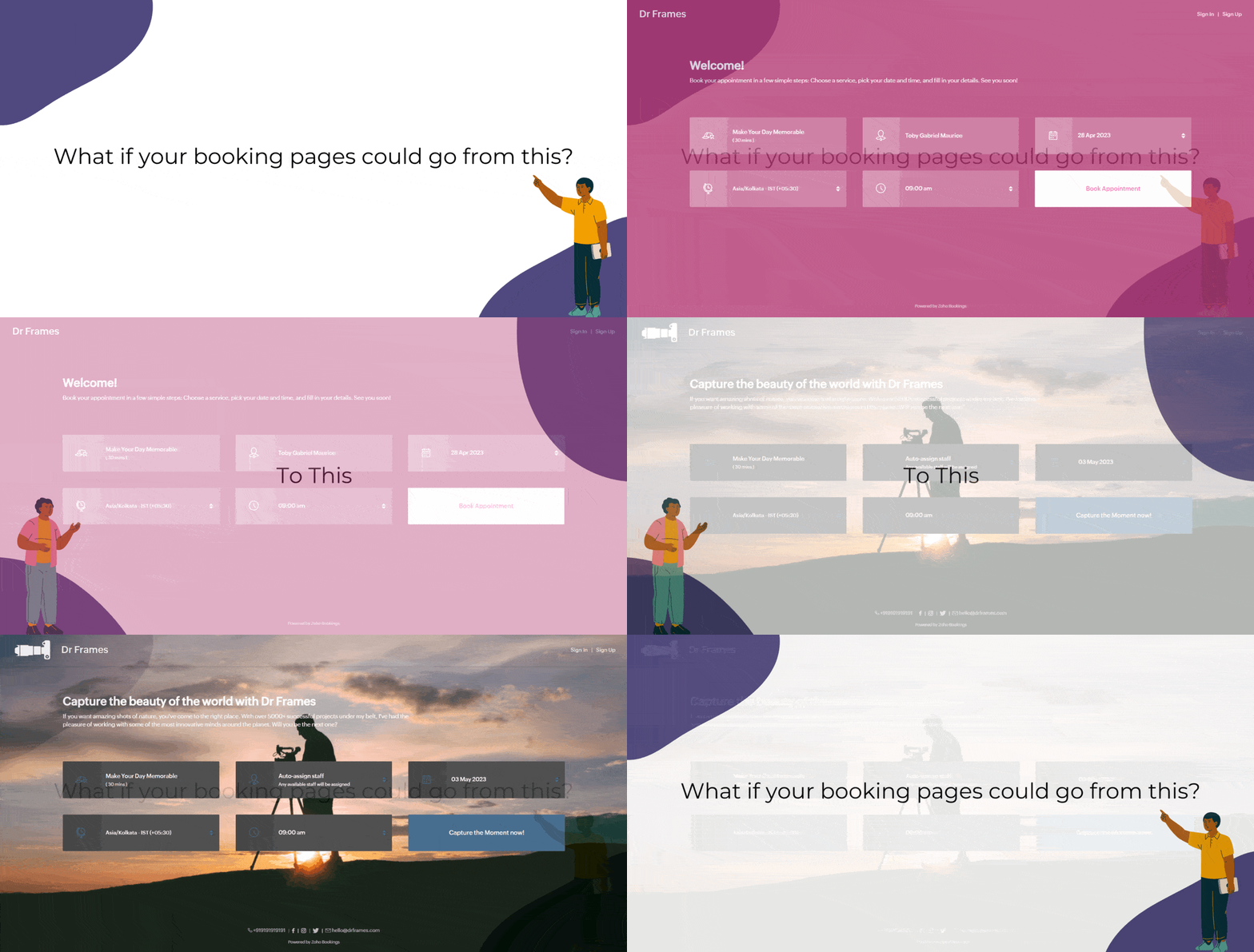
Captivating booking pages that align with your brand colors help you to,
- Hook the customer
- Deliver an impressive customer experience
- Improve Brand Recall
In this guide, we will customize various elements of the booking page such as,
- Text - Title and Description
- Images - Logo and Background
- Socials
- Colors - Background, Text, and Button Colors
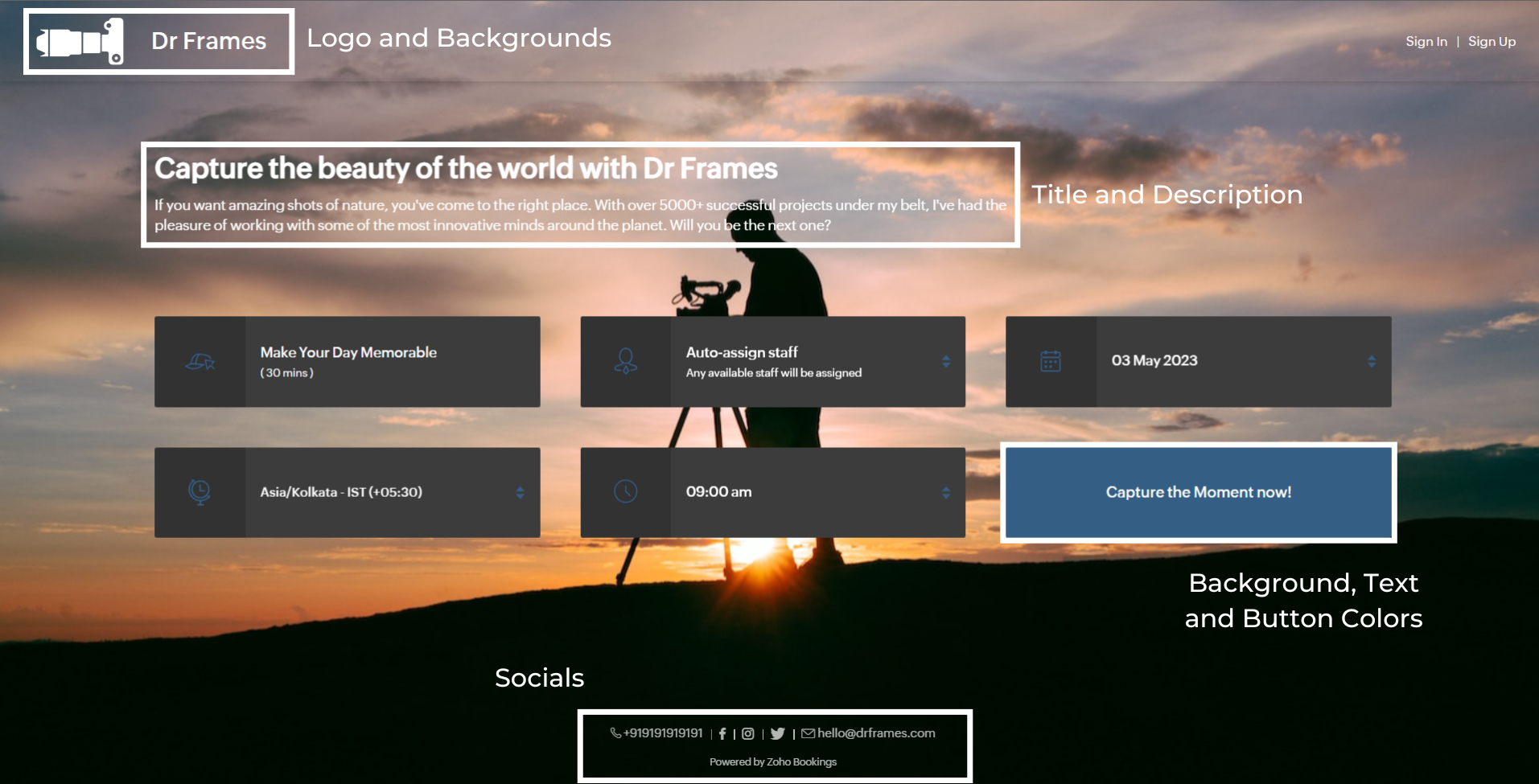
We'll take a sample image and tackle all aspects of the booking page one after the other.
Customizing Booking Page Text
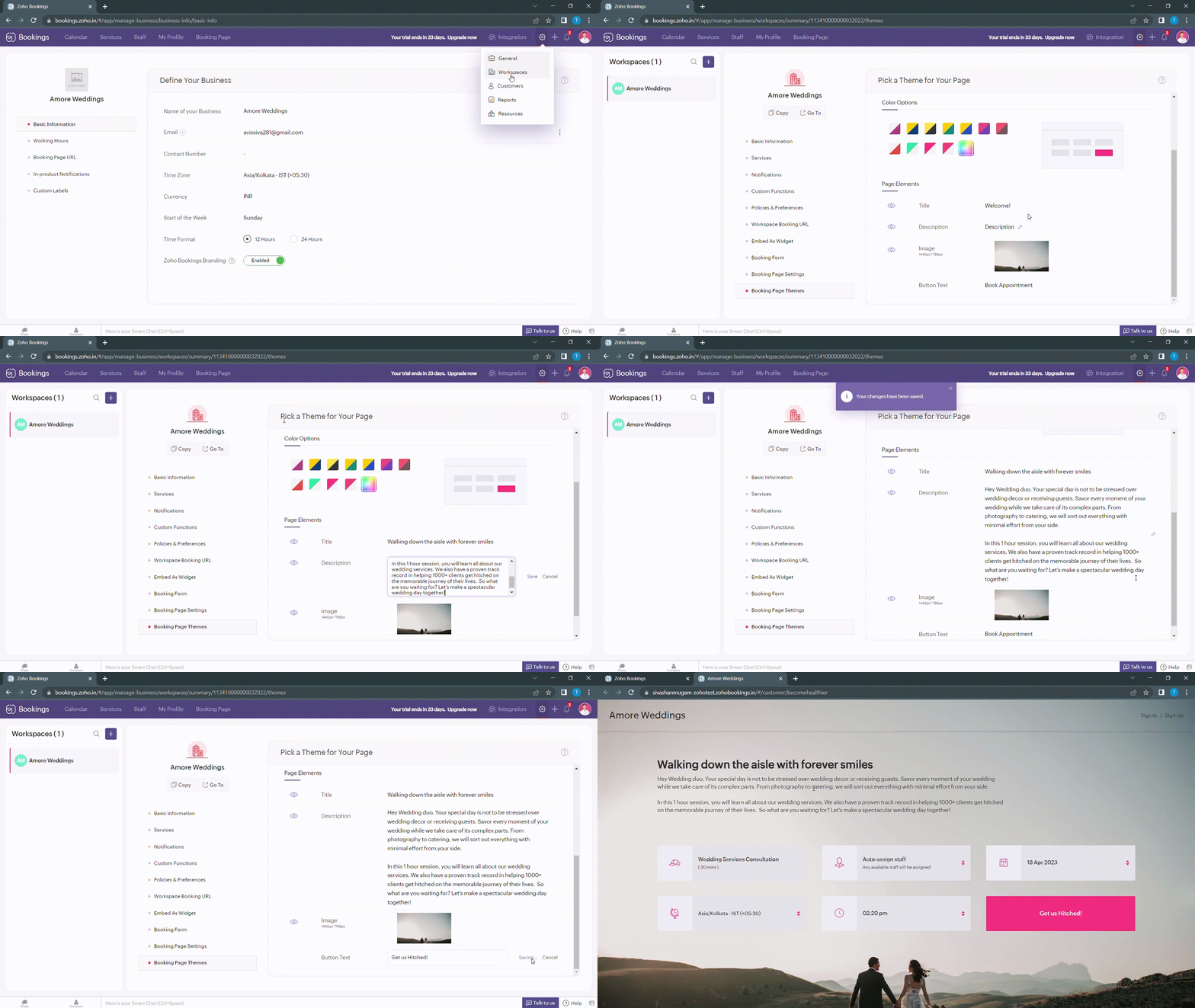
Navigate to Services > Workspaces > Booking page themes to set the title and description of your booking pages.
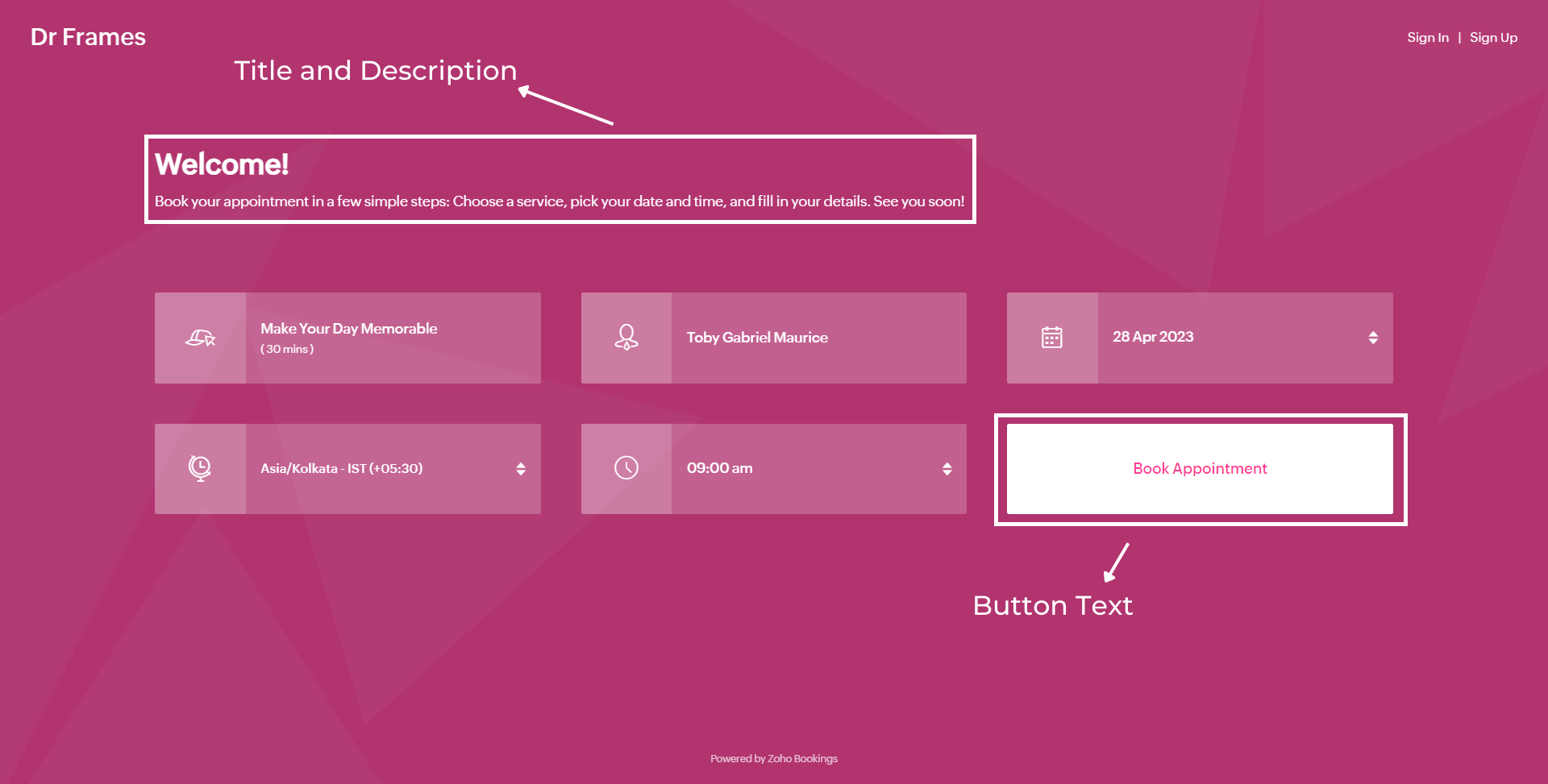
Under page elements, you can find three options:
- Title
- Description
- Button Text
Let's start with titles. You can use it in two ways based on your goals,
- Introduce yourself and share them your expertise.
- Hook the customer's attention and tell them what to expect when they book with you.
We've provided you with samples to get you started,
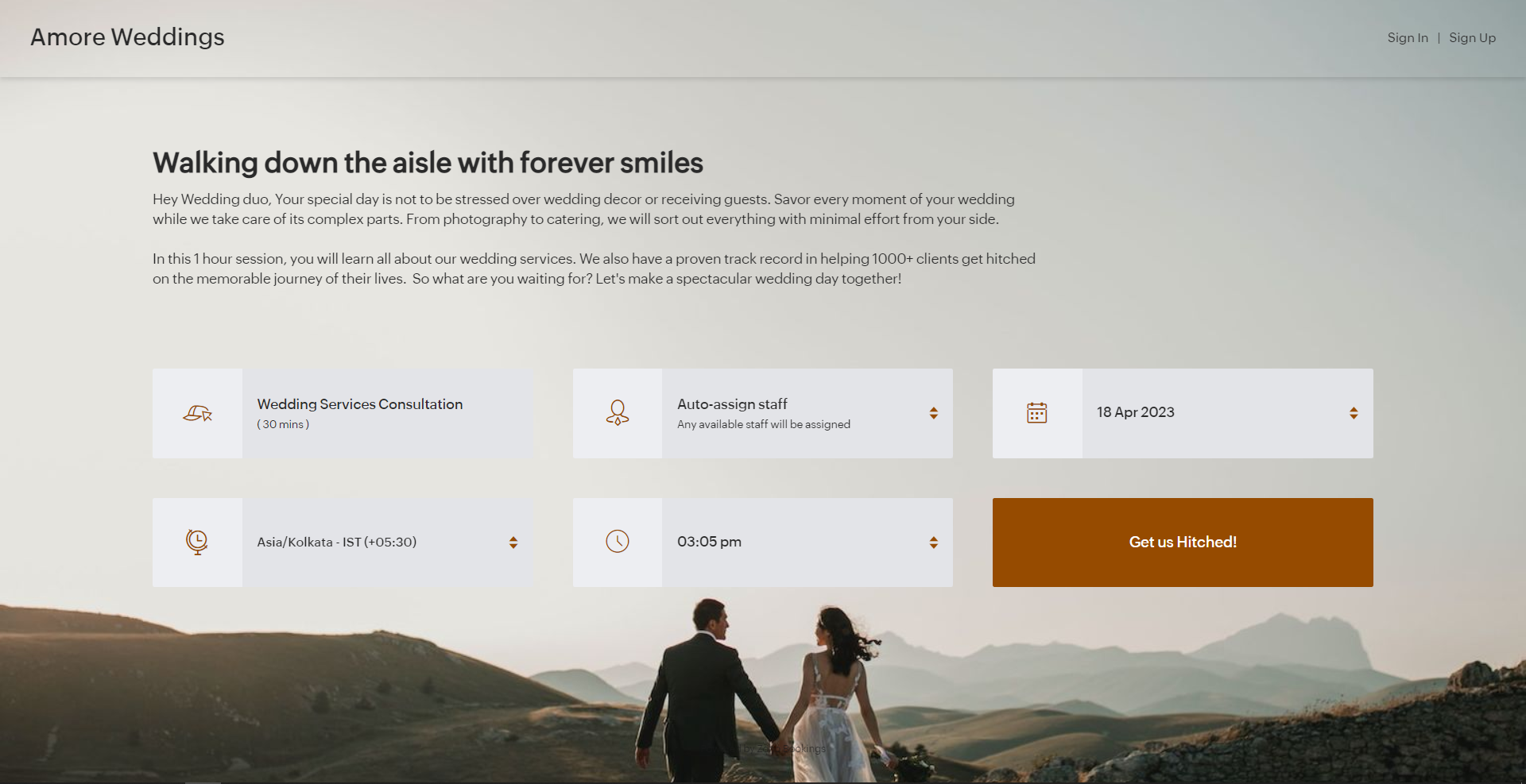
- Wedding Industry (Hook) - Walking down the aisle with forever smiles
- Fitness Industry (Hook) - Unleash a healthier you one bite at a time
- Dental Industry (Intro) - Welcome to Crown Dental Care!
Note - You can have up to 50 characters in your titles.
Alternatively you can use AI tools to come up with Impressive titles. We managed to come up with this title as a hook for a booking page which offers wedding organizer services
"Wedding Bliss, No Stress! We've Got This!"
Check out the following video to create captivating titles using AI Tools.
"Wedding Bliss, No Stress! We've Got This!"
Check out the following video to create captivating titles using AI Tools.
Next up, Descriptions. It helps you seal the deal with your customers.
Descriptions can take different tones based on what you want to convey to your clients.
- Describe your offering - Basic, but conveys the vital information to the customer upfront.
- What can they expect out of this service? - Tease your customers with what they get from your service.
- Share past achievements - Share your past success to showcase your credibility.
Note - You can have up to 2000 characters in your description.
Sometimes it can be difficult to come up with creative descriptions. AI tools can add a little more poise to them.
Next up, button text.
Next up, button text.
Buttons are the final key to providing the best customer experience a booking page can offer. You can modify it depending on the industry you are in.
- Wedding Industry - Get us hitched!
- Fitness Industry - Transform me!/ Let's get shredded!
- Dental Industry - Onto healthier smiles!
Note - You can have up to 50 characters in your buttons.
The following are some guidelines that could help you craft a impressive CTA.
The following are some guidelines that could help you craft a impressive CTA.
- Evoke emotions: Use words that resonate with possible benefits clients can gain from your service - Confidence, Health, Happiness, etc.
- Keep it crisp: A word length of 3-4 words is apt to make your clients take action - Book appointments.
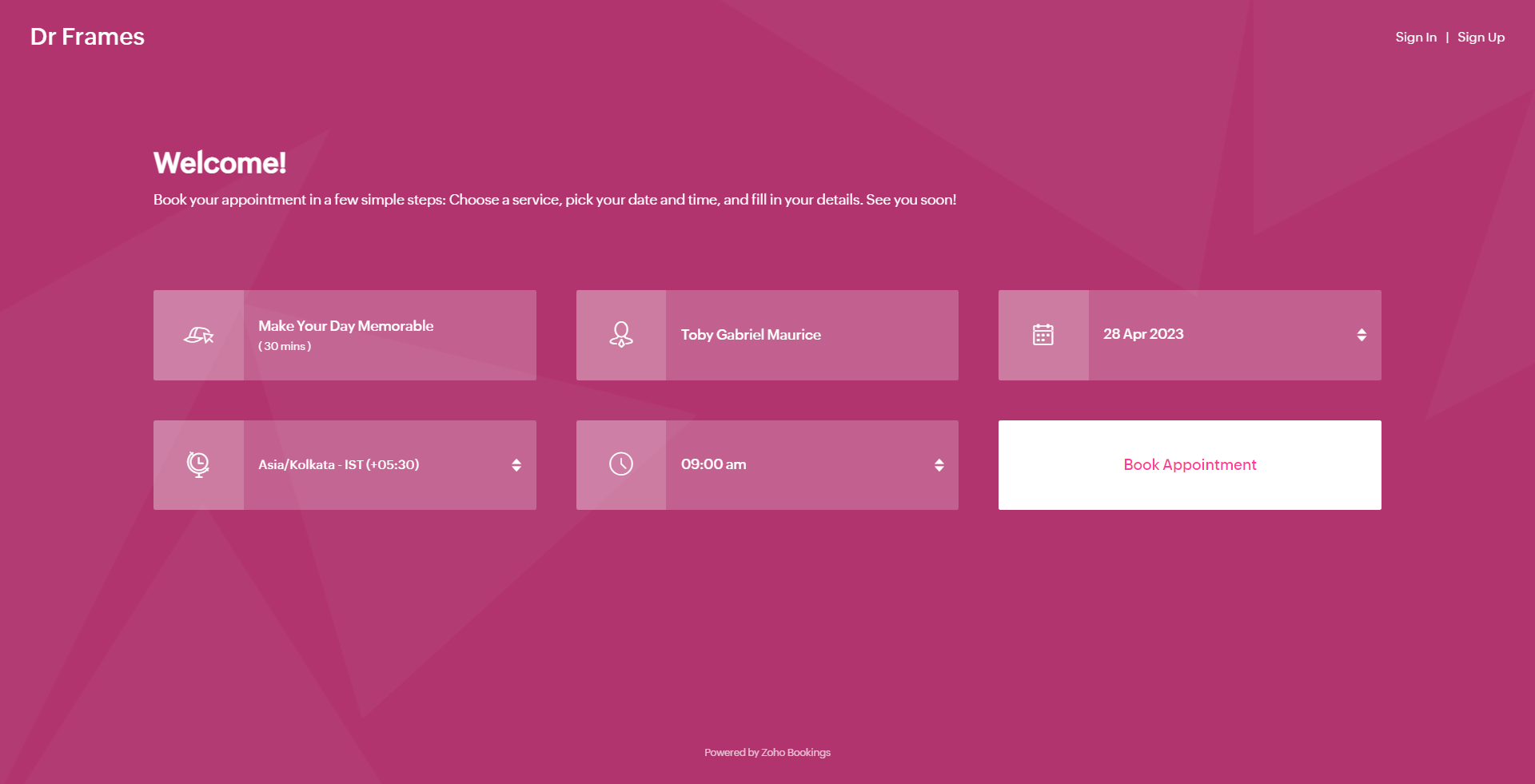
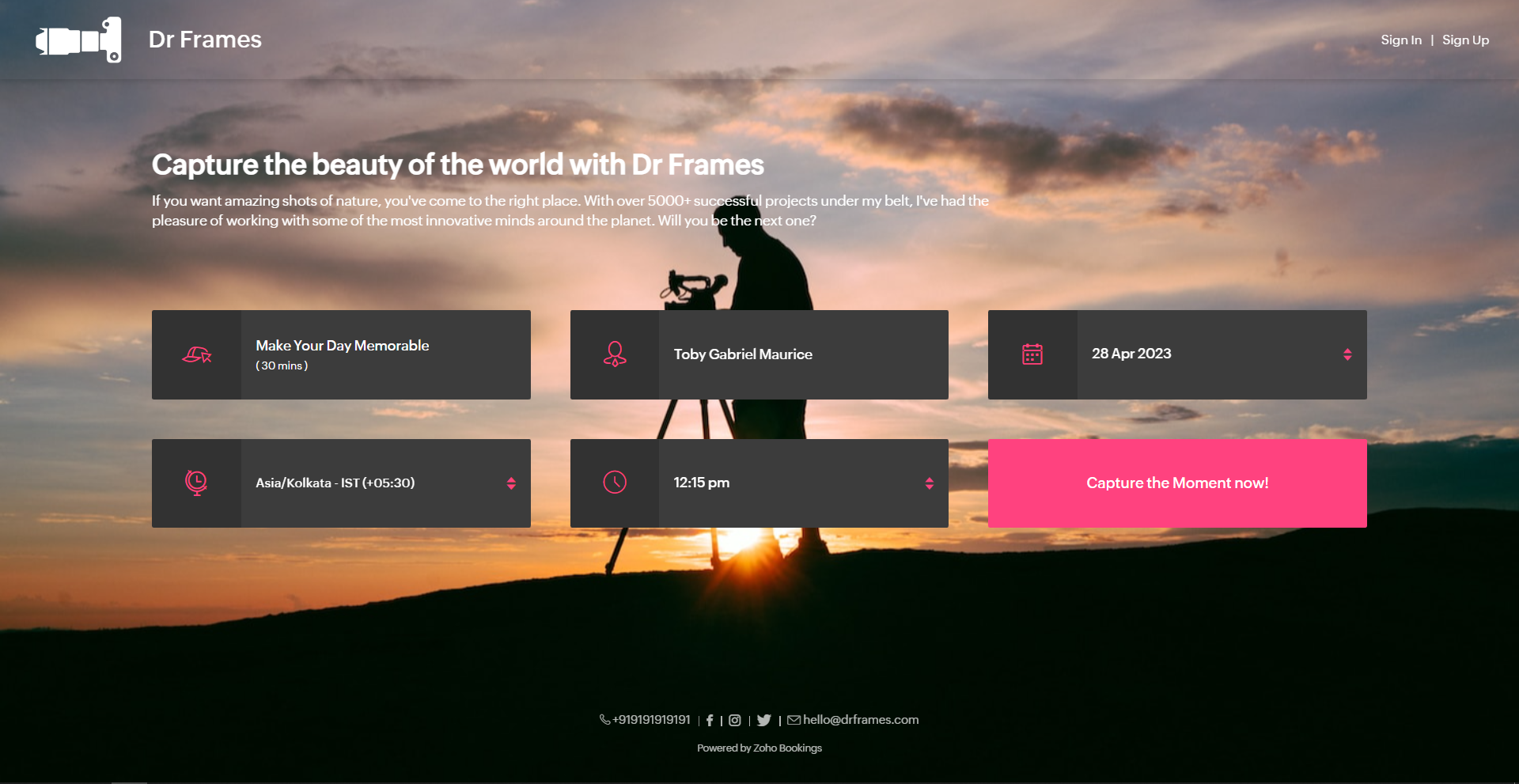
Below is a booking page for a photography offering service with a carefully crafted message.
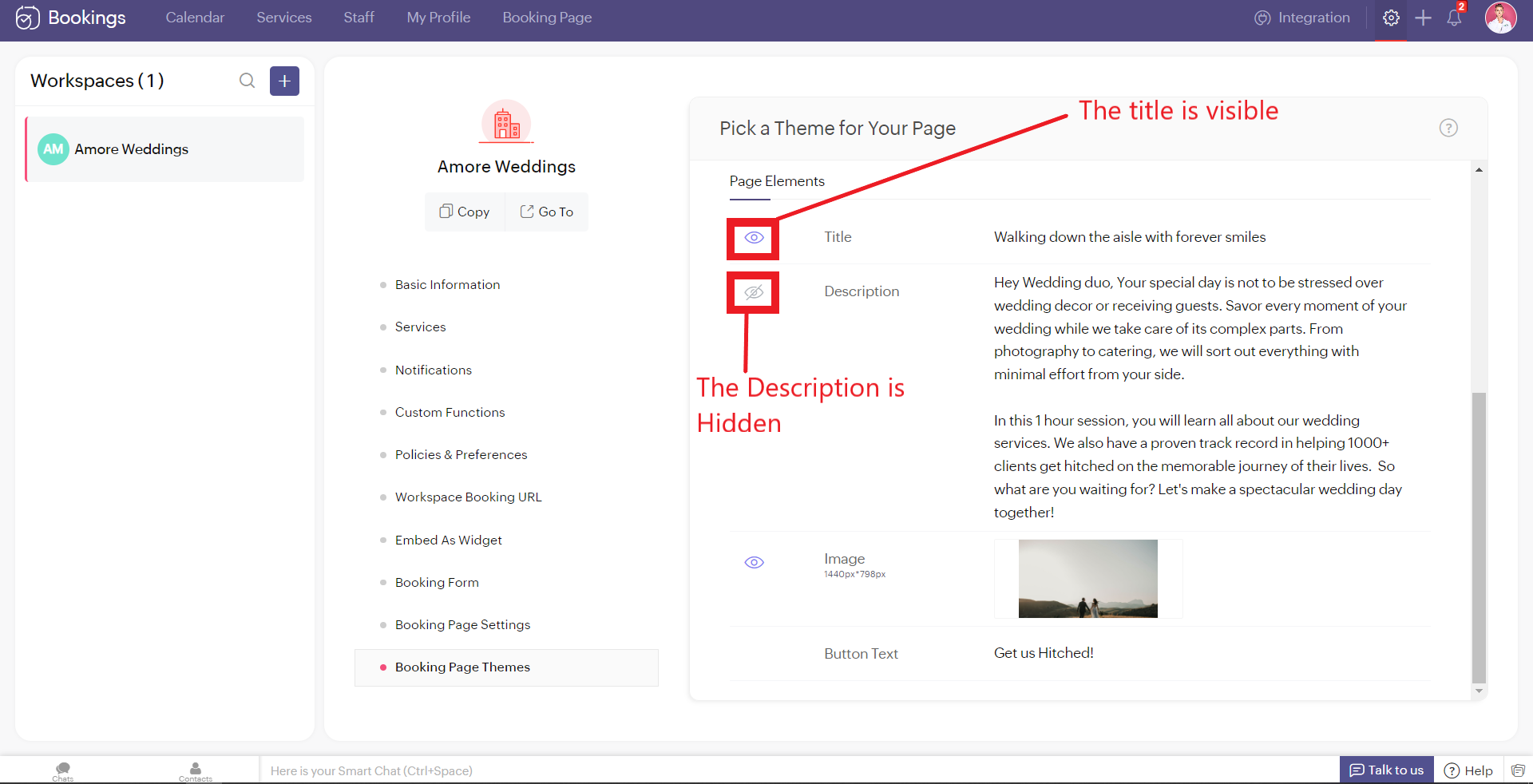
As much as you've options to add more detail to your booking page, you can choose which ones to hide or display using the eye icon.
Customizing Images
Images are at the core of compelling booking pages. There are two ways in which adding images enhances your pages.
- Background Images
- Logo
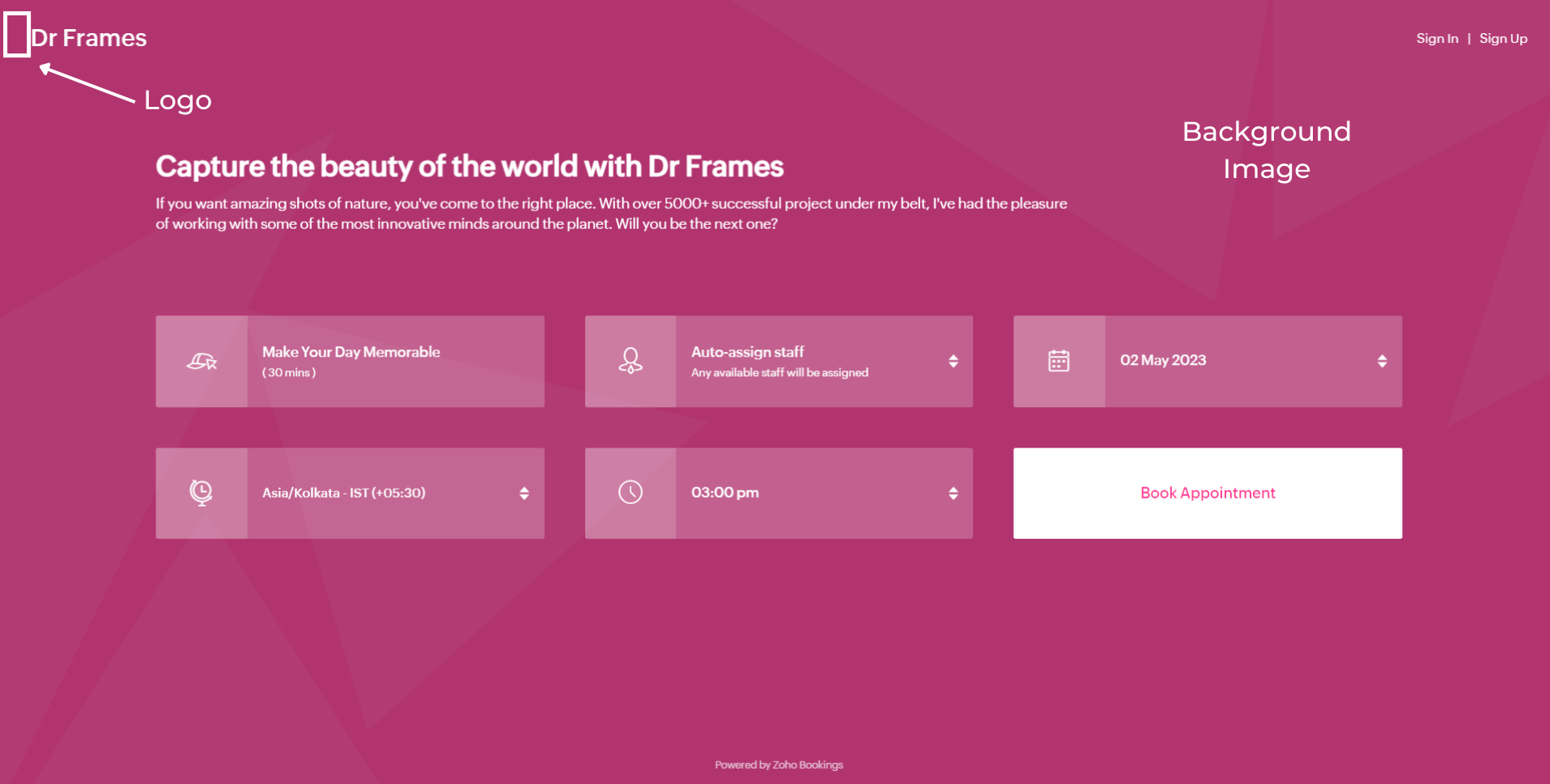
Let's start with Background Images.
The following themes support background images.
The following themes support background images.
- Modern Theme (Most color options except a few)
- New Layout
- Default Theme
- Classic Theme (Dual Color Options only)
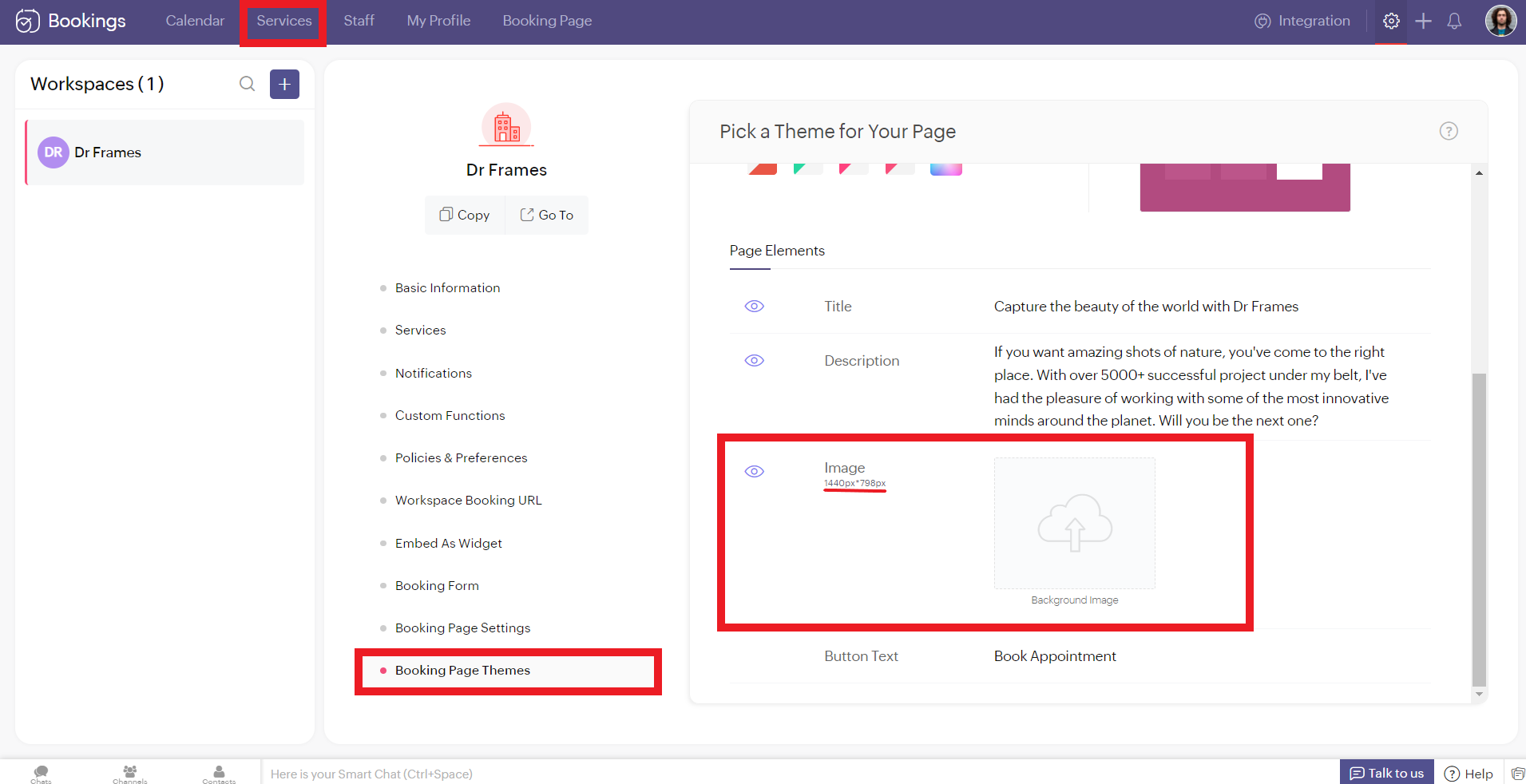
You can add images under Page Elements. Click on the empty box and upload your images. The size of your images is mentioned beside the box in pixels (px). You can also crop bigger images and click Upload. A pop-up box appears. You can drag the slider to adjust the transparency of your images
Controlling Image Opacity
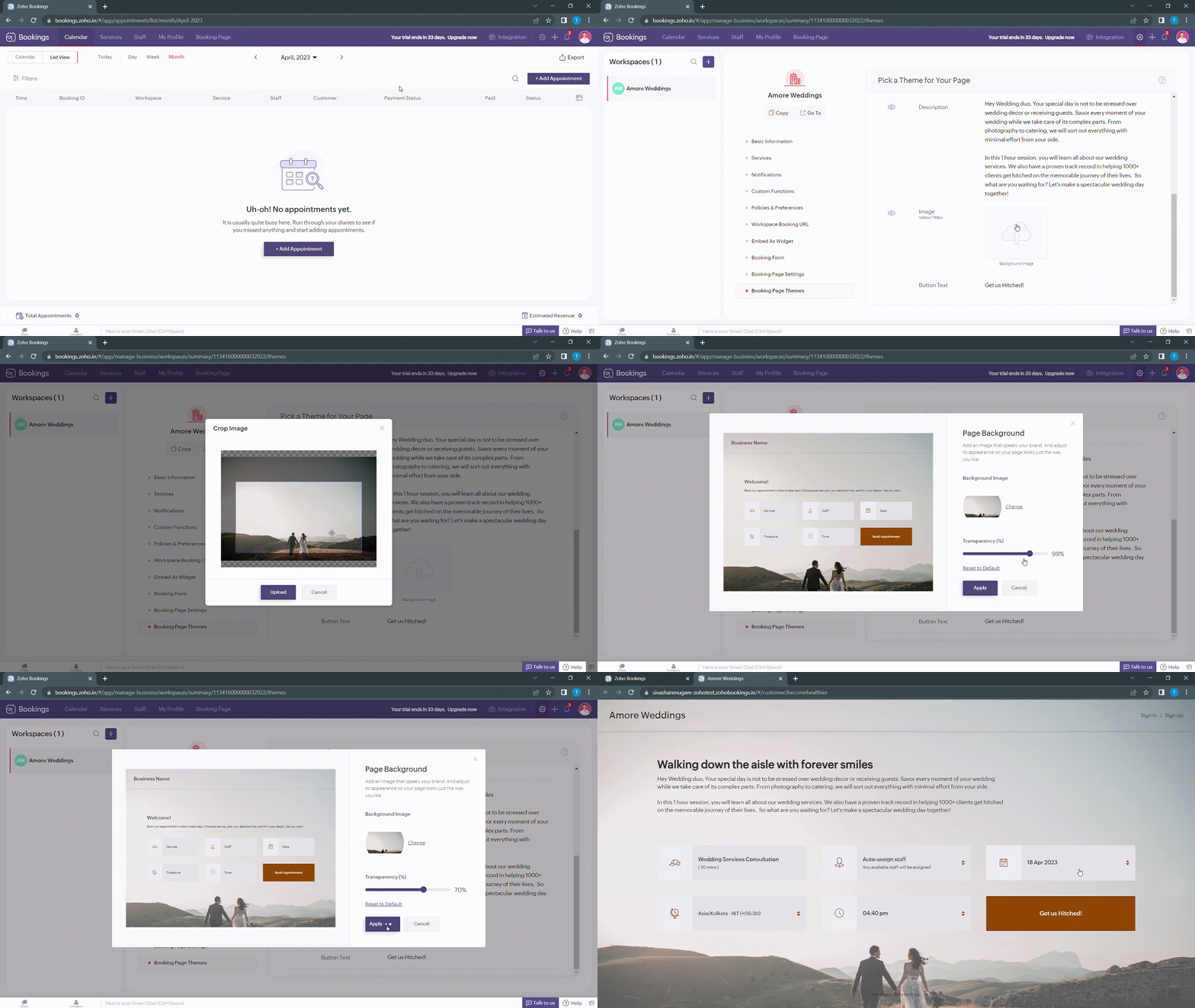
Transparency of your images significantly influence the text and button colors on your booking page. For example, when your image transparency is less (i.e., darker backgrounds), lighter text and button colors would be a great choice and vice versa.
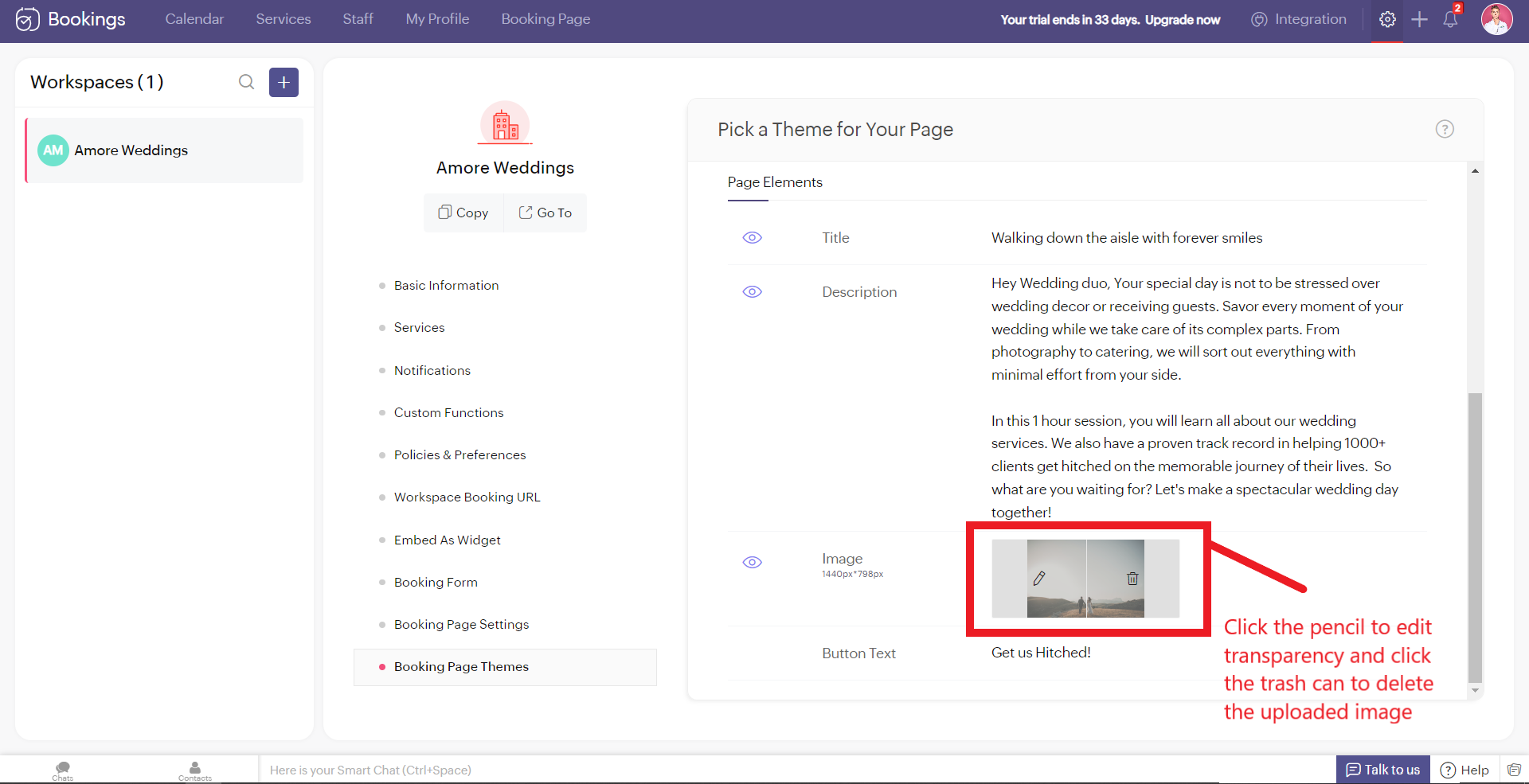
Alternatively, you can hover over your uploaded image, click on the pencil icon and drag the slider to adjust the transparency of your images.
Alternatively, you can hover over your uploaded image, click on the pencil icon and drag the slider to adjust the transparency of your images.
Best Practices
Avoid these mistakes while you upload your background images.
- Make sure the images you use and the text colors complement each other. Light text on dark backgrounds and vice versa.
- Avoid using very noisy images with a lot of attention-seeking elements. If you do so, reduce your transparency. Images with subtle elements like a sky pair well with your booking pages.
- Use images that
- Align with your business
- Evokes an enthusiastic emotion in your customer
- For Marriages - Two People Holding Hands
- For Dental Care - A Person with a happy smile
Next up, Logos. A brand logo is one of the crucial things that reinforce brand recall.
To add your brand logos to your booking page, navigate to Settings > Workspaces > Booking page settings.
The following are dimensions of your logo (50px to 110px - Width) * (50px - Height)
Besides the logos, you can add header text as well.
To add your brand logos to your booking page, navigate to Settings > Workspaces > Booking page settings.
The following are dimensions of your logo (50px to 110px - Width) * (50px - Height)
Besides the logos, you can add header text as well.
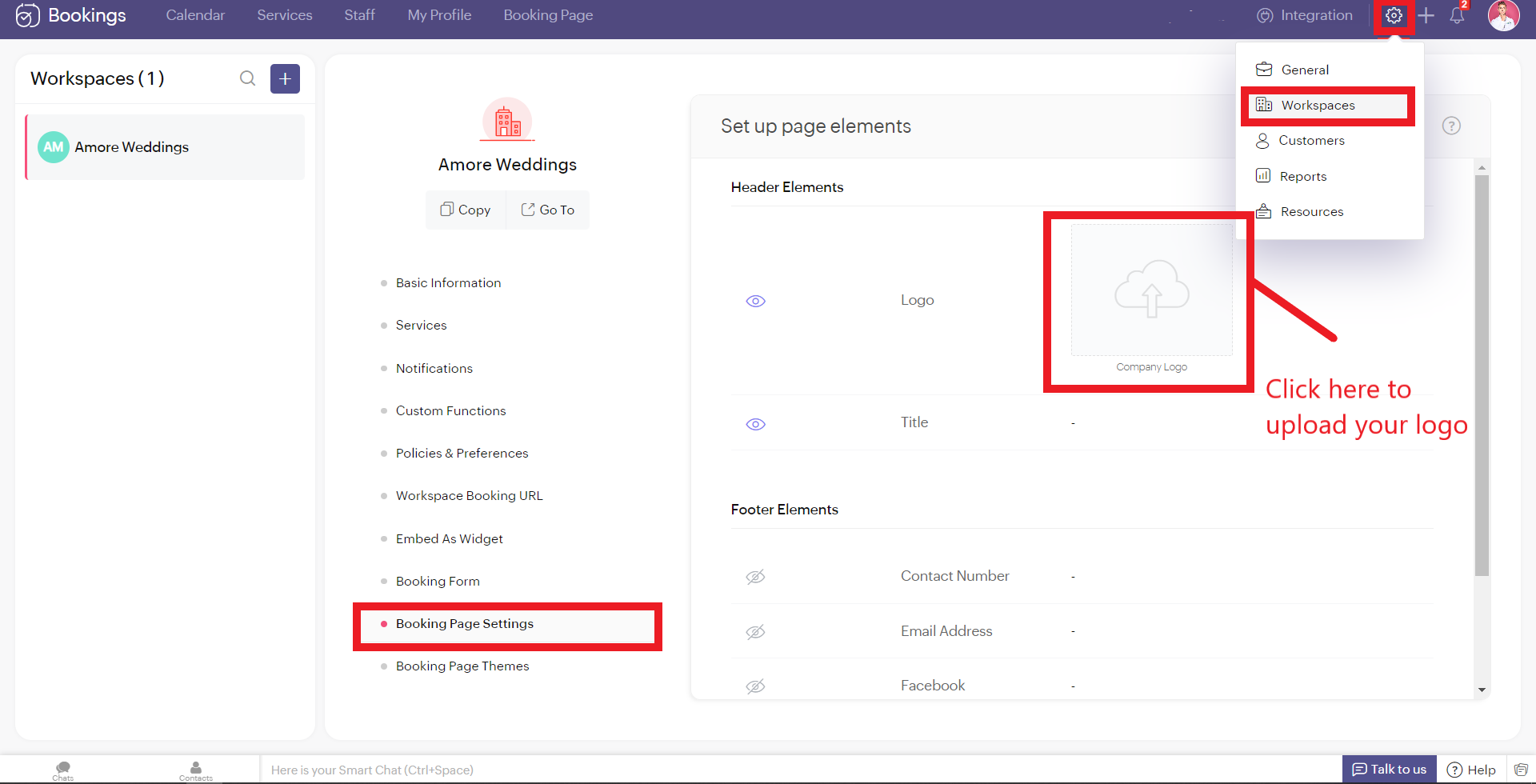
Don't worry if you don't have your own logo. You can use AI tools like Logo Makers to generate yourself an alluring logo in seconds.
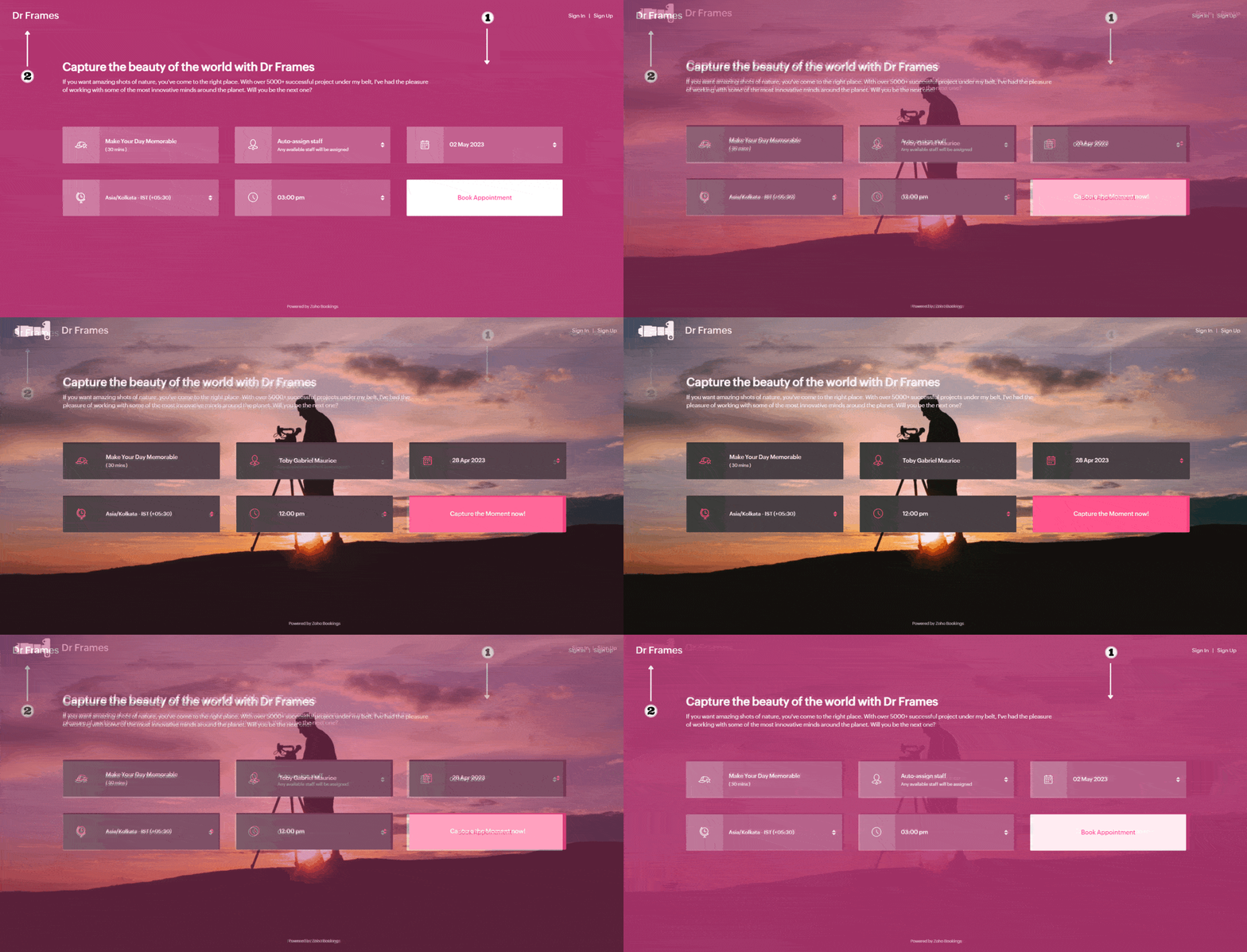
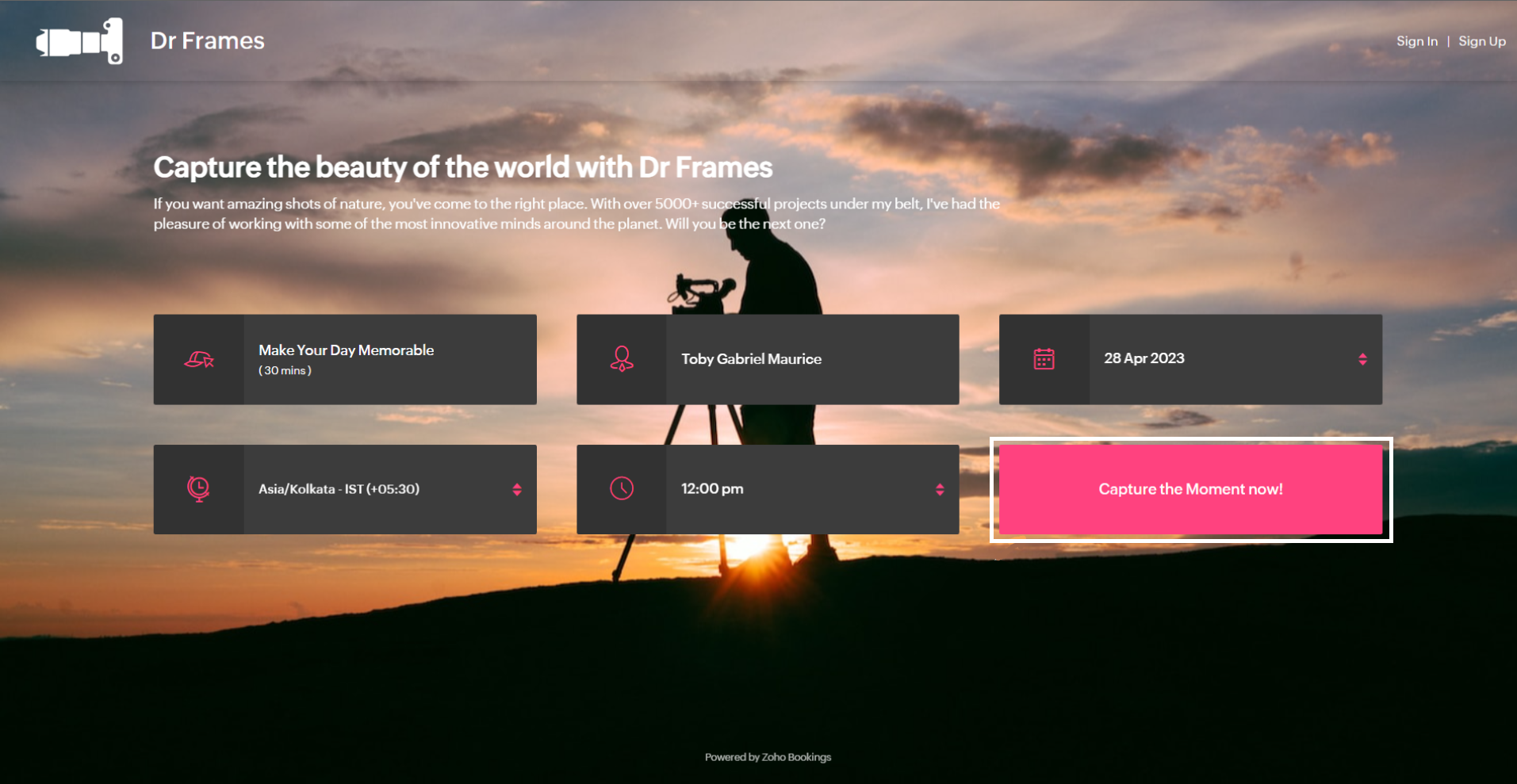
After these changes your booking page would look like this,
After these changes your booking page would look like this,
Adding Socials
It immediately adds credibility to your booking page.
This is vital for people who are involved in businesses like photography, bakery, wedding organizers etc... Your social profiles can be proof of your work and can help you get recurring clients in the long run.
You can add your Contact number, Email, Facebook, Instagram, and Twitter links.
This is vital for people who are involved in businesses like photography, bakery, wedding organizers etc... Your social profiles can be proof of your work and can help you get recurring clients in the long run.
You can add your Contact number, Email, Facebook, Instagram, and Twitter links.
Add your usernames in the boxes and click Save.
Your booking page would look like this after these changes,
Your booking page would look like this after these changes,
Exploring Color Options in Zoho Bookings
I've kept the best for the last - Customizing booking pages with more colors. It plays a vital role in making the page lively and aligns your booking page with your brand colors.
Since customization varies across every industry and there are so many possibilities, we've linked dedicated guides at the end of this tutorial. But for now, let's play around with the fundamental customizations that are similar across all industries.
Navigate to Workspaces > Booking Page themes > Color options.
Every theme allows you to have multiple customization options. However, there are cases where you wish to have the booking page reflect your exact brand/ website colors.
In those cases, switch to the 'Modern Web Theme.' It has unique features and a color palette with almost a million colors to choose from that could help you go the extra mile.
You will find a color palette. Click on it. You'll be given four choices:
Since customization varies across every industry and there are so many possibilities, we've linked dedicated guides at the end of this tutorial. But for now, let's play around with the fundamental customizations that are similar across all industries.
Navigate to Workspaces > Booking Page themes > Color options.
Every theme allows you to have multiple customization options. However, there are cases where you wish to have the booking page reflect your exact brand/ website colors.
In those cases, switch to the 'Modern Web Theme.' It has unique features and a color palette with almost a million colors to choose from that could help you go the extra mile.
You will find a color palette. Click on it. You'll be given four choices:
- Background Color
- Text Color
- Button color
- Button Text Color
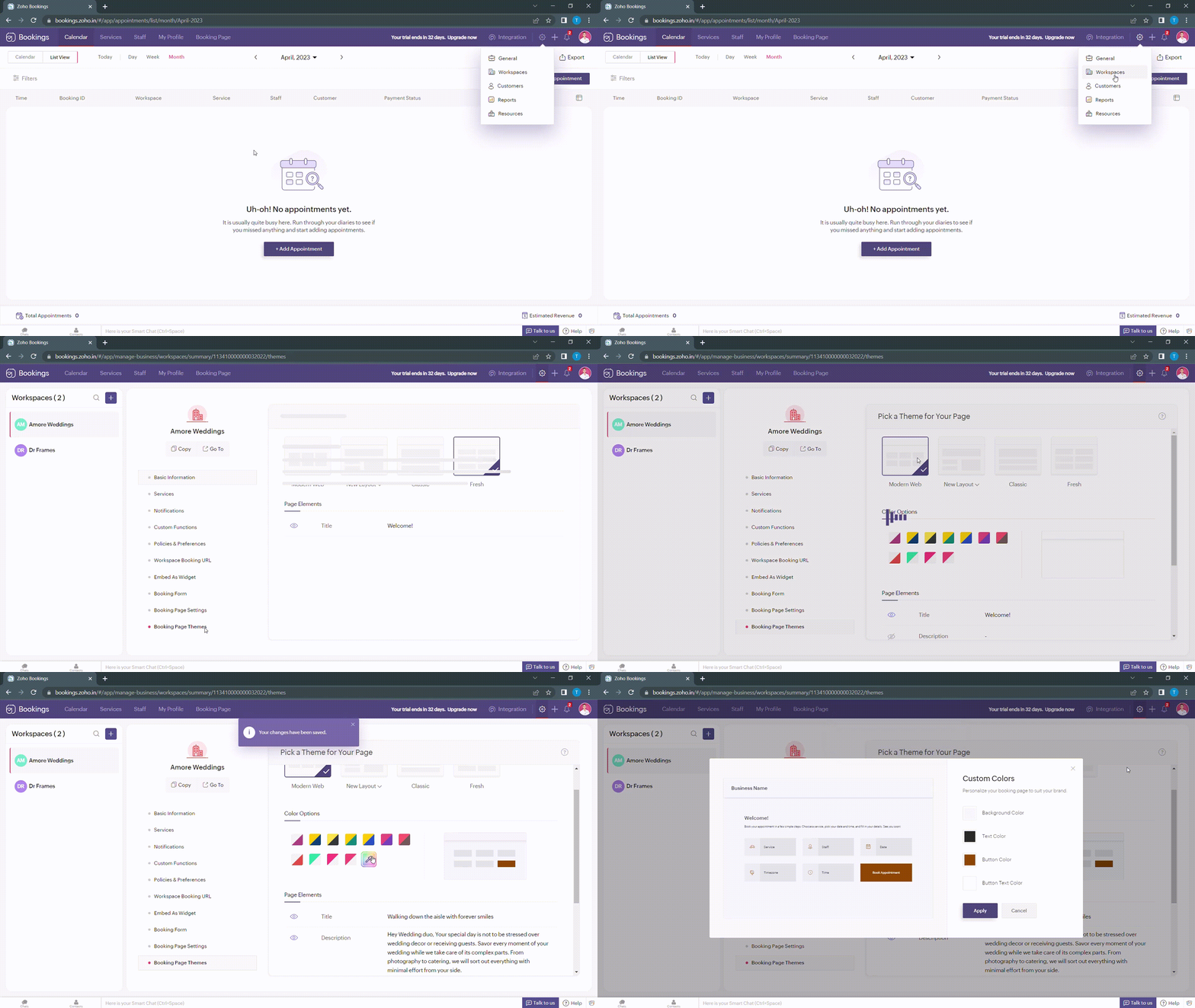
When you click on any of these boxes, Zoho Bookings prompts you to enter a color code. You can either pick the color you want or enter a hex code corresponding to the desired color.
It's always a great idea to use the same colors that you use on your website. Check out the video to get the exact colors of your webpage on your booking pages.
Disclaimer - We've listed a third party website which can help you design your booking pages efficiently. They are intended for illustration and guidance purposes only. Feel free to use any tool that fits your needs.
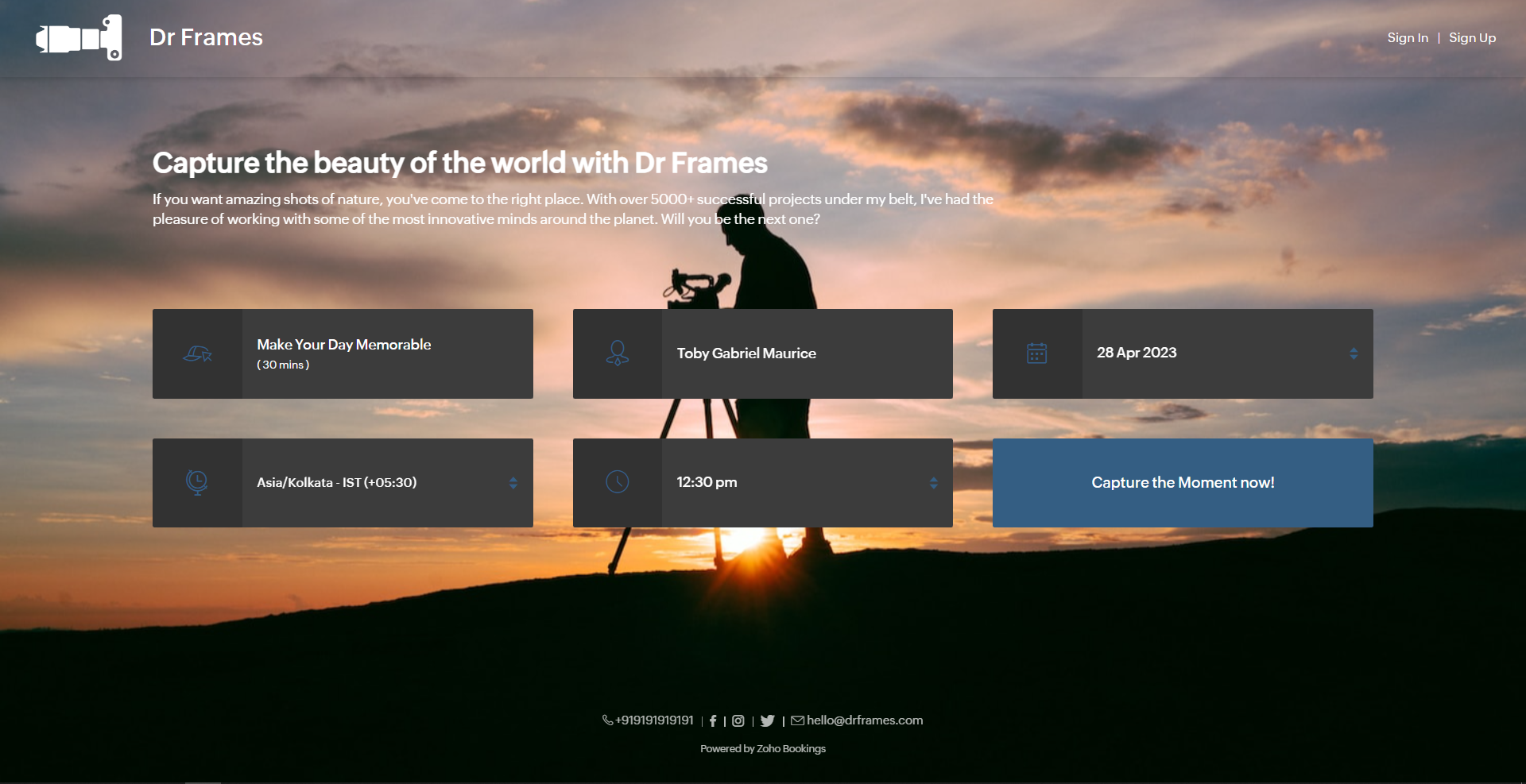
After all the changes your booking page will look like this,
After all the changes your booking page will look like this,
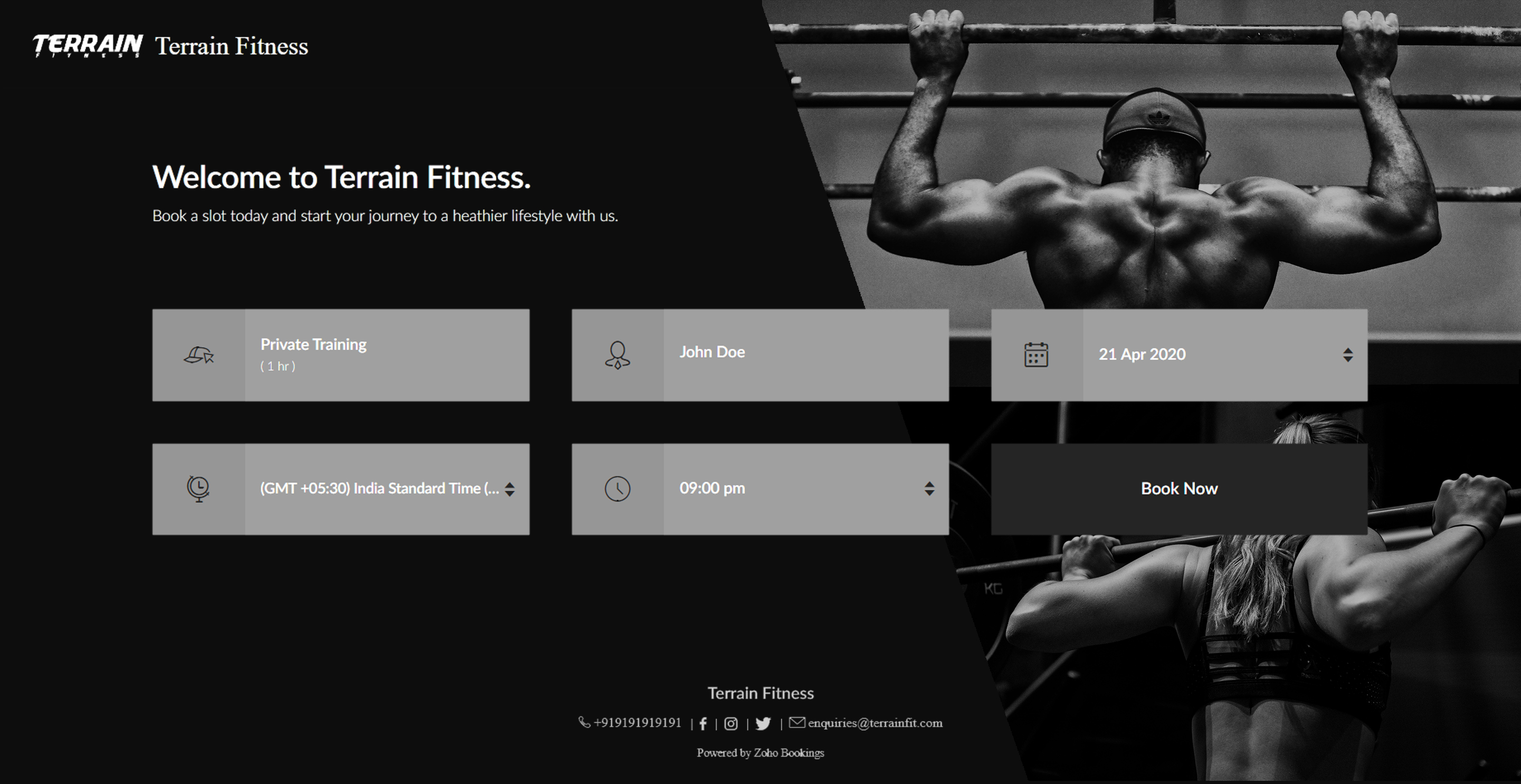
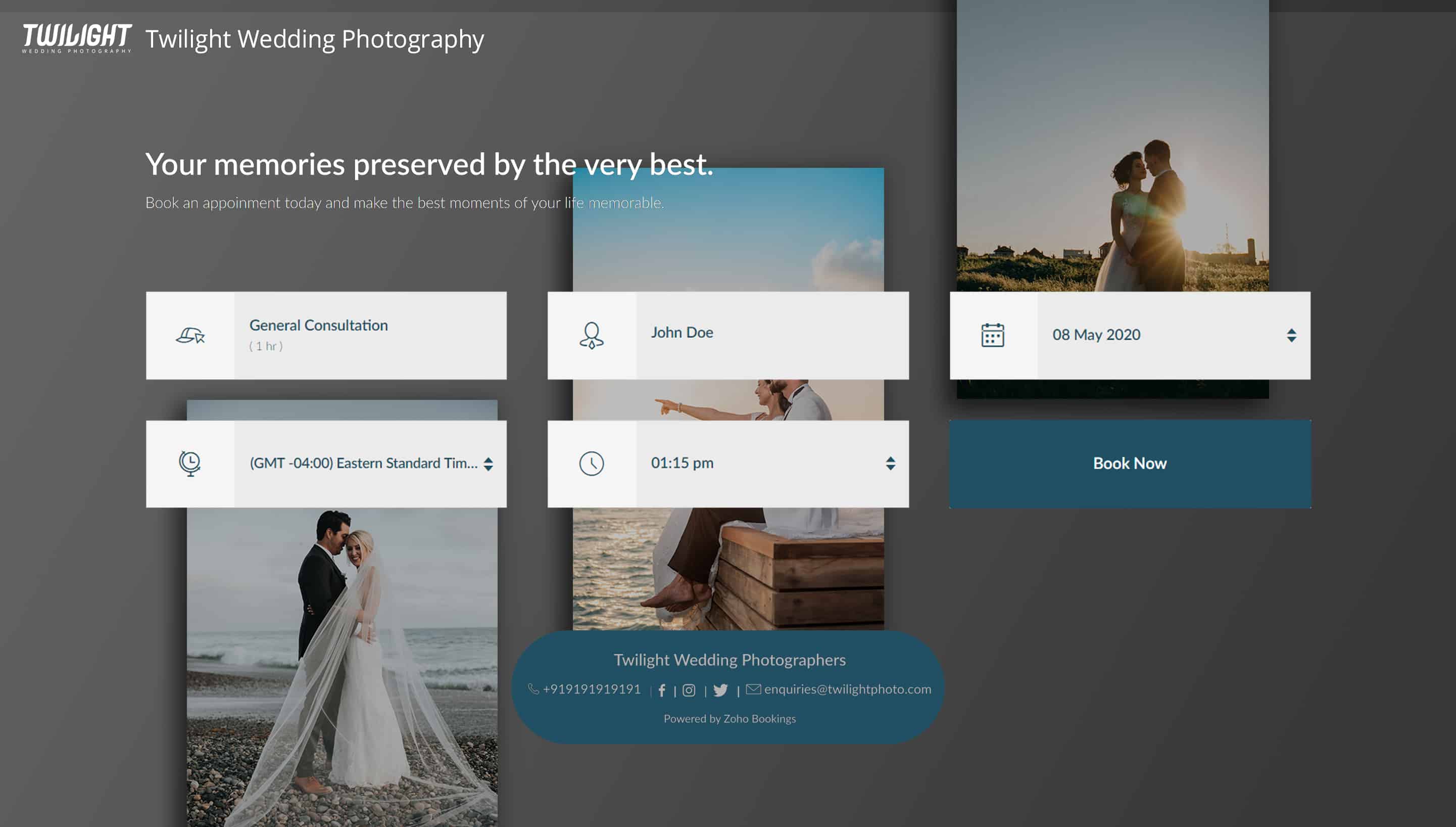
Here's a few other examples of well designed booking pages:
Bonus - Choose colors like a pro
Text colors - Use lighter text colors for darker backgrounds and vice versa. You can also tweak the transparency of your images to figure out which text colors would be the right fit for you.
In the following illustration, we've set the transparency to 100% and used a dark background. To complement this, I've used light text colors(white).
In the following illustration, we've set the transparency to 100% and used a dark background. To complement this, I've used light text colors(white).
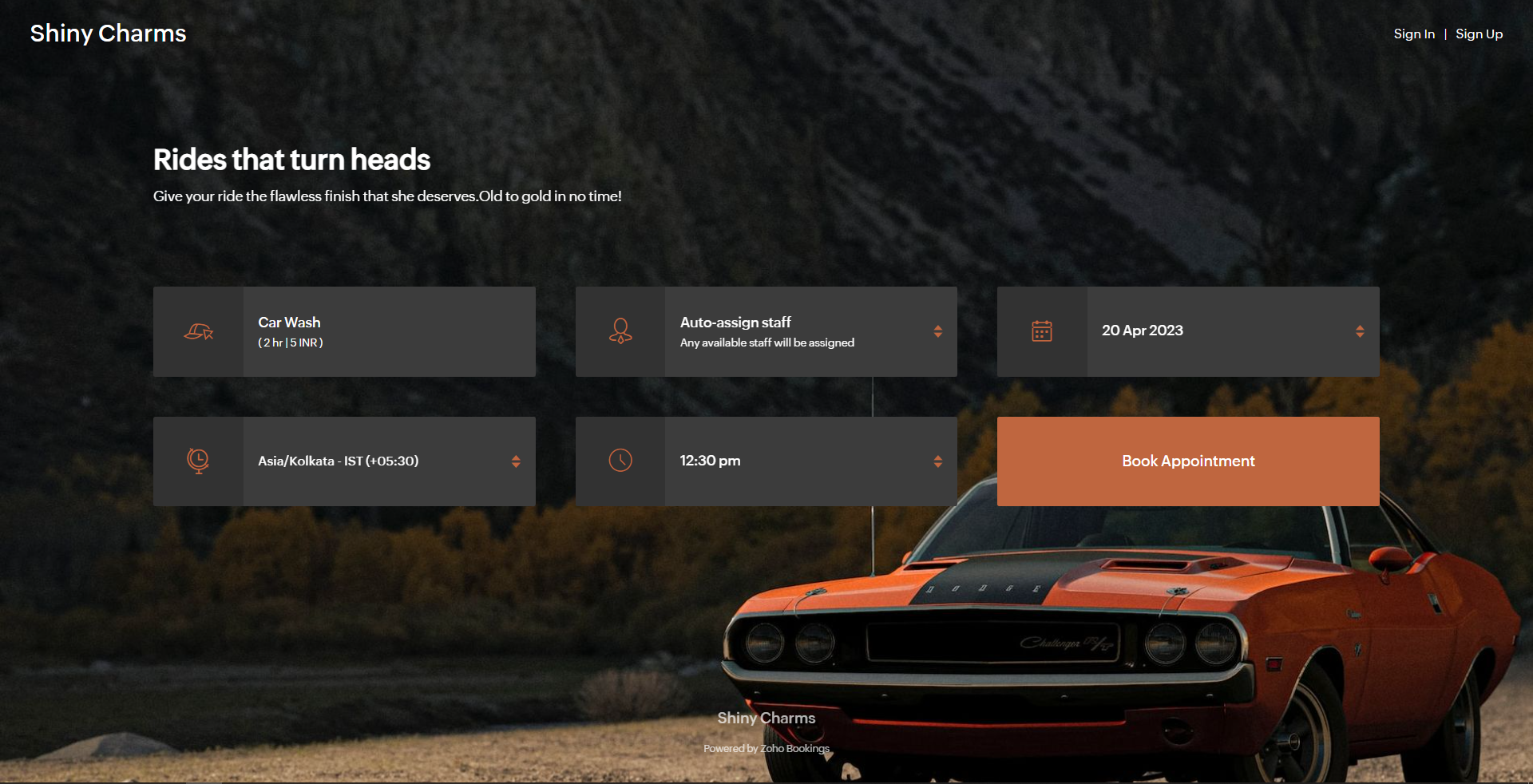
Button colors - To provide an immersive customer experience, set button colors that align with your brand colors. Alternatively, you can have them based on your images.
In the above example, we've set button colors that is in line with the background image. So, I've used the rusty orange of the car as my button color.
Button Text Colors - These are the colors inside the buttons. You can customize these based on your button colors. For darker backgrounds choose lighter colors and vice versa.
In the above example, to stay consistent with the text color of the other elements and to complement the button color, we've used white as the button text color.
We have an array of pages that go into details about industry-specific customizations. Check out the following guides that give you detailed instructions.
- Accountants
- Beauty Industry
- Business Consultants
- Car Care
- Child Care Industry
- Classrooms and Labs
- Cleaning Services
- Community Facilities
- Co-working spaces
- Customer Success
- Decorators
- Dental Industry
- Digital Marketing Agencies
- Education Industry
- Fitness Industry
- General Clinics
- Handy Persons
- Law Firms
- Logistics Industry
- Makeup Artists
- Marketing Industry
- Massage Parlors
- Meeting Rooms
- Motel Industry
- Non-Profit Organizations
- Personal Trainers
- Photography Industry
- Professional Consultation
- Professional Studios
- Property Management
- Psychiatrists
- SaaS
- Salesperson
- Spa Salons
- Sports Industry
- Wedding Industry
- Yoga Centers
To Wrap Up
In this guide, we've learned to customize booking page text, add images, logo, and socials, and created beautiful-looking booking pages.
Need a hand with this? We can help you out. Reach out to us at hello@zohobookings.com
Share your booking pages in the comments. If you have better tips to make booking pages better, please let us know.
Need a hand with this? We can help you out. Reach out to us at hello@zohobookings.com
Share your booking pages in the comments. If you have better tips to make booking pages better, please let us know.
Recent Topics
Zoho Books emails suddenly going to Spam since 11 Nov 2025 (Gmail + now Outlook) — anyone else?
Hi everyone, We migrated to Zoho Books in July 2025 and everything worked fine until 11 Nov 2025. Since then, Zoho Books system emails are landing in customers’ Spam (first Gmail, and now we’re seeing Outlook/Office 365 also starting to spam them). ImpactedClient Portal ZOHO ONE
Dear Zoho one is fantastic option for companies but it seems to me that it is still an aggregation of aps let me explain I have zoho books with client portal so client access their invoice then I have zoho project with client portal so they can access their project but not their invoice without another URL another LOGIN Are you planning in creating a beautiful UI portal for client so we can control access to client in one location to multiple aps at least unify project and invoice aps that wouldThe Social Wall: February 2026
Hello everyone, This month, we’re bringing you a mix of exciting toolkit enhancements and a few improvements across the web and iOS app, all designed to make your social media management simpler and smoother. File converter Images come in different formats,Zoho Mail and SalesInbox doesn't link to CRM record using Reply-To
Hi, I've just set up SalesInbox, with the intention of using it for sales enquiries (instead of Desk, which I have been using until now). I've noticed that, unlike Desk, SalesInbox only uses the 'From' email address to attempt to link to a CRM contactService line items
Hello Latha, Could you please let me know the maximum number of service line items that can be added to a single work order? Thanks, Chethiya.Poor Search Results on Zoho CRM
The search on Zoho CRM is quite poor. Salesforce has now published a new search, when will get this on Zoho? https://help.salesforce.com/s/articleView?id=data.c360_a_hybridsearch_index.htm&type=5How to use filters on all products page? Or even a category page?
Hello, I am trying to create some filters so users can use filters to find products they are looking for. So what i am trying is to create a filter according to price lets say. So if i define it this way i am expecting to see this filter option on categoryCapture Last check-in date & days since
I have two custom fields on my Account form, these are "Date of Last Check-In" and "Days Since Last Contact" Using a custom function how can I pull the date from the last check-in and display it in the field "Date of Last Check-In"? and then also display the number of days since last check-in in the "Days SInce Last Contact" field? I tried following a couple of examples but got myself into a bit of a muddle!Pasted Images not being embedded in custom mail
Hi, I'm making a custom report by email based on commentaries. I have the email ready, all working great except for images that are being pasted in the commentaries. Zoho deals with them as temp images and so it requires authentication to view them, somethingArchiving Contacts
How do I archive a list of contacts, or individual contacts?Every time an event is updated, all participants receive an update email. How can I deactivate this?
Every time an event is updated in Zoho CRM (e.g. change description, link to Lead) every participant of this meeting gets an update email. Another customer noticed this problem years ago in the Japanese community: https://help.zoho.com/portal/ja/community/topic/any-time-an-event-is-updated-on-zohocrm-calendar-it-sends-multiple-invites-to-the-participants-how-do-i-stop-that-from-happening3/18 オンライン勉強会のお知らせ Zoho ワークアウト (無料)
ユーザーの皆さま、こんにちは。コミュニティチームの中野です。 3月開催のZoho ワークアウトの開催が決定しましたのでご案内します。 今回はZoomにて、オンライン開催します。 ▶︎参加登録はこちら(無料) https://us02web.zoom.us/meeting/register/BoNTN7zYR8OvOPGShqBY0A ━━━━━━━━━━━━━━━━━━━━━━━━ Zoho ワークアウトとは? Zoho ユーザー同士で交流しながら、サービスに関する疑問や不明点の解消を目指すイベントです。Zoho Sheet for Desktop
Does Zoho plans to develop a Desktop version of Sheet that installs on the computer like was done with Writer?Conversion Rate – Won Deals over Assigned Prospects
Hello, I would like assistance configuring a KPI in Zoho Analytics titled: Objective of the calculation: Number of Won Deals divided by Total number of assigned prospects (not only converted prospects). Important clarification: The denominator must includeFeature Request – Conditional Visitor Information Request in Zoho SalesIQ
We would like to request the ability to conditionally ask for visitor details based on the communication channel used in Zoho SalesIQ. Specifically: When a visitor initiates a conversation through the live chat widget on the website, we want to continueApple Messages for Business in Omnichannel communications?
Hello, Apple launched "Apple Messages for Business" but Zoho CRM or Zoho Desk don't appear in the list of possible integrators. Zoho already promotes https://www.zoho.com/crm/omnichannel.html Omni Channel integration, but Apple Messages does not yet appear.Admin asked me for Backend Details when I wanted to verify my ZeptoMail Account
Please provide the backend details where you will be adding the SMTP/API information of ZeptoMail Who knows what this means?Cliq iOS can't see shared screen
Hello, I had this morning a video call with a colleague. She is using Cliq Desktop MacOS and wanted to share her screen with me. I'm on iPad. I noticed, while she shared her screen, I could only see her video, but not the shared screen... Does Cliq iOS is able to display shared screen, or is it somewhere else to be found ? RegardsZOHO.CRM.UI.Record.open not working properly
I have a Zoho CRM Widget and in it I have a block where it will open the blocks Meeting like below block.addEventListener("click", () => { ZOHO.CRM.UI.Record.open({ Entity: "Events", RecordID: meeting.id }).catch(err => { console.error("Open record failed:",【Zoho CRM】通貨機能のアップデート:為替レートの自動更新やデータ更新オプションなど
ユーザーの皆さま、こんにちは。コミュニティチームの藤澤です。 今回は「Zoho CRM アップデート情報」の中から通貨機能のアップデートをご紹介します。 CRMの複数通貨機能を使うと、地域ごとに通貨を管理し、顧客の現地通貨で記録したデータを自国通貨に自動換算して分析やレポートに活用できます。 従来は、為替レートを管理者が手動で定期更新する必要があり、各データには作成時点のレートが固定されるため、その後の市場変動は反映されませんでした。 本記事では、この問題を解消する「為替レートの自動更新」をはじめ、さまざまな新機能をご紹介します。AI Bot and Advanced Automation for WhatsApp
Most small businesses "live" on WhatsApp, and while Bigin’s current integration is helpful, users need more automation to keep up with volume. We are requesting features based on our customer Feedbacks AI Bot: For auto-replying to FAQs. Keyword Triggers:Can we add zoho sign to a custom module?
i understand out of the box it works with 8 modules. is it possible to add it to a custom module?This domain is not allowed to add in Zoho. Please contact support-as@zohocorp.com for further details
Selected date present employees roster
=CHOOSECOLS(FILTER(A2:E5;(INDEX(C2:E5;0;MATCH(VALUE(B8);INDEX(VALUE(C1:E1));0))<>"OFF")*(INDEX(C2:E5;0;MATCH(VALUE(B8);INDEX(VALUE(C1:E1));0))<>"EL"));1;2;2+MATCH(VALUE(B8);INDEX(VALUE(C1:E1));0)) This way sheet looks lCredit Card Terminal for Zoho Books
Hello, Instead of punching the credit card number manually for customer payment, do you have a third-party hardware credit card reader that works with Braintree? Thank YouFiltering in Help Center
Hi, our ticket system is based on a set of structured status categories. The customer must be able to filter by these status. How can we add "Status" as filter to the help center. In the same moment we do not need filters e.g. as "channel". How can weOn Edit Validation Blueprint
Hello, I have a notes field and a signature field. When the Approve button is clicked, the Signature field will appear and must be filled in. When the Reject button is clicked, the Notes field will appear and must be filled in. Question: Blueprint willGoogle Fonts Integration in Pagesense Popup Editor
Hello Zoho Pagesense Team, We hope you're doing well. We’d like to submit a feature request to enhance Zoho Pagesense’s popup editor with Google Fonts support. Current Limitation: Currently, Pagesense offers a limited set of default fonts. Google FontsIncrease Round Robin Scheduler Frequency in Zoho Desk
Dear Zoho Desk Team, We hope this message finds you well. We would like to request an enhancement to the Round Robin Scheduler in Zoho Desk to better address ticket assignment efficiency. Current Behavior At present, the Round Robin Scheduler operatesCan multiple agents be assigned to one ticket on purpose?
Is it possible to assign one ticket to two or more agents at a time? I would like the option to have multiple people working on one ticket so that the same ticket is viewable for those agents on their list of pending tickets. Is something like this currentlyWhere is the settings option in zoho writer?
hi, my zoho writer on windows has menu fonts too large. where do i find the settings to change this option? my screen resolution is correct and other apps/softwares in windows have no issues. regardsWhen Does WorkDrive integrate with Books?
When Does WorkDrive integrate with Books?CRM gets location smart with the all new Map View: visualize records, locate records within any radius, and more
Hello all, We've introduced a new way to work with location data in Zoho CRM: the Map View. Instead of scrolling through endless lists, your records now appear as pins on a map. Built on top of the all-new address field and powered by Mappls (MapMyIndia),Synching changes to Stripe when changes are made in Zoho Billing
We have a situation where we have merged customers in Zoho BIlling and then found out later that the payment in Stripe was not updated and still associated with the old customer record. The card gets updated and billed, but that payment is still associatedZoho Sign Not Delivering
I have sent several contracts out via Zoho Sign. They do not seem to be getting delivered. I had one person receive it, but the others have not. I had one person tell me they sent it back to me and never got it and doesn't show as signed. I've sentBank Feeds Breaking Constantly
Hey Everyone, I have already reached out to support about this issue but I am wondering if anyone else is having the same issue. My bank feeds keep breaking within days of me fixing them by updating the credentials. Its been happening for a while andAutomatic Matching from Bank Statements / Feeds
Is it possible to have transactions from a feed or bank statement automatically match when certain criteria are met? My use case, which is pretty broadly applicable, is e-commerce transactions for merchant services accounts (clearing accounts). In theseZoho Payroll's USA and KSA editions are available in Zoho One!
Greetings! We’re excited to share that Zoho Payroll, currently available only in India and the UAE, is now introducing the KSA (Kingdom of Saudi Arabia) edition and the USA (United States of America) edition, and these editions are now available in ZohoOutlook/Hotmail Blocking Zoho SMTP IPs (S3150)
We are currently facing a serious deliverability issue with Zoho SMTP while sending transactional OTP emails for our production application. Emails sent to Outlook / Hotmail addresses are being rejected with the following error: 550 - 5.7.1 Unfortunately,Tip #63- Exploring Technician Console: Elevate to Admin Mode (Windows & Mac)- 'Insider Insights'
Hello Zoho Assist Community! Ever been in a remote support session where you couldn’t complete a task because you didn’t have admin privileges? Maybe installing software, accessing secure system areas, or rebooting into Safe Mode just didn’t work becauseNext Page