How to create stunning booking pages in no time
Want to convince customers that you are the best in the business in under 3 seconds?
Use well-designed booking pages to captivate your audience coupled with a solid portfolio on your socials to win over your customers.
In this guide, we'll be helping you do that in no time.
How would your customers feel if your booking pages could go from amateur to pro?
Use well-designed booking pages to captivate your audience coupled with a solid portfolio on your socials to win over your customers.
In this guide, we'll be helping you do that in no time.
How would your customers feel if your booking pages could go from amateur to pro?
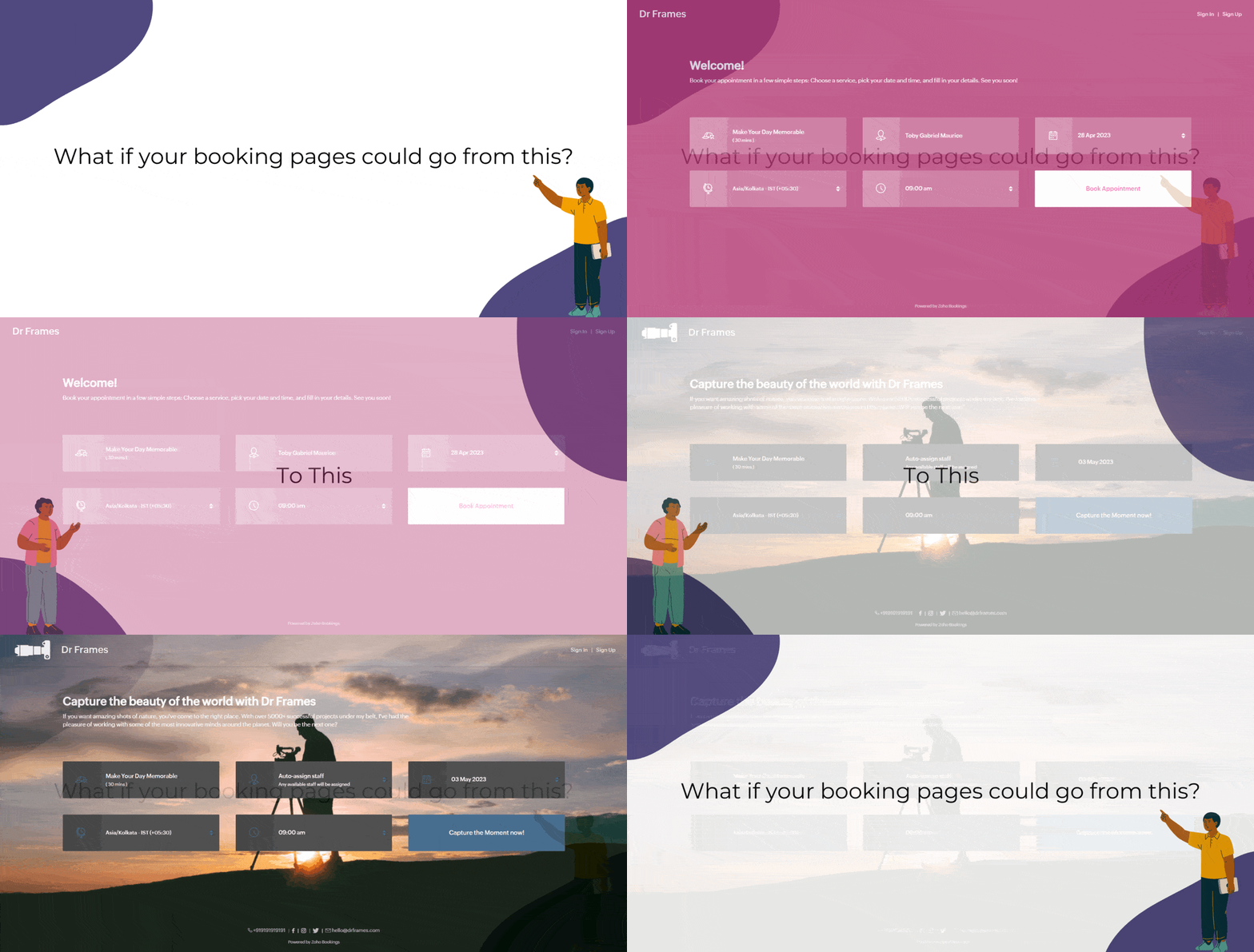
Captivating booking pages that align with your brand colors help you to,
- Hook the customer
- Deliver an impressive customer experience
- Improve Brand Recall
In this guide, we will customize various elements of the booking page such as,
- Text - Title and Description
- Images - Logo and Background
- Socials
- Colors - Background, Text, and Button Colors
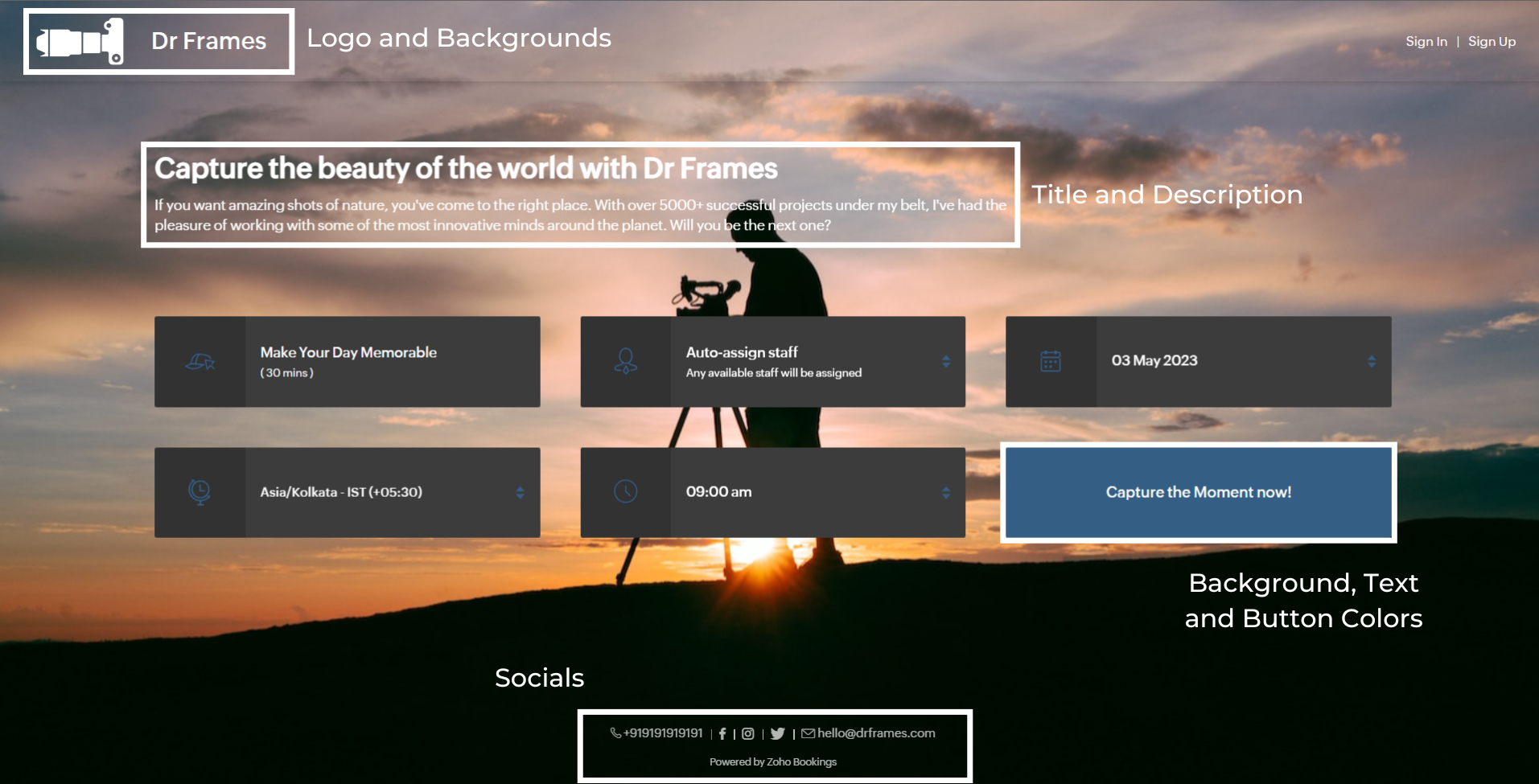
We'll take a sample image and tackle all aspects of the booking page one after the other.
Customizing Booking Page Text
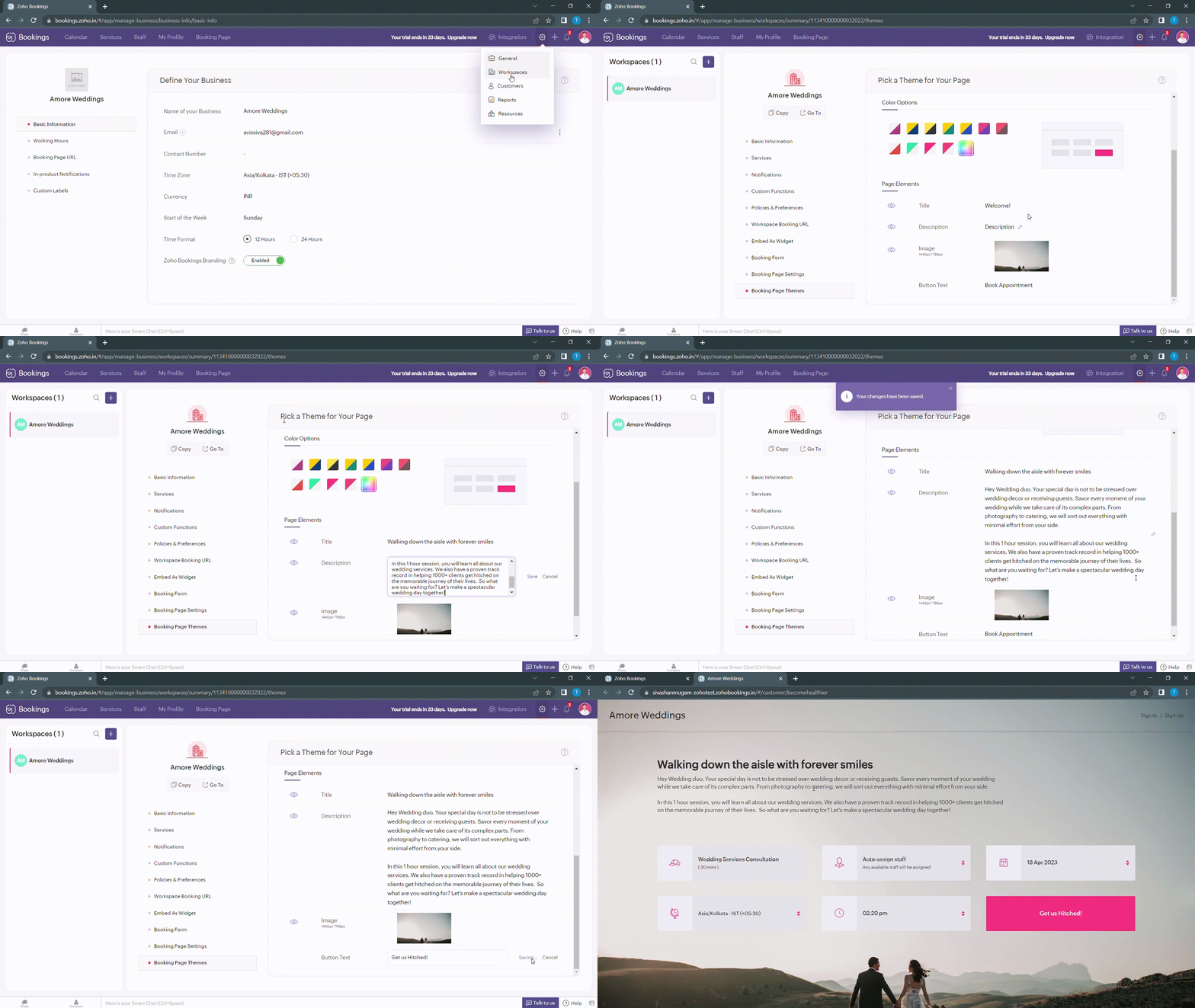
Navigate to Services > Workspaces > Booking page themes to set the title and description of your booking pages.
Under page elements, you can find three options:
- Title
- Description
- Button Text
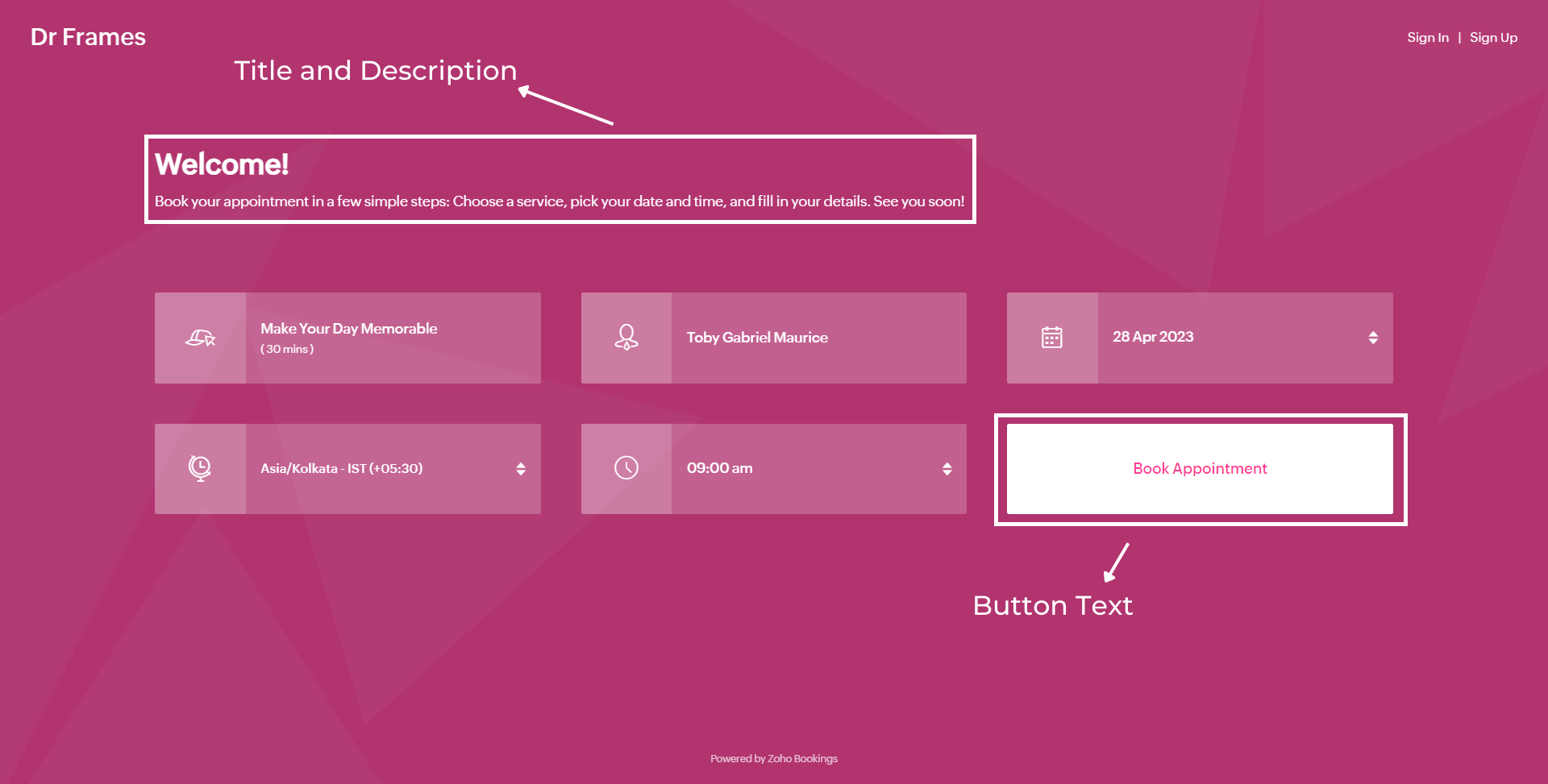
Let's start with titles. You can use it in two ways based on your goals,
- Introduce yourself and share them your expertise.
- Hook the customer's attention and tell them what to expect when they book with you.
We've provided you with samples to get you started,
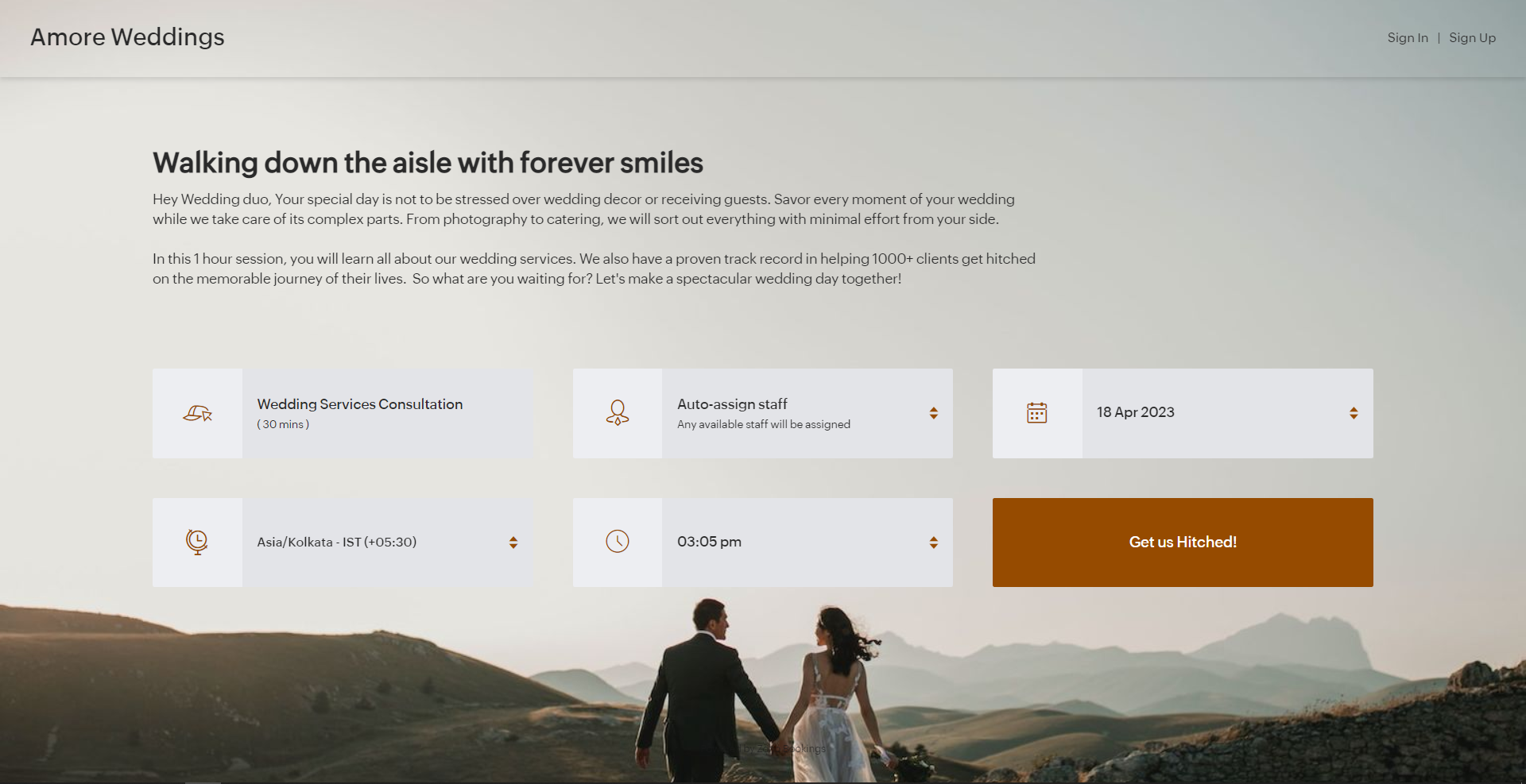
- Wedding Industry (Hook) - Walking down the aisle with forever smiles
- Fitness Industry (Hook) - Unleash a healthier you one bite at a time
- Dental Industry (Intro) - Welcome to Crown Dental Care!
Note - You can have up to 50 characters in your titles.
Alternatively you can use AI tools to come up with Impressive titles. We managed to come up with this title as a hook for a booking page which offers wedding organizer services
"Wedding Bliss, No Stress! We've Got This!"
Check out the following video to create captivating titles using AI Tools.
"Wedding Bliss, No Stress! We've Got This!"
Check out the following video to create captivating titles using AI Tools.
Next up, Descriptions. It helps you seal the deal with your customers.
Descriptions can take different tones based on what you want to convey to your clients.
- Describe your offering - Basic, but conveys the vital information to the customer upfront.
- What can they expect out of this service? - Tease your customers with what they get from your service.
- Share past achievements - Share your past success to showcase your credibility.
Note - You can have up to 2000 characters in your description.
Sometimes it can be difficult to come up with creative descriptions. AI tools can add a little more poise to them.
Next up, button text.
Next up, button text.
Buttons are the final key to providing the best customer experience a booking page can offer. You can modify it depending on the industry you are in.
- Wedding Industry - Get us hitched!
- Fitness Industry - Transform me!/ Let's get shredded!
- Dental Industry - Onto healthier smiles!
Note - You can have up to 50 characters in your buttons.
The following are some guidelines that could help you craft a impressive CTA.
The following are some guidelines that could help you craft a impressive CTA.
- Evoke emotions: Use words that resonate with possible benefits clients can gain from your service - Confidence, Health, Happiness, etc.
- Keep it crisp: A word length of 3-4 words is apt to make your clients take action - Book appointments.
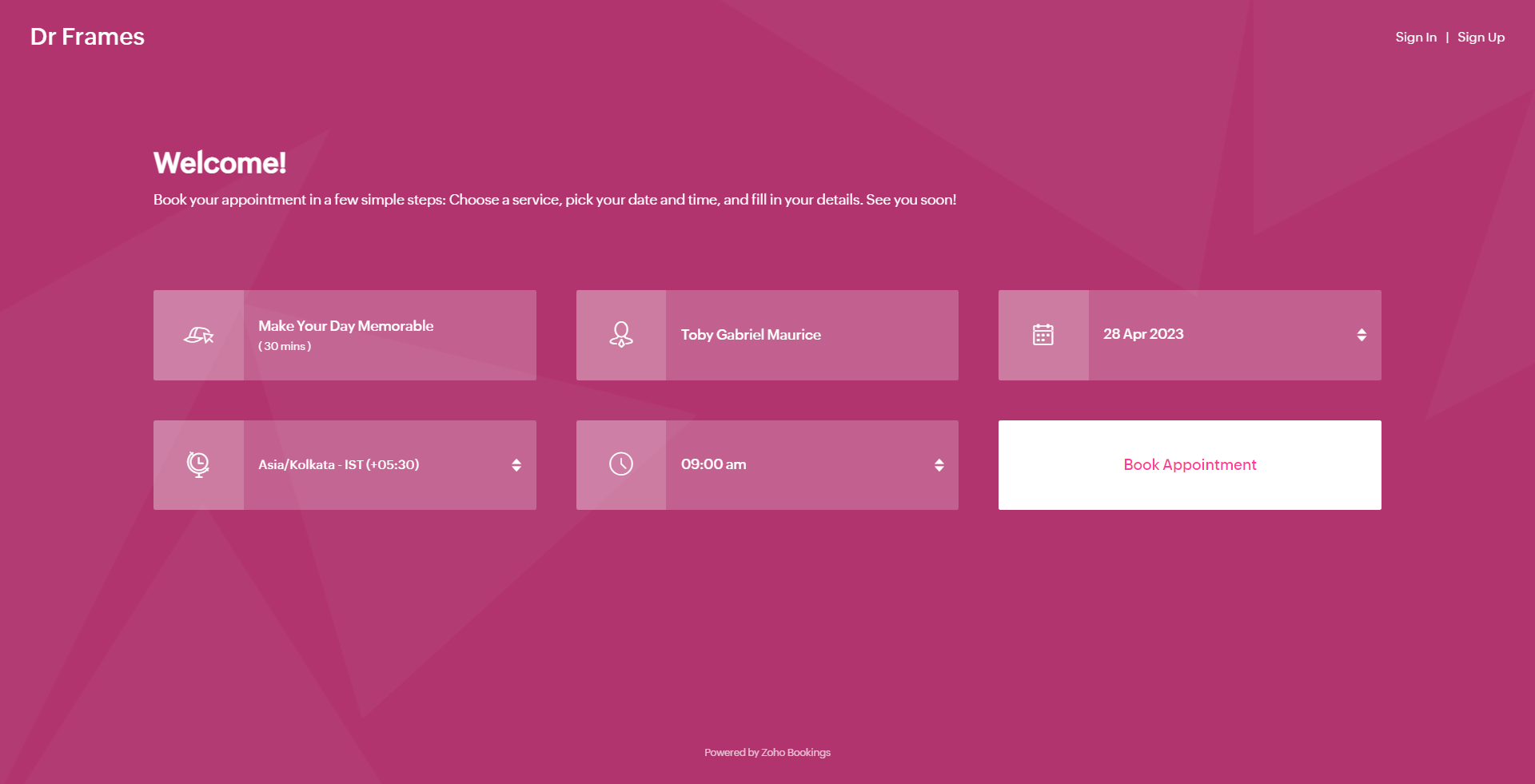
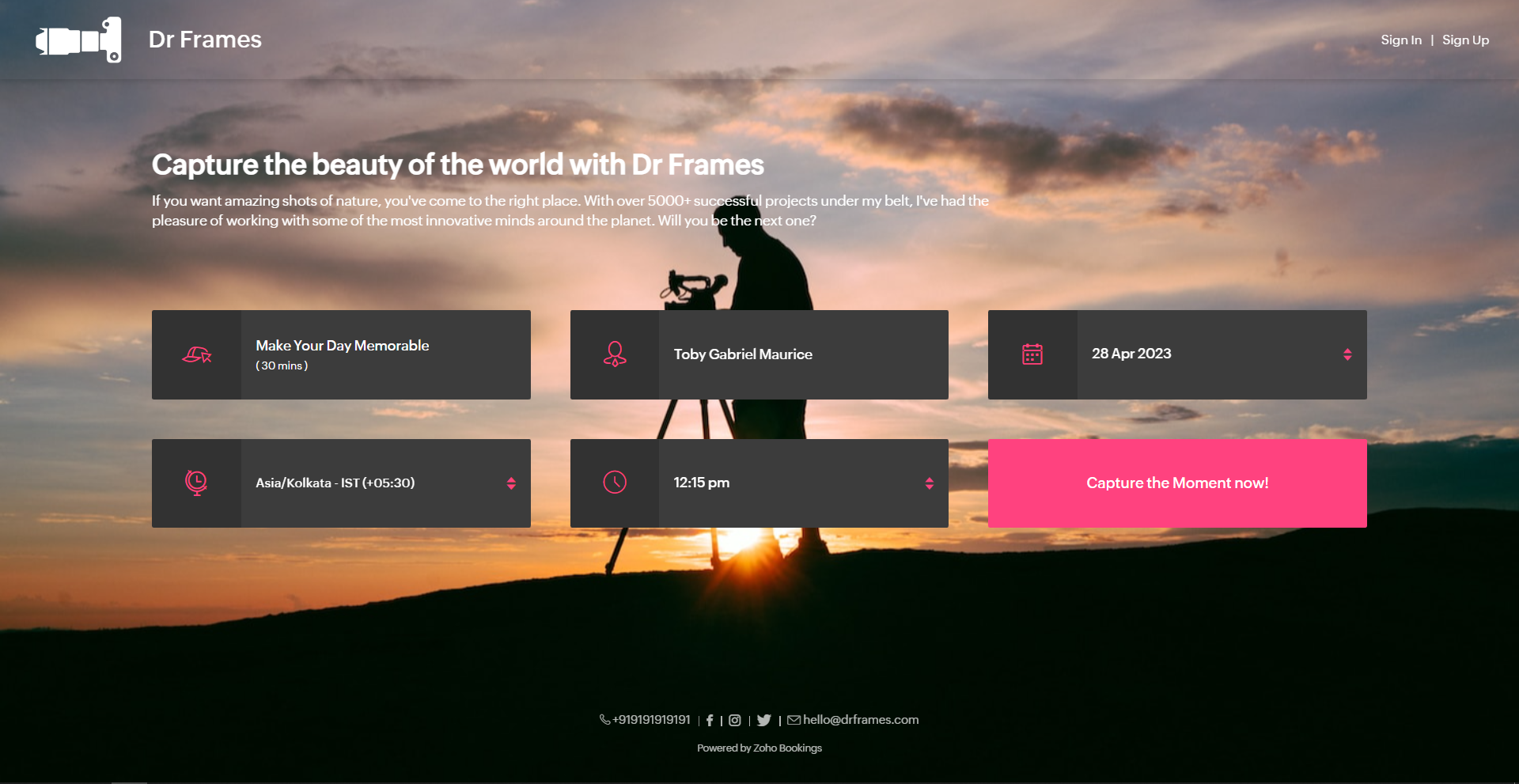
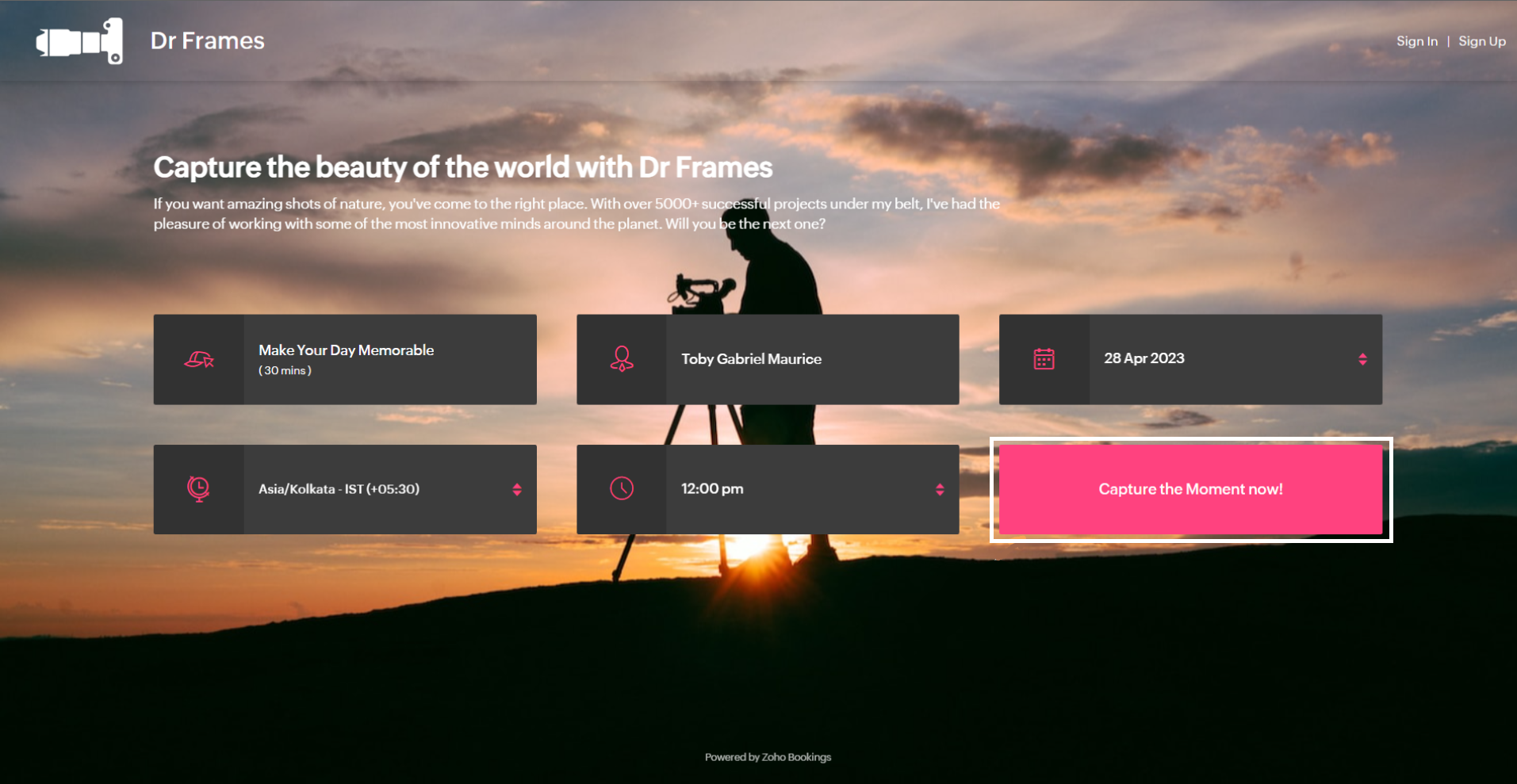
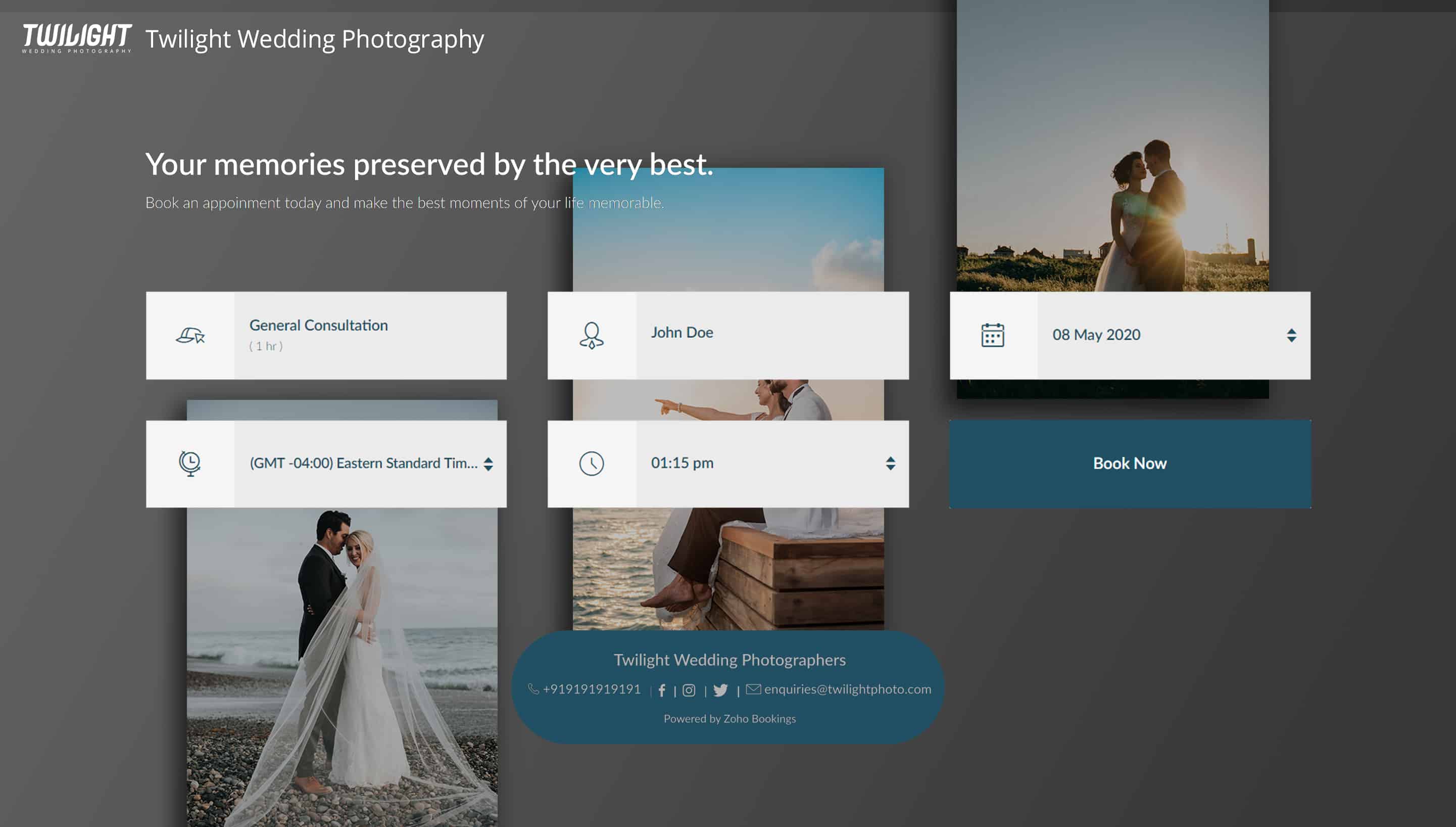
Below is a booking page for a photography offering service with a carefully crafted message.
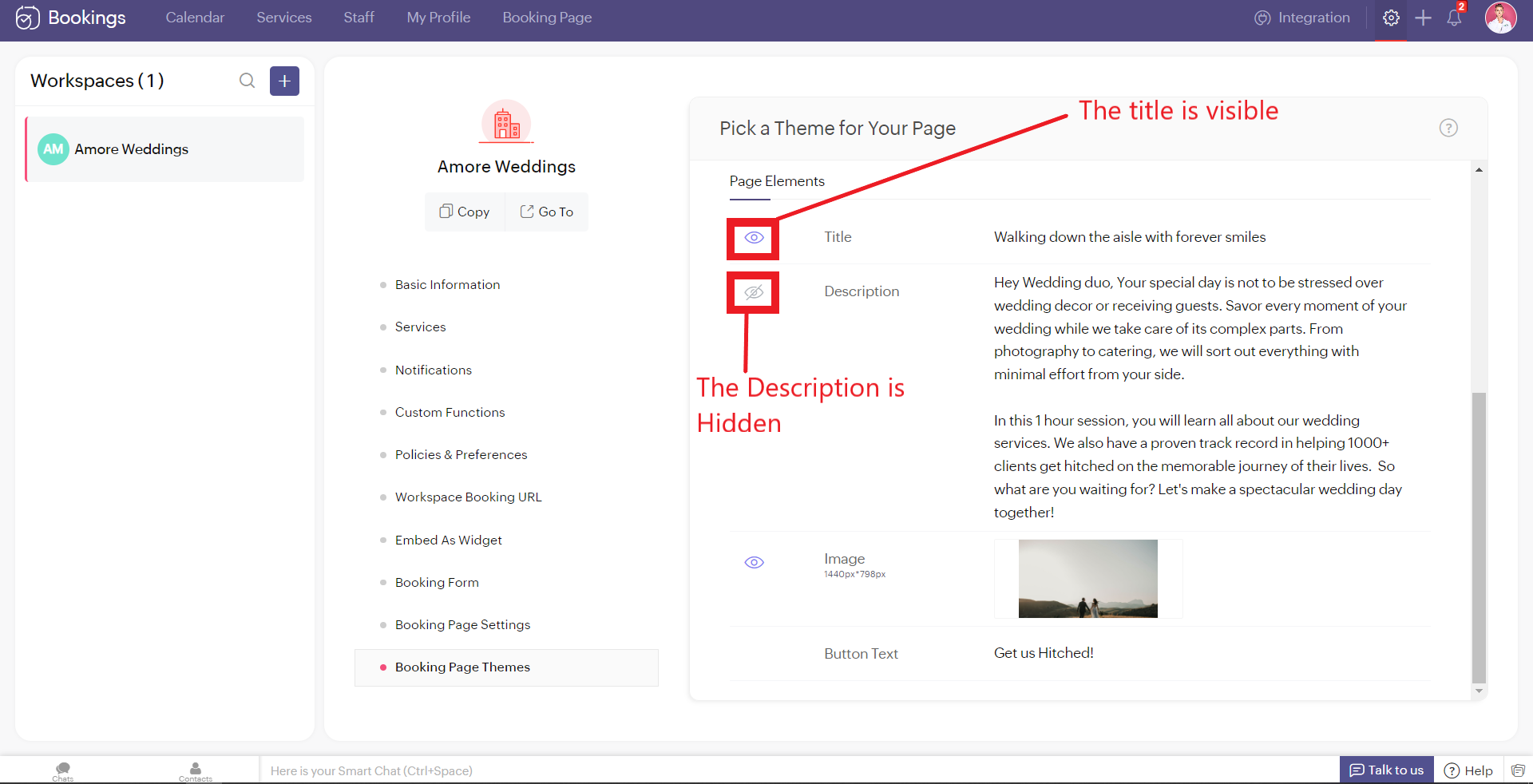
As much as you've options to add more detail to your booking page, you can choose which ones to hide or display using the eye icon.
Customizing Images
Images are at the core of compelling booking pages. There are two ways in which adding images enhances your pages.
- Background Images
- Logo
Let's start with Background Images.
The following themes support background images.
The following themes support background images.
- Modern Theme (Most color options except a few)
- New Layout
- Default Theme
- Classic Theme (Dual Color Options only)
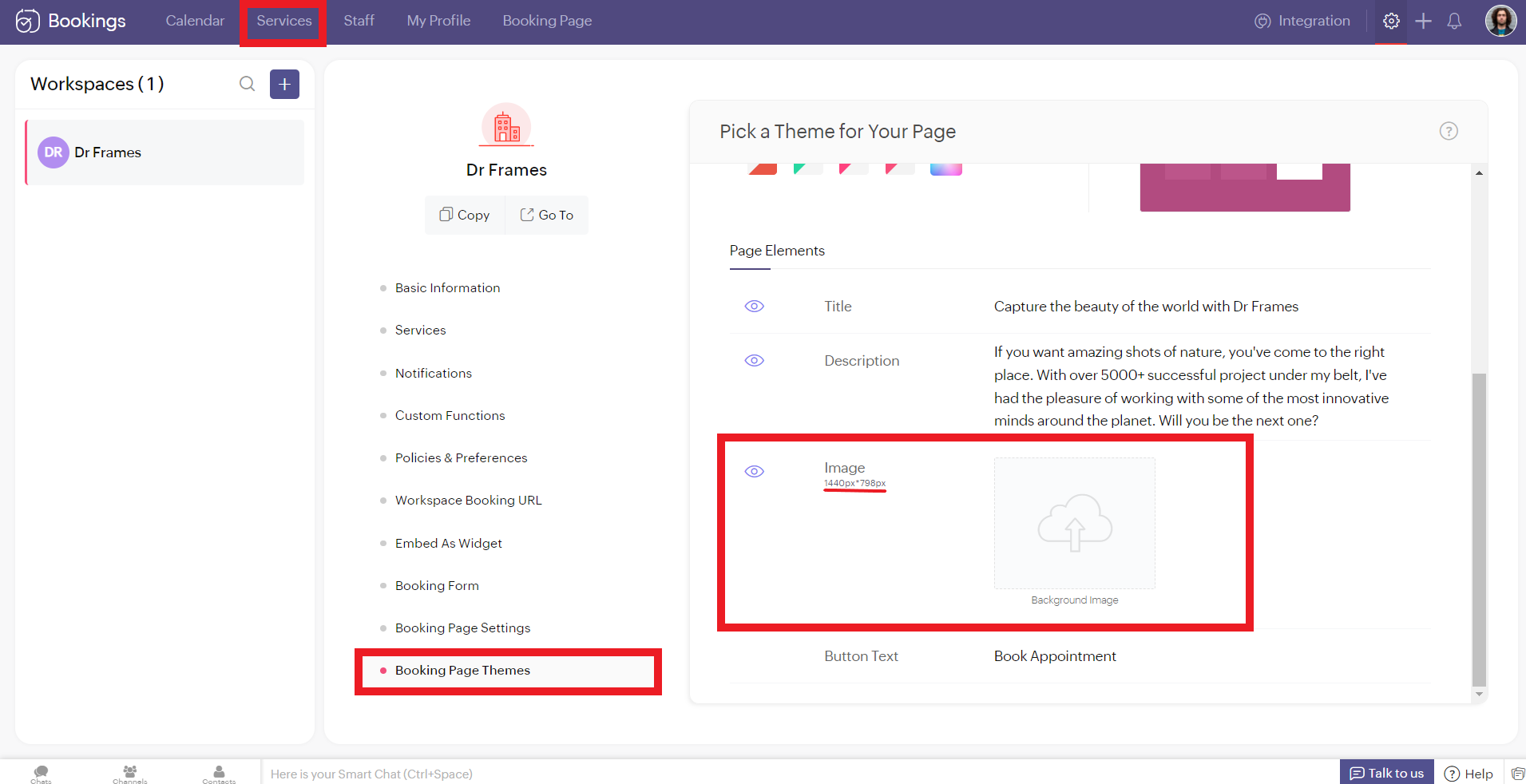
You can add images under Page Elements. Click on the empty box and upload your images. The size of your images is mentioned beside the box in pixels (px). You can also crop bigger images and click Upload. A pop-up box appears. You can drag the slider to adjust the transparency of your images
Controlling Image Opacity
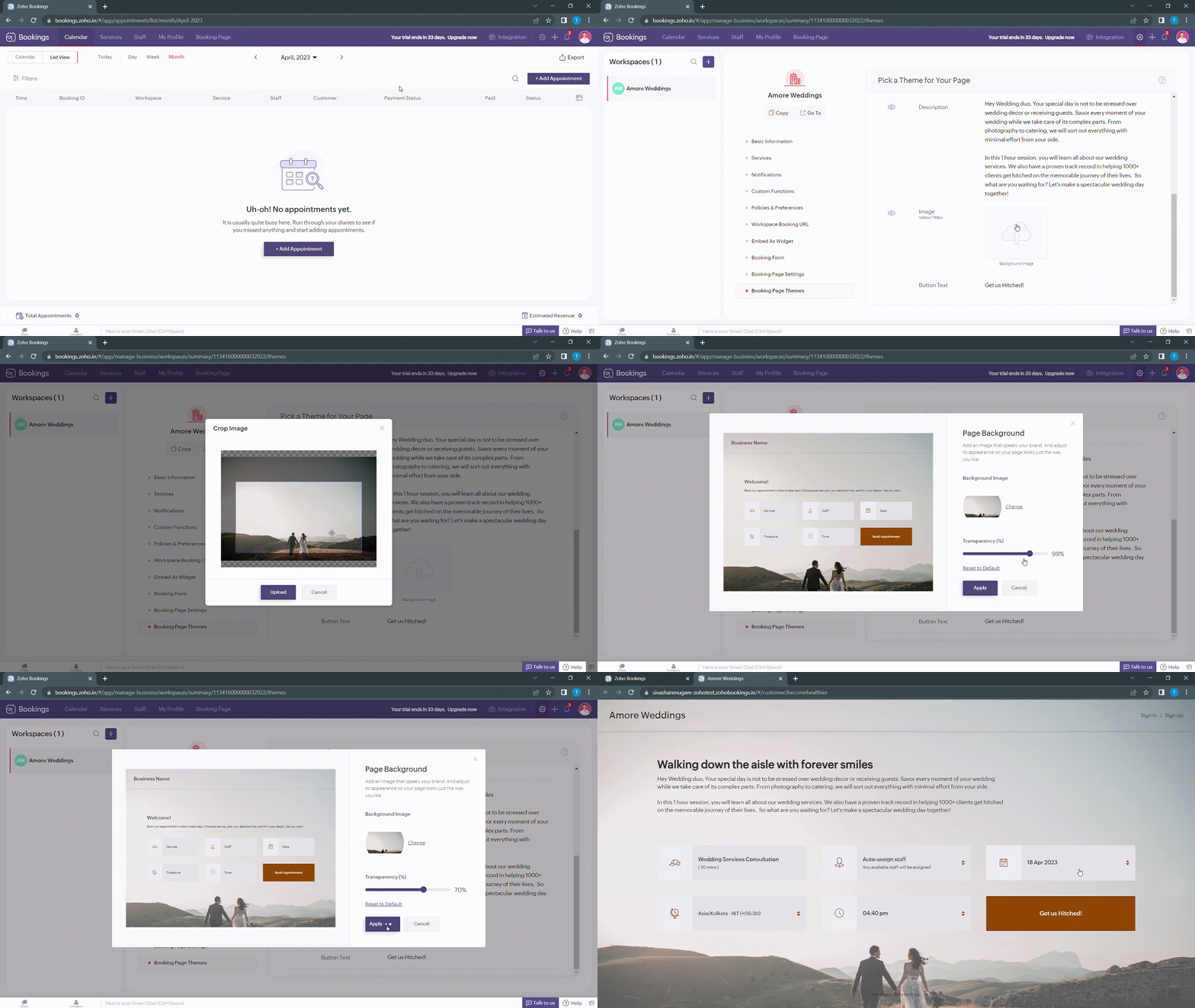
Transparency of your images significantly influence the text and button colors on your booking page. For example, when your image transparency is less (i.e., darker backgrounds), lighter text and button colors would be a great choice and vice versa.
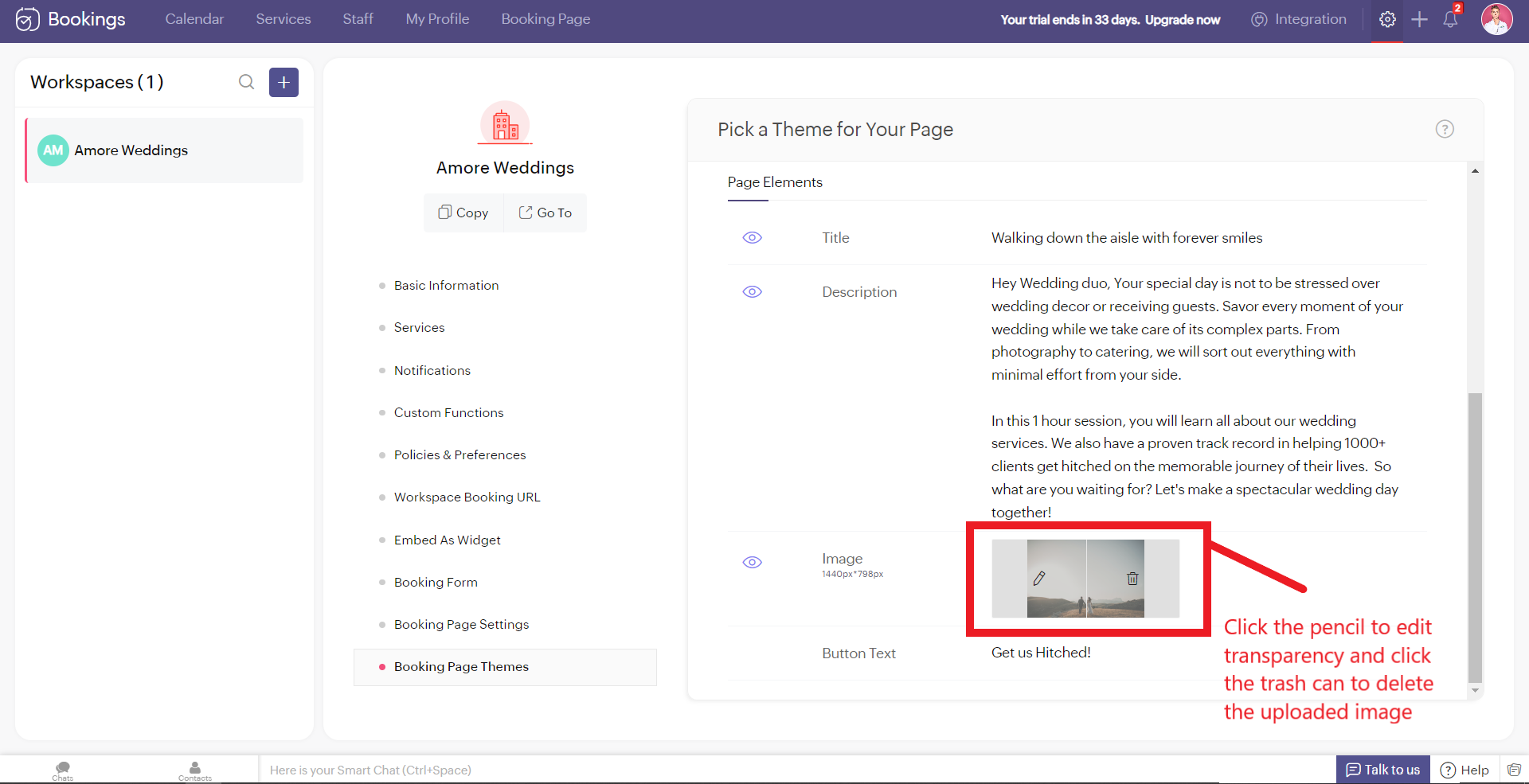
Alternatively, you can hover over your uploaded image, click on the pencil icon and drag the slider to adjust the transparency of your images.
Alternatively, you can hover over your uploaded image, click on the pencil icon and drag the slider to adjust the transparency of your images.
Best Practices
Avoid these mistakes while you upload your background images.
- Make sure the images you use and the text colors complement each other. Light text on dark backgrounds and vice versa.
- Avoid using very noisy images with a lot of attention-seeking elements. If you do so, reduce your transparency. Images with subtle elements like a sky pair well with your booking pages.
- Use images that
- Align with your business
- Evokes an enthusiastic emotion in your customer
- For Marriages - Two People Holding Hands
- For Dental Care - A Person with a happy smile
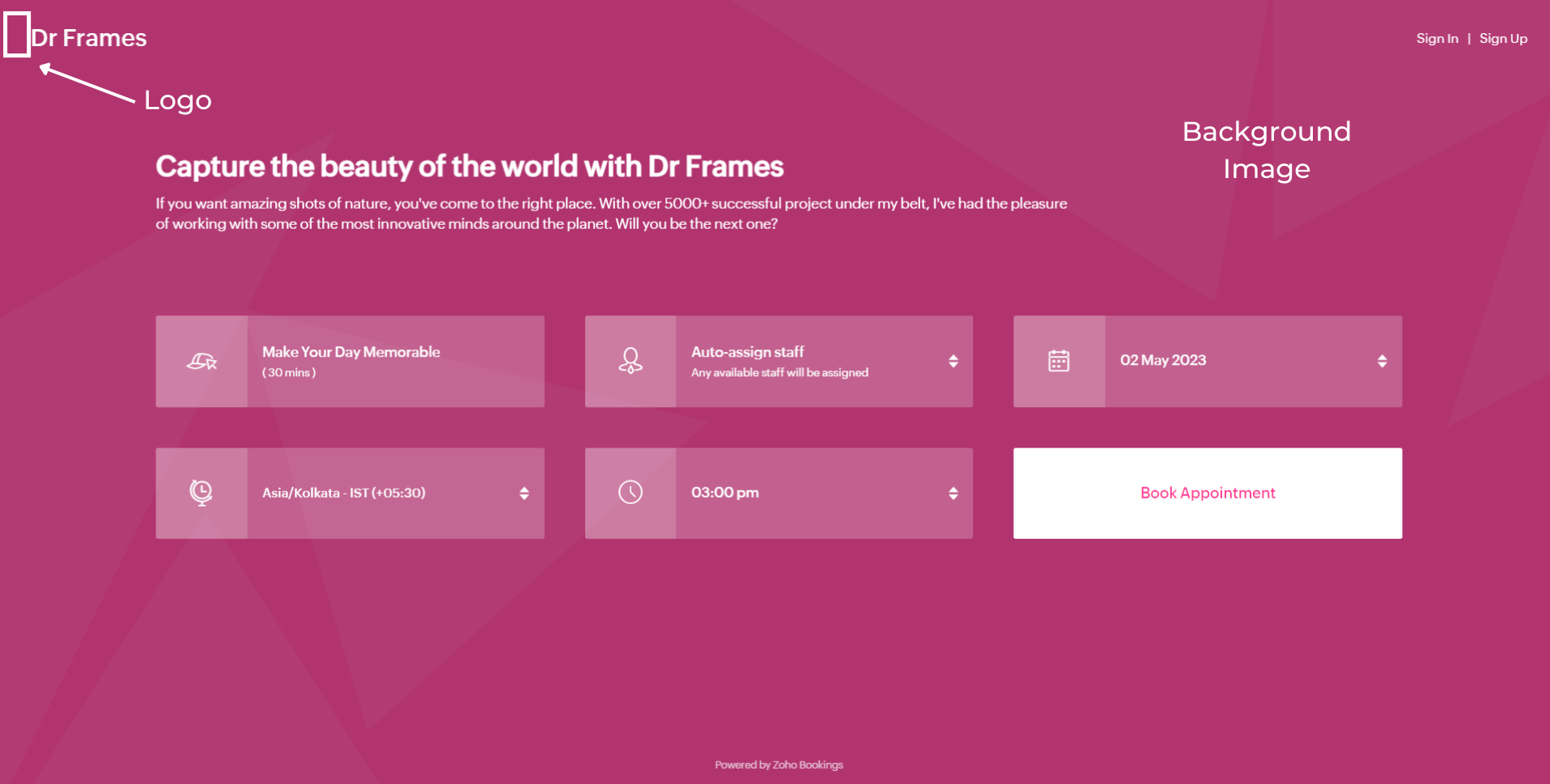
Next up, Logos. A brand logo is one of the crucial things that reinforce brand recall.
To add your brand logos to your booking page, navigate to Settings > Workspaces > Booking page settings.
The following are dimensions of your logo (50px to 110px - Width) * (50px - Height)
Besides the logos, you can add header text as well.
To add your brand logos to your booking page, navigate to Settings > Workspaces > Booking page settings.
The following are dimensions of your logo (50px to 110px - Width) * (50px - Height)
Besides the logos, you can add header text as well.
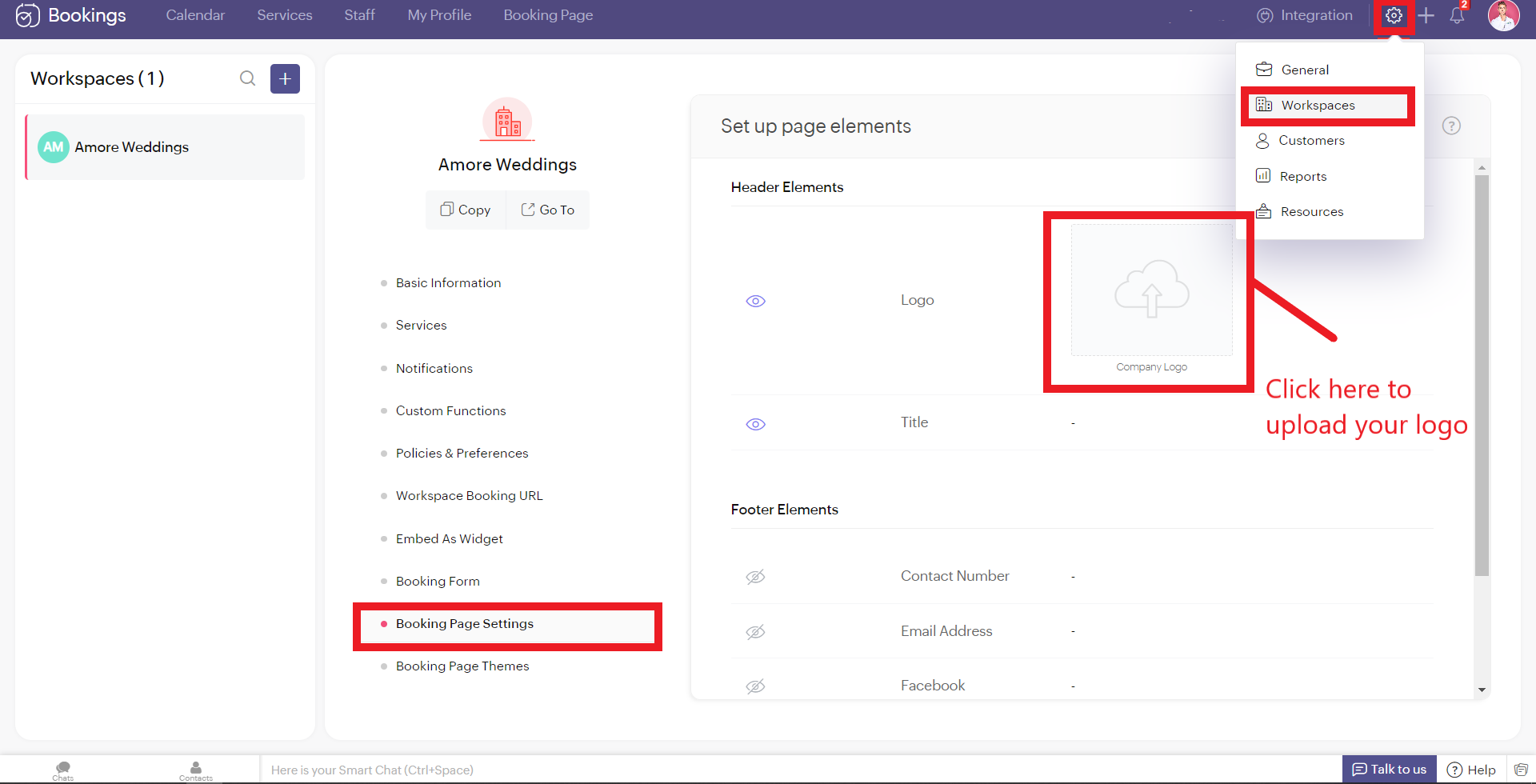
Don't worry if you don't have your own logo. You can use AI tools like Logo Makers to generate yourself an alluring logo in seconds.
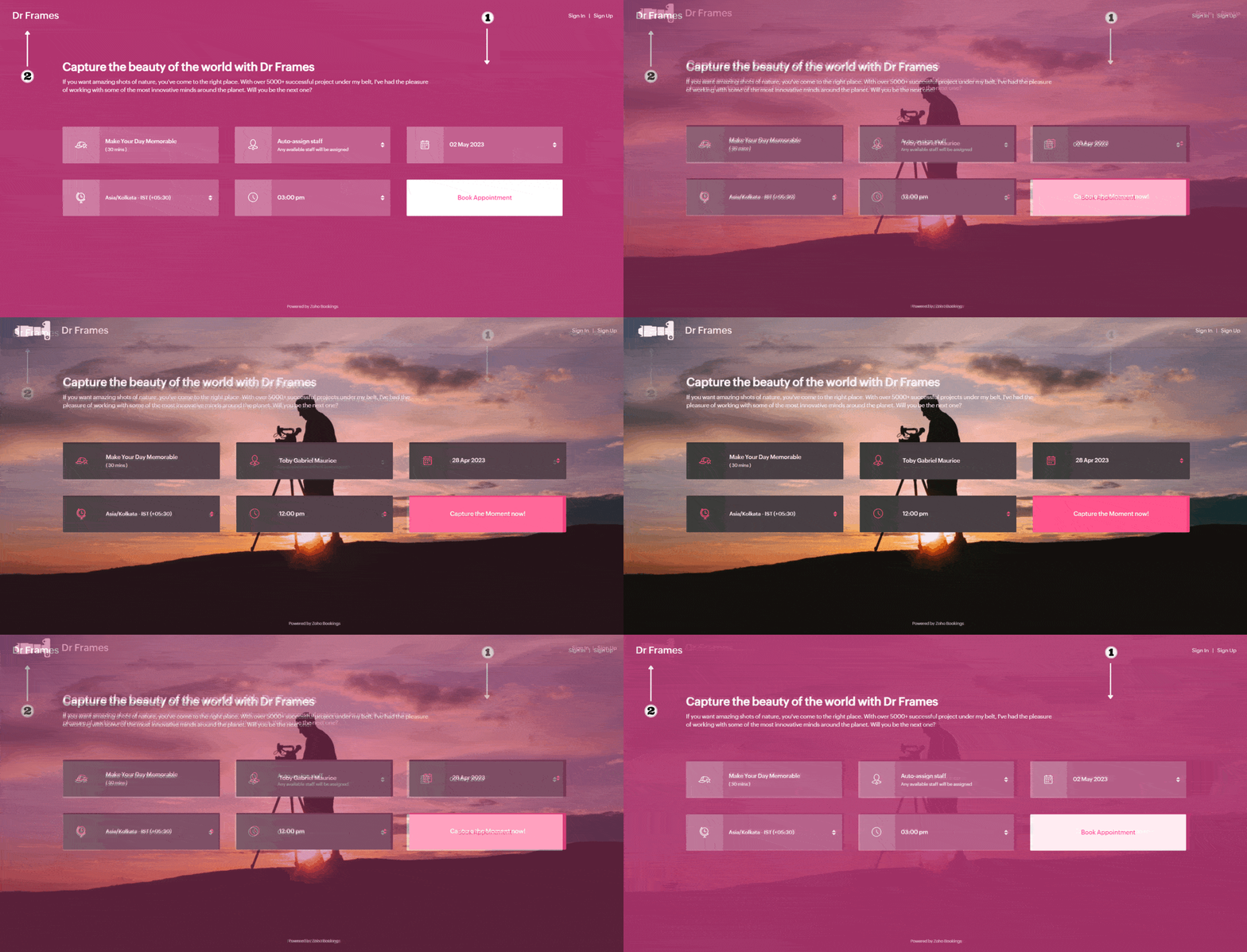
After these changes your booking page would look like this,
After these changes your booking page would look like this,
Adding Socials
It immediately adds credibility to your booking page.
This is vital for people who are involved in businesses like photography, bakery, wedding organizers etc... Your social profiles can be proof of your work and can help you get recurring clients in the long run.
You can add your Contact number, Email, Facebook, Instagram, and Twitter links.
This is vital for people who are involved in businesses like photography, bakery, wedding organizers etc... Your social profiles can be proof of your work and can help you get recurring clients in the long run.
You can add your Contact number, Email, Facebook, Instagram, and Twitter links.
Add your usernames in the boxes and click Save.
Your booking page would look like this after these changes,
Your booking page would look like this after these changes,
Exploring Color Options in Zoho Bookings
I've kept the best for the last - Customizing booking pages with more colors. It plays a vital role in making the page lively and aligns your booking page with your brand colors.
Since customization varies across every industry and there are so many possibilities, we've linked dedicated guides at the end of this tutorial. But for now, let's play around with the fundamental customizations that are similar across all industries.
Navigate to Workspaces > Booking Page themes > Color options.
Every theme allows you to have multiple customization options. However, there are cases where you wish to have the booking page reflect your exact brand/ website colors.
In those cases, switch to the 'Modern Web Theme.' It has unique features and a color palette with almost a million colors to choose from that could help you go the extra mile.
You will find a color palette. Click on it. You'll be given four choices:
Since customization varies across every industry and there are so many possibilities, we've linked dedicated guides at the end of this tutorial. But for now, let's play around with the fundamental customizations that are similar across all industries.
Navigate to Workspaces > Booking Page themes > Color options.
Every theme allows you to have multiple customization options. However, there are cases where you wish to have the booking page reflect your exact brand/ website colors.
In those cases, switch to the 'Modern Web Theme.' It has unique features and a color palette with almost a million colors to choose from that could help you go the extra mile.
You will find a color palette. Click on it. You'll be given four choices:
- Background Color
- Text Color
- Button color
- Button Text Color
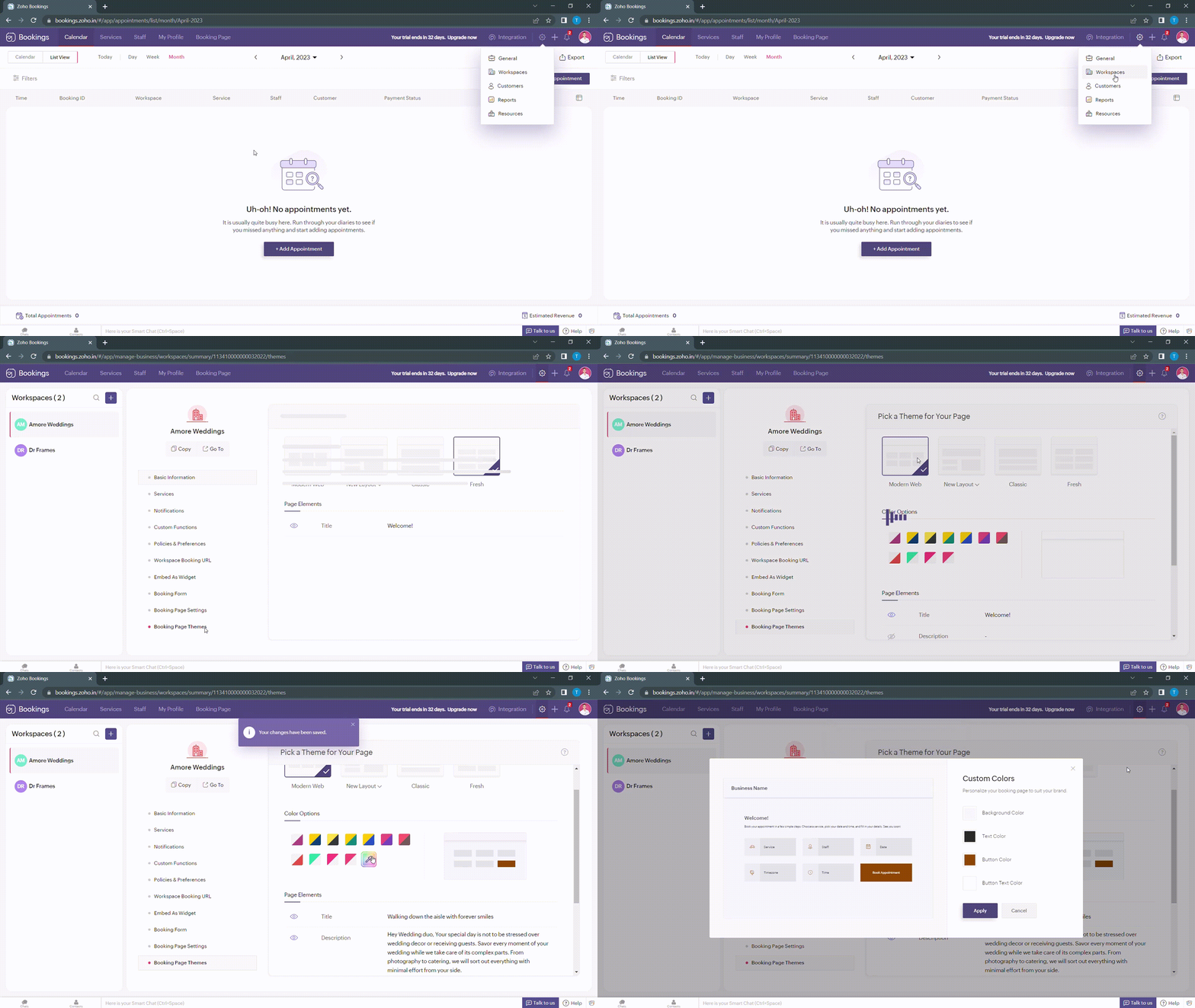
When you click on any of these boxes, Zoho Bookings prompts you to enter a color code. You can either pick the color you want or enter a hex code corresponding to the desired color.
It's always a great idea to use the same colors that you use on your website. Check out the video to get the exact colors of your webpage on your booking pages.
Disclaimer - We've listed a third party website which can help you design your booking pages efficiently. They are intended for illustration and guidance purposes only. Feel free to use any tool that fits your needs.
After all the changes your booking page will look like this,
After all the changes your booking page will look like this,
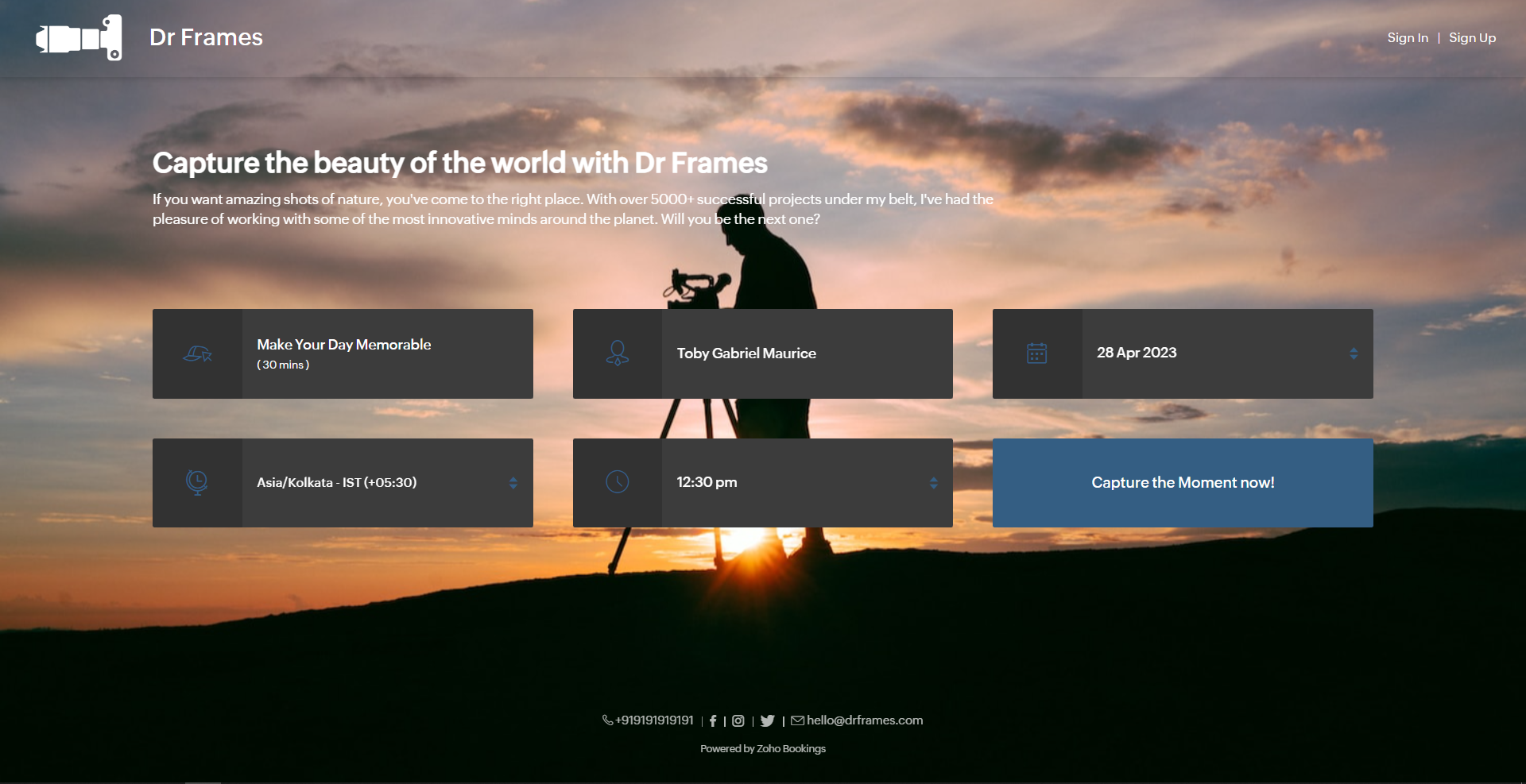
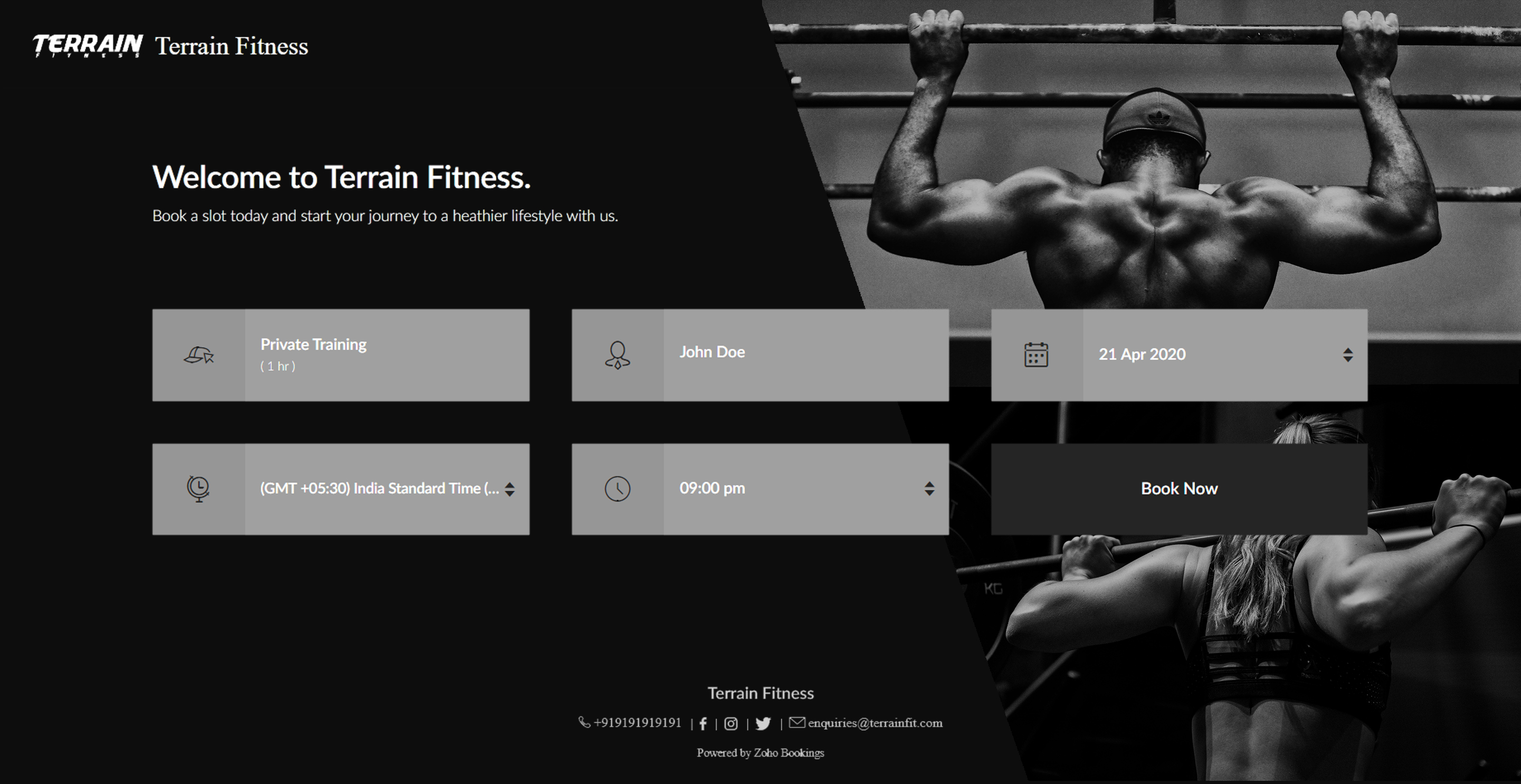
Here's a few other examples of well designed booking pages:
Bonus - Choose colors like a pro
Text colors - Use lighter text colors for darker backgrounds and vice versa. You can also tweak the transparency of your images to figure out which text colors would be the right fit for you.
In the following illustration, we've set the transparency to 100% and used a dark background. To complement this, I've used light text colors(white).
In the following illustration, we've set the transparency to 100% and used a dark background. To complement this, I've used light text colors(white).
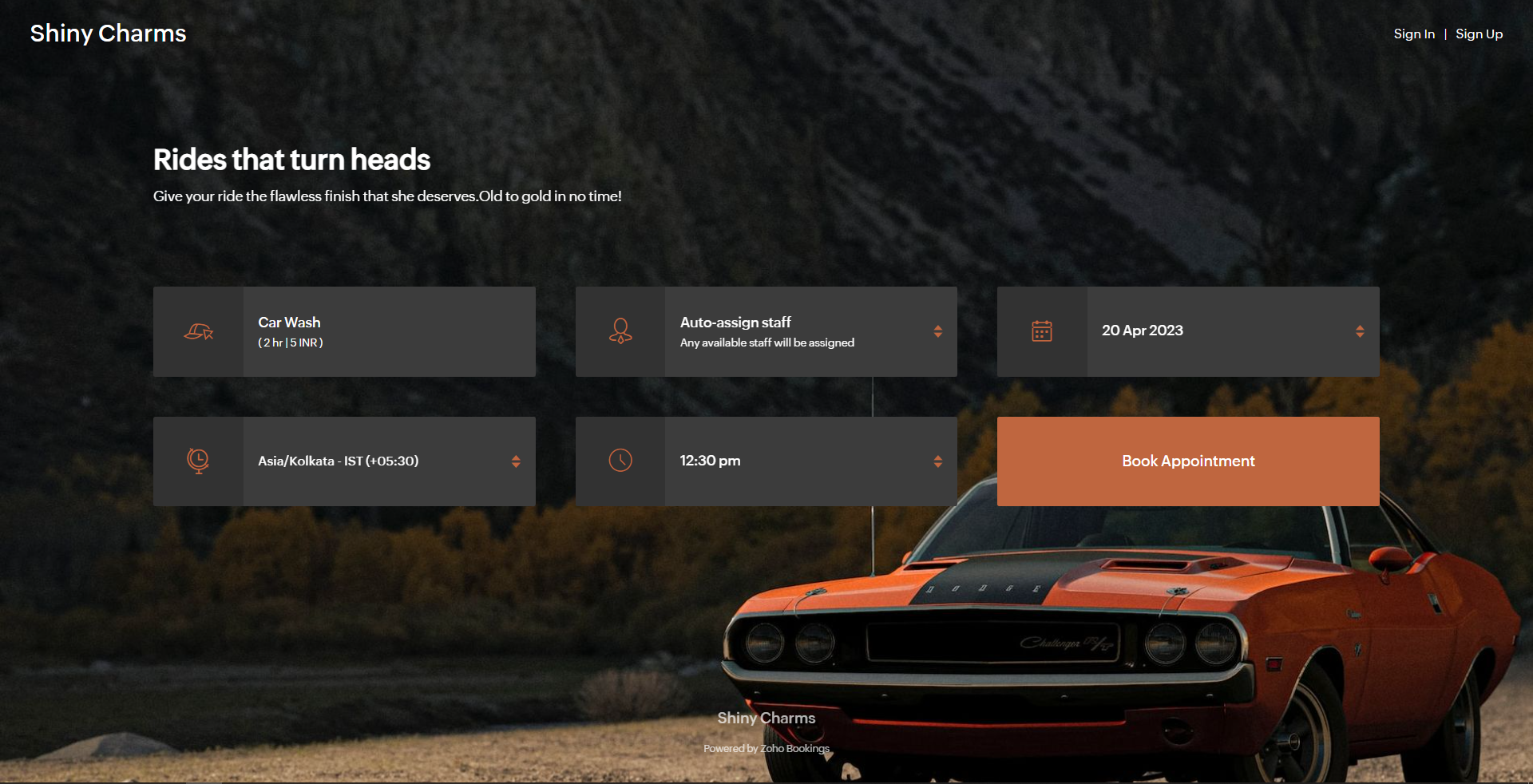
Button colors - To provide an immersive customer experience, set button colors that align with your brand colors. Alternatively, you can have them based on your images.
In the above example, we've set button colors that is in line with the background image. So, I've used the rusty orange of the car as my button color.
Button Text Colors - These are the colors inside the buttons. You can customize these based on your button colors. For darker backgrounds choose lighter colors and vice versa.
In the above example, to stay consistent with the text color of the other elements and to complement the button color, we've used white as the button text color.
We have an array of pages that go into details about industry-specific customizations. Check out the following guides that give you detailed instructions.
- Accountants
- Beauty Industry
- Business Consultants
- Car Care
- Child Care Industry
- Classrooms and Labs
- Cleaning Services
- Community Facilities
- Co-working spaces
- Customer Success
- Decorators
- Dental Industry
- Digital Marketing Agencies
- Education Industry
- Fitness Industry
- General Clinics
- Handy Persons
- Law Firms
- Logistics Industry
- Makeup Artists
- Marketing Industry
- Massage Parlors
- Meeting Rooms
- Motel Industry
- Non-Profit Organizations
- Personal Trainers
- Photography Industry
- Professional Consultation
- Professional Studios
- Property Management
- Psychiatrists
- SaaS
- Salesperson
- Spa Salons
- Sports Industry
- Wedding Industry
- Yoga Centers
To Wrap Up
In this guide, we've learned to customize booking page text, add images, logo, and socials, and created beautiful-looking booking pages.
Need a hand with this? We can help you out. Reach out to us at hello@zohobookings.com
Share your booking pages in the comments. If you have better tips to make booking pages better, please let us know.
Need a hand with this? We can help you out. Reach out to us at hello@zohobookings.com
Share your booking pages in the comments. If you have better tips to make booking pages better, please let us know.
Recent Topics
RAG (Retrieval Augmented Generation) Type Q+A Environment with Zoho Learn
Hi All, Given the ability of Zoho Learn to function as a knowledge base / document repository type solution and given the rapid advancements that Zoho is making with Zia LLM, agentic capabilities etc. (not to mention the rapid progress in the broaderWelcome to the Zoho ERP Community Forum
Hello everyone, We are thrilled to launch Zoho ERP (India edition), a software to manage your business operations from end to end. We’ve created this community forum as a space for you to ask questions, comment answers, provide feedback, and share yourIn App Auto Refresh/Update Features
Hi, I am trying to use Zoho Creator for Restaurant management. While using the android apps, I reliased the apps would not auto refresh if there is new entries i.e new kitchen order ticket (KOT) from other users. The apps does received notification but would not auto refresh, users required to refresh the apps manually in order to see the new KOT in the apps. I am wondering why this features is not implemented? Or is this feature being considered to be implemented in the future? With theConsolidated report for multi-organisation
I'm hoping to see this feature to be available but couldn't locate in anywhere in the trial version. Is this supported? The main aim to go to ERP is to have visibility of the multi-organisation in once place. I'm hopeful for this.IMAP mail after specify date
Hi My customer's mail server is on premise and mail storage is very huge. So It never finish sync. and finally stop sync. Cloud CRM have a option like zoho mail sync mail after some date.Claude + MCP Server + Zoho CRM Integration – AI-Powered Sales Automation
Hello Zoho Community 👋 I’m excited to share a recent integration we’ve worked on at OfficehubTech: ✅ Claude + MCP Server + Zoho CRM This integration connects Zoho CRM with Claude AI through our custom MCP Server, enabling intelligent AI-driven responsesNotes badge as a quick action in the list view
Hello all, We are introducing the Notes badge in the list view of all modules as a quick action you can perform for each record, in addition to the existing Activity badge. With this enhancement, users will have quick visibility into the notes associatedSearch Bar positioning
Why is the Search bar on the far right when everything is oriented towards the left?Basic Mass Update deluge schedule not working
I'm trying to create a schedule that will 'reset' a single field to 0 every morning - so that another schedule can repopulate with the day's calculation. I thought this would be fairly simple but I can't work out why this is failing : 1) I'm based inThe Social Playbook - January edition: Getting started with content creation
Social media isn’t just about posting some random content. It’s about why certain content works, how brands stand out, and what makes people pause mid-scroll. The Social Playbook is a monthly community series where we break all of that down. Through realImport Error: Empty values for mandatory fields - Closing Date
Hello, I've tried multiple times to import a CVS Potential list from another Zoho account. But the error message I get is: Empty values for mandatory fields - Closing Date There are valid dates in this field, so I don't understand why this error messagesAdding custom "lookup" fields in Zoho Customization
How can I add a second “lookup” field in Zoho? I’m trying to create another lookup that pulls from my Contacts, but the option doesn’t appear in the module customization sidebar. In many cases, a single work order involves multiple contacts. Ideally,Special characters (like â, â, æ) breaking when input in a field (encoding issue)
Hey everyone, We are currently dealing with a probably encoding issue when we populate a field (mostly but not exclusively, 'Last Name' for Leads and Contracts). If the user manually inputs special characters (like ä, â, á etc.) from Scandinavian languages,Feature Requests - Contact Coloured Picklist Visibility & Field Visibility During Ticket Creation
Hi Desk Team, I have 2 feature requests for you. Since Coloured Picklists are now available in Desk, It would be great if the colours were visible on the Related Details (Contact Information) when creating a ticket. In the screenshot below, I have 2 fieldsHow to integrate XML with Zoho CRM
Hi, I have an eCom service provider that gives me a dynamic XML that contains order information, clients, shipments... The XML link is the only thing I have. No Oath or key, No API get... I want to integrate it into Zoho CRM. I am not a developer norFeature Request - Ability to Customise Contact Info Card on Ticket Details View
Hi Desk Team, I've added a "Contact Priority" and "Account Prioirty" field and it would be very useful to agents if they could see that information in the Contact Info card on the Ticket Details view. It would be great if we could choose some fields toTax in Quote
Each row item in a quote has a tax value. At the total numbers at the bottom, there is also a Tax entry. If you select tax in both of the (line item, and the total), the tax doubles. My assumption is that the Tax total should be totalling the tax fromZoho Flow integration with Facebook Messenger and Whatsapp
Hi there, any plans of adding integrations with Facebook Messenger and Whatsapp into Zoho Flow? Seems that more and more business are delivering automated updates such as "your order is received", "your order has been shipped" and so on via these two platforms. Not sure if Whatsapp has the API access needed i am pretty sure that Facebook Messenger has... Kind regards Bo ThygesenReally want the field "Company" in the activities module!
Hi team! Something we are really missing is able to see the field Company when working in the activities module. We have a lot of tasks and need to see what company it's related to. It's really annoying to not be able to see it.🙈 Thx!Multi-currency and Products
One of the main reasons I have gone down the Zoho route is because I need multi-currency support. However, I find that products can only be priced in the home currency, We sell to the US and UK. However, we maintain different price lists for each.Campaigns unsubscribe/manage preferences links
Hi, Where can I edit the unscubscribe and manage preferences link in the footer of the email. I would like it so that when you click 'manage preferences' an form opens up that allows the person to choose what type of emails they do and don't wish toemail address somehow still not verified (?!)
L.S. After creating a new email template in CRM I was about to send a group email to my clients, then Zoho CRM announced that they would change the sender address to some kind of Zoho-e-ddress because my email address "has not been verified". Not onlyMarketing Tip #17: Add credibility to your online store with Review Widgets
One of the fastest ways to build trust in an online store is to show real customer feedback right where people are deciding to buy. Third-party widgets let you embed things like Google Reviews, Instagram feeds, or even a WhatsApp chat button. These addadding several team members to an Opportunity
How can we add several team members to one opportunity for collaboration? I have researched and only found something called Deal Team which I cannot find in my CRM to configure.PDF Annotation is here - Mark Up PDFs Your Way!
Reviewing PDFs just got a whole lot easier. You can now annotate PDFs directly in Zoho Notebook. Highlight important sections, add text, insert images, apply watermarks, and mark up documents in detail without leaving your notes. No app switching. NoBulk update Profile Permissions
Dears, What should we do if we add new forms or reports and need to update more than 20 permissions? Updating them one by one feels pretty harsh, doesn’t it?From Zoho CRM to Paper : Design & Print Data Directly using Canvas Print View
Hello Everyone, We are excited to announce a new addition to your Canvas in Zoho CRM - Print View. Canvas print view helps you transform your custom CRM layouts into print-ready documents, so you can bring your digital data to the physical world withFilter in fields from Jira extension
We have installed the Jira extension so we can maken Jira issues from Zoho desk. In Zoho desk I can also see the Jira issue status for example but I can not filter on this field. I would like to setup an filter showing me the closed Jira issues. How cantext length in list report mobile/tablet
Is there a way to make the full text of a text field appear in the list report on mobile and tablet? With custom layouts, the text is always truncated after a certain number of characters.Zoho Creator customer portal limitation | Zoho One
I'm asking you all for any feedback as to the logic or reasoning behind drastically limiting portal users when Zoho already meters based on number of records. I'm a single-seat, Zoho One Enterprise license holder. If my portal users are going to add records, wouldn't that increase revenue for Zoho as that is how Creator is monetized? Why limit my customer portal to only THREE external users when more users would equate to more records being entered into the database?!? (See help ticket reply below.)Link Contacts to Billed Accounts
Hello, I want to do a survey on all my customers of 2025. For that I want to select all contacts linked to accounts who where billed in 2025. How to I create this link to I can then use Zoho Survey with this database of contacts?Export all of our manuals from Zoho Learn in one go
Hi, I know there's a way to export manuals in Zoho Learn, but I want to export everything in one go so it won't take so long. I can't see a way to do this, can I get some assistance or is this a feature in the pipeline? Thanks, HannahBring Zoho Shifts Capabilities into Zoho People Shift Module
Hello Zoho People Product Team, After a deep review of the Zoho People Shift module and a direct comparison with Zoho Shifts, we would like to raise a feature request and serious concern regarding the current state of shift management in Zoho People.Historical Sales Info - Blend with Finance Invoice Line Items, Access in CRM and Desk
My company has been using Zoho One since 2021, with sales data going back through 2020. However, we have been in business much longer, and we have historical sales information that we want to have at our fingertips when talking with customers (usuallyPre-Zoho Sales Info - Best Way to Add to Desk / CRM
My company has been using Zoho One since 2021, with sales data going back through 2020. However, we have been in business much longer, and we have historical sales information that we want to have at our fingertips when talking with customers (usuallyShift-Centric View for Assigning and Managing Shifts in Zoho People
Hello Zoho People Product Team, Greetings and hope you are doing well. This feature request is related to Zoho People - please don't move it to zoho one! We would like to submit a feature request regarding the shift assignment and management view in ZohoCRM function REST API response format
Is there a way to control the JSON response returned by the CRM function REST API? If I call a function using either OAuth or an API key it returns a 200 OK response with a string in the format shown below. I am using a particular feature of an externalAdd Employee Availability Functionality to Zoho People Shift Module
Hello Zoho People Product Team, Greetings and hope you are doing well. We would like to submit a feature request to enhance the Zoho People Shift module by adding employee availability management, similar to the functionality available in Zoho Shifts.Using MPN across multiple SKUs and inventory tracking
I have several different SKU's that share a common MPN and would like to track inventory by MPN. SKU1 has MPN1 assigned SKU2 has MPN1 assigned Here is an example If I start with 5 of MPN 1 in stock I want each SKU1 and SKU2 to show as 5 in stock, If IUnable to Access Application:
Whenever I try to access my application from the desktop, say I am editing it and want to test something in the desktop environment I get: An error has occurred. An internal error has occurred. Please check the URL , or try refreshing the page I can editNext Page