Introduction of Canvas for Zoho CRM
All industries function in a way that is very different in many aspects. There is no one size fits all approach. The companies should be able to modify the CRM design to suit their needs after a purchase has been made. This is where customers can control their experience completely. Zoho CRM is a giant that has created a new benchmark for customization.
With Canvas, Zoho plans to offer the best possible consumer experience that there is. The customers can create their own experience using Canvas. Zoho introduces Canvas as a design so that the customers can redesign the visual interface of Zoho CRM services to suit their requirements.
Using Canvas, users can remodel the look and feel of their CRM without writing even a single line of code since a simple drag and drop interface is used. Canvas creations can immensely improve the end user’s experience that helps in increasing productivity and morale. It sets the precedent for users to experience autonomy where the user can control the experience with the product.
In this blog, we will get to know all about Canvas and everything it can do for CRM.
What is Canvas?
Canvas is a design studio that is built into the Zoho CRM. The customers can redesign the user interface from an entirely blank canvas using Canvas. It offers a better CRM user interface and supports a wide range of formatting options that help companies to re-imagine the look and feel of any module down to small details. This is how the data meets design.
The use of Canvas is similar to photoshop for databases but it is much more nuanced. Canvas completely understands how the modules, fields, buttons, and related lists in the interface get created. Hence, it offers a much more thoughtful and contextual designing experience for the customers.
You can think of Canvas as a unique tool by Zoho CRM, something that no other CRM vendor has ever considered creating. Zoho has actually pioneered the design autonomy movement allowing the customers to curate the user experience that they are looking for. With the use of Canvas, Zoho CRM has become the most customizable CRM in the market.
Canvas as a no-code design platform is one of the most powerful things to change your Zoho CRM user experience from a visual and a functional perspective. It is a simple user interface management platform that is created into the native CRM system and is applicable in various ways of the CRM. The UI can be customized with the following CRM pages using Canvas.
A unified user experience can be created at various engagement points across platforms with internal CRM, partner portals, and self-service customers. Finally, regardless of the fact if they are your customers, partners or employees, all of the groups that work with a consistent UI when it comes to page design, look and feel, yet the data organized in all layouts can be customized based on various functions and requirements.
Working of Canvas
Canvas helps companies create a custom view that is readily available as an option along with the default views. The customers can click to create a new Canvas view from a listing page or the record page so that a blank canvas is opened as the powerful editor. Some of the things that are responsible for making Canvas stand out are:
1. Right Information in the Right Place
Customers can look for all the related lists, fields, and buttons available on the left side of the menu in editor mode. This actually means that no information is lost and all associations will remain intact just the way they are.
Canvas plays the role of helping users change the appearance of Zoho CRM with multiple design variants.
2. Drag-and-drop Interface
There is no need to become a programmer or even a designer for using Canvas. You just need to have good design taste. Canvas is the first CRM design studio that also comes with a drag and drop interface to offer a much-simplified design experience for everyone.
With the editor, users can easily choose some components from the left menu, drag them on the interface, drop them at the desired location, and then finally click to see available formatting options. It only takes a couple of clicks to create a new design.
3. Formatting Options
Canvas provides many formatting options for playing around with so that the companies can find the exact style that fits their team the best.
Right from changing the shape of the contact image or the color of a button to changing the padding, the shadow, and the width, Canvas enables the users to make sure that all details are suitable for a personal view.
4. Templates
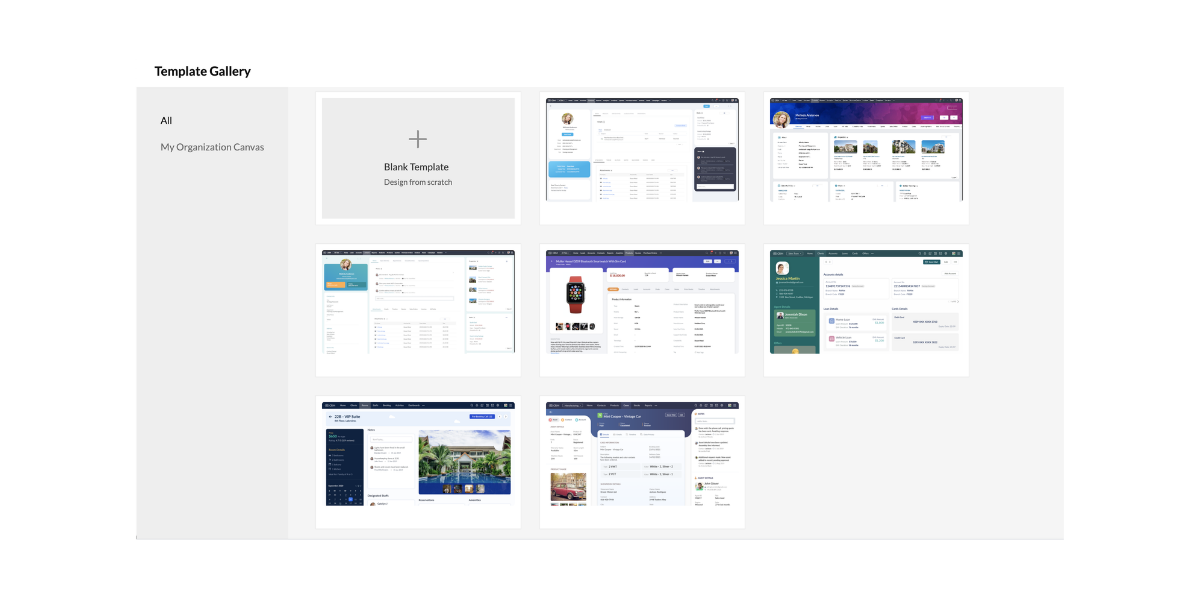
Canvas also comes with a set of templates that the customers can choose in case they want a good start with their design or in case they are looking for inspiration.
The templates can be easily customized to a wide range of industries and they can also be changed to suit the customers in an improved way.
5. Uniform Design All Over Modules
Canvas is a no-code design platform that can be easily copied to other modules for maintaining a uniform design and color style.
Almost any detail that is not associated with the new module can be easily reconfigured at any time. This leads to a uniform design across all possible modules.
How Does Canvas Help Users?
Canvas plays an excellent role in helping companies experiment seamlessly with multiple designs taking input from the salespeople and other end users. These are the people who end up spending a large amount of time using the Zoho CRM.
The admins can easily remodel the list page and detail page of all modules so that everyone’s needs are solved on the basis of suggestions. Canvas can effectively solve important challenges that businesses face in the present day including lack of personalization, employee experience, and complex implementations.
Canvas is the first CRM design studio that helps the users in the following ways:
1. Creating Personalized Instances:
Canvas is responsible for helping companies design a version of CRM that suits the industry and the working culture. Administrators can easily design views with fields, buttons, lists, and labels that are relevant to business so that the end-users can get the maximum results out of Zoho CRM. The customers can also enjoy tailored experiences of a vertical CRM that comes with all possible capabilities of a general-purpose CRM.
2. Enhanced Employee Experience
Using Canvas as a no-code design platform, companies can easily build a CRM that is easy to work with. The users can create views with a minimal design and great colors that are soothing for the eye and the mind. The customers can also highlight, record, hide, and reposition fields, lists, and buttons for helping salespeople work much better.
3. Removes Complexity
Canvas makes it very simple for businesses to get started with the Zoho CRM. The implementation phases including extensive training, data prep, and onboarding experiences need less time and effort all thanks to a simple and customized design. Successful implementation is necessary for reducing any complexity of the system while ensuring that there is high usage and streamlined ROI.
Canvas Serves the Purpose of Everyone
Canvas is literally for everyone. It helps in the following things.
1. Collaborative Selling
 The companies can effectively share their Canvas views with the vendors, consultants, and partners with the use of various portals. The sales process can also become increasingly collaborative where different parties need to get involved at various stages of a sale. Canvas helps in facilitating this collaboration.
2. Superior Self-Service
It is a well known fact that millennial customers are highly protective of their data and the option of self-service is appreciated much more. The customers can fill in important information and review it directly in the company’s very own custom Canvas creation which improves the overall experience considerably.
3. Thriving Community
 Canvas is a one of a kind first CRM design studio where the customers can create new Canvas views and share them with the community. In this way, other businesses can use them as well. With Canvas, Zoho CRM works to create a community of designers who can submit, edit, and implement templates very similar to the community WordPress created for websites.
Canvas sets the precedence of UX Rich Autonomy
Zoho plans to introduce Canvas to the entire Zoho CX suite and finally to complete the product range. In this way, the companies can enjoy the Zoho environment with a design all across the board. When the companies have greater control over the user experience, the results are incredibly beneficial for the end-user, organization, and even the vendor.
Conclusion
Zoho CRM is on a mission to make sure that the specific needs of all industries, companies, and teams are met with the use of Canvas. As Zoho CRM continues its journey to pioneer the new era of personalized CRM, continuous work is being done on user experience enhancements focused on making it simple for end-users to keep using Zoho CRM. Canvas – the first CRM design studio is an example of that.
Zoho claims that this is a journey that never ends and it is in it for a long time. This is one of the major milestones of Zoho for creating a high standard of CRM experience and the company continues making changes.
I hope that you learned something new today :)
Stay Tuned for more!
Cheers!
Abhi
(Seasoned Zoho Authorized and Certified Partner)
Feel free to contact me if you have any queries
Email: abhishek(@)encaptechno(dot)com
Call: +1-416-405-8185
Access your files securely from anywhere
New to Zoho Recruit?

Zoho Developer Community
New to Zoho LandingPage?
Zoho LandingPage Resources
New to Zoho Survey?
New to Zoho CRM Plus?
Deliver unforgettable customer experiences
New to Zoho CRM Plus?
Deliver unforgettable customer experiences
New to Zoho Marketing Plus?
Everything you need to run your marketing
New to Zoho Marketing Plus?
Everything you need to run your marketing
New to Bigin?





Topic Participants
Abhishek - Zoho Partner
Sticky Posts
Presenting ABM for Zoho CRM: Expand and retain your customers with precision
Picture this scenario: You're a growing SaaS company ready to launch a powerful business suite, and are looking to gain traction and momentum. But as a business with a tight budget, you know acquiring new customers is slow, expensive, and often deliversGood news! Calendar in Zoho CRM gets a face lift
Dear Customers, We are delighted to unveil the revamped calendar UI in Zoho CRM. With a complete visual overhaul aligned with CRM for Everyone, the calendar now offers a more intuitive and flexible scheduling experience. What’s new? Distinguish activitiesCreate and populate a record in an instant: Introducing zero-shot field prompting to Zia's ICR
A couple of months ago, we upgraded our in-house AI image detection and validation tool, Zia Vision, with intelligent character recognition (ICR). By training Zia with sample images, you could create and enrich CRM records with data extracted from standardIn-person ZUG Meetups for Real Estate Professionals - US Q1 2026
The Real Estate Zoho User Group is going on a multi-city, in-person meetup tour across the US, and we’d love to see you there! These meetups are a great opportunity to: Connect with fellow real estate professionals using Zoho Share challenges and discoverNimble enhancements to WhatsApp for Business integration in Zoho CRM: Enjoy context and clarity in business messaging
Dear Customers, We hope you're well! WhatsApp for business is a renowned business messaging platform that takes your business closer to your customers; it gives your business the power of personalized outreach. Using the WhatsApp for Business integration
New to Zoho TeamInbox?
Zoho TeamInbox Resources
Zoho CRM Plus Resources
Zoho Books Resources
Zoho Subscriptions Resources
Zoho Projects Resources
Zoho Sprints Resources
Qntrl Resources
Zoho Creator Resources
Zoho CRM Resources
Design. Discuss. Deliver.
Zoho Show Resources

Get Started. Write Away!
Writer is a powerful online word processor, designed for collaborative work.
Zoho CRM コンテンツ
-
オンラインヘルプ
-
Webセミナー
-
機能活用動画
-
よくある質問
-
Ebook
-
-
Zoho Campaigns
- Zoho サービスのWebセミナー
その他のサービス コンテンツ
Nederlandse Hulpbronnen

ご検討中の方
Recent Topics
Enhancement Request for Multi-Asset Work Order Feature
Hello Latha, Thank you for your continued support. The multi-asset Work Order feature is extremely helpful. I did some testing based on our requirements, and during the process, I noticed a few areas where we need your team’s support to improve the featureMarketing Tip #8: Run limited-time offers
Exclusive offers that don't last long make shoppers purchase right away instead of waiting. Run a flash sale or limited-time discount to convert interest into sales. Try this today: Set up a "Buy X Get Y" coupon in Zoho Commerce valid for a limited timeAdd Option to Mass Dispatch by User
Hello! We are using the dispatch console to dispatch service appointments to our service ressources. Right now, the process is our dispatcher verifies each ressource's route for the day and dispatches it after validation. Sadly, there doesn't seem toZoho Projects - Email notification relabelling of modules not present on default templates
Hi Projects Team, I noticed that in the default email template notification, the word "bug" was not renamed to the lable I am using in my system. As many users may used the Bugs modules for various purposes including Changes, Revisions, Issues, etc...Include the "Added Email ID" to the Filters of a Report
Hi, With a Report and lots of entries, a normal thing is to filter entries by the submitter, but that is not included in the Auto Filter of Reports and you can't add a custom filter to a Report without specifying the actual value. I would like to be ableLoops in Deluge
Hi, Can someone tell me how I do a simple loop in deluge? For example, if i have a variable "X" containing a number of loops to perform, i would like to perform an action X amount of times. X = 10; do while (Y < X){ // ... do something } to further explain, the equivalent in PHP of what i am trying to acheive would be: $X = 20; for($Y = 1; $Y < $X; $Y++ ){ // ... do something } ThanksI am facing a problem with an if-else condition
If I use if, else if, and else conditions in Deluge with the same variable name, sometimes the variable causes an error because the same variable name is present in every blockZoho Projects - Reply by email to @ mentions posted on the Feed.
When mentioning someone on the Feed (Status), it would be great if that mentioned person could reply to the email notification to update the Feed thread.Zoho Analytics Bulk Api Import json Data
HI, I’m trying to bulk-update rows in Zoho Analytics, and below are the request and response details. I’d like to understand the required parameters for constructing a bulk API request to import or update data in a table using Deluge. Any guidance onRecord Overseas Transactions Along with CC charges
Hi All, We receive payments via stripe in multiple currencies and stripe takes around 2.5% fees. The amount is settled in INR into our local bank. What should be the currency of the income account used for Stripe payments? Here is a sample flow that weProduct Updates in Zoho Workplace applications | October 2025
Hello Workplace Community, Let’s take a look at the new features and enhancements that went live across all Workplace applications this October. Zoho Mail Create Signature from Compose window You can now effortlessly create a Signature using the CreateSubform data to Sheets
I have been trying to setup a Zoho Flow automation to bring any Subform input to a Zoho Sheets but it seems impossible to post the subform entries to a Zoho Sheet. Is there any way to do it via Zoho Sheet API? https://www.zoho.com/sheet/help/api/v2/#CONTENT-Insert-row-with-JSON-dataEdit Contact Roles in the Potentials Mod
New to ZOHO so I need some help. I work the same people on different projects concurrency. Their contact info remains the same but their role changes from project to project. In the Potential Mod you can pick contacts and assign a Role to them. I knowIs there a way to disable the Activity Reminders Pop-Up Window every time I log in?
Just wondering if there is a setting to disable the window from opening every time I open my CRM? Thanks ChrisHide fields only for creation
Hello, I'd like to hide some fields only during the creation of a contact in Zoho CRM. In fact I have some fields that are automatically calculated thanks to an automation, so when my users create a contact I don't want them to fill those fields. I knowRich-text fields in Zoho CRM
Hello everyone, We're thrilled to announce an important enhancement that will significantly enhance the readability and formatting capabilities of your information: rich text options for multi-line fields. With this update, you can now enjoy a more versatileFont Size 11 - Zoho CRM Email Templates
Our company communicates with our vendors exclusively using Calibri Font Size 11, as this is the standard formatting for professional emails. Since the CRM only allows for the selection of font sizes 10 & 12, we have been unable to utilize the CRM emailError 400 Booking
Added a custom domain to Booking. Am Getting a SSL Error that has some other domain on the SSL and giving a 400 error. Followed instructions and it stated it verified our domain.. However it is not working. Please Help!Link Purchase Order to Deal
Zoho Books directly syncs with contacts, vendors and products in Zoho CRM including field mapping. Is there any way to associate vendor purchase orders with deals, so that we can calculate our profit margin for each deal with connected sales invoicesZoho Projects - Email Notifications for Feed Updates
Hi Projects Team, I'm working with a client who wants a simple way to communicate with their customers on projects. Getting the customer to add comments to Tasks or Bug records is not ideal, as we need a way which is easy with minimal training, and hasZoho Analytics Export API
Hi Team, I’m working on some integration tasks and wanted to confirm if it’s possible to retrieve a Zoho Analytics table as JSON data using a Deluge script. I’ve already stored my custom data from multiple sources and combined it into a single source.Request to Remove LinkedIn Verification from My Emai
I would like to submit a complaint regarding my Zoho Mail account. I previously used this email address to verify a LinkedIn account, but that LinkedIn account has now been closed. I need to remove or cancel the verification associated with the closedHow to Billed from two different GST Numbers
How to Billed from two different GST Numbers. Suppose ABC & Co had GST registration in Delhi and Haryana and Zoho account is created with Delhi GST Registration number. Now i also want to issue invoice from Haryana GST Registration number. How can i proceed ?Introducing the all-new email parser!
Greetings, We are pleased to introduce to you, a brand-new, upgraded version of the Zoho CRM Email Parser, which is packed with fresh features and has been completely redesigned to meet latest customers needs and their business requirements. On that note,Zoho Projects - Refine Access to Collaboration Menu
Hi Projects Team, I noticed that Calendar, Chat and Meeting menu options in the Collaboration section are visible to client users, even when they don't have access to the features. This could be confusing and frustrating, because if it's there you expectKaizen #217 - Actions APIs : Tasks
Welcome to another week of Kaizen! In last week's post we discussed Email Notifications APIs which act as the link between your Workflow automations and you. We have discussed how Zylker Cloud Services uses Email Notifications API in their custom dashboard.Extracting Images from a Zoho Creator Report into a Pages
If you’ve uploaded images in a form and can see them in your report, you might also want to display those same images inside a Page (custom HTML page). This is useful for dashboards, profile pages, or any place where images should be visible dynamicallyZoho is blocking emails I subscribe to from one sender
About 4 months ago I stopped receiving newsletters that I subscribe to from @thedispatch.com. They tell me that zoho's server is blocking them. I've added them to my contacts list, but they're not even reaching my inbox. I don't know how to troubleshootInactive Items - Make Less Prominent by Default
Currently, when one marks an Item as "Inactive", it really doesn't do much of anything to hide it or get it out of the way. Search and reporting within Finance should, by default, hide inactive Items from standard reports, searches, etc. If one specificallyItems should display under specific warehouse
I have configured the multi warehouse but it show all the items under all warehouse which is not correct according to our business logic, so i want that items should only display under that specific warehouse not under all the warehouses not even with zero quantity. Some items should be common but not all so is there any option for that purpose so i can specific the items to its warehouse. RegardsHow to calculate GST based on "Ship To Address"
We into the interior designing work, providing "Works Contract Services" to our clients across India. We are registered under GST in Maharashtra state. For works contract services as per the GST rule, we need to decide place of supply based on "Ship toI NEED TO NUMBER TO TEXT NO HERE
=NUMBERTEXT NEEEDAuto-fill New Row with Previous Row Values
rowsize = input.Order_Items.count(); for each row1 in input.Order_Items { rowsize = rowsize - 1; if(rowsize == 1) { row.Door_Model = row1.Door_Model; row.Door_Color = row1.Door_Color; row.Materials = row1.Materials;When I click on PDF/PRINT it makes the invoice half size
When I click PDF / Print for my invoice in Zoho Books, the generated PDF appears at half size — everything is scaled down, including the logo, text, and layout. The content does not fill the page as it should. Could someone advise what causes Zoho BooksPython - code studio
Hi, I see the code studio is "coming soon". We have some files that will require some more complex transformation, is this feature far off? It appears to have been released in Zoho Analytics alreadyAPI question - adding a thread to an existing ticket
Hi Is there an API function for the customer to add to an existing ticket thread? example, customer puts in new support ticket. support replies and ask for more details. customer replies with more details -what api function is used for this (will add record append to same ticket number?) ThanksWhy is Zoho Meeting quality so poor?
I've just moved from Office 365 to Zoho Workplace and have been generally really positive about the new platform -- nicely integrated, nice GUI, good and easy-to-understand control and customisation, and at a reasonable price. However, what is going onItems Below Reorder Point Report?
Is there a way to run a report of Items that are below the Reorder Point? I don't see this as a specific report, nor can I figure out how to customize any of the other stock reports to give me this information. Please tell me I'm missing something sCalendar week view: Today + 6
Is there anyway to have the calendar change dynamically based on the date? Due to the amount of events, we only display a week at a time, but towards the end of the week, we can no longer see ahead to next week (without changing it manually every time).How to restrict user/portal user change canvas view
Hi , I would like to restrict user / portal user change their canvas view because I hide some sensitive field for them. I dont want my user switch the canvas view that do not belong to them But seems Zoho do not provide this setting?Next Page