Introduction of Canvas for Zoho CRM
All industries function in a way that is very different in many aspects. There is no one size fits all approach. The companies should be able to modify the CRM design to suit their needs after a purchase has been made. This is where customers can control their experience completely. Zoho CRM is a giant that has created a new benchmark for customization.
With Canvas, Zoho plans to offer the best possible consumer experience that there is. The customers can create their own experience using Canvas. Zoho introduces Canvas as a design so that the customers can redesign the visual interface of Zoho CRM services to suit their requirements.
Using Canvas, users can remodel the look and feel of their CRM without writing even a single line of code since a simple drag and drop interface is used. Canvas creations can immensely improve the end user’s experience that helps in increasing productivity and morale. It sets the precedent for users to experience autonomy where the user can control the experience with the product.
In this blog, we will get to know all about Canvas and everything it can do for CRM.
What is Canvas?
Canvas is a design studio that is built into the Zoho CRM. The customers can redesign the user interface from an entirely blank canvas using Canvas. It offers a better CRM user interface and supports a wide range of formatting options that help companies to re-imagine the look and feel of any module down to small details. This is how the data meets design.
The use of Canvas is similar to photoshop for databases but it is much more nuanced. Canvas completely understands how the modules, fields, buttons, and related lists in the interface get created. Hence, it offers a much more thoughtful and contextual designing experience for the customers.
You can think of Canvas as a unique tool by Zoho CRM, something that no other CRM vendor has ever considered creating. Zoho has actually pioneered the design autonomy movement allowing the customers to curate the user experience that they are looking for. With the use of Canvas, Zoho CRM has become the most customizable CRM in the market.
Canvas as a no-code design platform is one of the most powerful things to change your Zoho CRM user experience from a visual and a functional perspective. It is a simple user interface management platform that is created into the native CRM system and is applicable in various ways of the CRM. The UI can be customized with the following CRM pages using Canvas.
A unified user experience can be created at various engagement points across platforms with internal CRM, partner portals, and self-service customers. Finally, regardless of the fact if they are your customers, partners or employees, all of the groups that work with a consistent UI when it comes to page design, look and feel, yet the data organized in all layouts can be customized based on various functions and requirements.
Working of Canvas
Canvas helps companies create a custom view that is readily available as an option along with the default views. The customers can click to create a new Canvas view from a listing page or the record page so that a blank canvas is opened as the powerful editor. Some of the things that are responsible for making Canvas stand out are:
1. Right Information in the Right Place
Customers can look for all the related lists, fields, and buttons available on the left side of the menu in editor mode. This actually means that no information is lost and all associations will remain intact just the way they are.
Canvas plays the role of helping users change the appearance of Zoho CRM with multiple design variants.
2. Drag-and-drop Interface
There is no need to become a programmer or even a designer for using Canvas. You just need to have good design taste. Canvas is the first CRM design studio that also comes with a drag and drop interface to offer a much-simplified design experience for everyone.
With the editor, users can easily choose some components from the left menu, drag them on the interface, drop them at the desired location, and then finally click to see available formatting options. It only takes a couple of clicks to create a new design.
3. Formatting Options
Canvas provides many formatting options for playing around with so that the companies can find the exact style that fits their team the best.
Right from changing the shape of the contact image or the color of a button to changing the padding, the shadow, and the width, Canvas enables the users to make sure that all details are suitable for a personal view.
4. Templates
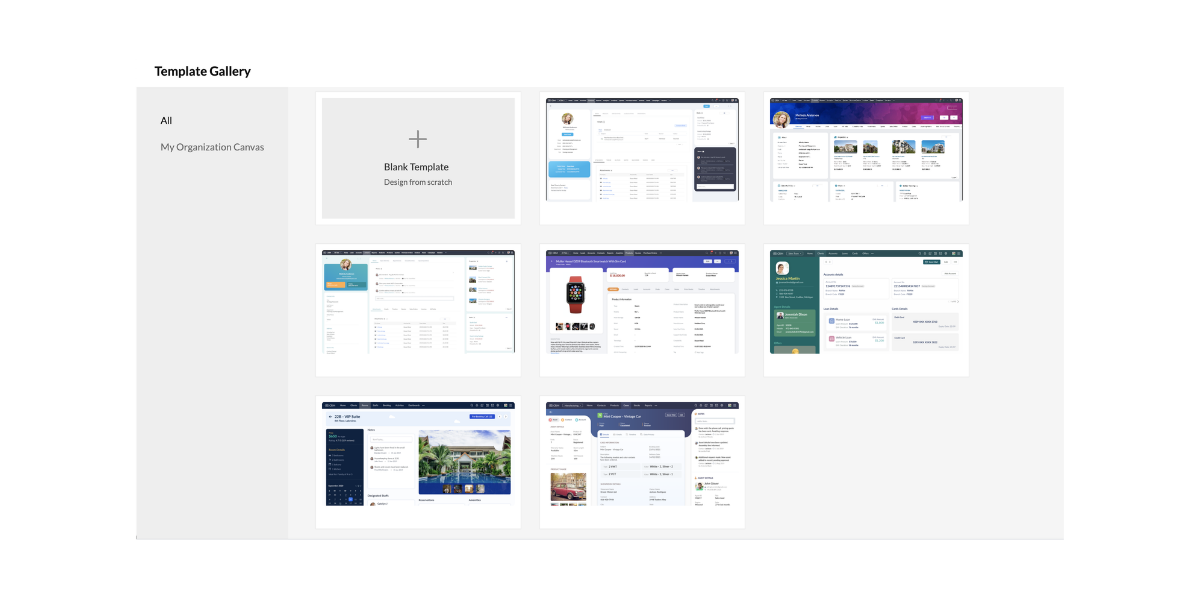
Canvas also comes with a set of templates that the customers can choose in case they want a good start with their design or in case they are looking for inspiration.
The templates can be easily customized to a wide range of industries and they can also be changed to suit the customers in an improved way.
5. Uniform Design All Over Modules
Canvas is a no-code design platform that can be easily copied to other modules for maintaining a uniform design and color style.
Almost any detail that is not associated with the new module can be easily reconfigured at any time. This leads to a uniform design across all possible modules.
How Does Canvas Help Users?
Canvas plays an excellent role in helping companies experiment seamlessly with multiple designs taking input from the salespeople and other end users. These are the people who end up spending a large amount of time using the Zoho CRM.
The admins can easily remodel the list page and detail page of all modules so that everyone’s needs are solved on the basis of suggestions. Canvas can effectively solve important challenges that businesses face in the present day including lack of personalization, employee experience, and complex implementations.
Canvas is the first CRM design studio that helps the users in the following ways:
1. Creating Personalized Instances:
Canvas is responsible for helping companies design a version of CRM that suits the industry and the working culture. Administrators can easily design views with fields, buttons, lists, and labels that are relevant to business so that the end-users can get the maximum results out of Zoho CRM. The customers can also enjoy tailored experiences of a vertical CRM that comes with all possible capabilities of a general-purpose CRM.
2. Enhanced Employee Experience
Using Canvas as a no-code design platform, companies can easily build a CRM that is easy to work with. The users can create views with a minimal design and great colors that are soothing for the eye and the mind. The customers can also highlight, record, hide, and reposition fields, lists, and buttons for helping salespeople work much better.
3. Removes Complexity
Canvas makes it very simple for businesses to get started with the Zoho CRM. The implementation phases including extensive training, data prep, and onboarding experiences need less time and effort all thanks to a simple and customized design. Successful implementation is necessary for reducing any complexity of the system while ensuring that there is high usage and streamlined ROI.
Canvas Serves the Purpose of Everyone
Canvas is literally for everyone. It helps in the following things.
1. Collaborative Selling
 The companies can effectively share their Canvas views with the vendors, consultants, and partners with the use of various portals. The sales process can also become increasingly collaborative where different parties need to get involved at various stages of a sale. Canvas helps in facilitating this collaboration.
2. Superior Self-Service
It is a well known fact that millennial customers are highly protective of their data and the option of self-service is appreciated much more. The customers can fill in important information and review it directly in the company’s very own custom Canvas creation which improves the overall experience considerably.
3. Thriving Community
 Canvas is a one of a kind first CRM design studio where the customers can create new Canvas views and share them with the community. In this way, other businesses can use them as well. With Canvas, Zoho CRM works to create a community of designers who can submit, edit, and implement templates very similar to the community WordPress created for websites.
Canvas sets the precedence of UX Rich Autonomy
Zoho plans to introduce Canvas to the entire Zoho CX suite and finally to complete the product range. In this way, the companies can enjoy the Zoho environment with a design all across the board. When the companies have greater control over the user experience, the results are incredibly beneficial for the end-user, organization, and even the vendor.
Conclusion
Zoho CRM is on a mission to make sure that the specific needs of all industries, companies, and teams are met with the use of Canvas. As Zoho CRM continues its journey to pioneer the new era of personalized CRM, continuous work is being done on user experience enhancements focused on making it simple for end-users to keep using Zoho CRM. Canvas – the first CRM design studio is an example of that.
Zoho claims that this is a journey that never ends and it is in it for a long time. This is one of the major milestones of Zoho for creating a high standard of CRM experience and the company continues making changes.
I hope that you learned something new today :)
Stay Tuned for more!
Cheers!
Abhi
(Seasoned Zoho Authorized and Certified Partner)
Feel free to contact me if you have any queries
Email: abhishek(@)encaptechno(dot)com
Call: +1-416-405-8185
Access your files securely from anywhere
New to Zoho Recruit?

Zoho Developer Community
New to Zoho LandingPage?
Zoho LandingPage Resources
New to Zoho Survey?
New to Zoho CRM Plus?
Deliver unforgettable customer experiences
New to Zoho CRM Plus?
Deliver unforgettable customer experiences
New to Zoho Marketing Plus?
Everything you need to run your marketing
New to Zoho Marketing Plus?
Everything you need to run your marketing
New to Bigin?





Topic Participants
Abhishek - Zoho Partner
Sticky Posts
Presenting ABM for Zoho CRM: Expand and retain your customers with precision
Picture this scenario: You're a growing SaaS company ready to launch a powerful business suite, and are looking to gain traction and momentum. But as a business with a tight budget, you know acquiring new customers is slow, expensive, and often deliversGood news! Calendar in Zoho CRM gets a face lift
Dear Customers, We are delighted to unveil the revamped calendar UI in Zoho CRM. With a complete visual overhaul aligned with CRM for Everyone, the calendar now offers a more intuitive and flexible scheduling experience. What’s new? Distinguish activitiesCreate and populate a record in an instant: Introducing zero-shot field prompting to Zia's ICR
A couple of months ago, we upgraded our in-house AI image detection and validation tool, Zia Vision, with intelligent character recognition (ICR). By training Zia with sample images, you could create and enrich CRM records with data extracted from standardIn-person ZUG Meetups for Real Estate Professionals - US Q1 2026
The Real Estate Zoho User Group is going on a multi-city, in-person meetup tour across the US, and we’d love to see you there! These meetups are a great opportunity to: Connect with fellow real estate professionals using Zoho Share challenges and discoverNimble enhancements to WhatsApp for Business integration in Zoho CRM: Enjoy context and clarity in business messaging
Dear Customers, We hope you're well! WhatsApp for business is a renowned business messaging platform that takes your business closer to your customers; it gives your business the power of personalized outreach. Using the WhatsApp for Business integration
New to Zoho TeamInbox?
Zoho TeamInbox Resources
Zoho CRM Plus Resources
Zoho Books Resources
Zoho Subscriptions Resources
Zoho Projects Resources
Zoho Sprints Resources
Qntrl Resources
Zoho Creator Resources
Zoho CRM Resources
Design. Discuss. Deliver.
Zoho Show Resources

Get Started. Write Away!
Writer is a powerful online word processor, designed for collaborative work.
Zoho CRM コンテンツ
-
オンラインヘルプ
-
Webセミナー
-
機能活用動画
-
よくある質問
-
Ebook
-
-
Zoho Campaigns
- Zoho サービスのWebセミナー
その他のサービス コンテンツ
Nederlandse Hulpbronnen

ご検討中の方
Recent Topics
Changing Department often causes the Firefox tab to freeze
Title, it doesn't seem to happen with neither Opera nor Chrome. And even in Firefox, sometimes it just lets me change the department I'm in no problem, even to All Departments which is probably the most, like, resource heavy? But most of the time, theNeed to integrate Zoho Mail Mobile app with Zoho Meeting Mobile App for Android and Apple
Hello Zoho Team, Please bring integration of Zoho Mail Mobile app with Zoho Meeting for Android and Apple Thanks¡Muchas gracias por participar a los Meetups de Usuarios de Zoho! Y Novedades del ecosistema Zoho
¡Hola Comunidad de Zoho en Español! 👋 Después de un breve lapso de tiempo, volvemos con una nueva edición de nuestro Community Digest, donde te contamos las novedades de los productos de Zoho en los últimos meses. Estas mejoras se centran en nuestrosMerge Items
Is there a work around for merging items? We currently have three names for one item, all have had a transaction associated so there is no deleting (just deactivating, which doesn't really help. It still appears so people are continuing to use it). I also can't assign inventory tracking to items used in past transactions, which I don't understand, this is an important feature moving forward.. It would be nice to merge into one item and be able to track inventory. Let me know if this is possible.Anyway to move mail from one account to another yet?
Hello, Is there any way to move email from one mailbox account to another mailbox account in zoho yet? Thanks, Ryan.Using a CRM Client Script Button to create a Books Invoice
Hello, I need help handling error messages returned to my client script from a function. The scenario I have setup a client script button which is available from each Deal. This CS executes a crm function, which in turn creates an invoice based on theBuilding Toppings #2 - Learn how to use Bigin's Developer Console to build toppings
Hey Biginners, In our last post, we discussed what toppings are, why they're essential to extending Bigin's capabilities, and how the Bigin Developer Center serves as the starting point for building them. As a cloud platform, the Developer Center empowersProposal for Creating a Unique "Address" Entity in Zoho FSM
The "Address" entity is one of the most critical components for a service-oriented company. While homeowners may change and servicing companies may vary, the address itself remains constant. This constancy is essential for subsequent services, as it providesLinks are incorrect when sent out
I'm adding in hyperlinks into my eDM. When I send a test email, it's all correct. However, when I send out the eDM, all the hyperlinks jump up one space so none of the links are opening to the correct page. Why is this happening and how can I fix it?Tip of the week #16 - Search and filter threads based on criteria
Zoho TeamInbox lets you search and filter threads with any information that you have about the thread. You just have to input the criteria and Zoho TeamInbox will list all the threads that match the condition. Firstly, there is a global search you canIntroducing recipient authentication via Stripe Identity in Zoho Sign
Hi everyone! It's important to authenticate your recipient's identity before they access and sign important documents to ensure the highest level of compliance. Zoho Sign already helps businesses do this with various authentication methods: SMS OTP EmailIntroducing Multi-Asset Support in Work Orders, Estimates, and Service Appointments
We’re excited to announce a highly requested enhancement in Zoho FSM — you can now associate multiple assets with Work Orders, Estimates, and Service Appointments. This update brings more clarity, flexibility, and control to your field service operations,Keep Converted Leads
How do I keep the converted leads in the Leads Module after conversion (converting it to account, contact, deal). I want to add it in a converted stage in the leads module in order to get a report or dashboard and see all converted leads from my pipCustomizing Global Search Settings for All Users
Hi Our team use the brilliant global search functionality within CRM many many times daily. But, we struggle with the out-of-the box columns that CRM gives you. We are always telling users to customize this look to more suit our business, to show theIntroducing Formula Fields for performing dynamic calculations
Greetings, With the Formula Field, you can generate numerical calculations using provided functions and available fields, enabling you to derive dynamic data. You can utilize mathematical formulas to populate results based on the provided inputs. ThisTip of the Week #77– Stay informed of the activities happening in your organization
Whenever a message is handled in Zoho TeamInbox, every action is recorded in the Activity Log. This ensures you always know what’s happening across your teams and inboxes. To access it, simply click the Audits icon on the left pane’s top bar after loggingZoho Logs - Not seeing logs since 30 Nov
Hi, we have a few functions running, I am testing some new ones and noticed that although I can see executions, I cannot see any logs, even when the first line on the functions is a log. I reviewed some existing functions, one of which is invoked on aWorkdrive MS Office integration
Have installed subscribed version of Zoho WorkDrive VSTO runtime not found is the error when I try to install Zoho_WorkDrive_For_Office Unable to open work files in Excel and Word Urgent, since I have migrated all my OneDrive files to work drive alreadyHow to change Zoho Vault password
I am searching where I can change the Vault Password after having changed the Zoho account password. I don't see this option anywhere in my account. It should be simple and accessible! Please help. Thanks!Zoho Workdrive - Communication / Chat Bar
Hi Team, Please consider adding an option to allow admins to turn on or off the Zoho Communication Bar. Example of what I mean by Communication Bar: It's such a pain sometimes when I'm in WorkDrive and I want to share a link to a file with a colleaguePrefered Bin Missing in android APP
Andoroid app dosent show preferred bin in the picklist. The workaround support reccomend is to use the computre to create the picklist. it shuld be information to be shown aas basic for the pciker.When Marking a Multiple Choice Answer Exclusive - Not Following My Survey Disqualification Logic
Using a multiple choice (many answers) question and I created survey disqualification logic that was working as intended. My question: Disqualification page logic is: If (QUESTION) is "any one of the following" then (OPTIONS) - a custom message populatesWhere to Add Machines as Products to Map with Assets in Zoho FSM?
implementing Zoho FSM for a clinical equipment supply company. The business sells and installs clinical machines in hospitals and clinics, and they also handle service requests, scheduled maintenance, calibration visits, and general machine upkeep. InShow Zoom Link in Recipient's Calendar
We set up meetings within a record, selecting the "Make this an online meeting". We use Zoom. Most of the recipients go to their calendar (usually Gmail or Outlook, corporate) to join the Zoom meeting, but there is no Zoom link in the calendar. Can thisZoho Bigin - should be able to link a "contact" to multiple "companies"
Hello Support, I called into telephone support and was told that a contact can only be linked to one company. We have situations were director are contacts of and directors of multiple companies so that seems a basic weakness in Bigin. When go to addDoes Thrive work with Zoho Billing (Subscriptions)?
I would like to use Thrive with Zoho Billing Subscriptions but don't see a way to do so. Can someone point me in the right direction? Thank youGCLID and Zoho Bookings
Is there anyway to embed a Zoho Bookings signup on a landing page and pass the GCLID information? More specifically, can this be done using auto-tagging and not manual tagging the GCLID? I know Zappier has an integration to do this but is there a betterRadio button data won't update
Wondering if anyone is experiencing the same problem. I tried bulk updating our data on Zoho Creator using API and noticed that the radio button field wasn't updated. I have tried updating it manually, it didn't work. When I tried updating a text fieldAccessing shared mailboxes through Trident (Windows)
Hi, I have a created a couple of shared mailboxes. The mailboxes are showing up on the browser based Zoho workplace, but I cannot seem to figure out how to access my shared inboxes through Trident (Windows). Am I missing something or is this feature notIntroducing Global Sets for easy management of similar picklists in CRM
Latest update (December 2025): You can now apply color coding to the values inside a global set, the same way you color code values in regular picklist fields. Update (Sep 2024): We've increased the maximum count limit for global sets. These new limitsUploading a signed template from Sign to Creator
Good day, Please help me on how to load a signed document back into Creator after the process has been completed in Sign. Below is the code that I am trying, pdfFile = response.toFile("SignedDocument_4901354000000372029.pdf"); info pdfFile; // AttachDecimal places settings for exchange rates
Hello, We are facing issues while matching vendor payments with banking feeds. As we often import products/services exchange rate comes into play. Currently, ZOHO allows only six digits for decimal places. We feel that conversions like JPY to INR requireNo Ability to Rename Record Template PDFs in SendMail Task
As highlighted previously in this post, we still have to deal with the limitation of not being able to rename a record template when sent as a PDF using the SendMail Task. This creates unnecessary complexity for what should be a simple operation, andNew in CPQ: Smarter suggestions for Product Configurator by Zia, and additional criteria in Price Rules
Hello everyone! CPQ's Product Configurator in Zoho CRM allows sales teams to define structured product bundles through configuration rules, ensuring that the right product combinations are applied consistently in quotes. Admins set up these configurationsProcess between CRM and Campaigns to ensure double opt-in contacts?
I would like to ask for a few clarifications to ensure we fully comply with best practices and legal requirements: According to the documentation (Zoho Campaigns CRM sync – Default option), the best and recommended way to sync contacts is by using theZoho Books - New Interface keep details with PDF View
Hello, The Zoho Books Interface has changed for estimates etc... One thing is causing issues though. Before the change, in PDF view you could see the detail information including custom fields entered for the estimate. Now, you have to switch betweenTip #52- Zoho Assist Downloads: Everything You Need in One Place- 'Insider Insights'
Looking to start remote support sessions faster, manage unattended devices effortlessly, or join sessions without any hassle? The Zoho Assist Downloads Center has all the tools you need—across desktop, mobile, IoT, and browser environments. With our rangeCondition based aggregate fields in subforms
Hello everyone, We're excited to inform you about the latest enhancements made to our aggregate field capabilities in subforms; create aggregate fields based on conditions! An aggregate field is a column on which a mathematical function has been applied.SalesInbox
Sorry for saying this but SalesInbox is a really mess. BIG FAIL. Bad UX and VERY bad IMAP sync. I don't know how can someone use this to be more productive. It's just the oposite. I'm trying to use SalesInbox for a while but sales people do not have just sales activities so we still have to came back to the mail app anyway. Folders of SalesInbox are not in sync with folders of mail server (wich syncs Ok to mobile) and vice-versa wich leads to double work as now you have to cleanup 3 inboxes (MailPrint labels on selected view
How can I print labels for select view. Always defaults to ALL contacts when I select View = Mailing Labels. Thanks!!Next Page