Psychiatrists: Create Fantastic Appointment Scheduling Sites
Gone are the days where clients used to call a psychiatrist's practice to book an appointment. Today, where everyone is on the internet, most of them prefer to schedule an appointment online which is a much easier way of doing it.
Having an appointment scheduling site will also allow you to focus more on your job rather than spend time on managing the appointments which will in turn increase your productivity.
Also, you need to have an appointment scheduling site that is inviting and pleasing to your clients. This will help you compete with other practices who have a similar way of managing appointments online.
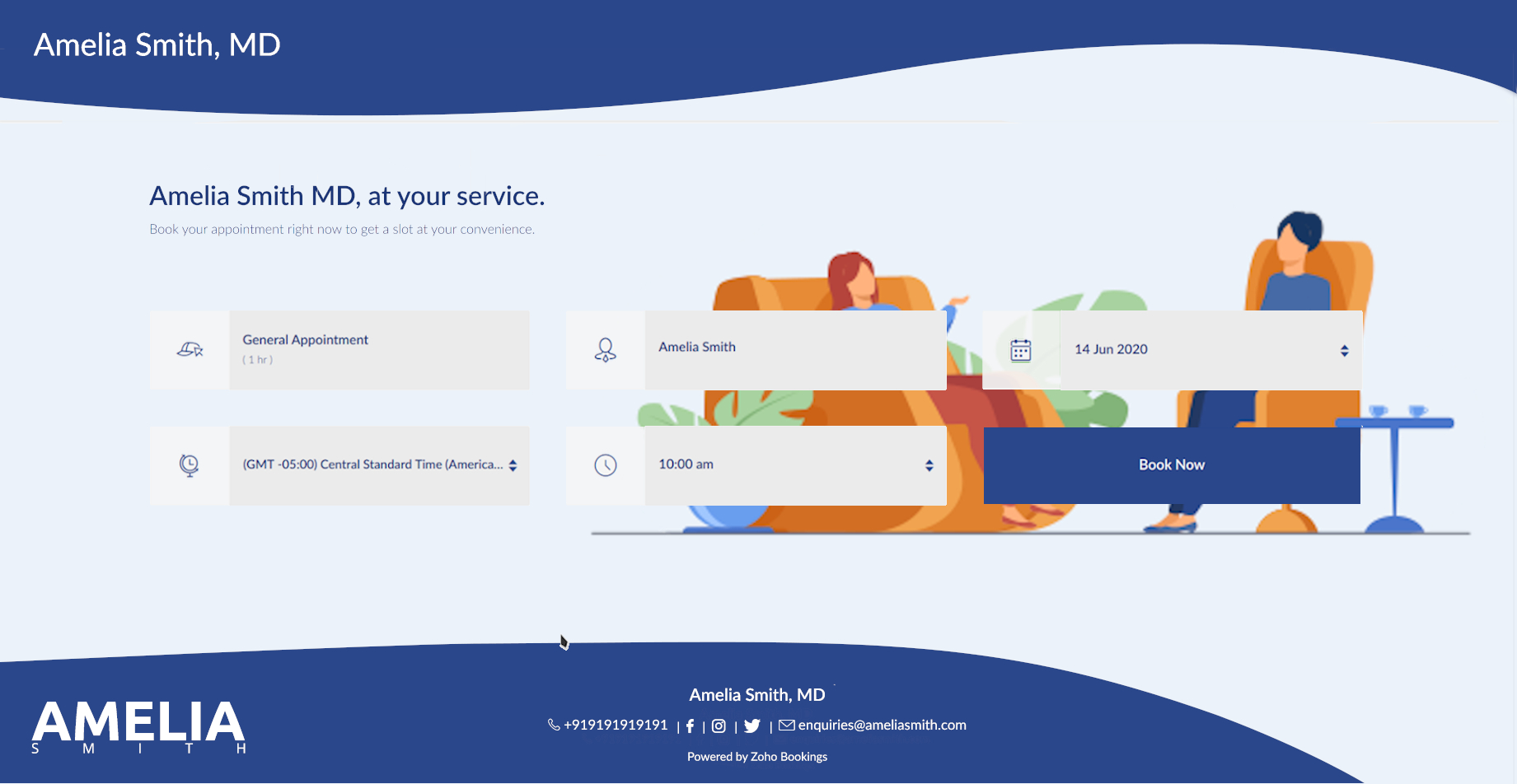
In this guide, we will have a brief look as to how you can do that for yourself without spending too much time and effort for something as important as this.
Do you really need an attractive appointment scheduling site for your company?
Psychiatrists provide a service to their customers that is intangible. Therefore, businesses that offer services like these need other ways to show their excellence in service quality.
In today's age, where every business has an online presence to stay relevant, you need to have one as well to compete with those in your industry. This is crucial as many even lose clients to those who make themselves more attractive to these clients on the internet.
Hence, in order to communicate to your clients about your quality in service and stay ahead of the competition in doing so, you need an attractive appointment scheduling site so that you show your business in the best way possible.
Certain rules and guidelines need to be followed while doing this. But why?
Every industry has certain designs and colors associated with them because that helps others communicate the feel of the products or services of that industry. Similarly, psychiatrists also need to follow a certain design language to help make the client feel safe and confident while deciding to obtain your service.
This is important because using a wrong design on your booking page can sometimes be disastrous to your business.
Additionally, you will also end up losing customers to your competition who have a more accommodating online presence than you. Therefore, doing every step the right way will help you make sure that you are in your best form on the internet. Be it the Motel Industry, Digital Marketing Agencies, Accountants or any other industry for that matter, having an attractive and good-looking appointment scheduling website can only work wonders for your business.
This guide gives an overview of what you need to know when designing your scheduling appointment page in your industry. If you need directions for every step of the process, we have a guide made for that very purpose.
All right, so, how should you go about making an appointment scheduling site?

As a psychiatrist, you cannot effectively show your service visually on your booking page.
Instead, your focus should be on how the client should feel when they are on your booking page. A pleasant and calming theme will help with this. Additionally, you can also provide any information on the booking page that the client should know about before scheduling an appointment with your practice.
This way you can make sure that the client has everything that they need right from the site without having to look elsewhere for it. This makes it convenient for them and they will appreciate such a thought from your site to do so.
The best place to start is your background image.
You need to get an understanding of how your booking page will look like at the end to get going with designing. To assist with this, you should search for ideas from other websites or booking pages from your industry.
While you can choose whatever color you want, we will encourage you to choose a color that makes reading the text on top of it easier.
White or whitish colors are typically the best options in this respect. This allows us to hold the reader's focus to the text rather than to the design, while at the same time complementing it, which is what we want on our website.
If you would rather go with a darker color in nature, make sure that the color allows the text to be read easily on top, which should have a contrasting color.
You can also go with an image if you like. Try to pick an image that has lots of whitish shades that dominate the photo for the reasons we have just been talking about, if that is the option you would like to go ahead with.
Let us assume that, for the purposes of this tutorial, you choose white as the primary color. Now that we are going to use one color in the color scheme that we have defined; we have got to include another color that can be included with white.
The benefit of having a color based on white in a color scheme is that it can be used in combination with virtually all colors. How would we choose the second one for our scheme as there are too many colors to choose from?
Another look at some of the popular websites or pages to book can help. You may also check on the internet for paint combinations for your primary color and choose one that looks pleasant and soothing. Many companies have a color scheme that they use for their websites on a regular basis and that is where you need to choose the color. Given the combination of these two colors, try looking for a background image that incorporates these very well.
That is because it gives your booking page a rather pleasant and appealing feel as this color scheme is heavily used on all elements of your booking page. An exception to this is that if you do have a website that uses a certain color scheme, it would be easier to stick to it precisely if the organization exclusively follows the design language.
You can even use photos which you have from your practice. If not, pictures from websites such as Shutterstock and 123rf can be checked for pictures provided for this particular reason or you can also look for royalty-free pictures from other websites.
Make sure that the picture you choose is not too cluttered with topics, because on the booking page you can see clearly the text that will fall across it. If you want to add the logo to the background in place of the website's default logo on the top left corner, please keep in mind that for this purpose you may need to use applications such as Canva or advanced resources such as Photoshop.
Now that you have finalized your background picture, let us go through next color customization.
What about the other things on your site, then?
We had already discussed that the color scheme used in the page would be used on other elements as well. That is such that when it comes to visual design we are going to make sure the backdrop and the components go together.
When adding the same for both the text and the buttons, make sure the right color is applied which contrasts with the color below. For example, if the background color on the screen where the text is being filled is white, then the other color you have chosen in your color scheme will be the text color.
In addition, one should always ensure that the company logo used on the booking page also matches in well against the background for the same purposes.
Check the website after both of these have been completed by clicking the Go To button at the very end of the customization options to test if all is the way you need it.
Depending on this, you may then determine whether anything you have applied to the website needs to be changed or modified so it appears better than before.
The text on your site is probably the most powerful part.
The text on your booking page primarily consists of two lines and can be used according to your needs.
While others will use this to show phrases used to advertise their brand, others will use it to include specific instructions that should be taken into consideration while making appointments.
So when you book the appointments with your practice, your text on the page is really down to what your clients need to see. This space can also be used for subtle marketing using creative words.
Make sure customers understand the text clearly and quickly, and be knowledgeable of what they need to understand before scheduling their appointments.
Additionally, editing the picture will allow you to add it to the background content should you want to display additional text other than those two sections. For this scenario, make sure that the text is not applied to the image where the buttons overlap, and you can avoid the buttons on the booking page.
Keep in mind that the document's color will match the color you are using on the other text-based components to make sure the template is legible and consistent.
Is that everything that you need to do? Not quite!
Look at the top of the article to see how you have done what you desired. You can also ask others for opinions about your work, so you can get a different perspective on it.
We will recommend that you keep reviewing your page for any updates you make so that you can make further adjustments while continuing through the editing method.
Overall, you need to be sure that your booking page is not too cluttered, that it is beautifully appealing, and that it is readable to anyone who could use it very clearly. You should also ensure that all relevant details are provided with which the consumer should be informed before scheduling an appointment with your meeting room.
We hope that this guide has helped you! If in case you have any questions regarding this guide, let us know in the comments below.
Image Credits:
Access your files securely from anywhere
New to Zoho Recruit?

Zoho Developer Community
New to Zoho LandingPage?
Zoho LandingPage Resources
New to Zoho Survey?
New to Zoho CRM Plus?
Deliver unforgettable customer experiences
New to Zoho CRM Plus?
Deliver unforgettable customer experiences
New to Zoho Marketing Plus?
Everything you need to run your marketing
New to Zoho Marketing Plus?
Everything you need to run your marketing
New to Bigin?





Topic Participants
Akarsh Madhav
New to Zoho TeamInbox?
Zoho TeamInbox Resources
Zoho CRM Plus Resources
Zoho Books Resources
Zoho Subscriptions Resources
Zoho Projects Resources
Zoho Sprints Resources
Qntrl Resources
Zoho Creator Resources
Zoho CRM Resources
Design. Discuss. Deliver.
Zoho Show Resources

Get Started. Write Away!
Writer is a powerful online word processor, designed for collaborative work.
Zoho CRM コンテンツ
-
オンラインヘルプ
-
Webセミナー
-
機能活用動画
-
よくある質問
-
Ebook
-
-
Zoho Campaigns
- Zoho サービスのWebセミナー
その他のサービス コンテンツ
Nederlandse Hulpbronnen

ご検討中の方
Recent Topics
Can we do Image swatches for color variants?
We want to do something like the attached screenshot on our new zoho store. We need image swatches instead of normal text selection. We want to user to select an image as color option. Is this doable? I don't see any option on zoho backend. Please hCan Zoho Flows repeat Actions more than once?
I'm attempting to make an intentional Zoho Flow loop using the below layout. However, when "WithinLimit" condition is met, the program fails to execute the action "Get & Add Request Co..." again. Is this by design? Is Zoho Flows unable to repeat actionsVideo interviews not compatible on mobile
Hi Zoho, The 2-way video interview feature you have added to Recruit would be great if the candidate was able to use the link to the video on a mobile phone, it doesn't work on Samsung browser, it doesn't work on chrome/firefox mobile version of browser,What is the difference between Zoho Campaigns and marketing hub?
Zoho Campaigns is a permission-based email marketing tool for sending marketing emails and mass emails. Marketing Automation is a multichannel marketing automation tool that caters to organizations looking for tools to engage their users across multipleZoho Desk View Open Tickets and Open Shared Tickets
Hi, I would like to create a custom view so that an agent can view all the open tickets he has access to, including the shared tickets created by a different department. Currently my team has to swich between two views (Open Tickets and Shared Open Tickets).Unable to sort as Descending order
Trying to change the sort order for a lookup field (checkboxes) from Ascending to Descending and keep getting an error in Deluge that the order must be Ascending Did anyone ran into this? Thanks EyalChange of Blog Author
Hi, I am creating the blog post on behalf of my colleague. When I publish the post, it is showing my name as author of the post which is not intended and needs to be changed to my colleague's name. How can I change the name of the author in the blogs?? Thanks, RamananConsultant-Only Booking Page
Zoho Bookings does not allow for Meeting Type OR Workspace-Wide booking pages to be turned off. This is detrimental to organizations that have territory-based or assigned accounts, because if prospects can go to these booking pages and either select theZoho Desk API - Influence which layout is used
Hello, how can the ticket layout be changed using the API? I would like to choose the layout directly when creating the ticket. If this is not possible, my question would be how can I change it afterwards? Best regards, SvenHas CSS Changed for Common Elements?
I noticed today that the standard title headings on my Forms and Reports display smaller in size than before. Google Dev Tools (attached), seems to confirm my suspicion. Something appears to be overriding the 1.375rem to 1.125rem. The font size on theText field alignment
Is it possible to align text in the text field? Or even better, is there a possibility to have a field which accepts only numbers?email moderation issue when email is sent in the name of a mail group
Symptom: an email that is sent by a mail group moderator in the name of a moderated mail group is held back for approval. Reproduction: Create a moderated mail group with members and moderators. Allow that mails can be sent in the name of the group (extendedPipeline in Custom Modules
I love the way the Sales Pipeline looks and functions with reports. I would like to add the save pipeline features and visualization to a custom module, however, I only see that these pipelines are only available for the Deals module. Is there a way to add pipelines to custom modules?Duplicate customers being created in Desk
Hi I've trying to work out why I've getting duplicated customers being created in my desk. I have an external booking system that generates an email when I get a customer booking a job. A booking email gets sent to Desk where I manage the booking andTip #53- Remote Billing: Your End-to-End Billing Solution in Zoho Assist- 'Insider Insights'
Manual invoicing, after every remote support session, can be time-consuming and often error-prone. As an MSP, IT admin, or even a freelance support technician, it may become overwhelming to keep track of session time, service rates, and client invoices.Record history and ticket interaction tab in contacts and accounts
Hello everyone! We have improved the History tab to help users trace updates in the interaction activity logs of the Contacts and Accounts detail pages in the Customer Module. This enhancement make it easier to get clear details about who made each update,sync views to sheet
Im looking to sync my views aka reports in analytics to zoho sheets, when data is updated in analytics it also should be updated in sheets, till now zoho sheets only offer raw data connection and it is not enough as these reports are difficult to re-doIs there an API to "File a Ticket" in Desk
Hi, Is there an API to "File a Ticket" in Desk to zoho projects?Keyboard UX for Assemblies
The new Assembly module has a counter-intuitive behavior that ought to be corrected. When an Assembly is ready to be entered, there are two options given, the blue-highlighted "Assemble" and the gray "Save as Draft". This correctly implies that the normalMapping a new Ticket in Zoho Desk to an Account or Deal in Zoho CRM manually
Is there any way for me to map an existing ticket in Zoho desk to an account or Deal within Zoho CRM? Sometimes people use different email to put in a ticket than the one that we have in the CRM, but it's still the same person. We would like to be ableCliq iOS can't see shared screen
Hello, I had this morning a video call with a colleague. She is using Cliq Desktop MacOS and wanted to share her screen with me. I'm on iPad. I noticed, while she shared her screen, I could only see her video, but not the shared screen... Does Cliq iOS is able to display shared screen, or is it somewhere else to be found ? RegardsHow to Move Behavior, Acquisition, Polls & Forms Data from Zoho PageSense to Zoho Analytics?
Hi Zoho Community, I'm looking for a way to transfer data from Zoho PageSense to Zoho Analytics, specifically: Behavioral data (clicks, scrolls, heatmaps, etc.) Acquisition data (traffic sources, campaigns, etc.) Polls and forms data As far as I can tell:Why can't I see images uploaded by other users in the Library for Campaigns
We are several users of zoho Campaign. I have uploaded visuals of our company, but my team members can't see them.zoho sheet stuck
I Need help. ZOHO sheets stuck on the loading screen. I've already deleted the system cache and cookies of my browser (google chrome) but it's still not opening.Tip of the Week #78 – Cut response time with multichannel shared inboxes
If you’ve ever felt your team juggling between multiple email accounts, social pages, and chat apps just to reply to customers, you’re not alone. Managing conversations in multiple channels can quickly turn messy. Important messages across inboxes, repliesNeed a way to run a client script longet than 10 seconds
By The Grace of G-D. Hi, Currently, Client Scripts are Timing out at 10 seconds. We have complex logics that needs more time. Can you add a feature request to increase the timeout?Exciting Updates to the Kiosk Studio Feature in Zoho CRM!
Hello Everyone, We are here again with a series of new enhancements to Kiosk Studio, designed to elevate your experience and bring even greater efficiency to your business processes. These updates build upon our ongoing commitment to making Kiosk a powerfulFSM Improvement Idea - Show an Import button when there is no data
I am setting up FSM for a client and I noticed that there is no option to import data, see screenshot below. Even when you click Create Contact there is only an option to Import from Zoho Invoice. It is only after you add at lease 1 record that the ImportUnable to Send Different Email Templates for Different Documents in Zoho Sign
Hello Zoho Community, I am facing a limitation with Zoho Sign regarding email notifications sent to customers when a document is sent for signing. Currently, whenever I send any template/document for signing, the email notification that goes to the customerTimeline Tracking Support for records updates via module import and bulk write api
Note: This update is currently available in Early Access and will soon be rolled out across all data centers (DCs) and for all editions of Zoho CRM. The update will be available to all users within your organization, regardless of their profiles or roles.UI Improvement - Ability to Collapse Flow
The UI for Flow is generally pretty good. However, when multiple decision trees are used, the layout can get pretty convoluted and hard-to-follow (see one of my Flows below): In these cases, even the auto-arrange fails to make this something that a normalTasks Statuses
Hi, The task status "Completed" is a final status which closes the task. We need to have a status "Cancelled". However, when the status is set to "Cancelled", the task prompt still has a blue button to Close Task. When the customer clicks that and closesAdd Lookup Field in Tasks Module
Hello, I have a need to add a Lookup field in addition to the ones that are already there in the Tasks module. I've seen this thread and so understand that the reason lookup fields may not be part of it is that there are already links to the tables (Create New Tasks Layout in CRM
I am able to do this in Leads, Contacts, Meetings, Calls - every other module, but cannot create a new layout in tasks. I have the appropriate access but it's simply not appearing as an option. Only "Standard" option shows. Please help!Whatsapp Connection Status still "Pending" after migration
Hello, I migrated my WhatsApp API to Zoho from another provider a day ago. So far the connection status is still “Pending”. There is a problem? How long does it usually take?Using IMAP configuration for shared email inboxes
Our customer service team utilizes shared email boxes to allow multiple people to view and handle incoming customer requests. For example, the customer sends an email to info@xxxx.com and multiple people can view it and handle the request. How can I configureAuto-sync field of lookup value
This feature has been requested many times in the discussion Field of Lookup Announcement and this post aims to track it separately. At the moment the value of a 'field of lookup' is a snapshot but once the parent lookup field is updated the values diverge.Zoho Recruit Subscription
Hello Zoho Recruit Team, Good day! I would like to inquire about your recruitment subscription plans and would also like to verify the current subscription our company is enrolled in under Zoho Recruit. Thank you, and I look forward to your response.Keyboard shortcut M key
I'm trying to customize my keyboard shortcuts and assign the "m" key. But it says the key is already assigned. I've looked through all my shortcuts and can't see any assigned "m". When I select an email and press the M key, nothing happens. What is theIs it possible to create a meeting in Zoho Crm which automatically creates a Google Meet link?
We are using Google's own "Zoho CRM for Google" integration and also Zoho's "Google Apps Sync" tools, but none of them provide us with the ability to create a meeting in Zoho CRM that then adds a Google Meet link into the meeting. Is this something thatNext Page