Zoho Inventory - Walkthrough

Zoho Inventory is an important part of Zoho's suite of applications, particularly designed for small to medium-sized businesses. It is a cloud-based tool and includes an application for both Android and iOS devices. Besides being exceptional inventory management software, Zoho inventory integration offers multichannel selling, order management, good reporting options, warehouse management, etc.
It is all these qualities that make Zoho Inventory perfect for retailers who have both an online and a physical retail store. Zoho inventory management software is a great option for retailers who sell their products on a global scale because it streamlines everything for these retailers and makes business operations easier.
With both a mobile application for instant changes and an extensive range of desktop applications, the Zoho inventory is an extremely smart choice for the purpose of inventory management. It facilitates great management of inventory across various warehouses and also allows end-to-end tracking. If you are a retailer who is trying to find a dependable solution for managing inventory across multiple warehouses or know someone like that then Zoho inventory can help immensely.
In this blog, we will go through a complete walkthrough of the Zoho inventory to understand the tool much better.
Creating an Account

Zoho Inventory is a web-based application that works best and supports the latest versions of the browsers such as Mozilla Firefox, Safari, Edge, Google Chrome, etc. There are two common ways in which you can sign up for the Zoho Inventory. If you already have an existing Zoho account then you can proceed with that and if you don't then the best probable way to move ahead is by going ahead with a new sign-up.
For a new sign-up, the first and foremost requirement will be to sign up for the 14 days free trial period. This period will enable you to test the product and use all its features included in the professional plan of the Zoho Inventory. You have an option of upgrading to either of the paid plans during or after the trial period.
To go ahead with a new sign-up for the Zoho Inventory, take the following steps:
- Log in to the Zoho Inventory website.
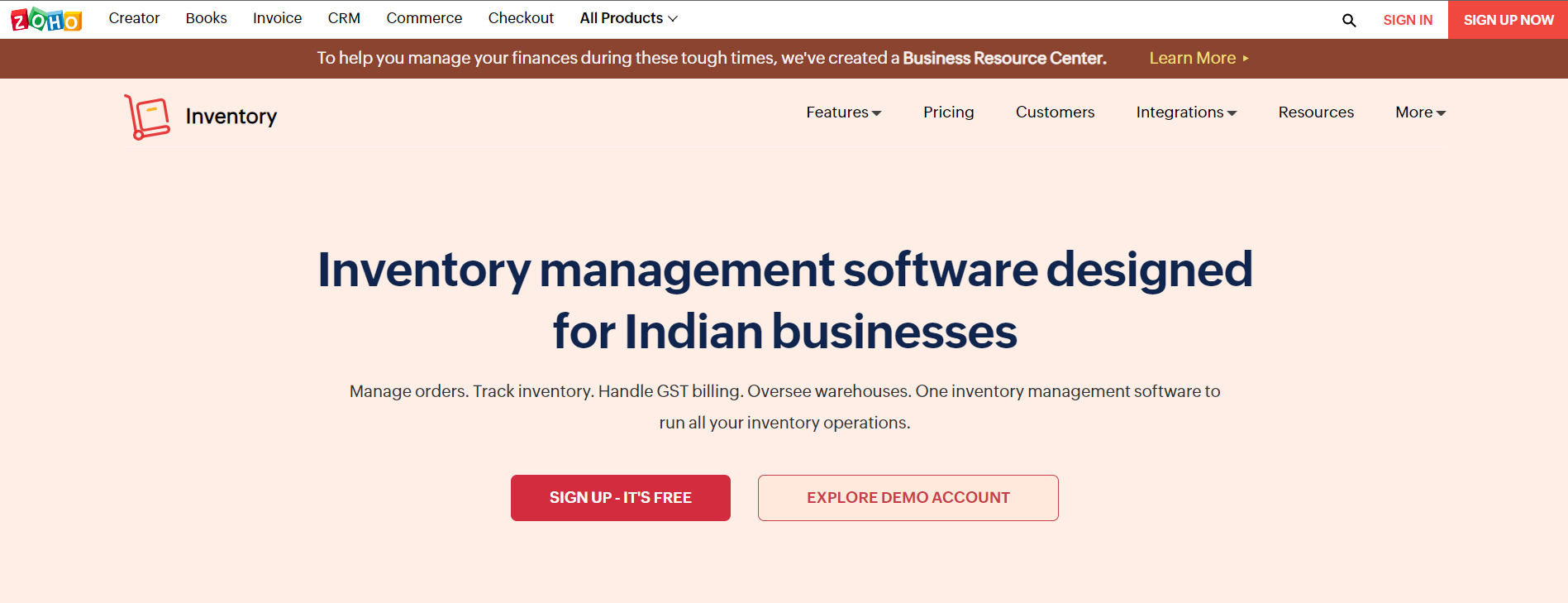
- Click on SIGN UP NOW. You can find this button in the top right corner of the page.
- Enter the company's name because that will be the organization's name in the Zoho Inventory.
- Make sure that you enter a regularly used email address and a strong password. This will act as your login credential.
- Choose a country in which your company is located.
- Mention the phone number for authentication purposes.
- Click on SIGN UP to complete the process so that you can be navigated to the organization details page.
Zoho Inventory Quick Setup
Set up your organization details. When you sign up for the Zoho Inventory management software, you are going to be redirected to the organization details page that will ask you to enter some basic information about your business. On this page:
- The portal name is going to be auto-generated. In case you wish, you have an option to suit this name according to your business needs.
- You can now choose the industry type and enter the complete address of your organization
- Choose the currency so that it serves as a base currency for all future transactions and cannot be edited later.
- Now select the time zone of your company's location
- For comparing the setup, click on the Click to Finish button so that you can be logged in and redirected to the Zoho Inventory organization.
Setting Up Data
After signing up for the Zoho Inventory and setting the organization details, you can also set up all the data and manage your business in the right way. To get started, follow the steps mentioned below. It is also highly recommended that the steps should be followed in this order only for a better start-up process.
- The first step is to update the organization details. You can configure the organization details, upload the brand logo, and add significant information for completing the organization's profile.
- The next step is to create and import the items. Click for loading your item details into the Zoho Inventory.
- The third step is to make purchases. It is about purchasing stocks from different vendors.
- The last and final step is to sell the products. Create sales orders for your customers and learn more about them.
Joining an Existing Zoho Account
In case you are already using one of the Zoho Finance apps such as Zoho Books then you can sign into the Zoho Inventory with similar credentials. Here are the steps that you should follow:
- Log in to the Zoho Inventory website.
- Click on the SIGN IN button that you can find on the top right corner of the page.
- Begin to enter your Zoho Credentials.
- After you sign in to the website, you are going to be redirected to a page that mentions all organizations that you are a part of in different Zoho Finance Apps.
- Choose from any of the existing organizations for which you wish to create a Zoho Inventory organization.
- Finally, click on the Join Organization button at the bottom of the page and go ahead.
This will let you set up a new organization with a similar name as the selected organization almost immediately in Zoho Inventory so that all the data can be synced easily with the existing organization.
Sign-up to Zoho Inventory
In case you have already signed up for the Zoho Inventory, from the next time ahead you will be able to directly sign in with the help of your registered email address. For signing in:
- Go to the Zoho Inventory website
- Now click on the Sign In button that is there in the top right corner of the window.
- Enter the right email address and password and go ahead.
- Click Sign in and you will be logged into the Zoho Inventory
- In case you have also configured two-factor authentication, you can enter the One Time Password sent to your mobile phone.
- Check the verify code.
- In case you have not configured the two-factor authentication and wish to do the same then click on Manage TFA to do the same.
Zoho Inventory

- Dashboard: The main purpose of the dashboard in the Zoho inventory management software is to give information on what all transactions were doing so far. It will contain an inventory summary, product details such as all items, item groups, low stock items, unconfirmed items, sales activity, etc. It is basically like a home page and the very first thing that you are going to see when you log into your Zoho Inventory account. Its main purpose is to give you a clear picture of all the sales completed by a company and stock summaries as well such as sales orders generated by far, stock purchased from a vendor for the selected period, top-selling items, etc.
- Sidebar: The sidebar is to access all modules of the Zoho Inventory. It enables the creation of transactions like sales orders and invoices from the Sales modules and it also helps in recording the transaction such as receives and bills from the Purchases module.
- Recent History: With the help of recent history, you can view the recently visited transactions.
- Organization Name: Here you can manage and even change between different Zoho Inventory organizations.
- Quick Create: The Quick Create tab enables you to create new transactions for different modules almost instantly.
- Settings: This allows you to customize the Zoho inventory modules so that they become suitable for the business.
- Help and Support: You can get quick access to the user guide and also reach out to the support team with the help of this section.
- Notifications: Finally, notifications help in receiving all the important alerts on marketplace sync status, new product updates, and low stock updates.
Navigation in a Module
The module page of Zoho inventory management software is designed particularly to facilitate easy and simple transactions, filter them, navigate to the module settings, and perform other functions as well. It includes the following things:
- Page Filters: With the help of this option, you can filter any data in the modules based on the present criteria. This also allows you to create your own filters.
- Collapse Button: This button is for collapsing the sidebar and providing more space to navigate within the modules.
- Creation Button: The creation button helps in creating transactions, contact, and also an item based on the module in which you might be tagged.
- Action Buttons: This button helps in performing various actions on the transactions that are specific to different modules.
- Search: You can look up items, different transactions, and contacts in the search bar.
- Hamburger Icon: It helps in sorting the modules based on factors such as created time and last modified time. This icon also helps in importing and exporting the data regardless of the respective modules. Furthermore, you can also generate the respective module preference page from this icon.
Conclusion
It can be easily said that Zoho Inventory is one of the best-suited tools for retailers and online merchants. It is a scalable tool with four plans while also including a free plan.
If you are a retailer or know one who might be interested in the Zoho inventory integration then get in touch with the expert team of Encaptechno. We can help you from beginning to end until you start to see tangible results because of the Zoho Inventory implementation.
Access your files securely from anywhere
New to Zoho Recruit?

Zoho Developer Community
New to Zoho LandingPage?
Zoho LandingPage Resources
New to Zoho Survey?
New to Zoho CRM Plus?
Deliver unforgettable customer experiences
New to Zoho CRM Plus?
Deliver unforgettable customer experiences
New to Zoho Marketing Plus?
Everything you need to run your marketing
New to Zoho Marketing Plus?
Everything you need to run your marketing
New to Bigin?





Topic Participants
Abhishek - Zoho Partner
Sticky Posts
Ask the Experts - Zoho Inventory #15: 7 hours of live discussion on the integration between Zoho Inventory and Zoho Desk
Hello all! Customer experience lies at the heart of business success. In this week's 'Ask the Experts - Zoho Inventory', let's discuss integrating Zoho Inventory and Zoho Desk for better customer experience. Zoho Inventory integrates with Zoho Desk to bring you the speediest communication with your customers. This integration helps you make sure that your customer service representatives and your sales team are always connected to your back office so they can immediately respond to order-relatedAsk the Experts - Zoho Inventory #13: 7 hours of live discussion on the integration between Zoho Inventory and Zoho Sign
Hello all! We are back with an important topic for discussion today on 'Ask the Experts - Zoho Inventory.' Let's discuss the integration between Zoho Inventory and Zoho Sign for e-sign capabilities for your organization. We're seeing a tremendous increase in e-signature requirements with most of our customers currently working from home. At the moment, the only workflow available in Zoho Inventory to handle this is to create an Invoice and get it signed digitally by your customers. Here are some
New to Zoho TeamInbox?
Zoho TeamInbox Resources
Zoho CRM Plus Resources
Zoho Books Resources
Zoho Subscriptions Resources
Zoho Projects Resources
Zoho Sprints Resources
Qntrl Resources
Zoho Creator Resources
Zoho CRM Resources
Design. Discuss. Deliver.
Zoho Show Resources

Get Started. Write Away!
Writer is a powerful online word processor, designed for collaborative work.
Zoho CRM コンテンツ
-
オンラインヘルプ
-
Webセミナー
-
機能活用動画
-
よくある質問
-
Ebook
-
-
Zoho Campaigns
- Zoho サービスのWebセミナー
その他のサービス コンテンツ
Nederlandse Hulpbronnen

ご検討中の方
Recent Topics
Zoho OAuth Connector Deprecation and Its Impact on Zoho Desk
Hello everyone, Zoho believes in continuously refining its integrations to uphold the highest standards of security, reliability, and compliance. As part of this ongoing improvement, the Zoho OAuth default connector will be deprecated for all Zoho servicesOn Zoho Flow, Record deleted trigger from Zoho Creator
On creating flow in Zoho Flow, when we select app Zoho created, it provides 3 trigger options - Record created, Record updated and Record created or updated We need trigger on "Record Delete" as well, We have a use case to fire our system api if recordZoho Flow Switch On Not Working
I have created a flow which is when the mailbox address received the email that meet the condition will auto fetch the contact, account and finally create the ticket by using Zoho Desk. When I do a test and debug on my flow it work well as what I expectMS Teams Flow Integration Question
Where can I find the chat ID for the "Post message to chat" target?Zoho Flow - Access denied to recover recording from call module - OpenAI
Hi, I am trying to build a Flow to recover recoding when a new call is saved in my CRM. I have integrated my CRM with ringcentral and the recordings are saved in the event. Trigger: When new module entry Step 2: Fetch module entry (Zoho CRM says "permissionUnable to send price in big commerce from zoho flow.
I am creating a flow from zoho flow to create a product in zoho inventory and sending this to big commerce. But the problem is like when ever i send the price its getting error. it require decimal format value if i am sending ${trigger.sales_rate} theNot sending mail to new lead in zoho flow
I have created a flow in zoho flow and triggered an action to send email notification when the new lead is created but even after user entering the mail id the email is not going to themAccess query string from incoming webhook URL in Zoho Flow
I have a fairly straightforward use case, but cannot find anything conclusive on this subject. How can I simply access the query string of the incoming webhook request in Zoho Flow? I am attaching the Deal ID to the end of the request like: https://flow.zoho.com/762439902/flow/webhook/incoming?zapikey=1001.0dec2d7dd15080c464a13925275f0129.448c23ee219c545c89f5a178456cfc8b&isdebug=false&dealID=${Deals.DealUnable to access my Zoho forms account
For some days now, I haven't had access to my Zoho Forms account. I keep getting an error that says, "You are an inactive user in your organization" via the mobile app and "You don't have permission to access this organization" via the web. I was removedCustom Fonts in Zoho CRM Template Builder
Hi, I am currently creating a new template for our quotes using the Zoho CRM template builder. However, I noticed that there is no option to add custom fonts to the template builder. It would greatly enhance the flexibility and branding capabilities ifIdentify Unused Deluge Functions in Zoho CRM
Hello Zoho Support Team, I would like to request a feature that helps administrators identify unused or rarely used Deluge functions in Zoho CRM. Currently, Deluge functions are distributed across different areas, and there is no centralized overviewUser Automation: User based workflow rules & webhooks
User management is an undeniable part of project management and requires adequate monitoring. As teams grow and projects multiply, manual coordination for updating users & permissions becomes difficult and can give way to errors. User automation in ZohoUpdate on V2 API End-of-Life Timeline
Dear Users, Earlier this year, we shared the launch of the V3 APIs and requested users to migrate from the older V2 APIs by December 2025. We have received valuable feedback from our users and partners regarding their migration timelines. We are happyRun a workflow after record merge
Hello, We are wondering if there is a way to trigger a workflow after two records are merged? We have a sms service that use to text back and forth with Prospects and Contacts. To make it easy for our users, we automatically create them in this otherZoho Books' 2025 Wrapped
Before we turn the page to a new year, it’s time to revisit the updates that made financial management simpler and more intuitive. This annual roundup brings together the most impactful features and enhancements we delivered in 2025, offering a clearLive webinar | The Evolution of Zoho Show: 2025 Feature Recap
2025 has been a year of exciting updates and features for Zoho Show. From advanced design and formatting tools to smarter presentation delivery, enhanced collaboration, and AI-powered features—along with the launch of our desktop apps, Show has continuedBatch Tracking custom function
Hi fellow zoho users, We have our ecommerce site setup to shopify. I have some products I want to add batch tracking too, my only issue is that it breaks our shopify workflow (create sales order, invoice, payment, package) because it requires us to manuallyCompany Multiple Branch/ Location Accounting
Hi All, anyone know whether company can maintain their multiple Branch Accounting in Zoho Books. It will be chart of Accounts & Master Data will be same but different report available as per per Branch. Thanks & regards, Vivek +91 9766906737Is it possible to setup bin locations WITHOUT mandating batch tracking?
Hi fellow zoho users, I'm wondering if anyone else has a similar issue to me? I only have some products batch tracked (items with shelf life expiry dates) but I am trying to setup bin locations for my entire inventory so we can do stock counting easier.Support “Other” Option with Free Text in Dropdown Fields
Hello Zoho Bookings Team, Greetings, We would like to request an enhancement to the registration form fields in Zoho Bookings, specifically for dropdown fields. Current Limitation: At the moment, dropdown fields do not support an “Other” option that allowsInclude Suggested Articles in New Ticket Email
When someone creates a new ticket, is there any way to include recommended knowledge base articles (like the ones Zia Suggests) in the email notification to the user? When they're waiting for a reply, it would be nice to have sent them some recommendedMapping a new Ticket in Zoho Desk to an Account or Deal in Zoho CRM manually
Is there any way for me to map an existing ticket in Zoho desk to an account or Deal within Zoho CRM? Sometimes people use different email to put in a ticket than the one that we have in the CRM, but it's still the same person. We would like to be ableItem Bulk Edit - Allow for Reorder Level
We're implementing a process for using the Reorder Level field for Items, and I have to go through and add this value to a huge chunk of our Items. It's driving me bonkers that I have to do this individually through the UI rather than bulk updating. ItSharing my portal URL with clients outside the project
Hi I need help making my project public for anyone to check on my task. I'm a freelance artist and I use trello to keep track on my client's projects however I wanted to do an upgrade. Went on here and so far I'm loving it. However, I'm having an issue sharing my url to those to see progress. They said they needed an account to access my project. How do I fix this? Without them needing an account.StatusIQ
Please add StatusIQ to data sources. We using site24x7 and StatusIQ together and site24x7 integration is already there. Thanks and regards, TorstenWhy am I seeing deleted records in Zoho Analytics syncing with Zoho CRM?
I have done a data sync between Zoho CRM and Zoho Analytics, and the recycle bin is empty. Why do I see deleted leads/deals/contacts in Zoho Analytics if it doesn't exist in Zoho CRM? How can I solve this problem? ThanksZoho Flow + QuickBooks Estimates – Line items not created from CRM subform
Hi everyone, I’m trying to create QuickBooks Estimates from Zoho CRM Quotes using Zoho Flow. I’m aware that Zoho Flow’s native “Create Estimate” action does not support multiple line items, so I followed the community guidance for Invoices using a customSAP S/4 HANA Integration via ZOHO Flow
Hi How do I change the SAP Client ID while creating a new connection ? MY client ID is 421. I believe the client id should be an input field for length 3 numbers rather then a drop down to select from a fixed set of values. ThanksVLOOKUP FUNCTION PROBLEM
Hello, i have a problem with the VLOOKUP function in my sheet http://public.sheet.zoho.com/public/tonimoreno/indicemasacorporal2 in cell D2. This function doesn't work correctly and always returns the last content of the range. Can you help me?Zoho Flow Completely Broken?
Since December 13th, 100% of our flows have stopped working completely. Nothing is working or triggering??? I called support & sat on the line with them for 2 HOURS until they finally concluded it was a back-end problem on their end?? Now i'm callingPrint / Export full Dashboard page
Hello Zoho team, It is currently only possible to print/export one component of a dashboard at a time. Requesting the option to print/export a full dashboard page with all components to a pdf or picture. Doing through the browser doesn't give good results.emails duplicated in my outlook client
Hello I am just new here and I have a litle problem that I do not find how to solve. I sumarise here after. Your help would be very appreciated. I have just recently contracted this zoho mail servicesservices as an initial evaluation yesterday night. I then: - opened a free account - created 1 initial email address ..........@domain.com - created a second email address ..........@domain.com - proceeded with the config instructions (checking the ownership of my domain, changing MX etc... ) asHow to check task starting time in zoho mobile app?
I am using the Zoho mobile app on my iPhone, and I am not able to see the task's starting and finishing times. When opening the Task information / Details, I can only see the Task start date and due date, but not the time. Is there any way to check aCreating an extension in Sigma: Zoho CRM isn't selectable as a service
I have 2 Zoho accounts which are part of 2 different workplaces. One workplace is able to select 'Zoho CRM' as a service option when creating a new extension, the other one is not. I'm not sure what the exact differences are between them. What do I needList of packaged components and if they are upgradable
Hello, In reference to the article Components and Packaging in Zoho Vertical Studio, can you provide an overview of what these are. Can you also please provide a list of of components that are considered Packaged and also whether they are Upgradable?Domain Transaction
I have purchased a domain name called trainedworkforce.co.in I made the payment got the receipt but the domain is still not purchased after successful transaction .Knowledgebase SEO
We have a custom-domain mapped help center that is not restricted via login. I have some questions: a) will a robots.txt file still allow us to control indexing? b) do we have the ability to edit the sitemap? c) do category URLs get indexed by searchRouteIQ for Zoho FSM
Beste, Zou wel top zijn dat we een RouteIQ hebben voor FSM aangezien we constant moeten zien wat de beste route is voor onze monteurs. Nu moeten we een speciale aparte programma hebben om de beste route te berrekenen voor onze monteurs aangezien de planningExport Tickets from the Help Center
Hello everyone! We are now allowing end users to export tickets directly from the help center. The ticket export allows users to: Filter tickets by Department, Priority, and Account before exporting. Download files from Export History (Setup > Data administrationSuper Admin Logging in as another User
How can a Super Admin login as another user. For example, I have a sales rep that is having issues with their Accounts and I want to view their Zoho Account with out having to do a GTM and sharing screens. Moderation Update (8th Aug 2025): We are workingNext Page