Custom labels

 This page is applicable for Bookings 2.0 version only. To view the equivalent Bookings 1.0 version, please check this page.
Custom Labels allow you to rename the default terms used for Workspaces, Event Types, Users, Customers, and Resources throughout Zoho Bookings and on booking pages. They help align the product with your business terminology, making the booking experience more familiar for both users and customers. You can use Custom Labels when your organization follows industry-specific naming conventions, such as referring to Users as Consultants, Customers as Clients, or Resources as Conference Rooms.
1. How custom labels work
Custom Labels replace the default terms and icons used throughout Zoho Bookings and booking pages with personalized business-specific terminology. Once configured, the customized labels automatically appear across modules, notifications, settings, and customer-facing booking pages for a consistent experience.
For example, a financial consulting firm can rename Users as Consultants and Customers as Clients across the entire Bookings organization.
Who can access this feature? | |
Available on | |
Super admin and admins | Can set the custom labels |
All users | Can view the customized label throughout the product |
2. Steps to set custom labels
 Note: This label gets applied to your entire Bookings org.
- Click the Admin Center icon
in the top-right corner of the Bookings menu bar.
- Under Product Customizations, select Custom Labels.
- Click the Edit button on the right top.
- Enter the label suitable for your business. Under One, enter the singular form of the label, and under Many, enter the plural form. Info: The character limit for the labels is 50.
- Choose the appropriate icon that represent your business for Workspaces, Event Types, Users, Resources, and Customers and click Save.
Let's say, you've set the custom labels and icons as below.
Workspaces ---> Locations --->
Event Types ---> Consultations --->
Workspaces ---> Locations --->
Event Types ---> Consultations --->
Users ---> Consultants ---> 
Customers ---> Clients --->
Customers ---> Clients --->
Resource ---> Conference Rooms ---> 
Now the options in your Bookings will show the customized labels and icons. Note that in the below picture, the following terms have changed.
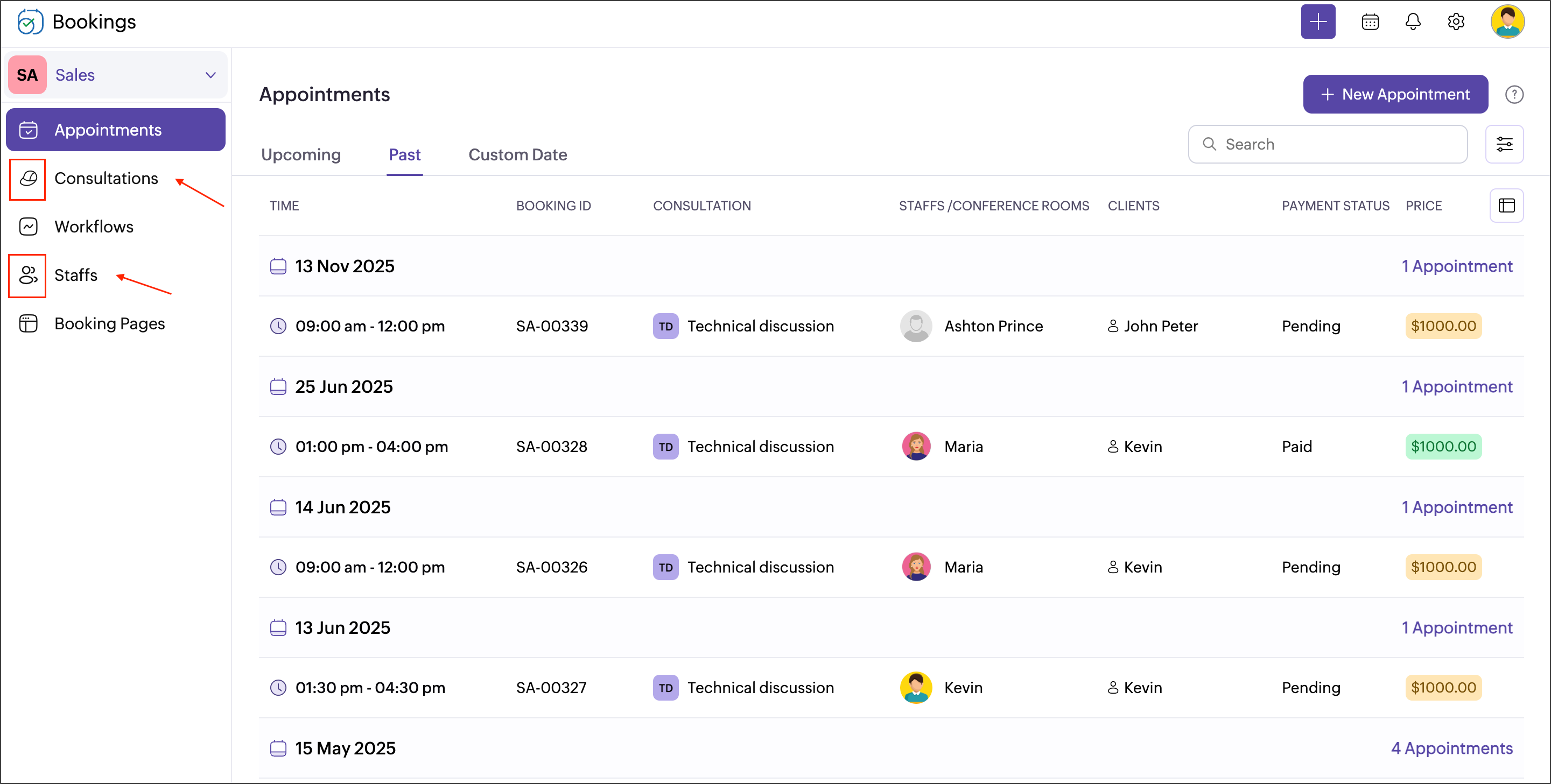
This will also be shown on the booking page when the customer books an appointment.
This will also be shown on the booking page when the customer books an appointment.
Related links