A decade together - Thank you for being a part of the journey with Zoho Social!

A decade together - Thank you for being a part of the journey with Zoho Social!

A decade ago, we started Zoho Social with a simple vision: to make social media management easier, smarter, and more impactful for your business. What began as a small idea has grown to a powerful platform that helps businesses across the globe reach their audiences through the most popular social media networks.

Over the years, we've managed to adapt to changing trends and the ever-evolving social media spectrum according to various industries. From our very first customer to our now-thriving community filled with people, this journey wouldn't have been as easy and fun without you, our beloved users.

From then to now

  • Launched in 2015 with a core focus on publishing and scheduling; broadened further into monitoring and social listening, measuring performance, AI-powered writing for social media, and collaborating with peers and customers
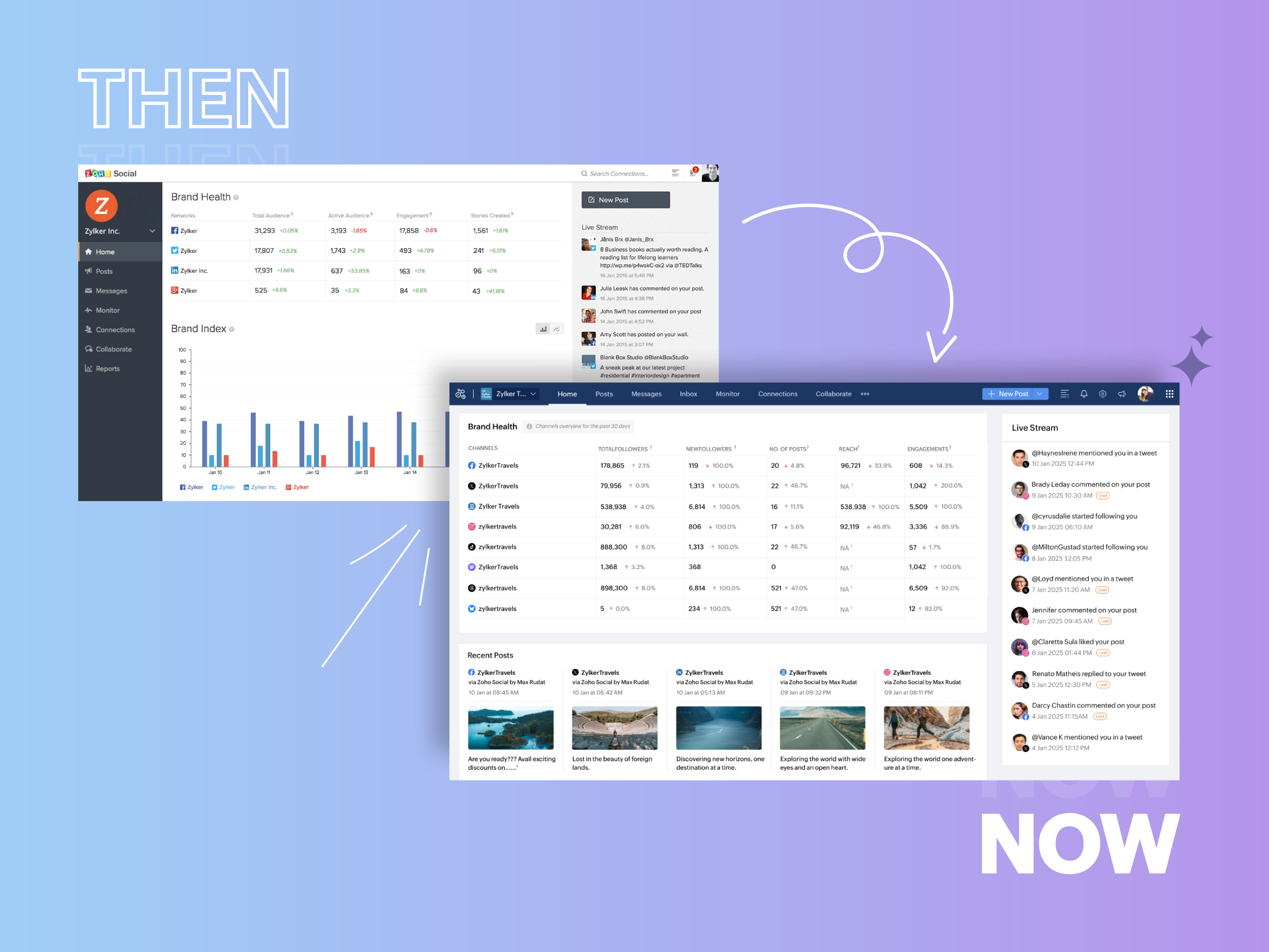


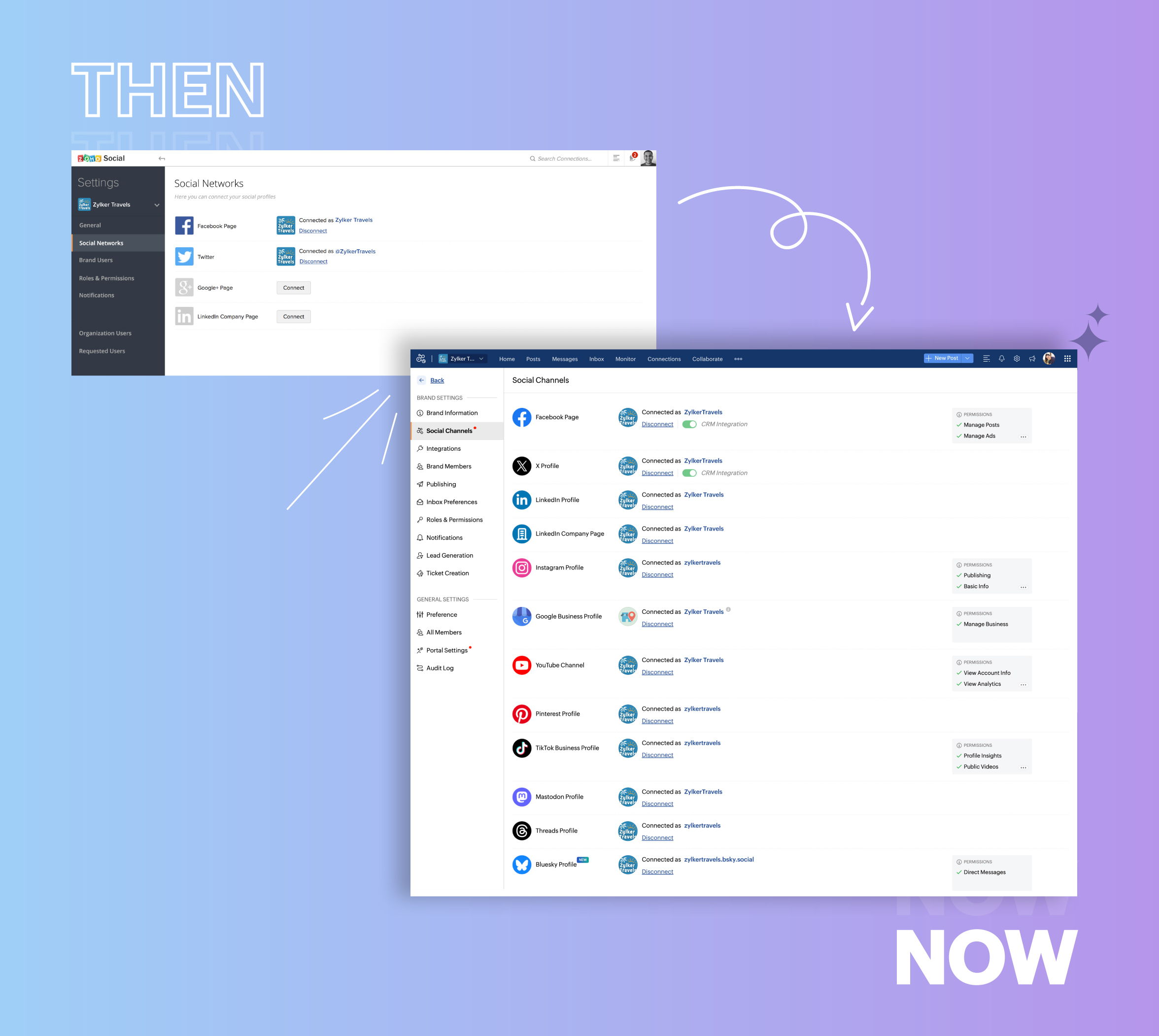
  • Expanded from four to 14 social media channels


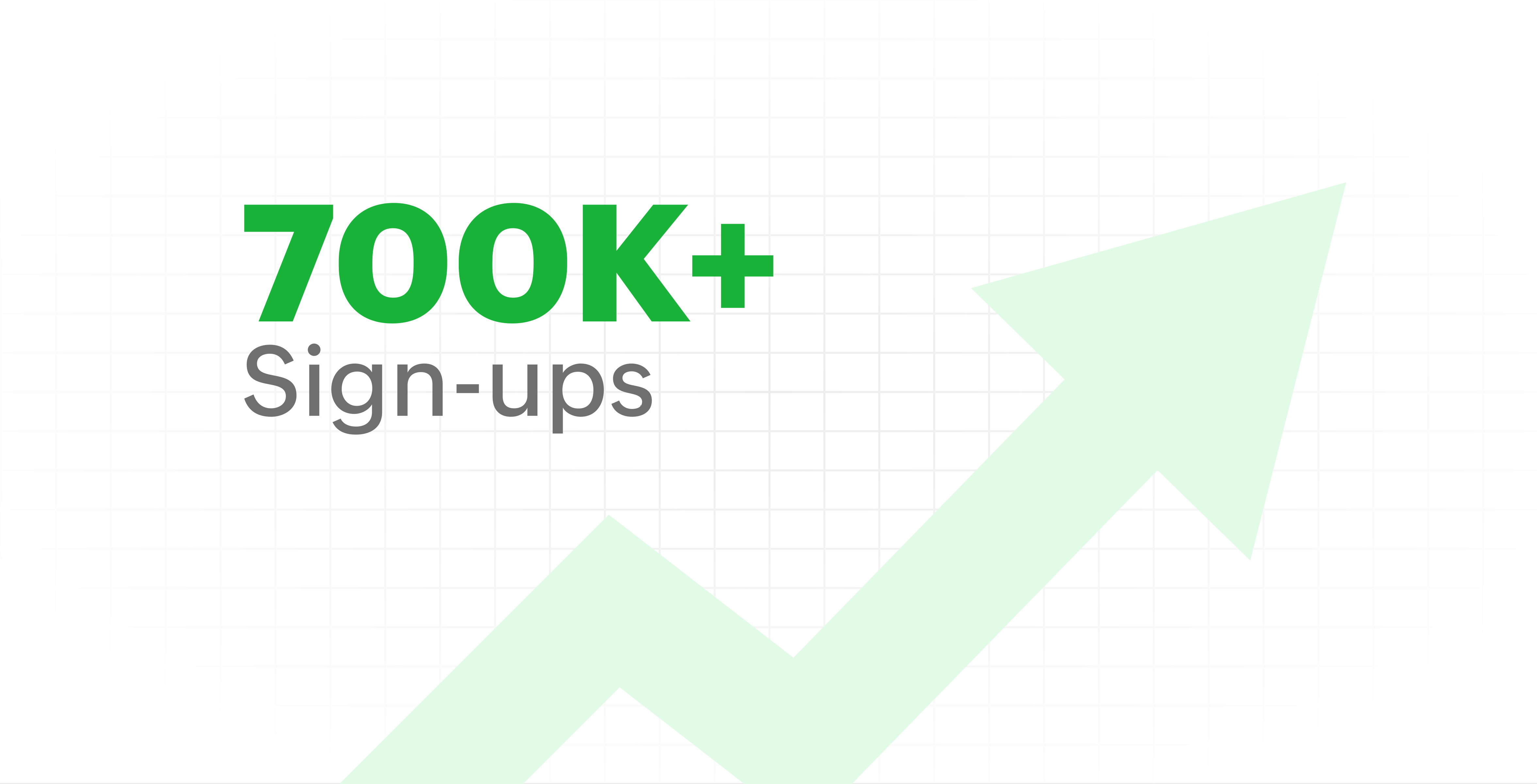
  • Grew from our first sign-up to 700k+ sign-ups


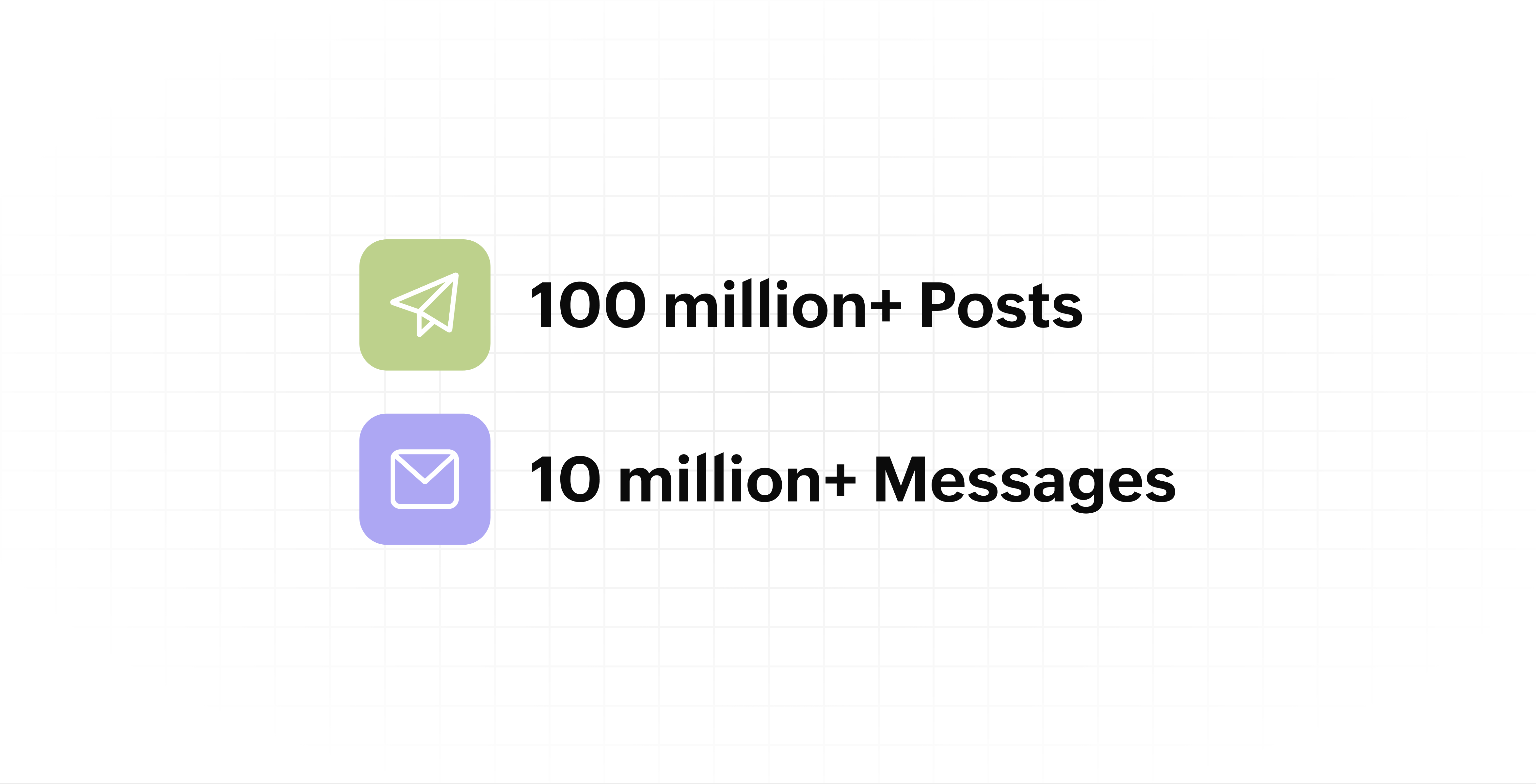
  • Processed and published 100 million+ posts with more than 24k posts published or scheduled in a day and 10 million+ messages

  • Evolved from a passionate team of eight who planted the seed to a dynamic family of 55, carrying our vision forward.


Our top 10 features from the past 10 years

2015: Launch of Zoho Social

Zoho Social was launched with publishing, scheduling, collaborating, and performance analysis features. Further, in the same year, more features like bulk scheduling were introduced to make it easier for businesses to handle their social media channels and engagement while they're away.

2016: Addition of Instagram and integration with Zoho CRM

Instagram, one of the most popular social media channels being used by businesses, was added to Zoho Social. Brands started leveraging this space to be a part of a visual storytelling experience and connect with their customers and prospects.

The first ever method to track the ROI from social media marketing efforts was introduced on Zoho Social through the Zoho CRM integration. The process of lead generation and measuring output became easier via automation and defining rules for lead forms and social media interactions.

2017: Zoho Social for agencies

Zoho Social for agencies – a new edition of the product – was introduced, catering to agencies handling the social media accounts of multiple clients. With Social, agencies could use bulk-scheduling, lead generation automation, and advanced analytics to handle their clients' data efficiently and deliver better results without the chaos.

2018: Zoho Social's integration with Zoho Desk and the introduction of Google Business Profile

Zoho Social's integration with Zoho Desk took customer service to a whole new level. Being able to convert social media mentions and queries from customers directly into tickets helped businesses bring their support and marketing teams together on one platform, while ensuring that not a single query was missed.

Google Business Profile was added to Zoho Social, helping businesses onboard their listings and stay competitive in their local market. Reviews and questions could be monitored and answered easily, providing more credibility and assurance to customers and prospects.

2019: Improved analytics dashboard

The entire Reports dashboard was re-imagined with advanced individual cards for specific networks. Customized dashboards could be built with a dynamic date range, and they could be shared and scheduled to be sent out regularly to members of the team or clients. These analytics gave businesses and agencies a holistic view of how their social media channels are performing, and gave them chances to improve wherever required.

2020: UI enhancements to make the tool look more engaging and user-friendly

As the world was battling to survive through some of the worst times we'd all faced, Zoho Social was being fine-tuned to help businesses easily go remote without any hassle. With the motive to brighten things up and make it easier to navigate, Social was made more colorful while drop-downs and re-arrange options were introduced to allow quick shuffling between brands and channels.

2021: Introduction of Canva and YouTube

Designing social media posts became a lot more interesting with the introduction of Canva. With its numerous templates, graphics and add-on elements, Canva on Zoho Social made it easier for businesses to design their images and share them instantly to their social channels.

With video content being consumed excessively by consumers, YouTube was added to Zoho Social for businesses to leverage the trend and make their channels more engaging. The analytics helped businesses understand how their videos were being received and improve their strategy to hold their customers' attention for a bit longer.

2022: Addition of Pinterest, TikTok, and Image editor

As social media consumers kept growing, so did the channels. Zoho Social kept up with the pace and introduced Pinterest and TikTok for businesses to widen their horizon and reach a vast audience with diverse content tailor-made for each social platform.
Image Editor was introduced to edit and make images enhanced and suitable for all the supported social channels.

2023: Zia's integration with OpenAI and introduction of Mastodon and Inbox

With AI-driven enhancements and technology taking the lead, Zoho Social introduced the OpenAI integration. With this, users could make use of Zia, the AI-powered writing assistant, to help generate content for their channels.

Mastodon started gaining popularity as the decentralized platform that would help businesses create and nurture a community, so Zoho Social swiftly added this to the list of channels to make the job easier.

Inbox, a single dashboard to manage and respond to all interactions across all social media channels, was introduced. Brands would never miss any single mention because of the assignment rules and priority levels that could be added to each interaction.

2024: Introduction of Threads, WhatsApp, and Telegram

Threads, WhatsApp, and Telegram business accounts were introduced on Zoho Social, taking the list of channels supported to the current number of 14. This made Zoho Social bigger, better, and a one-stop solution for businesses to take care of all their social media needs.

What's next?

The next decade is all about automation, better audience insights, and integrations that simplify your social media management. We’re working on exciting new features that will help you scale, engage, and grow your brand like never before.

We'd like to thank you immensely for being a part of our incredible journey and this community! Your support, feedback, and trust have helped shape Zoho Social into what it is today. We hope to have you with us in the journey ahead.

Thank you

Zoho Social

    Access your files securely from anywhere

        All-in-one knowledge management and training platform for your employees and customers.


                              Zoho Developer Community


                                                    • Desk Community Learning Series


                                                    • Digest


                                                    • Functions


                                                    • Meetups


                                                    • Kbase


                                                    • Resources


                                                    • Glossary


                                                    • Desk Marketplace


                                                    • MVP Corner


                                                    • Word of the Day


                                                    • Ask the Experts


                                                              • Sticky Posts

                                                              • Introducing Inbox in Zoho Social

                                                                Hey everyone, We are excited to introduce the Inbox in Zoho Social to help manage all social media interactions from Facebook, Instagram, X (formerly Twitter), Google Business Profile and YouTube for your brand in one place. You can track and assign them
                                                              • A decade together - Thank you for being a part of the journey with Zoho Social!

                                                                A decade ago, we started Zoho Social with a simple vision: to make social media management easier, smarter, and more impactful for your business. What began as a small idea has grown to a powerful platform that helps businesses across the globe reach
                                                              • Advanced statistics for LinkedIn page, posts and monitor @mentions in Zoho Social

                                                                Hello everyone,   We've made enhancements to the Monitor, Reports tabs, and Post Stats for the LinkedIn channel in Zoho Social, so we wanted to briefly share some information about the updates. Monitor LinkedIn mentions  LinkedIn is one of the most popular
                                                              • Introducing advanced statistics for all your social media posts

                                                                When you're publishing on social media, it's important to understand how the audience engages with your content. This insight helps you come up with ideas for different types of content and also identify the social media channel that's most effective
                                                              • It's here! A Publishing Calendar to give you better view and more control over your posts.

                                                                Hello!   Just a couple of days back my colleague Vishal announced that you can now do more on Twitter with the Advanced Search Filters, along with a bunch of other cool stuff. I hope you got a chance to check it out.  In fact, I'm itching to you tell you all about the latest updates we have lined up, but I'd rather give you doses of excitement every week to last until the very end. ;) Alright, I hear you. That's enough tease for the day.  Here we go! Introducing... an all-new Publishing Calendar,


                                                              Manage your brands on social media


                                                                    Zoho TeamInbox Resources


                                                                        Zoho CRM Plus Resources

                                                                          Zoho Books Resources


                                                                            Zoho Subscriptions Resources

                                                                              Zoho Projects Resources


                                                                                Zoho Sprints Resources


                                                                                  Qntrl Resources


                                                                                    Zoho Creator Resources


                                                                                        Zoho CRM Resources

                                                                                        • CRM Community Learning Series

                                                                                          CRM Community Learning Series


                                                                                        • Kaizen

                                                                                          Kaizen

                                                                                        • Functions

                                                                                          Functions

                                                                                        • Meetups

                                                                                          Meetups

                                                                                        • Kbase

                                                                                          Kbase

                                                                                        • Resources

                                                                                          Resources

                                                                                        • Digest

                                                                                          Digest

                                                                                        • CRM Marketplace

                                                                                          CRM Marketplace

                                                                                        • MVP Corner

                                                                                          MVP Corner


                                                                                            Design. Discuss. Deliver.

                                                                                            Create visually engaging stories with Zoho Show.

                                                                                            Get Started Now


                                                                                              Zoho Show Resources

                                                                                                Zoho Writer

                                                                                                Get Started. Write Away!

                                                                                                Writer is a powerful online word processor, designed for collaborative work.

                                                                                                  Zoho CRM コンテンツ


                                                                                                    Nederlandse Hulpbronnen


                                                                                                        ご検討中の方


                                                                                                                • Recent Topics

                                                                                                                • Support Bots and Automations in External Channels

                                                                                                                  Hello Zoho Cliq Team, How are you? We actively use Zoho Cliq for collaboration, including with our external developers. For this purpose, external channels are a key tool since they work seamlessly within the same interface as all of our other channels
                                                                                                                • How To Implement an Auto-Check-out Feature for Attendance?

                                                                                                                  If an employee forgets to check out, the system should automatically check out the employee at 6:30 PM
                                                                                                                • Automate the file import step

                                                                                                                  Hello everyone, I have a Sales - 'Account' category, and currently import the file to update it as follows: Import Accounts - From File - Update existing Accounts only - select and match the field the CRM. Since we have been using Microsoft 365 SharePoint.
                                                                                                                • Set Default Status of Assembly to "Assembled" When Entered in UI

                                                                                                                  I've just discovered the new "confirmed" status of Assemblies within Inventory. While I understand the intent of this (allowing for manufacturing planning and raw material stock allocation), it was initially confusing to me when manually entering some
                                                                                                                • Sender Email Configuration Error.

                                                                                                                  Hello Team, Hope you are all doing well. We are in the process of creating the Zoho FSM environment in the UAE. When we try to add the sender email address “techsupportuae@stryker.com”, we receive the error message: “Error occurred while sending mail
                                                                                                                • Share saved filters between others

                                                                                                                  Hi, I am in charge to setup all zoho system in our company. I am preparing saved filters for everybody, but the only one can see its me. How can others see it? Thanks
                                                                                                                • Webinar Alert: Learn how to decode your landing page performance with analytics

                                                                                                                  Every click, scroll, and drop-off tells a story. Are you listening? Join our Landing Page Analytics webinar to understand how data can reveal what’s working and what’s costing you conversions. In this session, you'll discover The most important metrics
                                                                                                                • Campaign Status Field in CRM

                                                                                                                  I'm wanting to create a custom view in CRM that shows all those who have recently hard bounced in past campaigns so we can clean up the database. An old Zoho article said it was possible, but I don't see the option to push campaign status field to CRM,
                                                                                                                • Zoho Forms for Vertical Studio Subscriber Organizations

                                                                                                                  We’re excited to introduce the Zoho Forms integration with Vertical Studio. This allows you to capture data using forms and send it directly to your Vertical Studio modules. With this integration, form submissions can be used to create or update records,
                                                                                                                • Zoho Flow not handling Boolean properly

                                                                                                                  Hi, I have a checkbox in one system that I'm trying to sync with a checkbox in Zoho CRM. The value from the source system comes in as blank (unticked) or 1 (ticked). I've written the following custom function to convert the output to either boolean false
                                                                                                                • Printing invoice from creator using writer

                                                                                                                  Hello. I have created my invoices using Zoho Writer and i'm sending data to them from Zoho Creator by selecting a row in a report and then clicking a button which has workflow connected to it to send the date to the invoice in writer. This is working
                                                                                                                • How to Initiate WhatsApp Message on SalesIQ?

                                                                                                                  I've just activated a Business WhatsApp phone number through SalesIQ because of its touted omnichannel chat approach. Sounds exciting. I understand that when a customer sends me a WA message, I can reply to it on SalesIQ and keep the chat going, perfect.
                                                                                                                • i want to delete organization or tranfer ownership

                                                                                                                  I accidentally created a Zoho organisation and now I cannot accept an invite from another organisation. I am the Super Admin and cannot leave. Please either delete my organisation or transfer ownership so I can leave.
                                                                                                                • Bulk upload images and specifications to products

                                                                                                                  Hi, Many users have asked this over the years and I am also asking the same. Is there any way in which we can bulk upload product (variant) images and product specifications. The current way to upload/select image for every variant is too cumbersome.
                                                                                                                • Zoho FSM API Delete Record

                                                                                                                  Hi FSM Team, It would be great if you could delete a record via API. Thank you,
                                                                                                                • Marketing Tip #26: Optimize product images for SEO

                                                                                                                  Product images can do more than make your store look good. They can also help customers discover your products through search. Since search engines can’t "see" images, they rely on text signals to understand what an image is about. Two small actions make
                                                                                                                • Allow rejected records (Approval process) to re-enter Blueprints

                                                                                                                  Cannot seem to get my head around the key differences between the Blueprints and the Approval Process. For me it seems like different flavours of more or less the same thing - especially now that we have the option of Record Locking. Have a quote to sales
                                                                                                                • Every time an event is updated, all participants receive an update email. How can I deactivate this?

                                                                                                                  Every time an event is updated in Zoho CRM (e.g. change description, link to Lead) every participant of this meeting gets an update email. Another customer noticed this problem years ago in the Japanese community: https://help.zoho.com/portal/ja/community/topic/any-time-an-event-is-updated-on-zohocrm-calendar-it-sends-multiple-invites-to-the-participants-how-do-i-stop-that-from-happening
                                                                                                                • Streamlining E-commerce Photography with AI Background Tools

                                                                                                                  Hey Zoho Community, I’ve been messing around with ways to make product images less of a headache for fashion brands on Zoho Commerce. You know how boring generic backdrops can get, and how much time traditional photoshoots eat up, right? I tried out this
                                                                                                                • Add @Mention Notifications in Zoho Cliq for Zoho Project Mentions

                                                                                                                  Hello Zoho Projects Team, We hope you are doing well. We would like to submit a feature request regarding "Projects Bot" Cliq bot notifications for @mentions inside Zoho Projects comments (Tasks and Issues). Current Behavior: At the moment, when someone
                                                                                                                • WO Completion Status Not Updating Automatically

                                                                                                                  Hello Latha, Hope you are doing well. Over the past few days, we have been facing an issue with WO completion. When an AP is marked as complete, the work order status is not automatically updating to “Completed,” and we have to mark it manually. Could
                                                                                                                • Is it possible to create a meeting in Zoho Crm which automatically creates a Google Meet link?

                                                                                                                  We are using Google's own "Zoho CRM for Google" integration and also Zoho's "Google Apps Sync" tools, but none of them provide us with the ability to create a meeting in Zoho CRM that then adds a Google Meet link into the meeting. Is this something that
                                                                                                                • Customer Message Edit/Delete Function & Backend Visibility Inquiry

                                                                                                                  目前客服已发送的对话支持编辑和删除功能,请问在 Zoho 系统后台,是否可以查看客服具体发送了什么内容,以及删除或修改了哪些信息?如果无法查看,这个功能是否可以通过设置关闭客服的编辑和删除权限?如可以,请告知具体设置路径。 Currently, customer service agents are able to edit and delete messages after sending them. In the Zoho system backend, is it possible to view
                                                                                                                • In App Auto Refresh/Update Features

                                                                                                                  Hi,    I am trying to use Zoho Creator for Restaurant management. While using the android apps, I reliased the apps would not auto refresh if there is new entries i.e new kitchen order ticket (KOT) from other users.   The apps does received notification but would not auto refresh, users required to refresh the apps manually in order to see the new KOT in the apps.    I am wondering why this features is not implemented? Or is this feature being considered to be implemented in the future? With the
                                                                                                                • Sync Task Status from Zoho Projects to Zoho Desk

                                                                                                                  Hi Zoho Desk Team, Hope you’re doing well. We’re actively using the Zoho Desk–Zoho Projects integration, which helps our support and project teams stay aligned. However, we noticed that when we change a task’s status in Zoho Projects, the change is not
                                                                                                                • Lost the ability to sort by ticket owner

                                                                                                                  Hi all, in the last week or so, we have lost the ability to sort tickets by Ticket Owner. Unlike the other columns which we can hover over and click on to sort, Ticket Owner is no longer clickable. Is it just us, or are other customers seeing this too?
                                                                                                                • Placeholder doesnt work in email tempalate

                                                                                                                  Hi Team,  I have put in the customer happiness rating place holder in my email template but when I pick the template in my ticket and send it to client, the place holder doesnt get generated. What am I missing here? screenshot attached. 
                                                                                                                • Search API filter/sort ignores comment-triggered modifiedTime updates

                                                                                                                  Summary When a comment is added to a Call or Account, the parent record's modifiedTime is correctly bumped. This bumped value is visible in: GET /api/v1/calls/{id} ✅ GET /api/v1/calls/search without a filter ✅ — the record's response body shows the new
                                                                                                                • Automation#17: Auto-Create Tasks in Zoho Projects Upon Ticket Creation in Zoho Desk

                                                                                                                  Hello Everyone, This edition delivers the solution to automatically create a task in Zoho Projects when a ticket is created in Zoho Desk. Zylker Resorts uses Zoho Desk for bookings and handling guest requests. Zylker resorts outsources cab bookings to
                                                                                                                • Introducing parent-child ticketing in Zoho Desk [Early access]

                                                                                                                  Hello Zoho Desk users! We have introduced the parent-child ticketing system to help customer service teams ensure efficient resolution of issues involving multiple, related tickets. You can now combine repetitive and interconnected tickets into parent-child
                                                                                                                • Remove Bounced email addresses from CRM after running a campaign

                                                                                                                  HI, Is there a simple way to remove bounced leads in the CRM where there email doesn't exist anymore after running a campaign?
                                                                                                                • Building a custom site

                                                                                                                  do we have an option in Zoho to build custom sites like adding custom functionalities? want to make a site like jumble puzzle answers for today. Is it doable? Please assist.
                                                                                                                • How to Automate an Unsubscribe based on Scoring

                                                                                                                  I automatically assign a negative point score to bounced emails and would like to automate unsubscription of these emails from our Campaigns, without losing the contact data. (Oftentimes the lead is no longer at a business, but I want to keep the business
                                                                                                                • Recurring Addons

                                                                                                                  Hi, I know you can set the pricing interval for addons to weekly, monthly and yearly & set it for one off or recurring, which these are fine as a base addon item. It really would be helpful if when creating a subscription when you add on the addon item
                                                                                                                • Start Workflow from Deluge Script

                                                                                                                  I have developed a customized process from our CRM that leverages a deluge script to create a statement of work document. Once the document has been created via the merge and store function, I would like the ability to start a workdrive review & approve
                                                                                                                • Option+C shortcut conflict

                                                                                                                  In the latest Cliq release, you introduced `Option+C` shortcut to start a new audio call. In Polish, `option+C` is used for letter `ć`. I changed this button combo but `Option+C` is still being blocked and doesn't allow me to write letter `ć`.
                                                                                                                • Need Easy Way to Update Item Prices in Bulk

                                                                                                                  Hello Everyone, In Zoho Books, updating selling prices is taking too much time. Right now we have to either edit items one by one or do Excel export/import. It will be very useful if Zoho gives a simple option to: Select multiple items and update prices
                                                                                                                • Items Landed Cost and Profit?

                                                                                                                  Hello, we recently went live with Zoho Inventory, and I have a question about the Landed Cost feature. The FAQ reads: "Tracking the landed cost helps determine the overall cost incurred in procuring the product. This, in turn, helps you to decide the
                                                                                                                • How to set custom Sales Order numbers

                                                                                                                  I am trying to create Sales Orders with data from Jotform submissions. Auto number generation is disabled within Books. Whereas the flow Input recognizes the number (40732 in this example), the Output does not. How can I fix this? I'd like the number
                                                                                                                • Displaying Rate Inclusive of GST per unit

                                                                                                                  Hello, Currently when I enter the pricing of a line item it shows the overall amount (price including tax * quantity). I would like to see price/unit inclusive of GST. Is there any way to simplify this and to be able to view it? I've attached my current
                                                                                                                • Next Page