Zoho Sign: Product Updates - Q3-Q4, 2021 and 2022 Preview
Hello, everyone!
2021 has been a breeze of a year in the face of a seemingly unending global pandemic. And yet, businesses have displayed great resilience by quickly adopting a system of hybrid work that better suits their evolving operational needs.
At Zoho Sign, we have added multiple features and partnered services to address digital transformation at a regional level and enhance overall collaboration under these circumstances. With e-signatures surging in popularity, we plan to introduce many more integrations and regional services in 2022 to broaden Zoho Sign's scope of application and use.
We are also thrilled to note that Zoho Sign was recognised by top research firms such as IDC and SoftwareReviews in the following publications:
- Gold Medalist in the 2021 SoftwareReviews E-Signature Data Quadrant
- Champion in the 2021 SoftwareReviews Electronic Signature Emotional Footprint
- Major Player in the 2021 IDC MarketScape for eSignature Software
Here's a brief summary of all the additions made to Zoho Sign in the past six months and also what's in store for 2022.
What's new?
- Revamped add-on system - Zoho Sign credits
- Qualified Electronic Signatures (QES) for the EU via Uanataca
- eSign for India via eMudhra using e-KYC-based signer authentication
- Trusted document timestamping via GlobalSign, SEIKO Cyber Time, and Uanataca
- Offline signing in mobile apps
- Signer field - Image upload
- Google Docs editor integration
- Revamped blockchain timestamping via Bitcoin network using OpenTimestamps
- Updated mobile apps for Apple devices
- Zoho Sign for iOS 15 and iPadOS 15
- Zoho Sign for macOS Monterey
- Software development kits (SDKs) for mobile and web development - open BETA
- Revamped certificate of completion
- Sign templates in Zoho Writer
- Developer API collections on Postman and SwaggerHub
Revamped add-on system - Zoho Sign credits
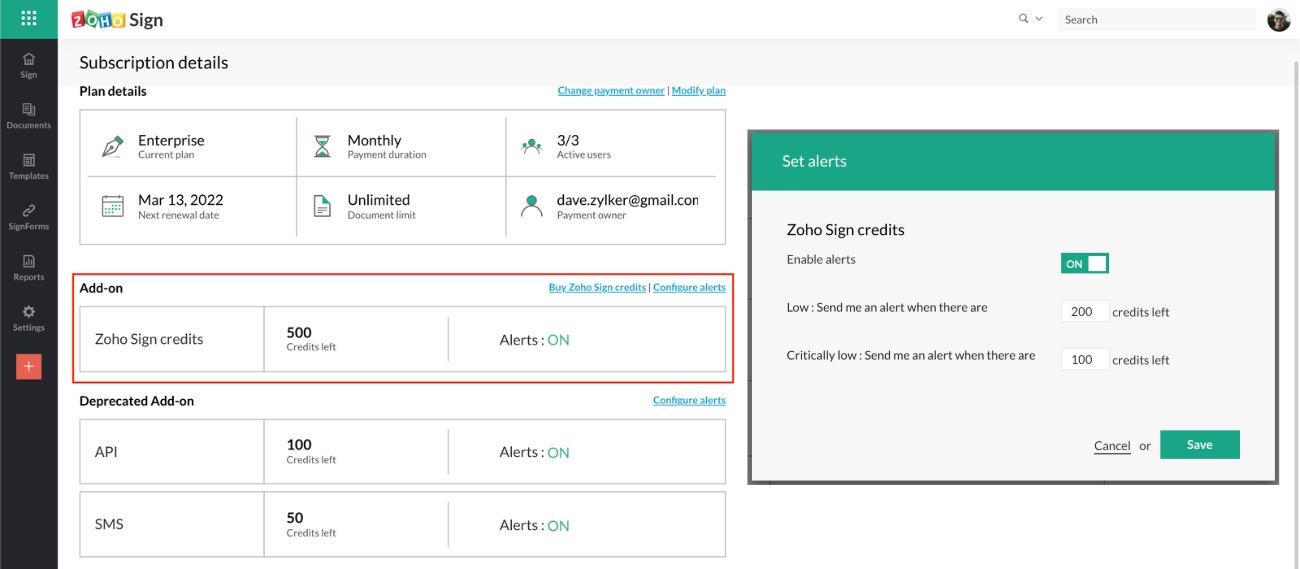
Organizations must now purchase Zoho Sign credits, a common add-on, to use features and integrations that incur additional cost. This replaces our previous add-ons - the API credits and the SMS credits, which have been discontinued - to establish a standardized credit consumption system. This strictly applies only to integrated services facilitated by third-party providers and high-volume automation features subjected to fair use to prevent their abuse. This does not, however, effect much of a change to the actual cost of using these features. Learn more
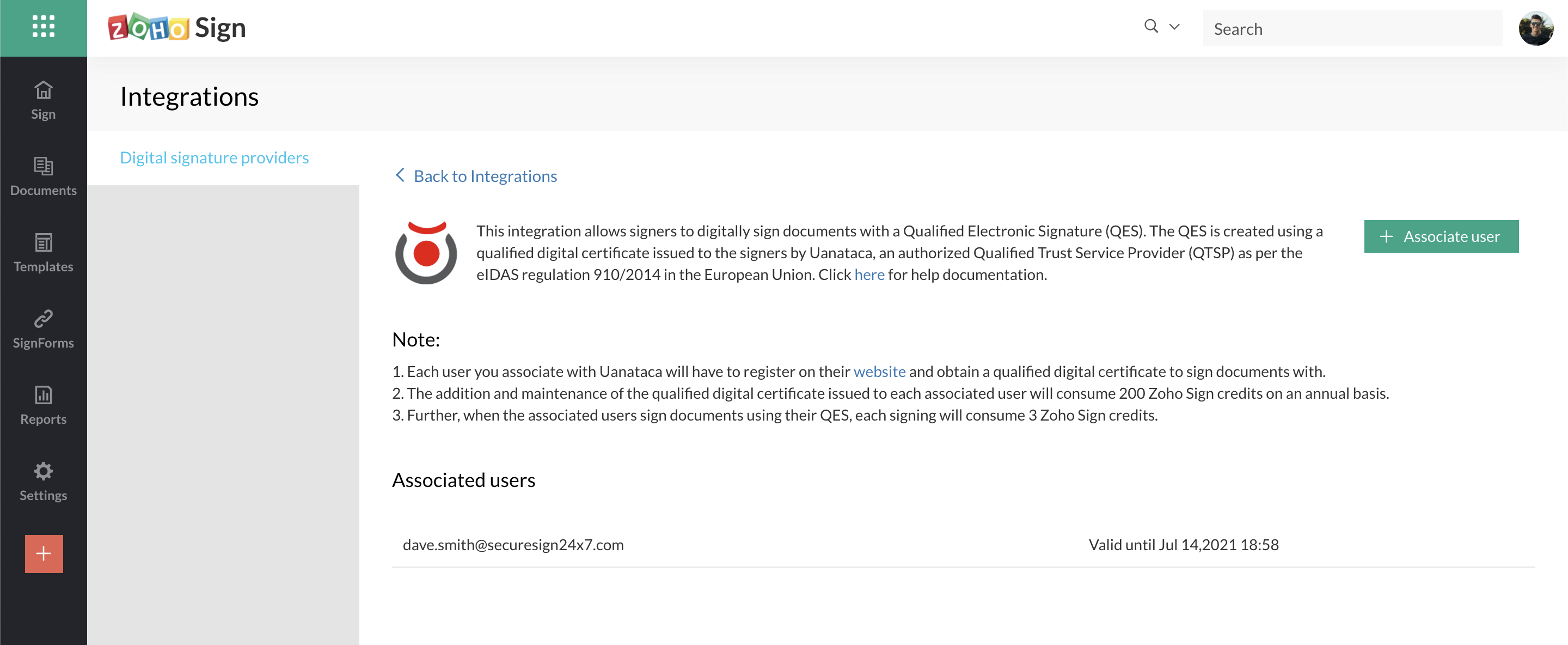
Qualified Electronic Signatures (QES) for the EU via Uanataca
Organizations subscribed to the Enterprise plan and based in our EU datacenter can now digitally sign documents with Qualified Electronic Signatures. This carries the legal equivalence of wet signatures or signing documents with pen and paper. Zoho Sign offers QES by partnering with Uanataca, an authorised Qualified Trust Service Provider (QTSP) as per the eIDAS regulation 910/2014, and integrating with their services. Documents signed with QES also carry an embedded timestamp. Learn more
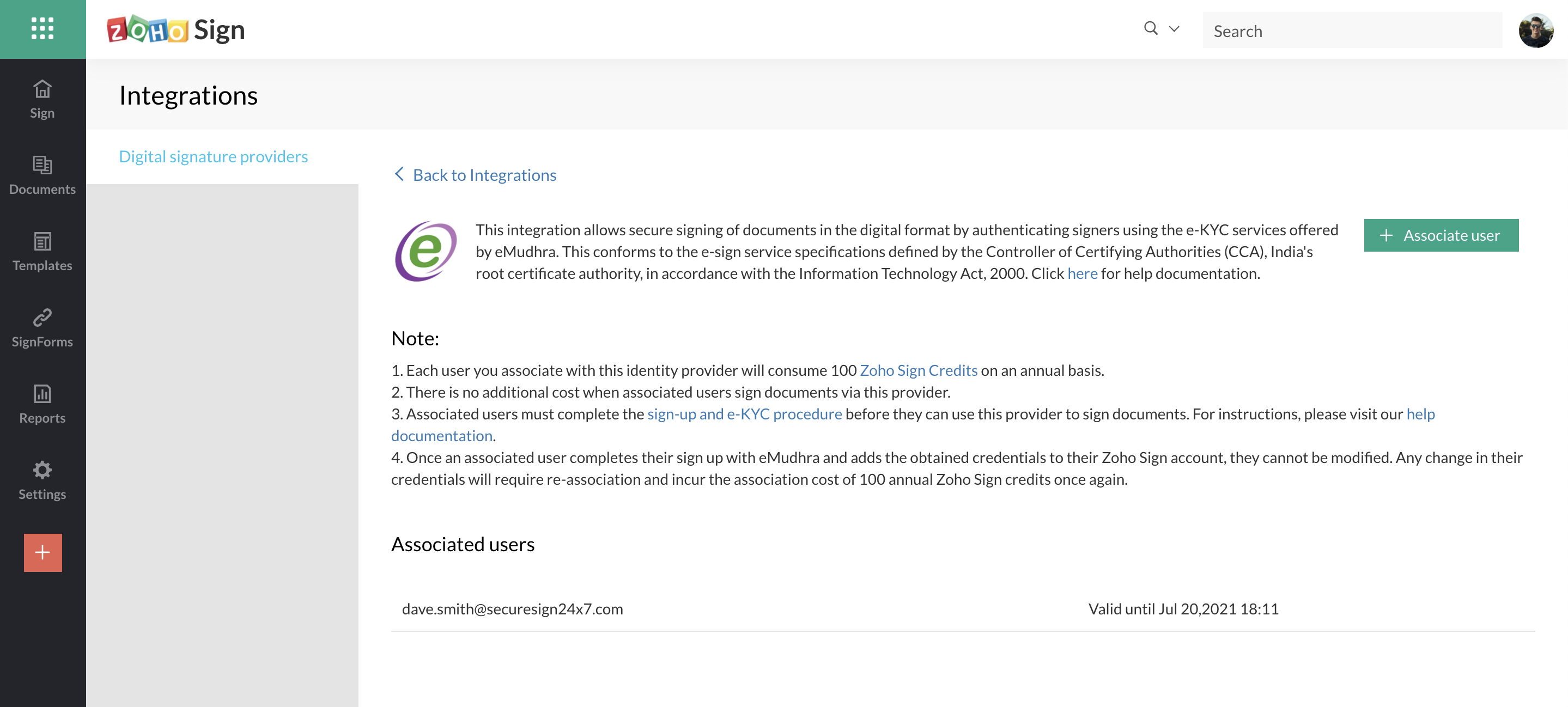
eSign for India via eMudhra using e-KYC-based signer authentication
Organizations subscribed to the Enterprise plan and based in our Indian datacenter can now digitally sign documents via eMudhra, a leading certifying authority (CA), using their integrated e-KYC services. Zoho Sign offers this in conformity with the e-sign service specifications defined by the Controller of Certifying Authorities (CCA), India's root CA, in accordance with the Information Technology Act of 2000. Documents signed via eMudhra also carry an embedded timestamp. Learn more
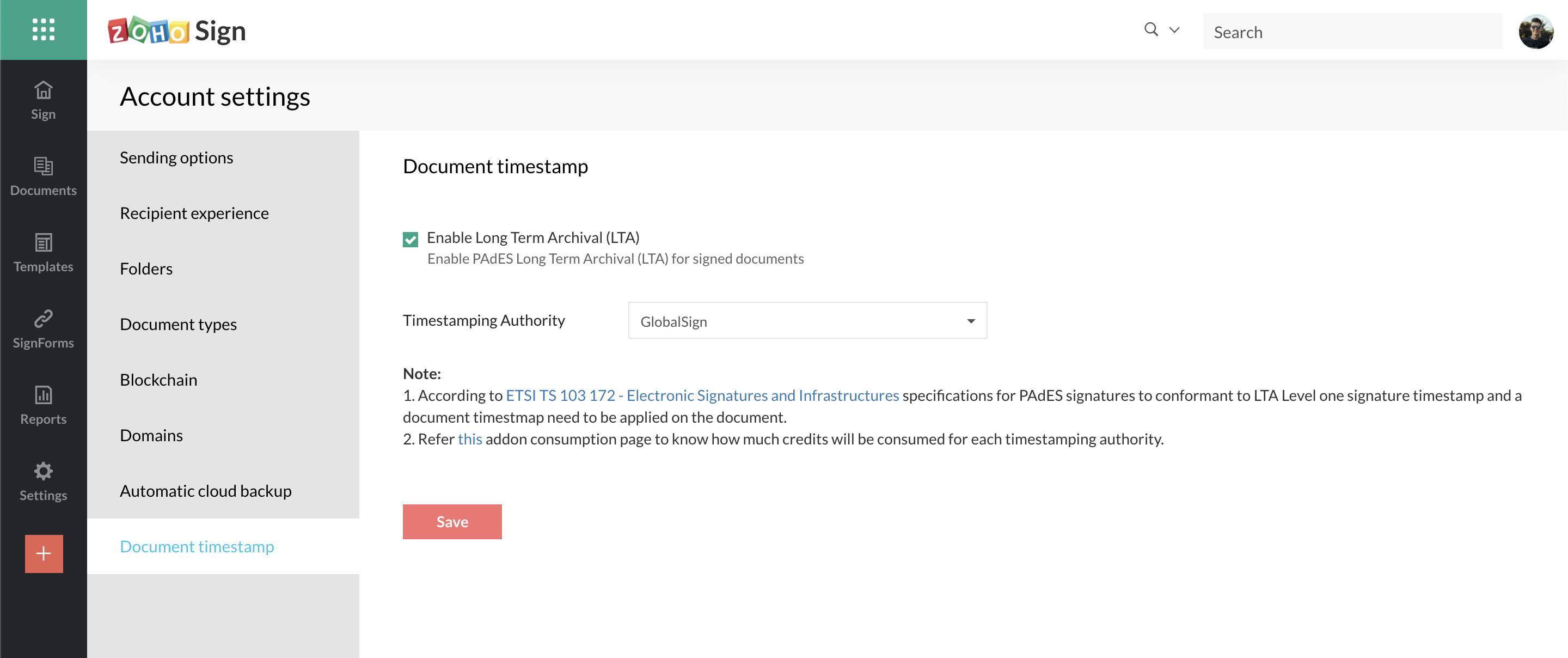
Trusted document timestamping via GlobalSign, SEIKO Cyber Time, and Uanataca
Organizations subscribed to the Enterprise plan can now add immutable third-party timestamps to digitally signed documents by enabling document timestamping. This makes the signed documents indisputable, proves their existence at the time and date of signing even if the digital signature certificates on the documents expire in the future, and reinforces non-repudiation. Zoho Sign has partnered with multiple timestamping authorities (TSA)—Uanataca for qualified timestamps in the EU, SEIKO Cyber Time for Japan, and GlobalSign for all other countries and regions—to integrate with their trusted timestamping services. Learn more
Offline signing in mobile apps
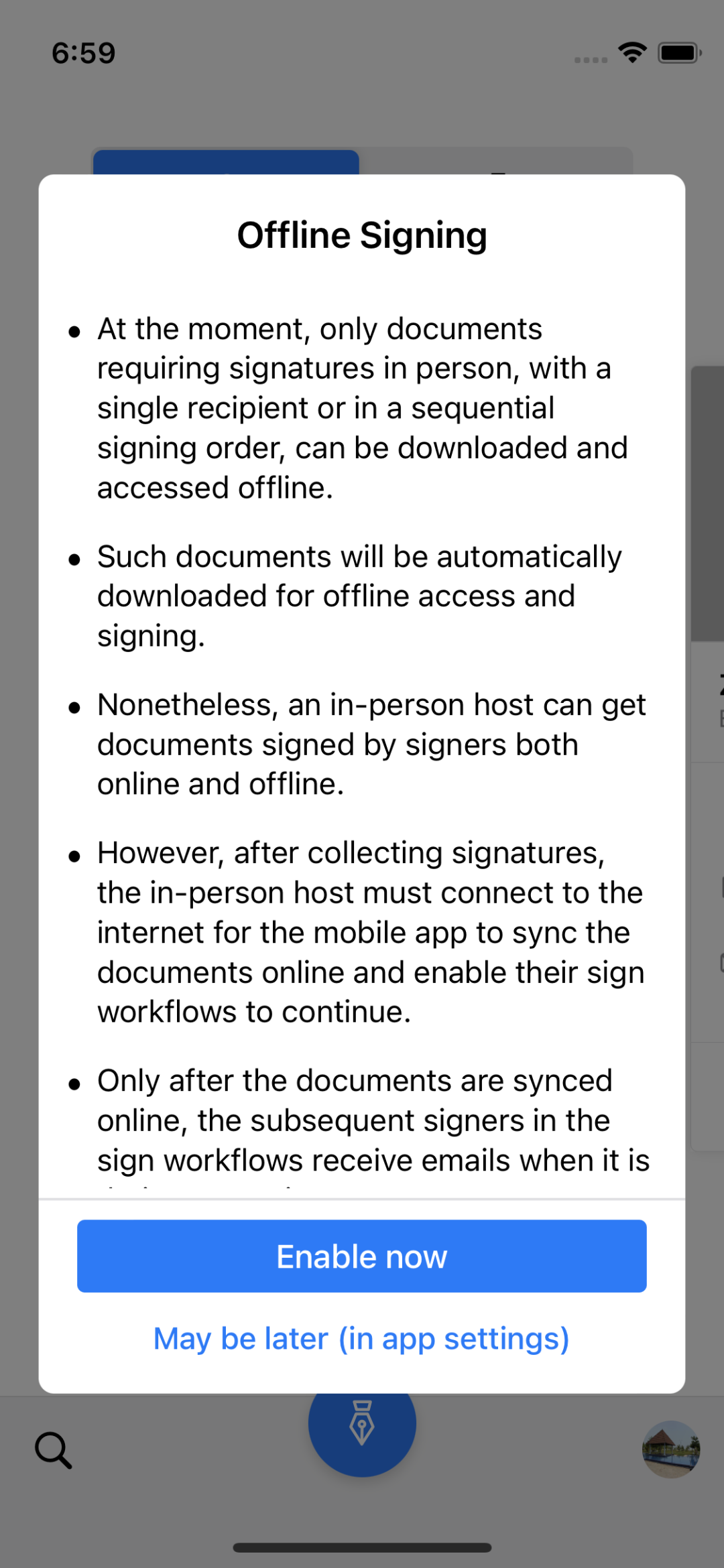
Users can now download documents for offline access in our iOS, iPadOS, and Android mobile apps when they are connected to the internet. This later allows them to open and sign these documents even if internet connectivity is unavailable. This also enables field agents to collect signatures in person from signers in remote areas without internet connectivity. Any document signed offline will eventually be synced with the Zoho Sign servers when the user reconnects to the internet and this allows their workflows to continue.
Signer field - Image upload
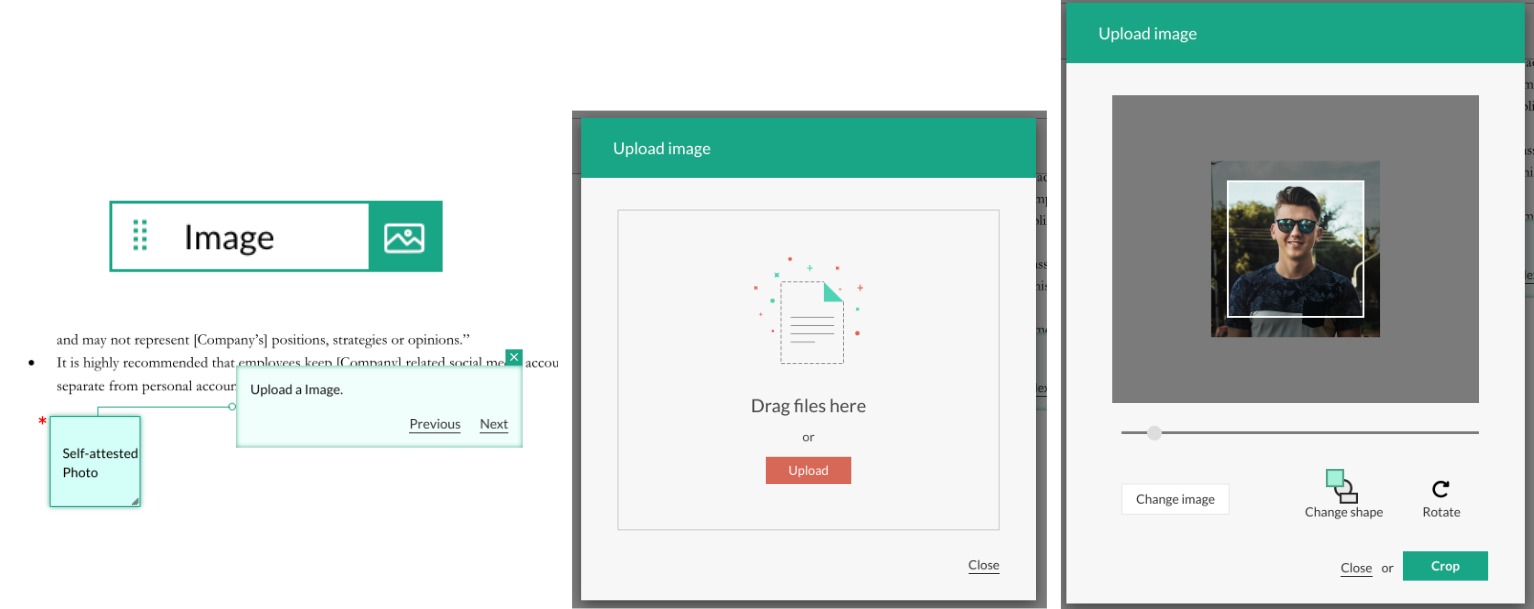
The new Image signer field allows signers to add images to documents by uploading them at the time of signing. This can be used to request signers to add any additional information which is needed in the form of an image. We have also introduced another field property—Movable—that allows signer fields to be moved by signers in the Document Viewer screen at the time of signing.
Google Docs editor integration
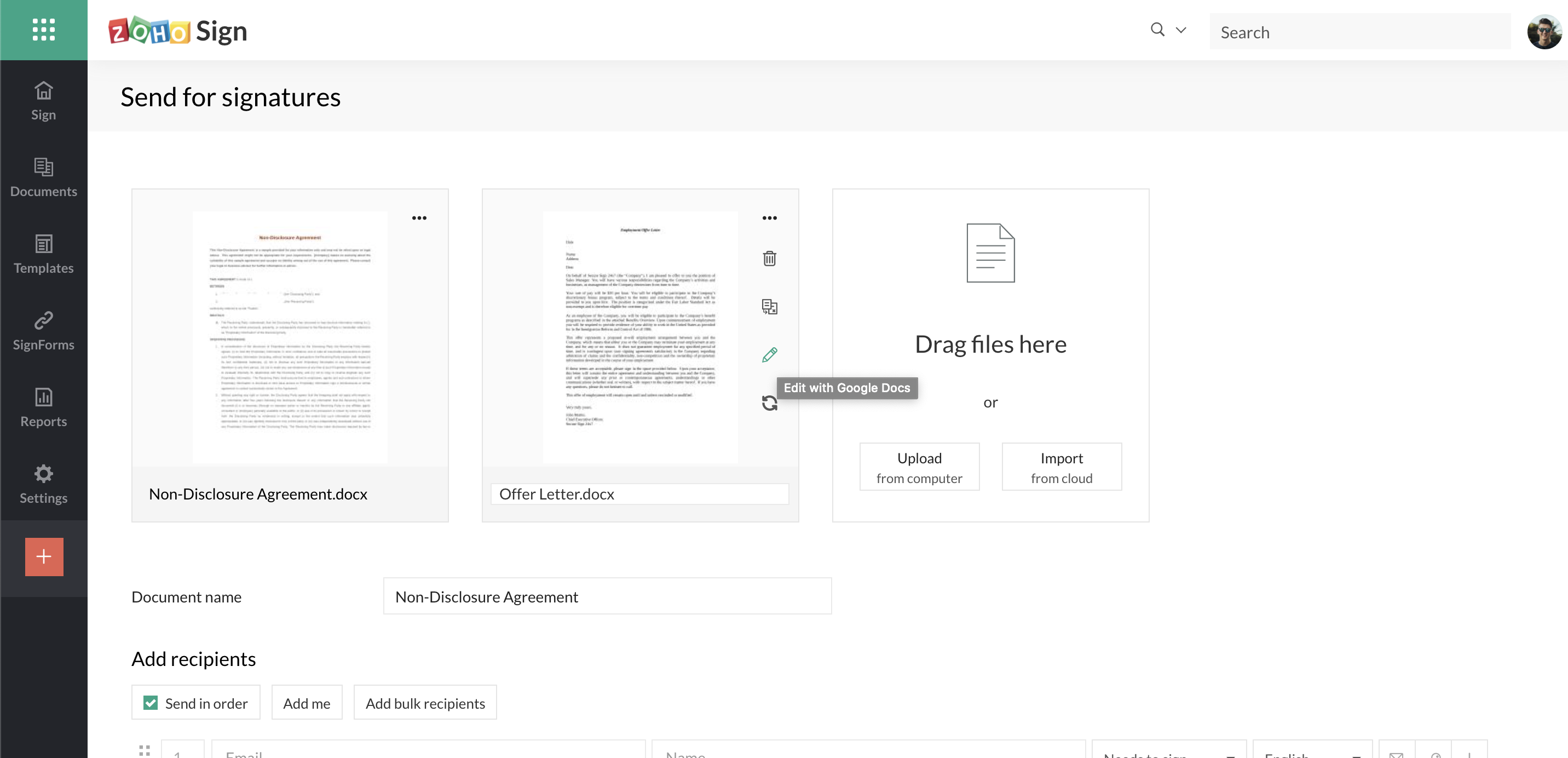
Users can now edit documents supported by the Google Docs editor directly from Zoho Sign when building sign workflows. This requires the Zoho Sign integration to be installed from the Google Workspace Marketplace and the desired documents to be opened with or imported into Zoho Sign from Google Drive. Once edited, users can sync the updated files with the associated sign workflow to send them out for signatures.
Revamped blockchain timestamping via Bitcoin network using OpenTimestamps
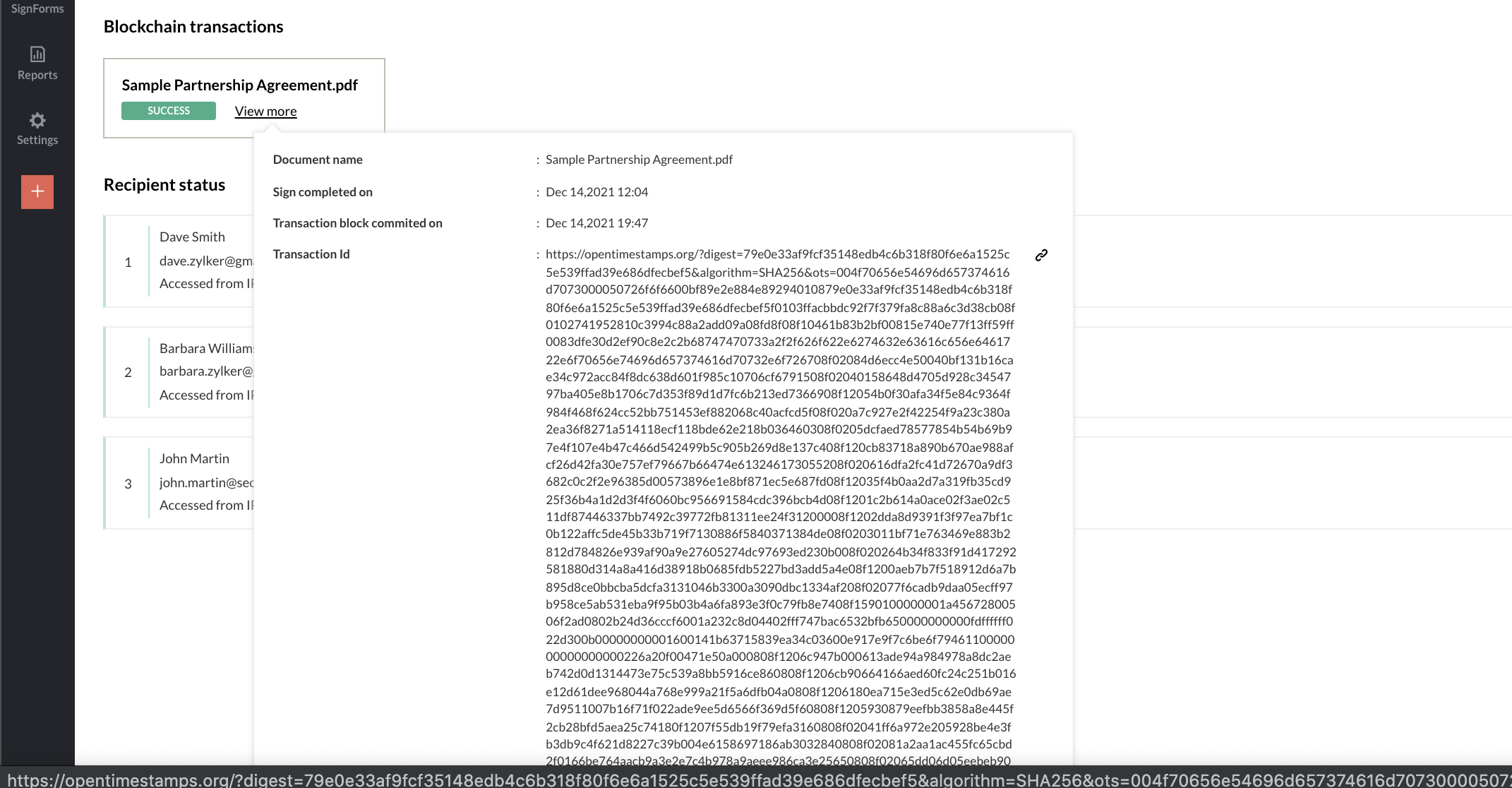
In this new iteration, users subscribed to the Enterprise plan can enable blockchain timestamping to capture document signing events in the public Bitcoin blockchain. This creates an immutable public record for verification of document integrity. Zoho Sign offers this through an integration with a third-party service called OpenTimestamps. Previously, blockchain-based timestamping was done on the Ethereum network but it has since been discontinued and replaced with this iteration. Learn more
Updated mobile apps for Apple devices
Zoho Sign for iOS 15 and iPadOS 15Users can add Zoho Sign to their SmartStack widget, set up larger widgets and focus notifications to track time-sensitive paperwork, print documents from anywhere, drag and drop text from other apps to create text fields, and do a lot more with enhanced pointer actions and keyboard shortcuts on the Zoho Sign app for devices running iOS 15 and and iPadOS 15.Zoho Sign for macOS MontereyMonterey brings all the features of the Zoho Sign apps on iOS 15 and iPadOS 15 to macOS along with other popular features such as Siri Shortcuts for a reimagined experience of digitally signing documents.
Software development kits (SDKs) for mobile and web development - open BETA
Developers can now reach out to Zoho Sign to obtain licenses for our software development kits. These SDKs facilitate quick and easy integration with Zoho Sign's services that can be served via custom mobile and web applications. SDKs are available for iOS, Android, and PHP. Please write to support@zohosign.com for license requests.
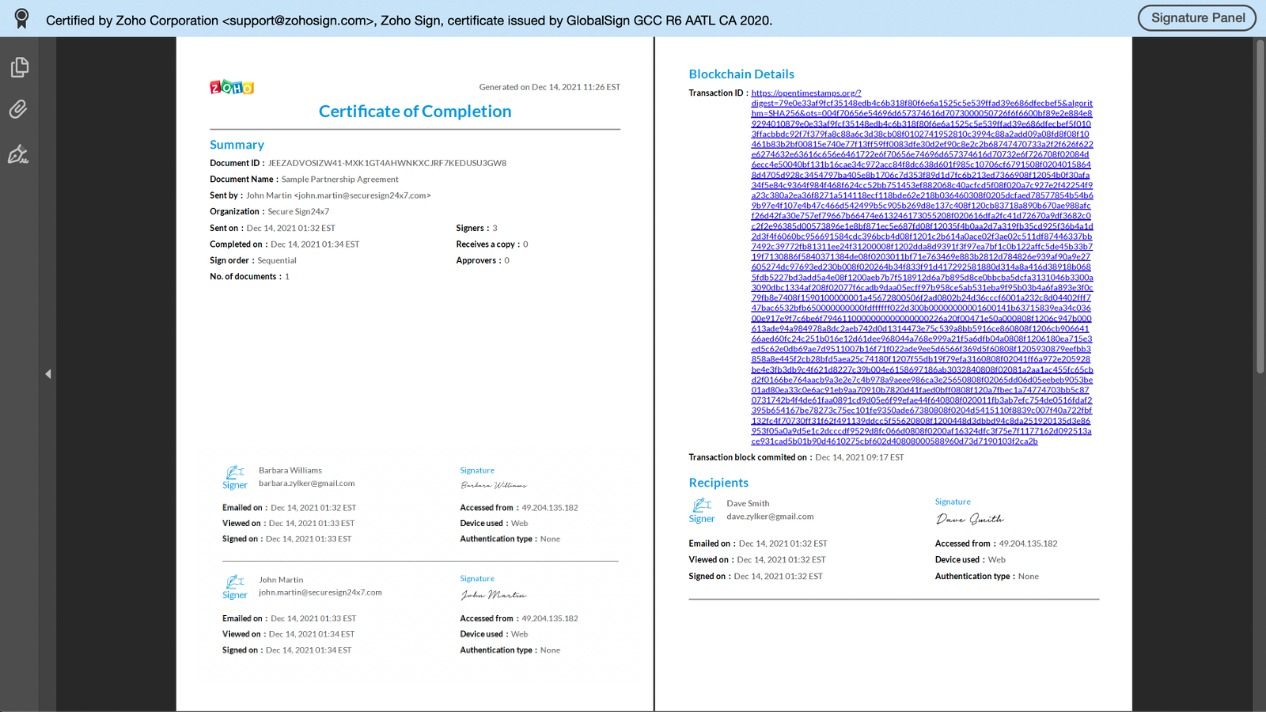
Revamped certificate of completion
The certificate of completion now summarizes document signing activity in a fresh new design that neatly presents all the details such as document and recipient information, signing order, mode of signing, timestamps and the associated blockchain transaction, if enabled.
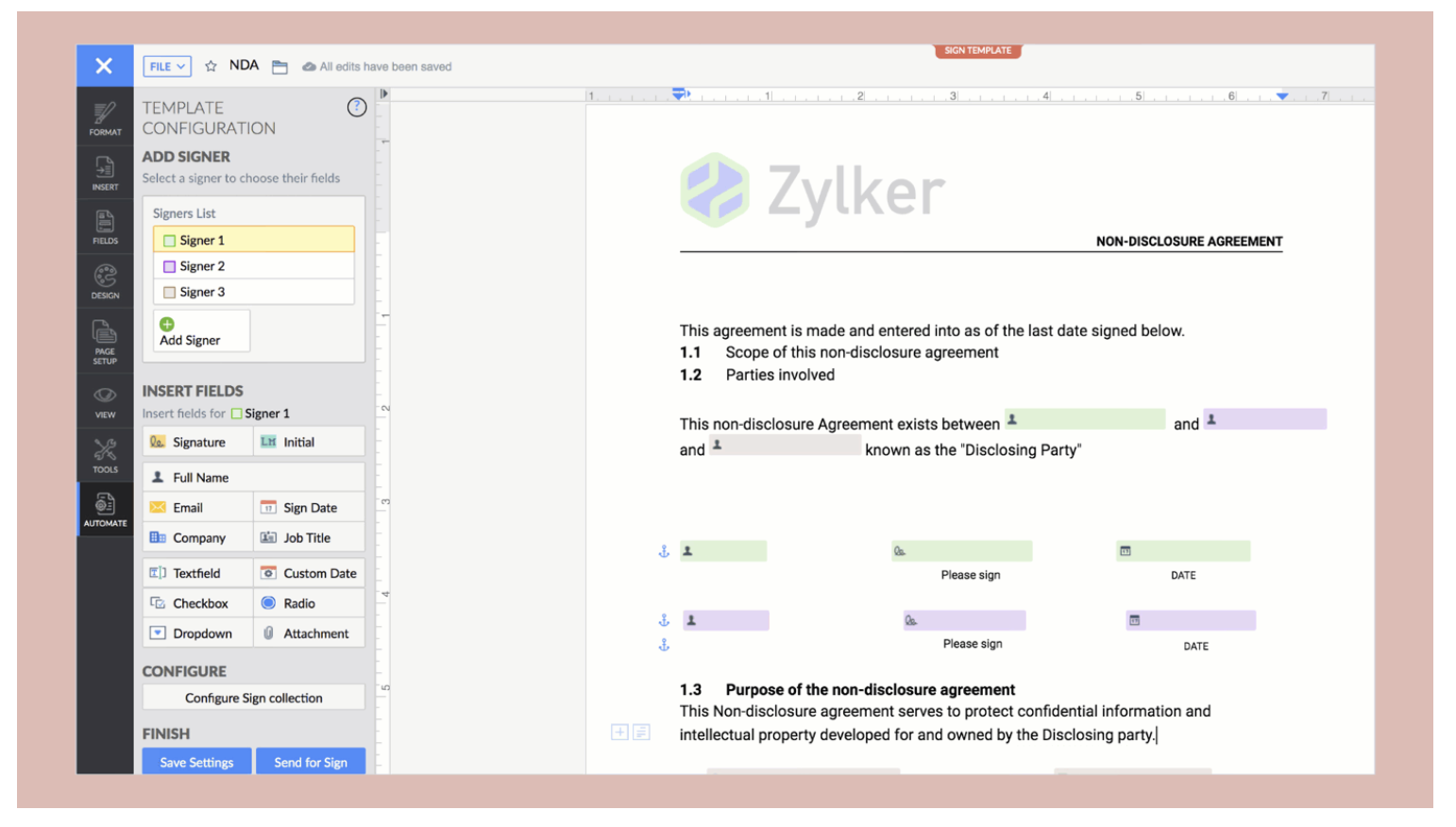
Sign templates in Zoho Writer
Users can now set up templates for sending documents out for signature within Zoho Writer using the Automation Template option. This allows users to compose and create a sign template from scratch, or upload a document to Zoho Writer and then convert it into a sign template, and collaborate with peers on field properties and placement. Zoho Writer's new AI is also capable of automatically scanning, detecting, and adding signer fields to the PDF documents that users upload.
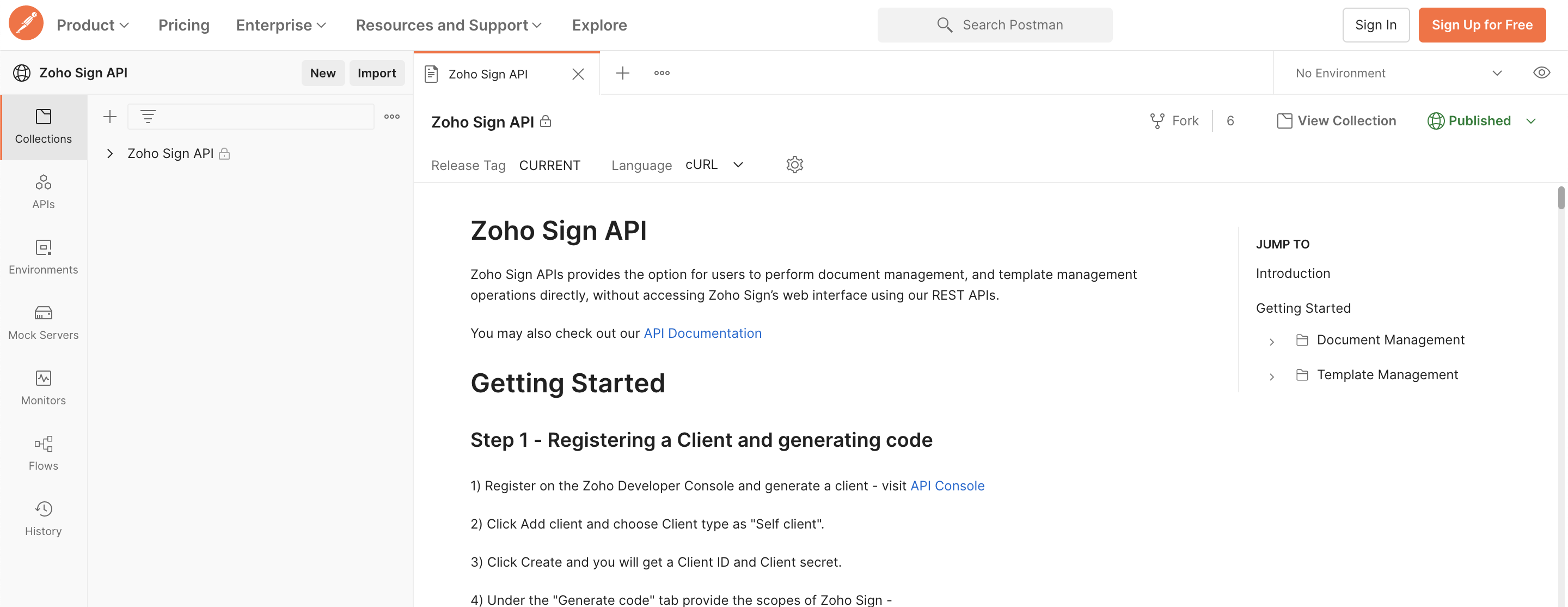
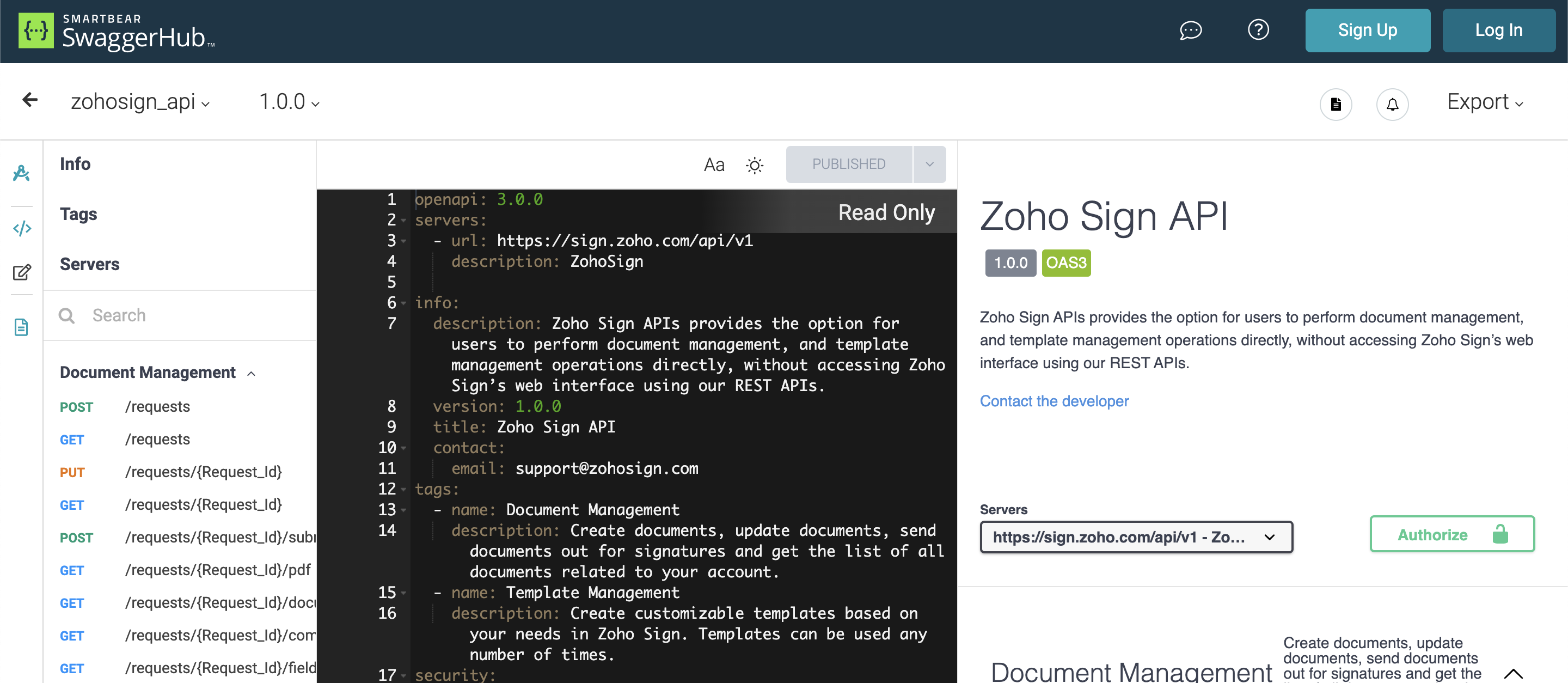
Developer API collections on Postman and SwaggerHub
It is now easier to build and deploy integrations for Zoho Sign using our API collections on Postman and SwaggerHub. These platforms provide developers with the documentation and the tools required to quickly compose and test API queries in real-time.
We urge you to check out these features and get back to us with all your feedback. You can read about our updates from earlier this year here. Do follow this space for more release announcements soon because we have got quite a lot to unpack (as you can see below)!
What's coming in 2022?
- More integrated services via regional providers
- Aadhaar-based signer authentication for India
- QES via more vendors for the EU
- Signer authentication via Singpass for Singapore
- eID-based signer authentication for the EU
- Signing improvements in Zoho Sign
- Signing via USB Token DSC for macOS and web browsers
- Bulk sign of documents with identical signer fields and requirements
- Embedded signing via API and SignForms (in closed BETA)
- Knowledge-based authentication (KBA)
- Administrative improvements in Zoho Sign
- Support for more languages
- Sending documents for signature via SMS
- Enhancements to document forwarding
- Multi-portal/organization support
- Custom domain and whitelabeling (in closed BETA)
- Revamped roles, user groups, and permissions
- New integrations and enhanced solutions
- Integration with Zoho Checkout
- Integration with Salesforce
- Integration with SAP
- Integration with HubSpot CRM (in early access)
- Integration with Pipedrive CRM
- Integration with Microsoft Power Automate
- Bot support in Microsoft Teams for Zoho Sign
- Vertical solutions across various domains via SDKs
Many of these features are in an advanced development stage and will be available for public use soon. For any support, assistance, and access to features that are in closed BETA, please write to us support@zohosign.com.
Feel free to comment below if you have any other queries or need any other details on the updates presented above.
Happy Zoho Signing! Happy Holidays!
Cheers.
Sai
Access your files securely from anywhere
Centralize Knowledge. Transform Learning.
All-in-one knowledge management and training platform for your employees and customers.
New to Zoho Recruit?

Zoho Developer Community
New to Zoho LandingPage?
Zoho LandingPage Resources
New to Zoho Survey?
New to Zoho CRM Plus?
Deliver unforgettable customer experiences
New to Zoho CRM Plus?
Deliver unforgettable customer experiences
New to Zoho Marketing Plus?
Everything you need to run your marketing
New to Zoho Marketing Plus?
Everything you need to run your marketing
New to Bigin?





Topic Participants
Sai Anand N
Sticky Posts
Free webinar: AI-powered agreement management with Zoho Sign
Hi there! Does preparing an agreement feel like more work than actually signing it? You're definitely not alone. Between drafting the document, managing revisions, securing internal approvals, and rereading clauses to make sure everything still reflectseIDAS 2.0: What's changed for digital trust in Europe, and where Zoho Sign stands
Hi there! It's that time of year when many of us get our ducks in a row. A new year often makes us reassess priorities, and for businesses in the EU, it means taking a closer look at how digital identities and electronic signatures work across borders,Free webinar! Build smarter apps with Zoho Sign and Zoho Creator
Hello, Bring the power of digital signatures to the apps you build in Zoho Creator! Connect Zoho Sign as a microservice and enable seamless e-signature workflows in your applications. This integration allows you to automate signing tasks using Deluge.
New to Zoho TeamInbox?
Zoho TeamInbox Resources
Zoho CRM Plus Resources
Zoho Books Resources
Zoho Subscriptions Resources
Zoho Projects Resources
Zoho Sprints Resources
Qntrl Resources
Zoho Creator Resources
Zoho CRM Resources
Design. Discuss. Deliver.
Zoho Show Resources

Get Started. Write Away!
Writer is a powerful online word processor, designed for collaborative work.
Zoho CRM コンテンツ
-
オンラインヘルプ
-
Webセミナー
-
機能活用動画
-
よくある質問
-
Ebook
-
-
Zoho Campaigns
- Zoho サービスのWebセミナー
その他のサービス コンテンツ
Nederlandse Hulpbronnen

ご検討中の方
Recent Topics
Allow selection of select inactive users in User data fields
Hello, We sometimes need to select a previous employee that has an inactive account in the User data field. For example, when doing database cleanup and indicating actions are done by a certain employee that weren't filled out when they were part of the[Webinar] Top 10 Most Used Zoho Analytics Features in 2025
Zoho Analytics has evolved significantly over the past year. Discover the most widely adopted features in Zoho Analytics in 2025, based on real customer usage patterns, best practices, and high-impact use cases. Learn how leading teams are turning dataHow Does Knowledge Base Search and Article Recommendation Work?
Hello, I would like to understand how the Knowledge Base search engine works. Specifically, does it search based on: The article title only? The full article content? Both, the article and the content? Keywords? Tags? Also, how does the system determineSuper Admin Logging in as another User
How can a Super Admin login as another user. For example, I have a sales rep that is having issues with their Accounts and I want to view their Zoho Account with out having to do a GTM and sharing screens. Moderation Update (8th Aug 2025): We are workingDo buttons and vba msgbox work on mobile, specifially the iPhone zoho sheets app?
In Zoho sheets on the web, I inserted a button and assigned a VBA macro to it. It pops up a msgbox with some text. When I go onto the iPhone mobile zoho sheets app, the button is there. When I click on that button, the spinning asterisk appears for a[Webinar] Solving business challenges- Handling the challenge of transitioning to Zoho Writer from legacy tools
Moving to Zoho Writer is a great way to consolidate your business tools and become more agile. With multiple accessibility modes, no-code automation, and extensive integration with business apps and content platforms, Zoho Writer helps solve your organization'sHow exactly does "Reply assistance" work in Zoho Desk? What context is sent to the LLM?
Hi, Im trying to better understand the technical behavior of the feature "Reply assistance" in Zoho Desk, and I couldn’t find detailed information in the current documentation. Specifically, I have questions about what data is actually being sent to theHow can I effectively manage a website with your help?
I’m wondering if it’s possible to develop a custom website with specific features using Zoho as an alternative platform. My goal is to create a website similar to https://tmsim.ph, with the same kind of functionality and user experience. I would trulyIntroducing the Yes/No field: Binary decisions made beautiful
Greetings, form architects! What would you do when you need a simple yes/no answer on your form? Normally, you add a Radio field. Type Yes. Type No. Until now. The new Yes/No field is purpose-built for binary decisions. It is preconfigured, visually consistent,Move email between inboxes?
Is it possible to move emails from one team inbox to another? We would like to be able to have a single "catch-all" inbox for incoming requests, and then move the email to the appropriate department inbox. I was hoping we would be able to accomplish thisThe power of workflows in Zoho Marketing Automation - Video Webinar
In this Zoho Marketing Automation video webinar, our experts walk you through: Why you may want to create marketing workflows How to create marketing workflows Use Zoho CRM data and apply workflows to automate your marketing strategy How workflows canOffer already made- but I withdrew it
I made an offer letter, but made a mistake on it. I withdrew the offer but now I can't recreate the correct offer. Zoho keeps saying that "A same offer has already been made". I look in the "offers" and there are NO offers (this is the first time I'veZoho CRM's sales trend and sales follow-up trend dashboards are now customizable
Dear Customers, We're here with good news! Sales trend and sales follow-up trend are two system-defined dashboards that help you understand trends and anomalies in your sales outreach and conversion efforts. They use Zia's intelligence to identify patternsTask list flag Internal/External for all phases
Phases are commonly used in projects to note milestones in the progression of a project, while task lists can be used to group different types of tasks together. It makes sense to be able to define a task list as either internal or external however theIntroducing Rule-Based AI Coding Assistants for Zoho Finance Widgets
Hello customers, We’ve introduced rule-based AI coding assistants to speed up Zoho Finance widget development. You can try them out in Cursor AI and GitHub Copilot. This helps you build widgets quickly using simple prompts, while ensuring the generatedMarketing Tip #21: Create an About Us page
People don’t just buy products, they buy from brands they trust. An About Us page helps customers understand who you are, what you stand for, and why your business exists. It adds a human touch to your store and reassures shoppers that there’s a realZobot to handle single choice menu when dynamic list content is more than 10 items
Whatsapp supports maximum of only 10 items for its single choice menu. When we need to show a dynamic list with content more than 10, this could be challenging. We essentially need to add a next and previous buton here in order to make it functional.Add the ability to Hide Pages in Page Rules
Hi, We have Field Rules to show and hide fields and we have page Rules, but we can't hide a page in Page Rules so it isn't completed before the previous page (And then have the Deny Rules to prevent submitting without both pages completed), we can onlyColumn letter from number
Hello, I am trying to select a cell and i have the column number. How do i do this or is there a way of getting the letter from the number? Thank youComposite Product (kit) - Dynamic Pricing
I am setting up Composite Products for item kits that I sell. I also sell the items from the kit individually. Problem is when pricing changes on an individual part, the Composite Product price does not change meaning when the cost of item # 2 in theView Answer Bot conversations?
We are trialing Zia and are experimenting with Answer Bot on our knowledge base. So far so good! Management asks me if it is possible to view Answer Bot conversations, the purpose being to look over its shoulder and confirm that it is working as desTrain Zia answer bot on only part of Knowledge Base?
We are trialing Zia answer bot and hope to use it on the knowledge base to help our users find the information they are looking for. I have found how to train Zia on the entirety of our knowledge base. But is there a way to train it on only certain categoriesSmarter holiday planning with yearly-specific Holiday Lists
Hello everyone! Managing holidays and business hours is now easier and more efficient. Holiday Lists now support holidays that fall on different dates every year, while business hours now supports more than one holiday list. This helps businesses manageTemporary Outage in Zoho Cliq Affecting US Users – July 23, 2025
We experienced a service disruption in Zoho Cliq that impacted core functionality for users in the US region. The issue occurred between Jul 23, 2025, 06:54:00 PM IST and 07:13:13 PM IST, lasting approximately 19 minutes. To restore service stability,How Do Mutliple Sales People Prospect in the "LEADS" module without calling the same leads?
We have 4 sales reps and the Leads module does not have real time intuitive knowlodge to make the sales rteps dont call the same people at the same time. How can we crate a fluent prospecting sytem where the salres reps can go out bound without callingERROR CODE :550 - 550 5.1.1 Invalid email recipients
This message was created automatically by mail delivery software. A message that you sent could not be delivered to one or more of its recipients. This is a permanent error. mustafa.ashraf@techlink-eg.net, ERROR CODE :550 - 550 5.1.1 Invalid email recipientsHow to Create a Fixed Sliding Time Window (D-45 to D-15) in Zoho Analytics ?
Hello, I would like to create a report in Zoho Analytics based on a sliding time window between D-45 and D-15, with a fixed snapshot of that specific period. The data displayed should strictly reflect activity recorded between D-45 and D-15 only, withoutWie veröffentliche ich ein PDF Datei?
Hallo! Wie veröffentliche ich PDF Datein ich habe ein PDF Datei und den sieht ihr im Upload ich möchte ihn veröffentlichen wie? Mit Freundlichen Grüßen, Herr Bahaa Addin Chkirid🚀 WorkDrive 6.0 (Phase 1): Empowering Teams with Content Intelligence, Automation, Accessibility, and Control
Hello, everyone! WorkDrive continues to evolve from a robust file management solution into an intelligent, secure, and connected content collaboration platform for modern businesses. Our goal remains unchanged: to simplify teamwork, strengthen data security,Zoho Campaigns: An Outstanding Email Marketing Tool
Introducing Zoho Campaigns! A product designed by Zoho, the Zoho Campaigns is made to create, deliver, and manage integrated email campaigns that can help in boosting the sales of a company and its customer base. Zoho Campaigns is actually an email marketingZoho Creator Developer Console | Improved Distribution and Lifecycle Management for apps
Hello everyone, We're excited to introduce new enhancements now in the Zoho Creator Developer Console. These updates strengthen private app distribution through licensing controls and extend environment support across all installed apps, helping teamsAnchor Links in Dashboards
Hello, Our dashboards frequently have multiple sections that would be more easily skipped between using anchor links. Please consider adding an anchor link feature to the text widget? This could be done by adding an anchor link option to the text widget next to the "remove" option (see screenshot). The option would assign an ID to the <div> containing the text widget in the live dashboard. Then, the chosen ID could be linked using a traditional <a href="#link_id"> in the html section of the textSync images with Shopify/Cart
Hello, sync images with shopify or other cart, it cuts out the double work of having to upload to shopify/cart and zoho. ThanksIs it Possible to Modify Standard Report Urls
Is there a way to permanently modify standard report Urls? Use case: Suppose I have a Products report. Showing list as timeline, calendar, or kanban doesn't make sense. Want to hide that from users by adding #Report:Products?zc_ShowAs=false&zc_Print=falseAssessment Answered - Automation (Related List)
Hello everyone, We have linked a candidate assessment to our job posting. When someone applies, they are required to answer all the assessment questions. However, some candidates submit their applications without completing the questions. In such cases,Zoho calendar not working in browser
Hello, I am new to Zoho. I have two accounts for two separate businesses. In one of them, calendar loads in a browser no problem. However, if I use this account (sairfeetmusic.co.uk) calendar does not load. I also cannot add it to my Thunderbird LighteningExternal User onboarding for zoho connect is not really intuitive.
So the external user is sent an invite, which has a button that directs them to login to zoho to view the invite, but if they don't have a zoho account, they cannot access that invite, which seems kinda silly, as there is not real way on for them to createHaving trouble fetching contents of Zoho Connect Feeds using the API, requesting alternative API documentation.
I'm trying to retrieve feed/post data from Zoho Connect using the API but facing challenges with the current documentation. What I've tried: OAuth authentication is working correctly (getting 200 OK responses) Tested multiple endpoints: /pulse/nativeapi/v2/feeds,How to upload file to Connect using API?
Hi there. I looked at the API documentation and nowhere did it mention how to use the API method to upload a file even though it is mentioned that it is possible to be done so. Please help.Select the task view on the board in the Zoho Connect iPhone app
Hello. How do I select the task view on the board in the Zoho Connect iPhone app? The Android app has this functionality.Next Page