Introducing the Submissions sub-module
The Submissions sub-module stores candidate submissions made to client-contacts as records, along with other key details. Designed to provide you with an eagle-eye view of all your candidate submissions, this sub-module makes it easier for you to stay organized and streamline your hiring process.
What is the Submissions sub-module?
The Submissions sub-module is a built-in tool in Zoho Recruit that tracks and stores every candidate submission you make. Each submission is stored as a unique record, and you can customize views and perform mass actions on them. This means you can easily keep track of the status of each submission and quickly access all relevant information associated with it.
Key Features
Centralized Tracking of Submissions
The Submissions Sub-module provides a centralized repository to track all candidate submissions made to clients. You can now easily monitor and manage the status of each candidate submission in one place. No more sifting through emails or spreadsheets to find submission details.
With a centralized tracking system, recruiters can efficiently manage their talent pipeline, stay organized, and prioritize follow-ups, leading to faster and more effective hiring decisions.
Review Status and Client Feedback
The Submissions Sub-module allows you to record client reviews and feedback for each submission. You can now easily assess candidate performance and suitability based on client ratings and comments. This valuable feedback enables you to fine-tune their candidate selection process.
Accessing client feedback directly within the submission record streamlines the review process and enhances collaboration between recruitment teams and clients, leading to better candidate matches and improved client satisfaction.
Workflow Automation for Efficiency
Zoho Recruit's Workflow automation can be applied to the Submissions Sub-module, allowing you to automate actions based on predefined criteria. You can set up automated reminders for follow-ups with clients, notifications for candidate reviews, or even color-coded tags for prioritizing submissions based on specific conditions.
Workflow automation saves time and ensures that critical tasks are not overlooked. It helps recruiters stay on top of their submission pipeline, leading to improved responsiveness and a smoother hiring process.
Easy Access from Related Records
To help you track candidate submissions better, Zoho Recruit offers multiple ways of accessing submission records, such as the Submissions List View page and the Related List section of associated records (Candidates, Job Openings, Applications, Clients ). You can quickly access submission details from the associated records, making it effortless to review the entire submission history of a candidate or a specific job opening.
This easy access to submission details from multiple views enhances visibility and makes it convenient for recruiters to navigate the submission history across different modules, promoting seamless collaboration between teams.
How Does it Work?
When you forward a candidate profile to a client, a submission record is automatically created in the Submissions Sub-module.
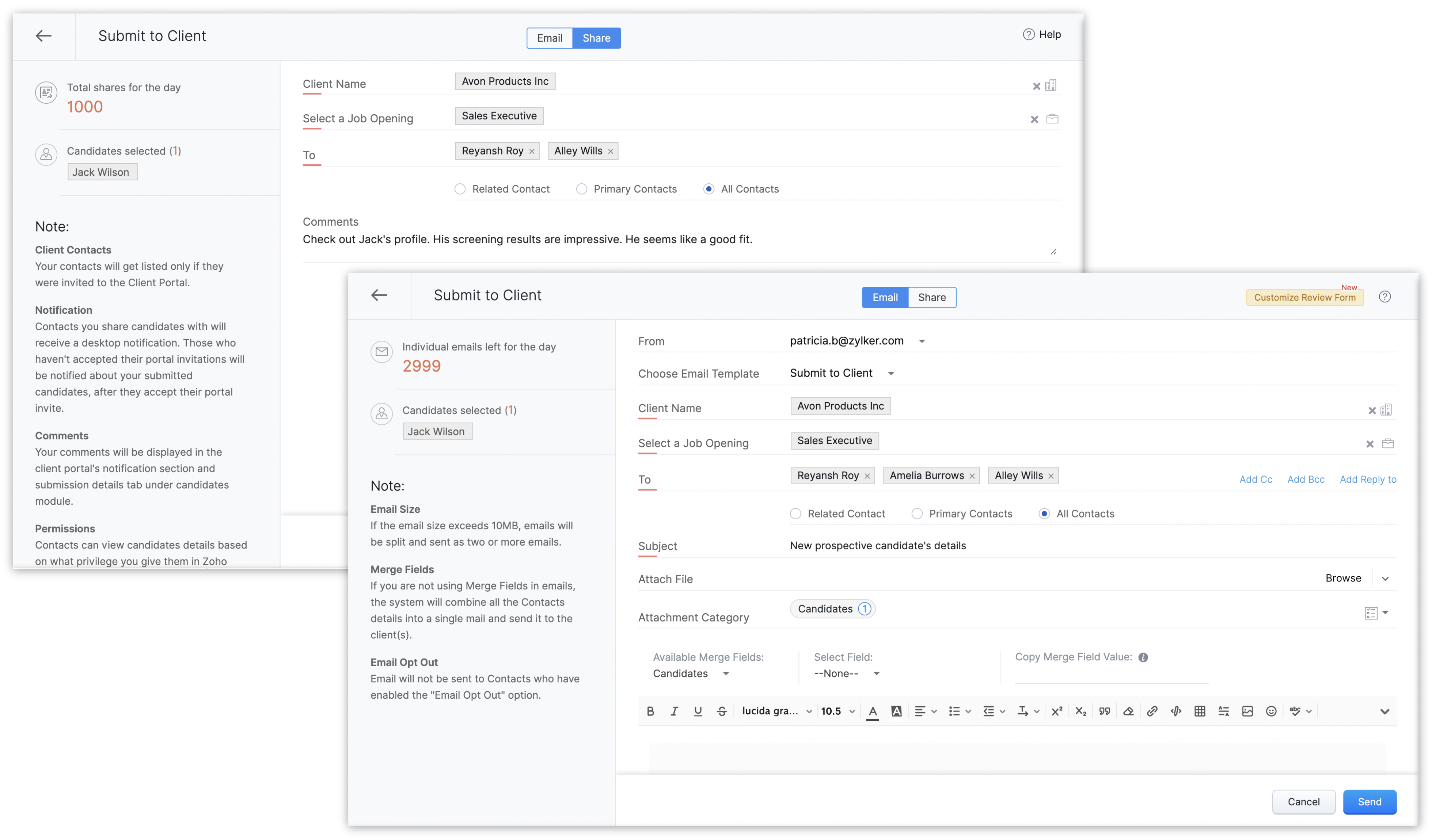
You can view and manage these records from the List View page or the Details Page. Plus, with customizable views, you can organize submissions based on your preferences.
How to Get Started?
Navigate to Submissions
In your Zoho Recruit account, hover over the Candidates module and click Submissions.
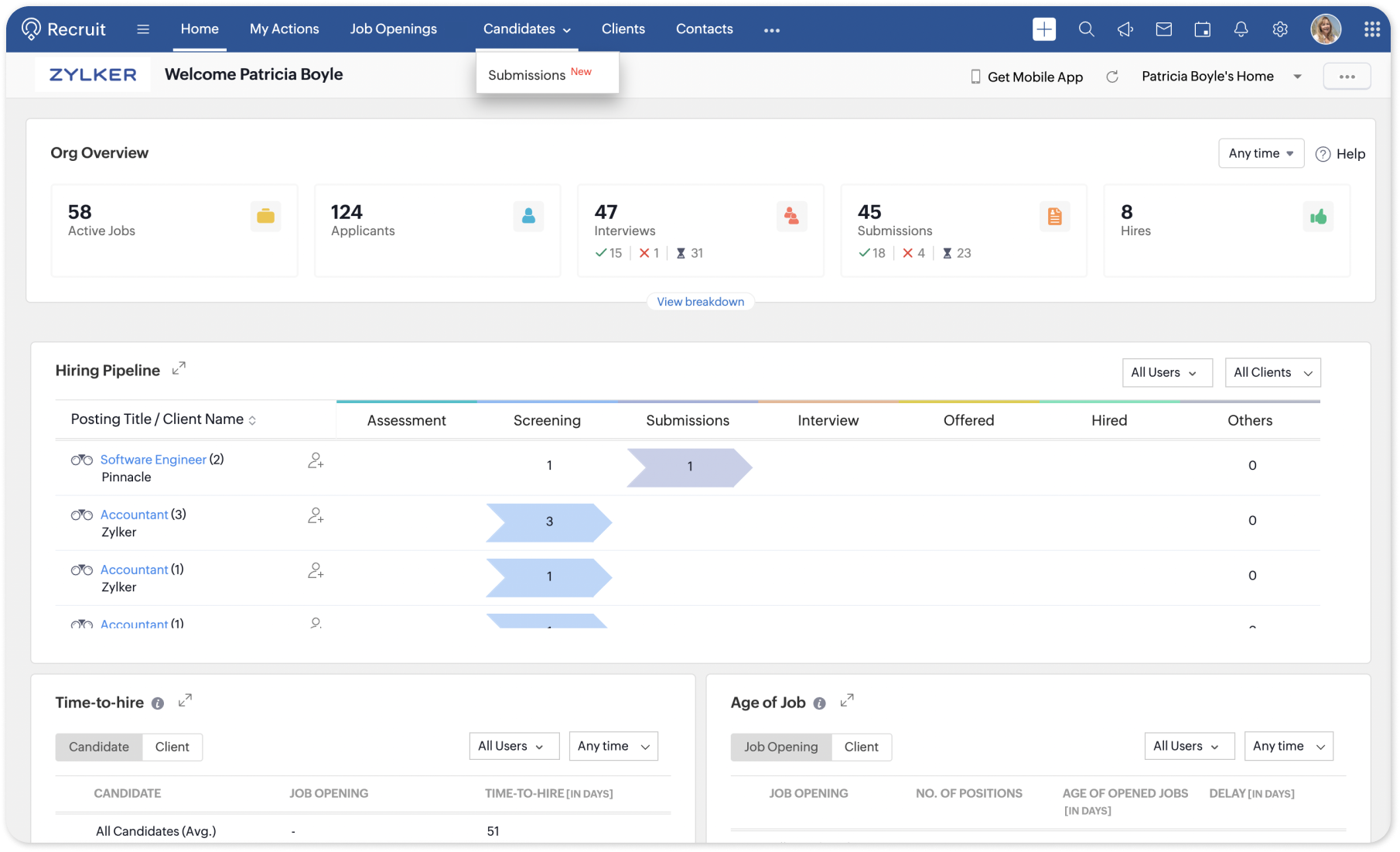
Explore List View
The List View page is where all your submissions will be listed as records. Take a moment to familiarize yourself with various default views and the options available, such as Quick View, Change Owner, Mass Transfer, Bulk Delete, etc.
Customizable Views
If you have a requirement to be able to view a certain field from the List View page in order to be on top of your work, then click the Edit icon near the Views drop-down. Add or remove fields as columns in your List View page, apply criteria based filters, and save custom views for quick access later.
Submission Details
In the Details Page of a submission record, you'll find comprehensive information about the submission, including the candidate's name, associated job opening, submission status, submission date, and more. When a client-contact submits their review for a submission, it is automatically added to the Review Status sub-tab of the submission's details page in real-time.
Enable Workflow Automation
To make the most of the new Submissions sub-module, consider setting up workflow alerts and actions such as configuring automatic follow-ups and replies to scheduling tasks and meetings. Navigate to Setup > Automation > Workflow Rules and create a new rule for the Submissions module. Define the criteria and actions you want to trigger for each submission that the rule is triggered for.
For more information, refer our help article or reach out to our customer support team at support@zohorecruit.com.
Regards,

Access your files securely from anywhere
New to Zoho Recruit?

Zoho Developer Community
New to Zoho LandingPage?
Zoho LandingPage Resources
New to Zoho Survey?
New to Zoho CRM Plus?
Deliver unforgettable customer experiences
New to Zoho CRM Plus?
Deliver unforgettable customer experiences
New to Zoho Marketing Plus?
Everything you need to run your marketing
New to Zoho Marketing Plus?
Everything you need to run your marketing
New to Bigin?





Topic Participants
Pradyumn K
arthur
Tony
Mark Z R
AG Recruitment
Sticky Posts
An update to improve email delivery | Email Authentication & Relay
Update Rollout Latest Update: Enterprise users (8th July, 2025) This update is now live for Enterprise plan users in all regions. This includes People Plus, but not Zoho One, which will be covered in an upcoming update. Professional users (31st May 2025)Zoho Recruit User Group Meet-up | INDIA 2025 (Venue Finalised)
Hello Zoho Recruit users from India, We’re pleased and excited to announce our 2025 edition of Zoho user group meet-up in India in five cities! In this meet-up, our team of experts will help you understand the intricate nuances to use Zoho Recruit better,Zoho Recruit is coming to the UK | Zoho Community Learning Series
Customers from the United Kingdom, Exciting news: We will be in London for the Zoho Recruit user meet up. Our team will help you better understand the intricate nuances of Zoho Recruit to help you hire faster, inform about new and upcoming features, andAsk the experts - A live Q & A discussion on Zoho Recruit
We are delighted to come back with another edition of Ask the Experts community series. This edition, we'll be focusing on everything about Zoho Recruit. The topics will focus on the features that are used/asked by the majority of users and also basedRestriction on 'From' addresses with a public domain
Dear Zoho Recruit Community, We hope this message finds you well. This post is to inform you about some important updates regarding email restrictions within Zoho Recruit. Effective post 31st March 2025, we will be implementing changes to the use of email
New to Zoho TeamInbox?
Zoho TeamInbox Resources
Zoho CRM Plus Resources
Zoho Books Resources
Zoho Subscriptions Resources
Zoho Projects Resources
Zoho Sprints Resources
Qntrl Resources
Zoho Creator Resources
Zoho CRM Resources
Design. Discuss. Deliver.
Zoho Show Resources

Get Started. Write Away!
Writer is a powerful online word processor, designed for collaborative work.
Zoho CRM コンテンツ
-
オンラインヘルプ
-
Webセミナー
-
機能活用動画
-
よくある質問
-
Ebook
-
-
Zoho Campaigns
- Zoho サービスのWebセミナー
その他のサービス コンテンツ
Nederlandse Hulpbronnen

ご検討中の方
Recent Topics
Tip of the week #27: Edit personal calendars in Zoho Calendar.
In Zoho Calendar, the personal calendars you create can be edited to make changes you need to make. Edit a Personal Calendar The following changes can be made to the personal calendar by editing it: Calendar title Calendar color Reminders and DescriptionTip of the week #28: Show/ hide, enable/ disable and empty/ delete your calendars in Zoho Calendar.
The popularity of online calendars has soared in recent years. It's used both for personal and professional reasons. Calendars have evolved into an effective productivity tool in our lives, from creating events for birthdays and anniversaries to schedulingTip of the week #30: Share calendars publicly in Zoho Calendar.
In Zoho Calendar, calendars that are created under My Calendars can be shared publicly. Making your calendar public allows others to view it. When you need to share your calendar with a larger group, public sharing can help. You can restrict others fromTip of the week #31: Share your personal calendars within organization.
Keep your Organization members aware of what's happening. In Zoho Calendar, you can share your personal calendar with all the members in your organization using the Share with org option.When you enable org sharing for a particular personal calendar,Tip of the Week #33: Appointment scheduler in Zoho Calendar.
In Zoho Calendar, you can use the Schedule Appointment option to share your appointment request form with the public, allowing people to fill out the form to request an appointment with you. This form can be embedded on your website or blog. VisitorsTip of the Week #34: Embed Calendars using Zoho Calendar
You can make your calendars public and visible to the general public by embedding them in your websites/blogs using Zoho Calendar. You can use the embed code to add your own calendars to your website's/ blog's HTML code, and the calendar will appear onTip of the week #35: Migrate to Zoho Calendar from Google Calendar.
If you are looking to move your Google Calendar events to Zoho Calendar, never worry about missing out the events from your Google Calendar. You can migrate the events from Google Calendar using the export option and import it to Zoho Calendar and manageTip of the week #36: Migrate to Zoho Calendar from Outlook Calendar.
If you've been using Outlook calendar and looking to migrate to Zoho Calendar, you can seamlessly export your calendars from Outlook and import them into Zoho Calendar without losing any events, participants, and the reminders set for each event. To migrateShared calendar issues and duplications
Apparently there was a calendar update? Now when I schedule an event for a team member that has shared his calendar with me, the event makes me the organizer and adds the event to my calendar as well. Previous to this "update" I would scheduled an eventSubscribed Calendar
Hi i have subscribed to a calendar for Holidays in Canada it shows all the holidays perfectly but every one of them has the word Canada before the rest of the name is there a way to remove that word Canada? It takes up a lot of space in the square onThe year that was at Zoho Calendar 2023- Part 1
Hello, amazing community members! Happy new year from all of us here at Zoho Calendar. As we begin the new year, we'd like to thank each and everyone of our community members for your unwavering support and love that you have shown for Zoho Calendar.Zoho Calendar 2024: A Year in Review
Hello, community members! Happy new year from all of us here at Zoho Calendar. As we turn the page to a new year, we extend our heartfelt gratitude to every member of our Zoho Calendar community for your continued support and enthusiasm. Your feedbackZoho Calendar not syncing correctly with personal Google Calendar
Coming to this forum as Zoho Calendar support team is not responding, any more. For the past 8 weeks, I have been having an issue with Zoho Calendar not syncing with my personal Google Calendar correctly. I subscribed to Zoho Calendar iCal in my personalZeptomail API error 500 internal server error
Hi Everyone, getting this eror continuously! Can anyone please guide around the same! Zeptomail API error 500 internal server error Best RegardsWaiting multiple days to buy credits, causing my website to suffer
So I own a fairly large website that gets a lot of registered users. I use transmail send activation emails, and also forgot password emails. I sent an email to zoho's presales team when I was only at 4K/10K emails sent, hoping to buy more credits beforeFollow up
Hello, I sent a message 2 days ago but I don't receive any response and I cannot find my ticket here. this is the ticket: Your ticket has been created with the ticket ID 68925465 and subject "Fwd: Fishing-alert" looking forward to seeing your response.What's new in TransMail!
Note: TransMail is now ZeptoMail. Click here to know more. Hello again, everyone! We've recently crossed the 6 months mark of TransMail's launch. In this time post our launch, we have been constantly working on updating our platform and adding new featuresJune 2021 in TransMail!
Note: TransMail is now ZeptoMail. Click here to know more. Hello again, everyone! Hope you and your loved ones are doing well. If you're doing less than fine, we truly hope that things only get better for you. We've had a few updates in the past monthTransMail has a new name—ZeptoMail!
Tried navigating to TransMail's community forum but see a different name now? That's because TransMail has a new name. TransMail is now ZeptoMail! As we’ve grown from an internal service used mainly by other Zoho products to an up-and-coming competitorJuly 2021 in ZeptoMail!
Note: TransMail is now ZeptoMail. Click here to know more. Hello again, everyone! Hope you and your loved ones are doing well. We've had a few updates in the past month in ZeptoMail—some new features and some important announcements. Take look at whatSend Email From the ZeptoMail BY API
What is Zeptomail:- Transactional email service with reliable and fast delivery How we can Create a Connection for Zeptomail in Zoho CRM Go to the Setup Click on Connection Enter Connection Details:- Generate Consumer Key & Consumer Secret Using ZohoCustomer email on Opencart 3
When I place an order, 2 emails are sent: 1) administrator 2) to the user The administrator receives a beautiful letter, but the user receives a damaged letter (see screenshot). What could be the problem?[Announcement] Insert image from URL changes in Zoho Writer
Hi Zoho Writer users! We'd like to let you know that we've changed the behavior of the Insert image from URL option in Zoho Writer for security reasons. Earlier behavior Once you inserted an image URL in a Writer document, the image would be fetched fromWriter sing up problom
Zoho writer sing up prolom faceUnable to copy into a new document
Whe I create a new Writer doc and attemp to copy and past I get this message. The only way to copy into a document is I duplicate an existing document, erase the text and save it under a different name and then paste the information. Not ideal. Can you[Webinar] Live demos and user Q&A with Zoho Writer product experts
Join us on June 12, 2025 for live demos based on your use cases and real-world scenarios raised via form. This is also an opportunity to get your questions answered directly by product experts from the Zoho Writer team. Webinar agenda Live demos basedZoho Writer's built-in citation and bibliography generator
Hey researchers and writers! Do you manually format citations and bibliographies, spending hours jumping between apps and tabs? If so, then check out Zoho Writer's built-in "Citations and Bibliography" feature. Imagine you're writing a thesis on the futureSingle and group checkboxes in Zoho Writer's fillable forms
Hey Writer Fam, Are you making the most out of single and group checkboxes in fillable forms in Zoho Writer? Here is a handy tip to optimize your use of checkboxes, both single and group, and enhance your data collection process. Single checkboxes: SingleCollaborate efficiently with Zoho Writer's track changes feature
Hi Zoho Writer Community, Zoho Writer's track changes feature is a simple, built-in solution that helps you and your team work together efficiently. Instead of juggling multiple versions of a document or building up a long email chain of comments, eachZoho Writer's WordPress extensions
Hey Zoho Writer users! Say goodbye to all your WordPress content publishing woes with Zoho Writer's WordPress extensions. Publish content with all your formatting and images, republish content when you update a document, and more—from a single windowTime-saving table hacks
Hey Zoho Writer Community, Do you find yourself using a lot of tables in your documents? We're here to share some of our time-saving hacks that will help you work more efficiently, organize your data, and make your documents look neat and professional.Automating document approval and signing with Zoho Writer and Zoho Sign
Hey Zoho Writer Community! Here's another automation tip to make your processes more efficient! Question: Can I send a document for client approval first, then automatically send it for signing with Zoho Sign if they approve? Since it's the same personCustomization hacks in Zoho Writer - Part 2
Hey community, We're back with some more tricks to personalize your documents, save time, and get in the zone when you work in Writer. Check out part 1 of this post if you haven't already. Let's dive right in! Document ruler units Imagine you're creatingSimplify your tax calculations with Zoho Writer
Hello Zoho Writer Community! Tax season can be stressful, but with Zoho Writer, managing your income tax calculations becomes straightforward and efficient. Here’s an example of how you can use the tables and formulae of Zoho Writer to calculate incomeEnhance document navigation with headings and TOC
Hey Zoho Writer Community! We're back with some useful features in Zoho Writer that can simplify your document creation and navigation process. Let's dive right in! Check out our video on how to make the most of Zoho Writer's heading and table of contentsUse and download in PDF format of Zoho wirter Merge template using deluge
Hello Zoho Developers. Here is some information about Zoho Writer. Writer is not just another online word processor, it's a powerful tool for editing, collaboration, and publishing. Even with its wide range of features, Writer's pared-down user interfaceCustomization hacks in Zoho Writer - Part 3
Hello everyone, Welcome back to Part 3 of our customization tips in Zoho Writer! In this third installment, we'll be diving into some essential customization settings that can enhance your document creation experience. Sender email address in mail mergeDaytime saving timezones messing up writer pdf
Hi, I need help for something I can't figure out. I created a Form to collect data and it is set up with my current Daylight Saving Time (GMT-3). This form is used to generate a contract (pdf Writer) with dates from an event that is being held in 4 monthsIssue with locked content in Writer
Hi, I have seen the documentation which outlines how to lock specific content within a Writer document so that it can't be modified by collaborators, but I have come across an issue. When the editor locks a paragraph for example, then a collaborator can'tDeprecation of certain URL patterns for published Zoho Writer documents
Hi Zoho Writer users! We'd like to let you know that we have deprecated certain URL patterns for published and embedded documents in Zoho Writer due to security reasons. If the published or embedded documents are in any of these URL patterns, then theirNext Page